Offering multiple products on your upsell pages is a powerful way to increase your average order value (AOV).
With Funnelish, you can easily let customers select one or multiple products directly from your upsell page, no custom code or workarounds needed.
In this guide, we’ll walk you through exactly how to set it up.
Why Use Multiple Product Selection on Upsells?
Instead of showing just one upsell offer, you can present a list of products and let customers choose what they want.
This works especially well for:
-
Bundles
-
Accessories
-
Complementary products
-
“Pick your favourites” offers
It gives customers more flexibility, while increasing your chances of a higher-value order.
Step-by-Step: Enable Multiple Product Selection
1. Go to Your Upsell Page Editor
Open the upsell (OTO) step inside your funnel and access the page editor.
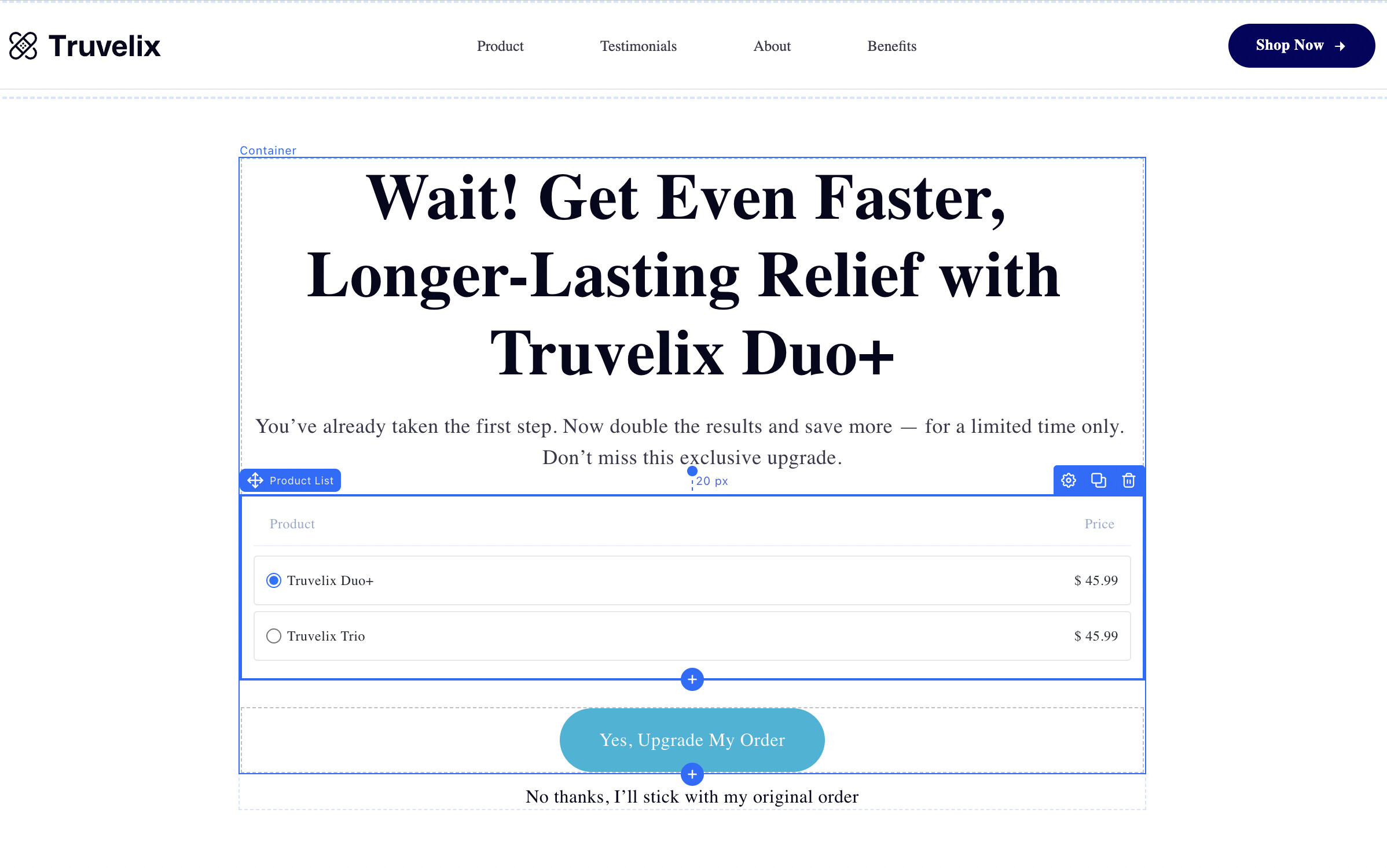
2. Add a Product List Element
Drag and drop a Product List element onto your page.
This is where your offers will be displayed.
3. Configure Product Selection
Click on the Product List element and open its settings.
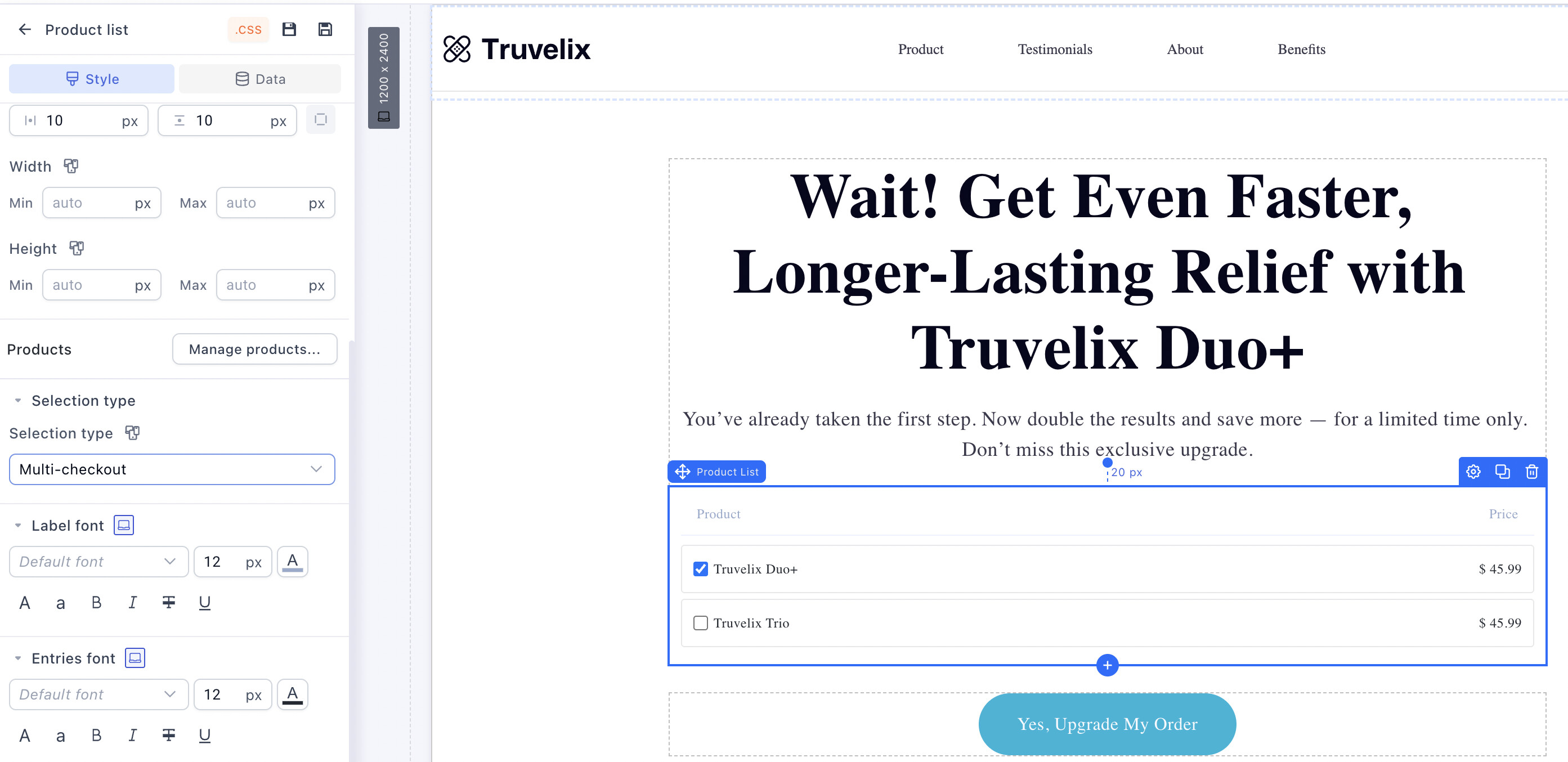
Here, inside Selection type, you’ll find two options:
-
Multi Checkout → Allows customers to select multiple products
-
Single Checkout → Restricts selection to one product only
Choose the option that fits your offer strategy.
4. Connect the Buy Button
Next, select your Buy button on the page.
Go to:
Button Settings → Interaction
Then assign:
 OTO YES LINK →
  Allow customers to pick from product list
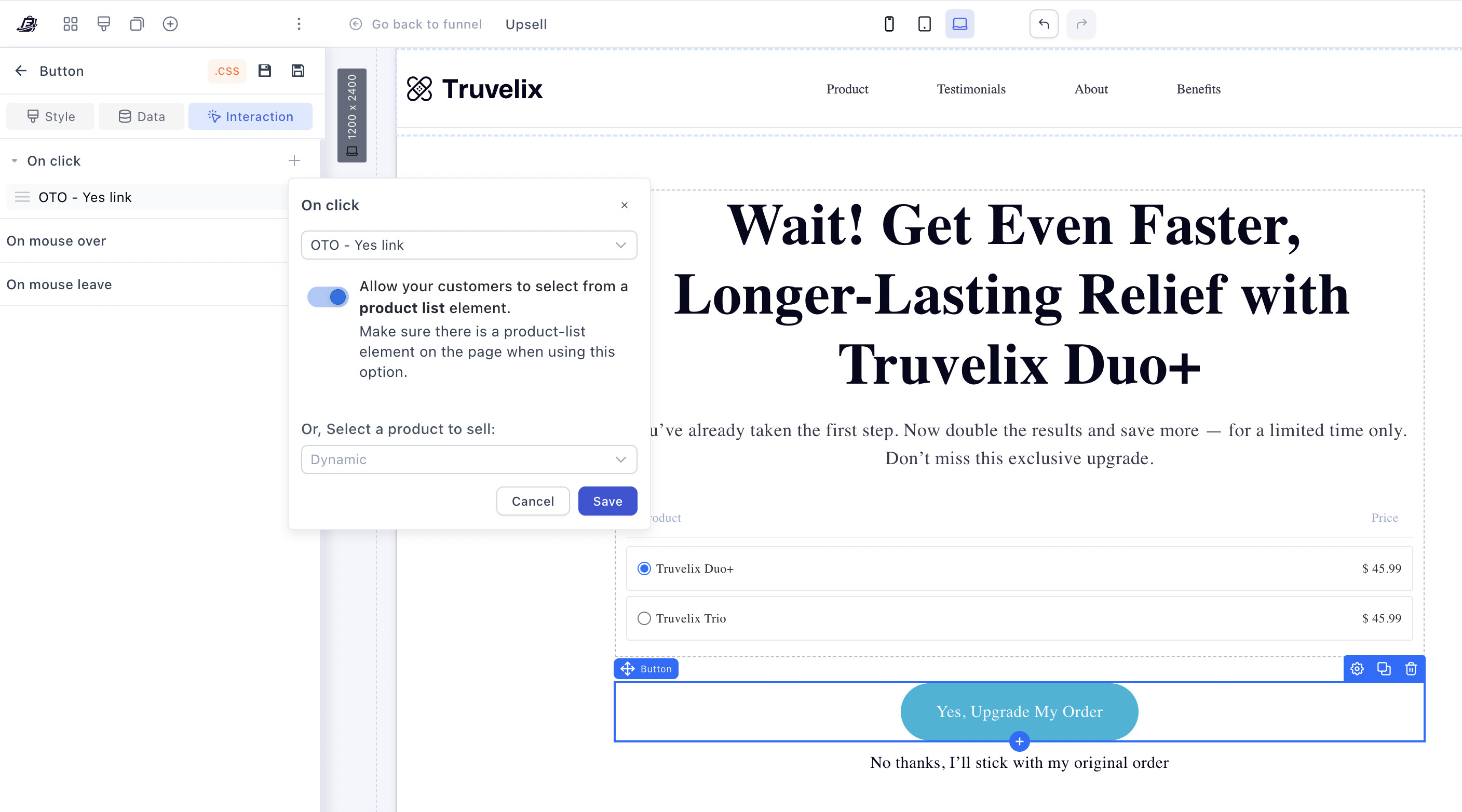
This ensures that when customers click the button, the selected products from the list are added to their order.
That’s It 
You’ve now enabled multiple product selection on your upsell page.
Customers can:
-
Select one or multiple products
-
Add them in a single click
-
Complete their purchase seamlessly
Pro Tips
-
Use Multi Checkout for bundles or accessory-heavy offers
-
Keep your product list focused (3–5 items works best)
-
Highlight bestsellers or recommended items
-
Combine with urgency (limited-time upsell, discounts, etc.)