Deprecation Notice
This article covers our legacy ClickFunnels (CF) plugins, which are no longer supported.We’ve moved on to Funnelish v2 — a faster, more powerful, and easier way to build high-converting funnels.
Need help migrating your ClickFunnels funnel into Funnelish? Reach out to support.
The Smart Optin app allows your visitors to opt in to your funnel using their Facebook or Google account.
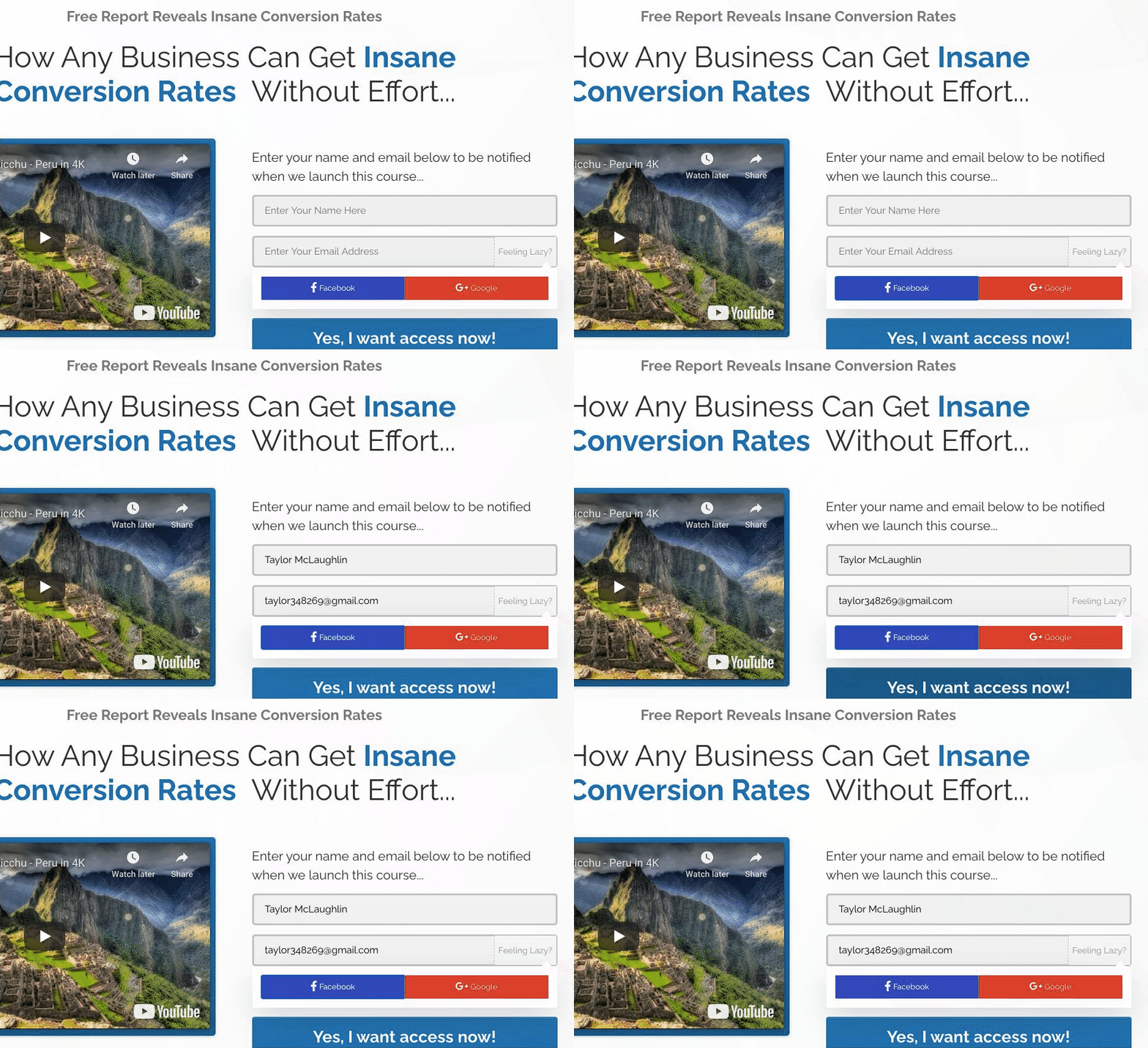
To enable this feature, turn on the Smart Optin app in your Funnelish account and add your Facebook and Google Client IDs.
Facebook Client ID
Guide: https://developers.facebook.com/docs/apps#register
Step 1: Create a Facebook Developer Account
-
Click Get Started
-
Log in with your Facebook account
-
Select Developer
Then:
-
Click Create New App
-
Select “For Everything Else”
-
Enter your app name and email

Copy the App ID after creation.
Step 2: Switch the App to Live Mode
-
Change the app from Development to Live
-
Add your privacy policy URL
-
Save changes
Step 3: Add the App ID to Funnelish
-
Go to Funnelish → Global Apps
-
Enable Smart Optin
-
Paste your App ID
-
Save changes
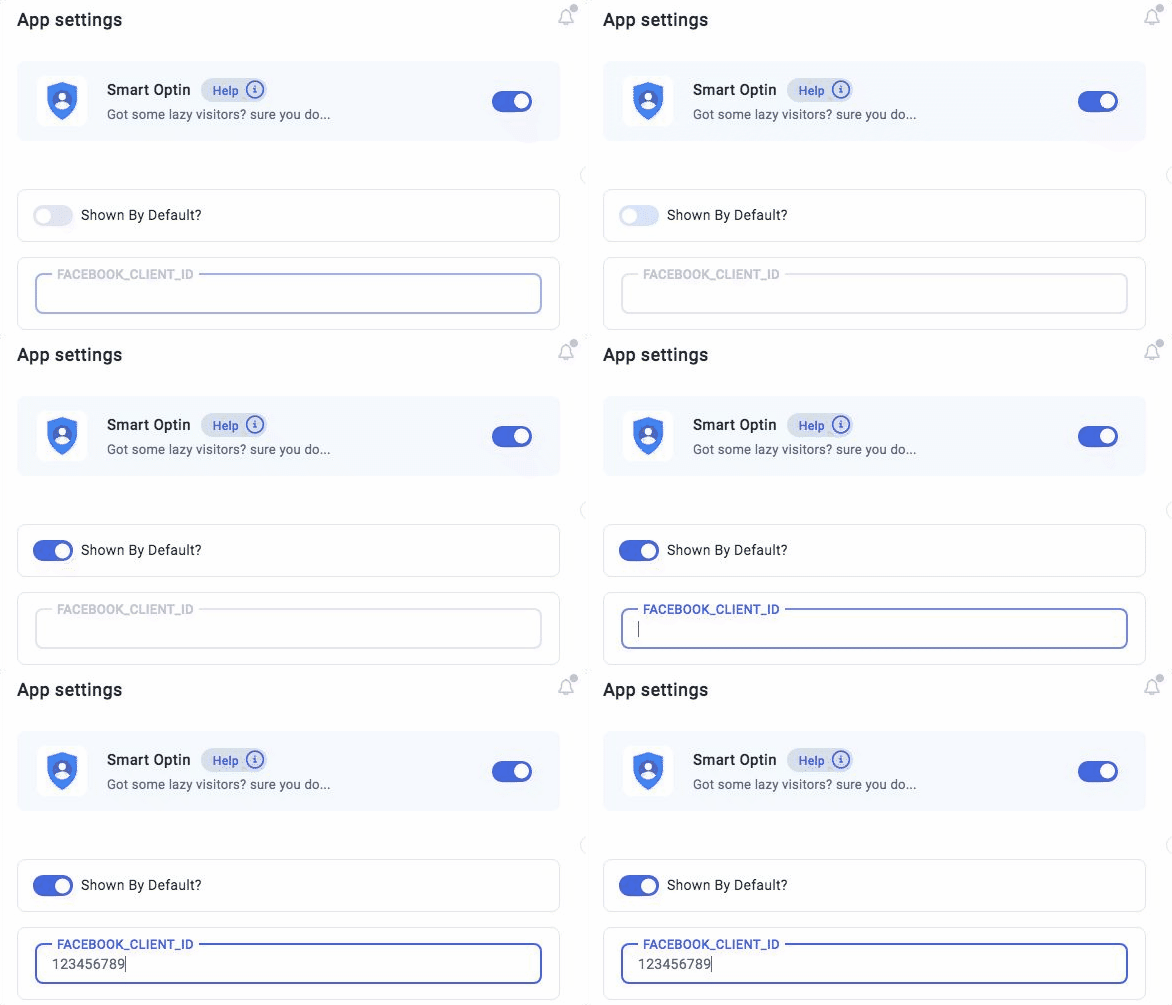
Make sure the app is enabled in the funnels where you want to use it.
Google Client ID
Guide: Integrating Google Sign-In into your web app | Web guides | Google for Developers

Step 1: Create a Google Cloud Project
Go to: https://console.developers.google.com/apis/credentials
-
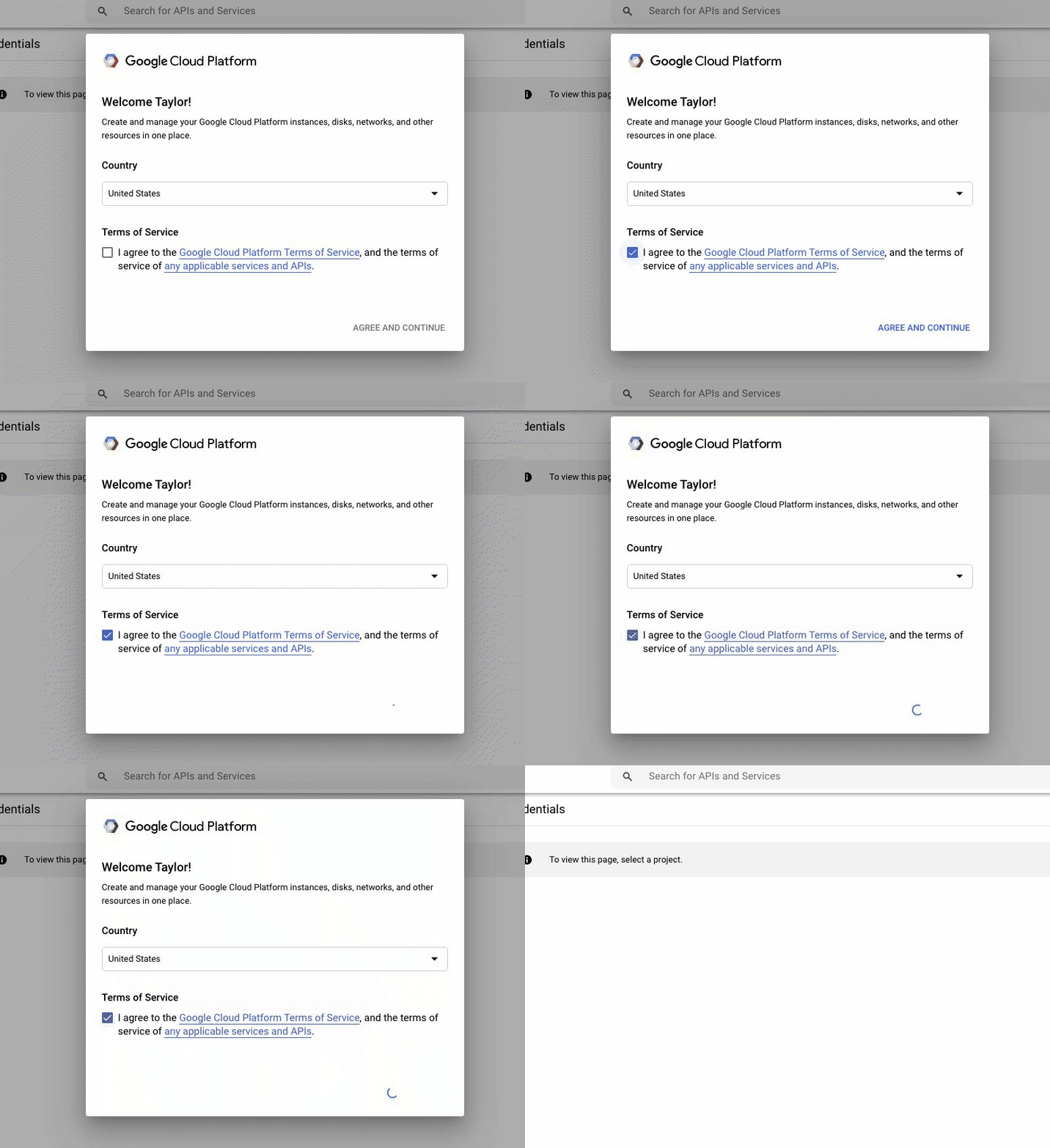
Select your country
-
Accept terms
-
Click Create Project
-
Enter a project name
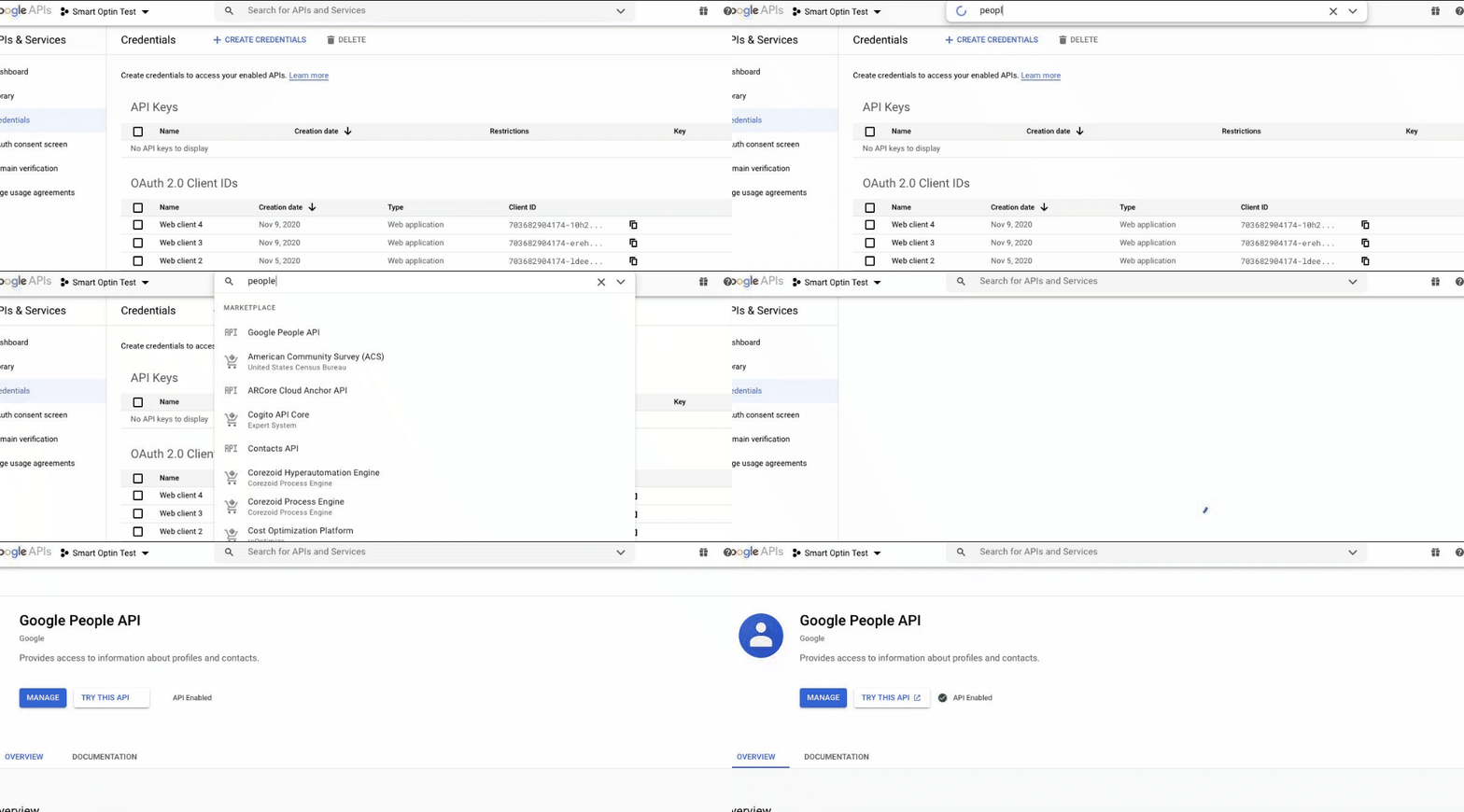
Step 2: Enable Google People API
- Search for Google People API
- Click Enable
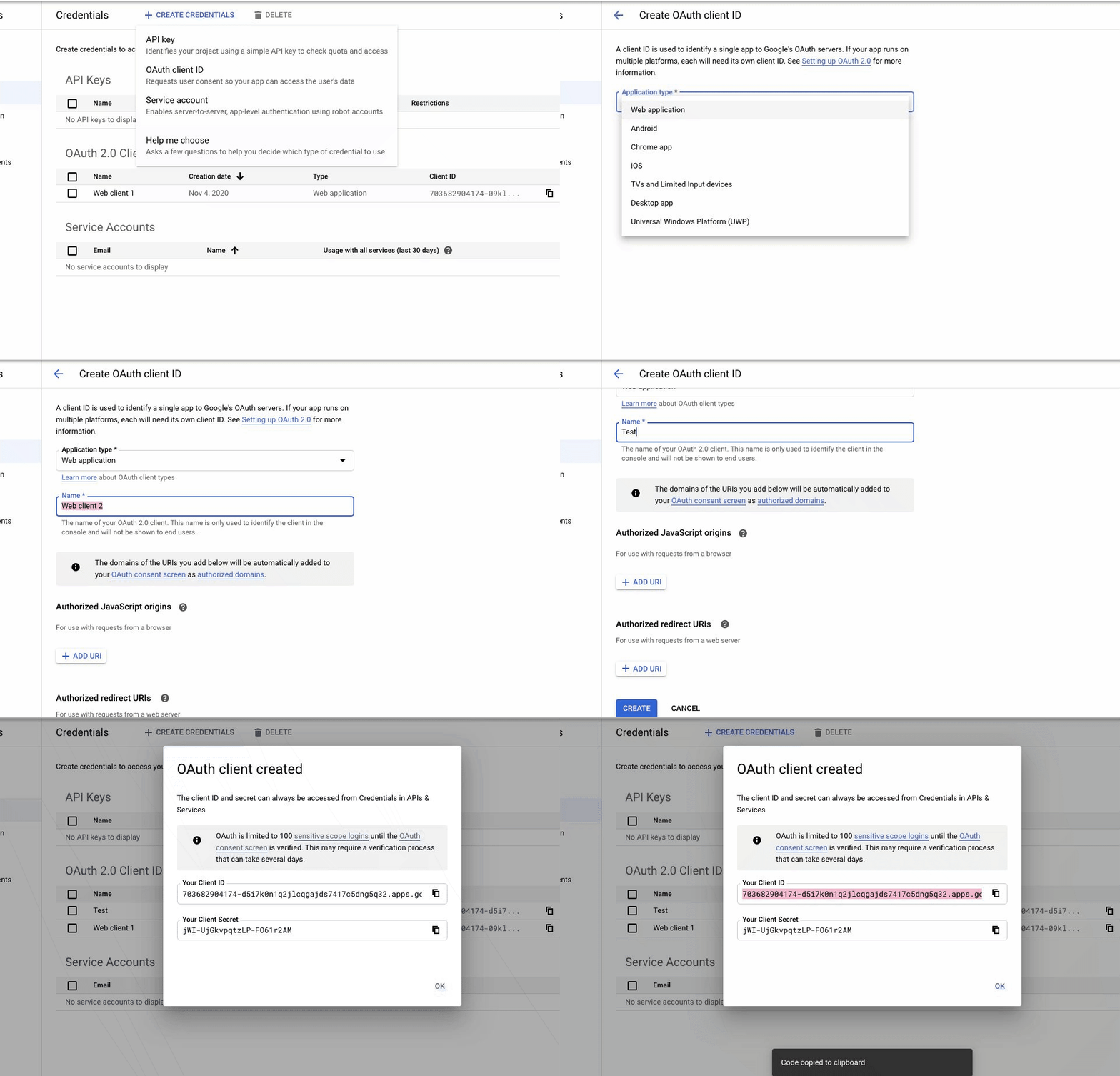
Step 3: Create OAuth Client ID
-
Click Create Credentials → OAuth Client ID
-
Select Web Application
-
Enter a name
Add your funnel URLs under Authorized redirect URIs.
Click Create and copy the Client ID.
Step 4: Add the Client ID to Funnelish
- Go to Funnelish → Global Apps
- Paste your Client ID
- Save changes
- Enable Smart Optin inside your funnels
Notes
-
Make sure Smart Optin is enabled globally
-
Ensure both Client IDs are added correctly
-
Facebook app must be live
-
Google redirect URLs must match your funnel pages
For better performance and support, upgrade to Funnelish: