This usually means the payment form is not submitting properly due to missing or incorrect setup.
Common Causes & Fixes
1.No product or variant selected
If no valid product (or variant) is selected, the form cannot submit.
Fix:
- Ensure a product is connected in Product Automations
- If using variants, make sure:
- a default variant is selected, or
- the user is required to choose one
 Set up automations | Funnelish Docs
Products | Funnelish Docs
- CTA button not properly connected
Using custom links like #submit-form can break submission.
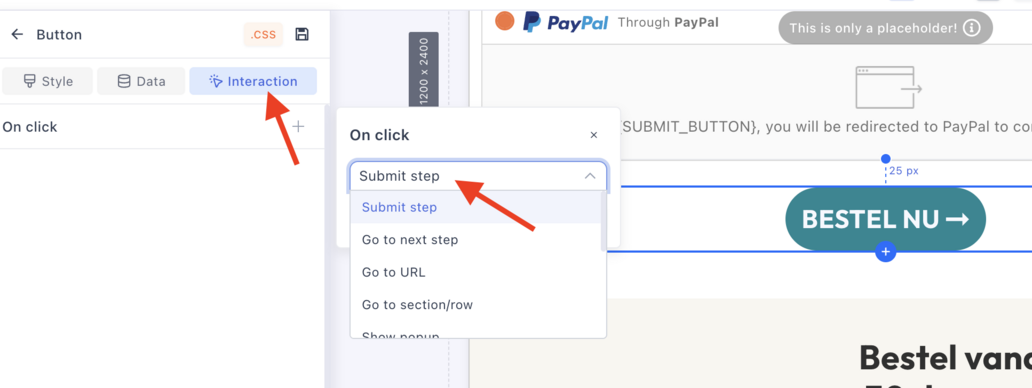
Fix:
- Use the built-in CTA button action
- Avoid custom submit links or multiple triggers
3.Payment gateway not fully set up
Even if connected, it may not be fully active.
Fix:
- Ensure a payment gateway is connected to the payment form
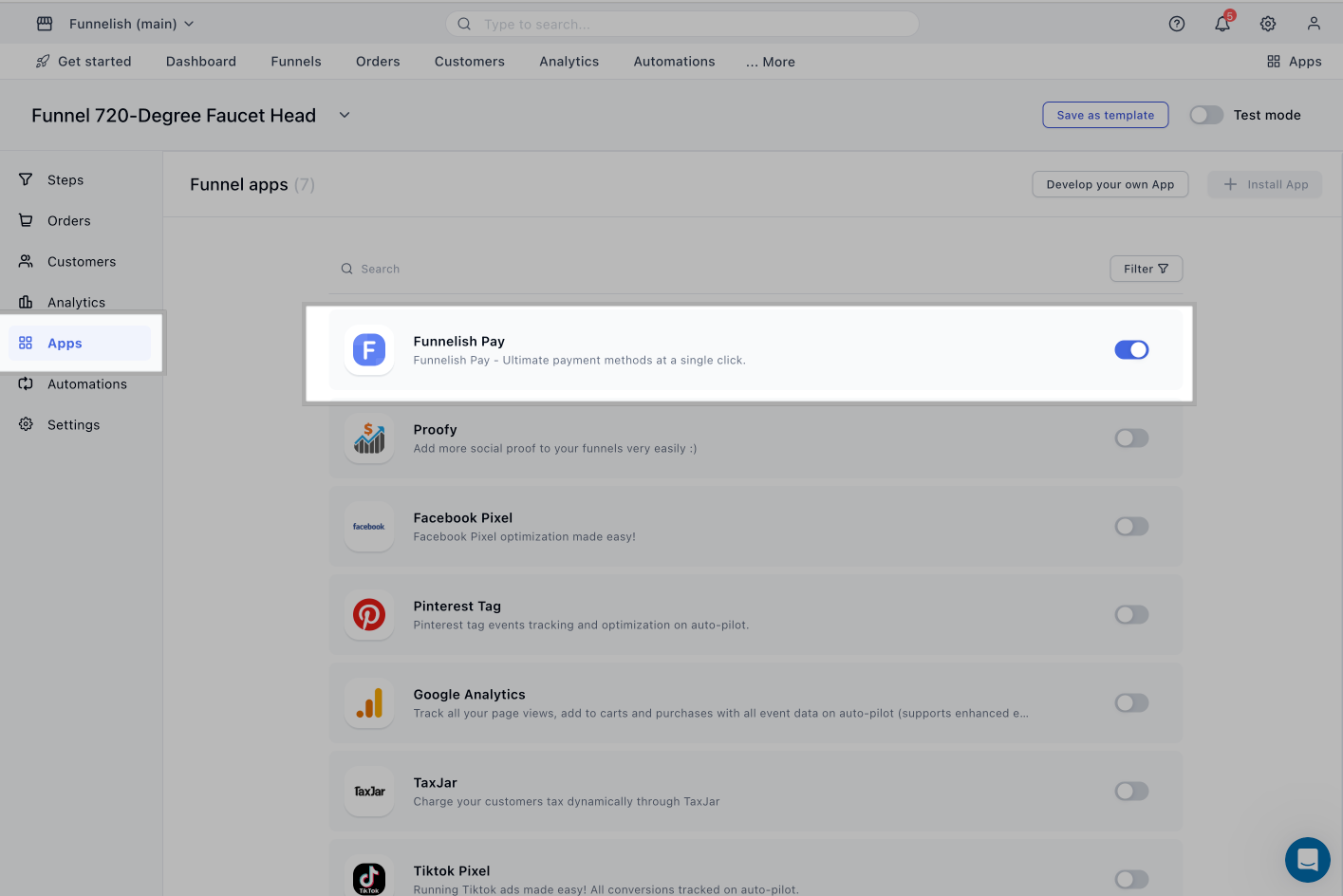
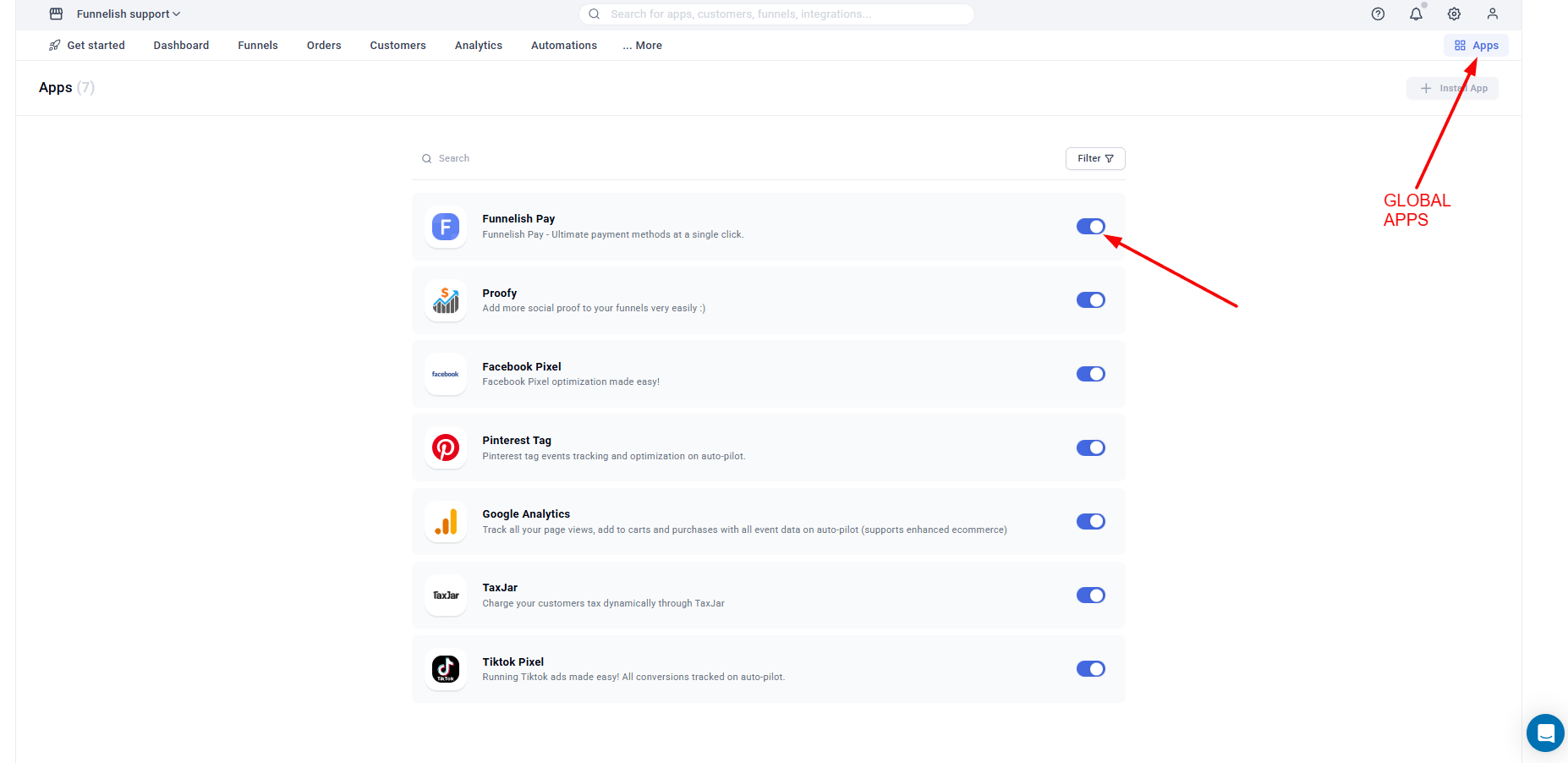
https://docs.funnelish.com/start/funnel-builder/editor-forms/payment-form - Make sure Funnelish Pay is enabled in both:
- Funnel Apps
- Global Apps
- Missing required checkout fields
Missing fields like Country can block submission.
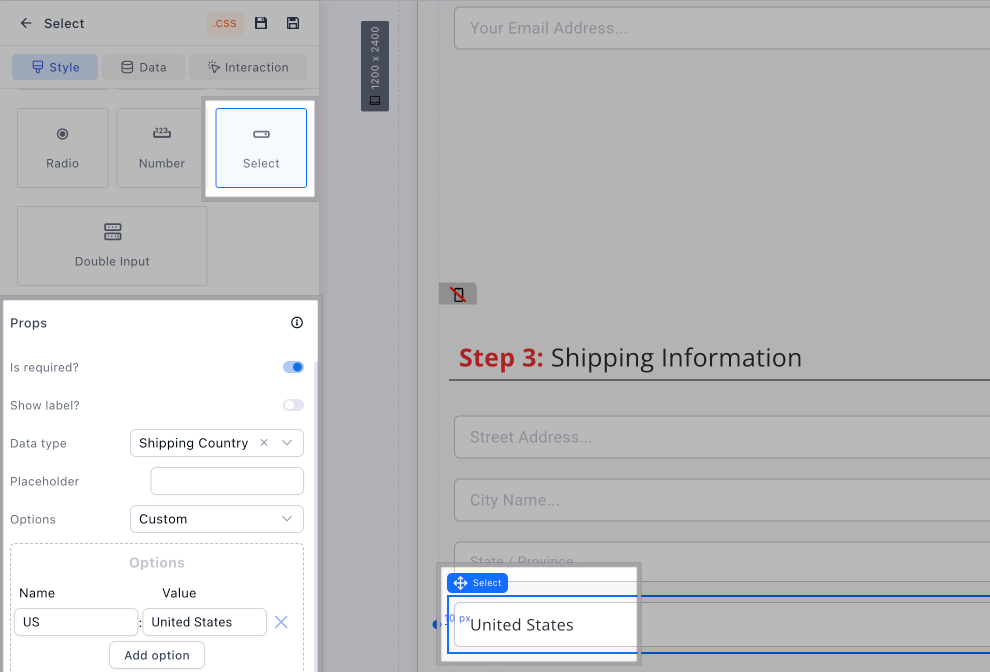
Fix:
- Add a Country field, or
- Set a default country if selling to one region
- Multiple payment forms on the page
Having more than one payment form can cause conflicts.
Fix:
- Ensure there is only one payment form per step
A spinning “Processing…” button means the checkout form isn’t completing submission—usually due to missing product data, incorrect CTA setup, or incomplete payment configuration.
If the issue persists, please share:
- Funnel share link
- Screenshot of your product + payment setup
We’ll be happy to take a closer look 
You can reach out to us directly at [email protected], or simply click the bubble chat icon inside your dashboard, we’re here and ready to help 