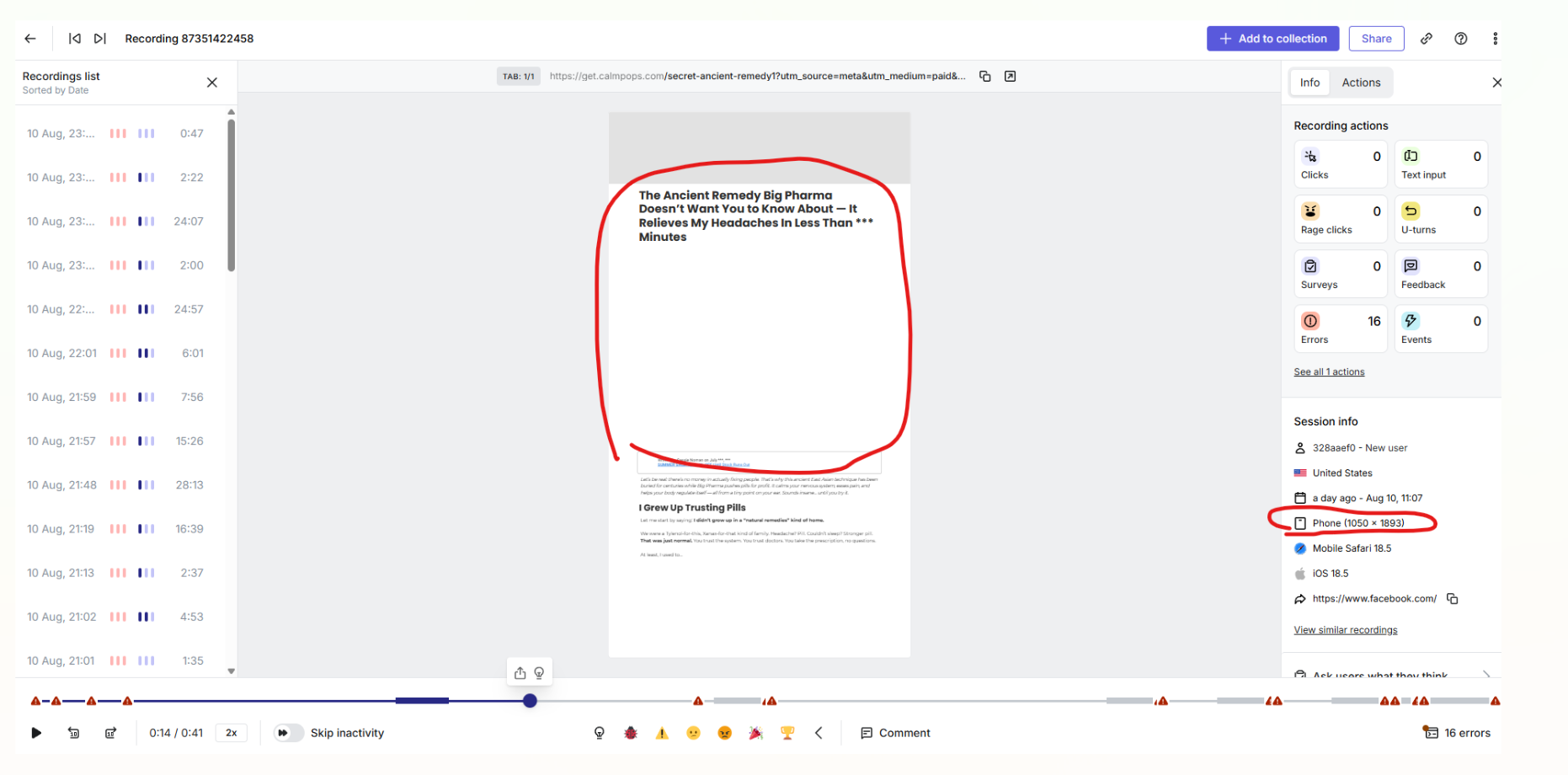
Hi there, we are running our funnels and installed hotjar script to track and record what is going on.
What we noticed that on really a lot of sessions - there is many errors of one type:
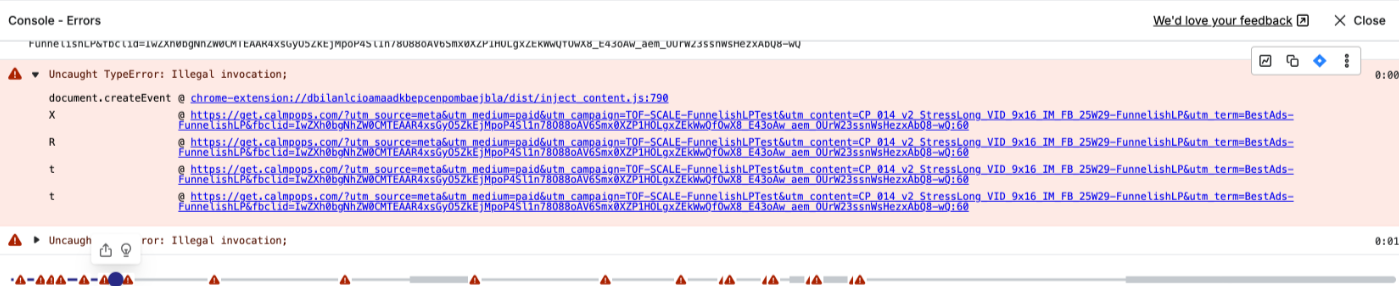
Uncaught TypeError: Illegal invocation;
document.createEvent @chrome-extension://dbilanlcioamaadkbepcenpombaejbla/dist/inject
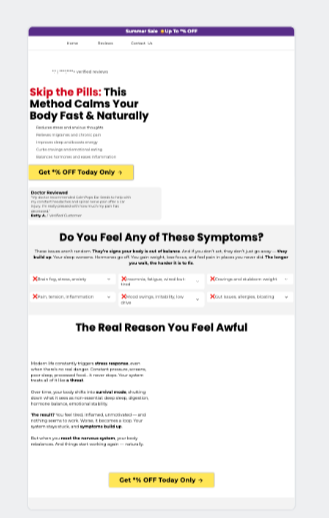
Looking at the screenshots - i’ve attached the error and the recording is not showing any visuals at all. There is quite ALOT of sessions like this. Very few that are okay - and it shows visuals okay.
The performance is really terrible and we think this is causing it to be bad.
Any ideas to help? Support is not giving much..
Hey @TECHTANK 
It looks like those errors are being triggered by a browser extension — specifically from a script loaded via a Chrome extension (you can see the chrome-extension://… path in the error). This kind of issue is outside Funnelish itself and is usually caused by ad blockers, privacy extensions, or other injected scripts interfering with your funnel’s JavaScript.
A few suggestions to narrow it down:
- Test in a clean browser environment — try opening your funnel in an incognito/private window with no extensions enabled, or use a different browser where you haven’t installed any extensions.
- Ask affected users to do the same — if the problem disappears in a clean browser, then you’ve confirmed it’s an extension conflict.
- Common culprits — ad blockers, privacy trackers, and even some password managers can inject scripts that break Hotjar recordings or funnel performance.
If you confirm it’s an extension issue, unfortunately there’s no way to “fix” the extension itself from your end — but you can display a quick note to visitors asking them to whitelist your site or use a different browser for the best experience.
Let me know how it goes after trying in a fresh browser with no extensions installed — that’ll help us know the next step.
Hey,
Thanks for reply!
Clean browser does show everything okay. Currently, no users reached out.
I was using also another computer, where I could not access it due to security issues. I was thinking that maybe there is a security extension that blocks it.
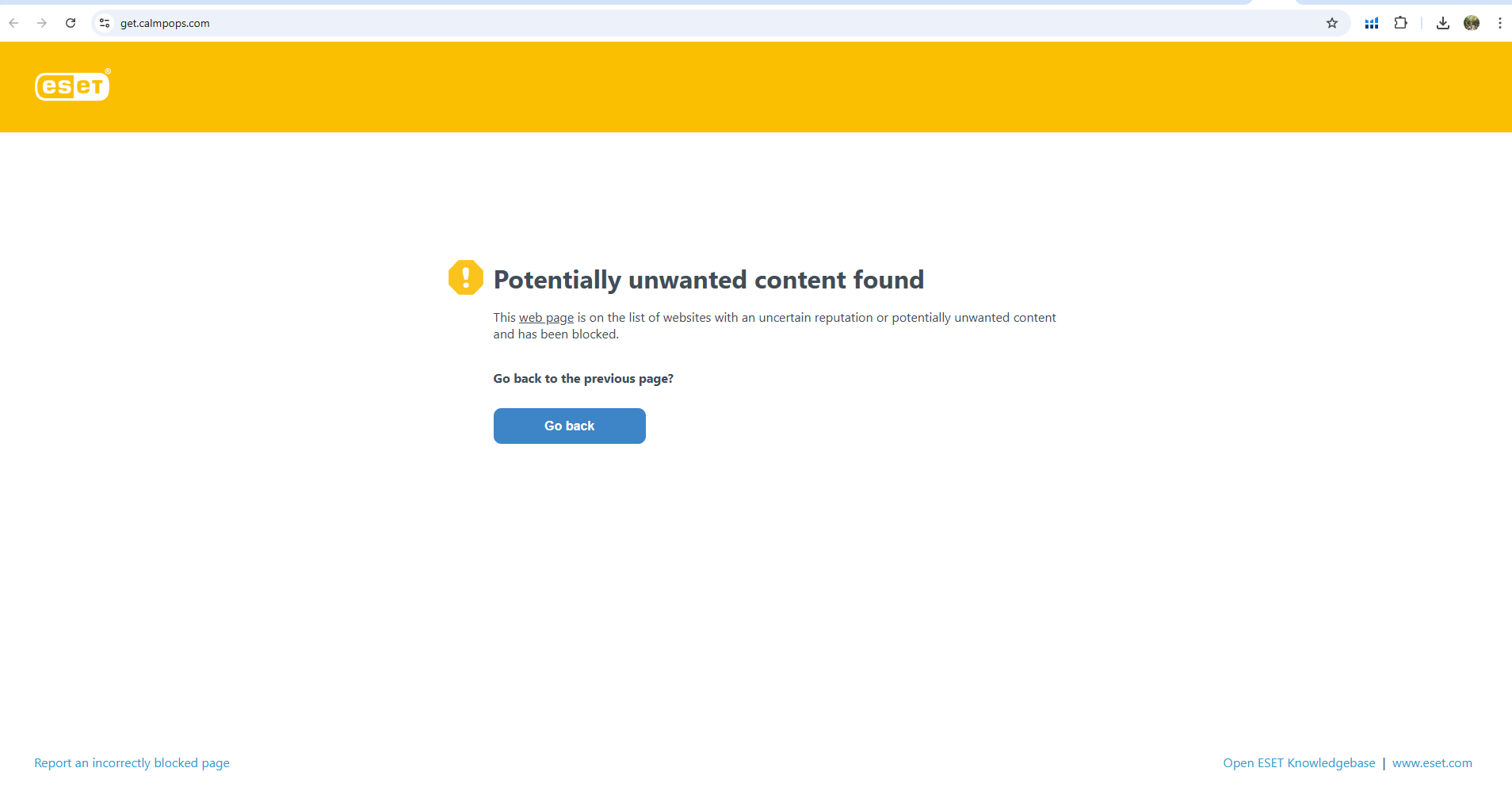
Is there spots we could try and improve something within Funnelish that would not flag the site as not secure? Attached a screen how pc’s antivirus software blocks it.
Hey @TECHTANK, thanks for sharing the screenshot — that helps a lot.
This isn’t an issue with Funnelish code itself, but rather with ESET’s domain reputation database. They’ve classified your domain as “potentially unwanted” which is why it’s blocked. This can happen if:
- The domain is brand-new and hasn’t yet built a positive reputation in their system.
- It’s using a subdomain of a provider that has mixed reputations from other users.
- Past reports or automated scanning have flagged similar URLs as risky.
Steps you can take:
- Submit a false positive report to ESET — there’s a “Report an incorrectly blocked page” link in that warning screen (bottom left). You can explain your site is a legitimate sales funnel.
- Use HTTPS with a valid SSL certificate (most funnels already do, but worth confirming).
- Check your site for blacklists — tools like Google Safe Browsing Check or Sucuri SiteCheck will tell you if any major security vendors have flagged it.
- If possible, use a custom domain rather than a shared provider domain — this helps build a clean reputation over time.
Unfortunately, until ESET updates their database, users with that antivirus will keep seeing the block unless they whitelist the site. Submitting the false positive request is the fastest way to fix it.
-
Use HTTPS with a valid SSL certificate** (most funnels already do, but worth confirming). - can you elaborate more here, where should i check this?
-
sub domain could be causing this issue?
If ESET is blocking, could other anti virus systems also block it? if many customers in US potentially has some anti virus apps installed - could it be blocking like its blocking for me?
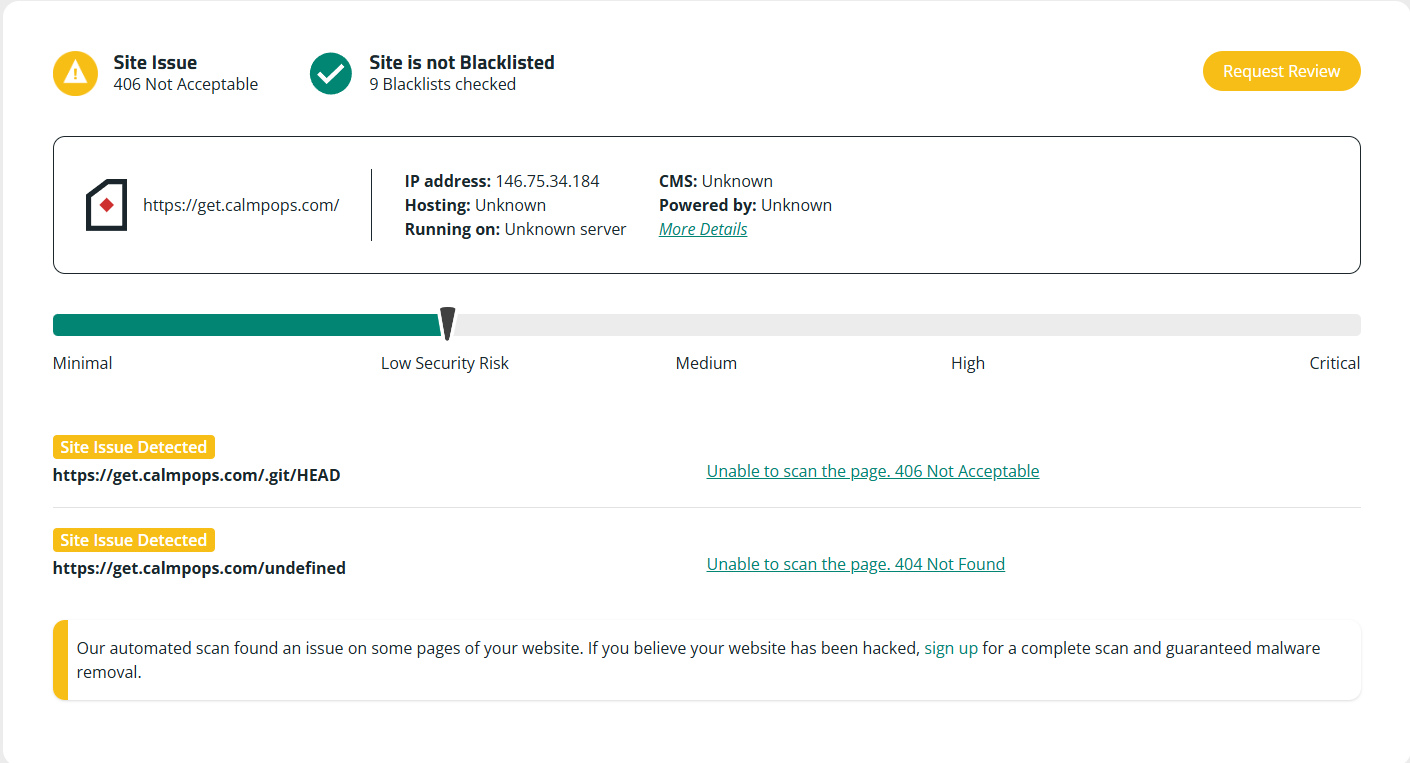
Few issues were found by a site - how could I fix them?
a 3d thing noticed is that Hotjar shows a really strange mobile screen settings when this issue occurs - Phone (1050 x 1893), which sounds a bit unreal. Dekstop shows the same size almost. All sessions that has this big issue has really similar size shown and is using phone.
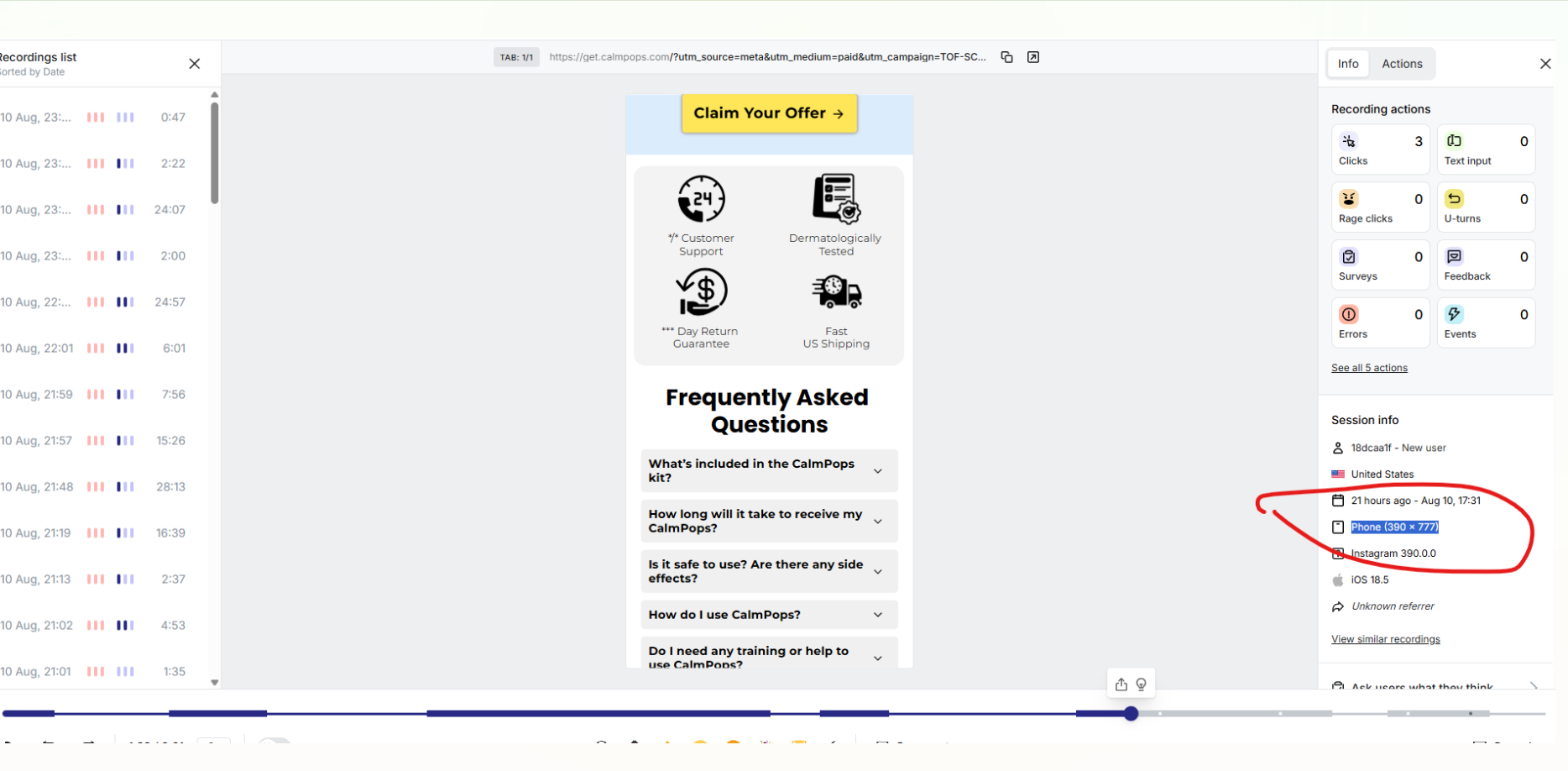
Few sessions that are not broken - shows a proper size, like Phone (390 x 777)
Will attach screens
Hey @TECHTANK,
Thanks for sharing the scan results — let’s go through your points one by one:
1. Checking HTTPS & SSL certificate
- Visit your funnel’s URL in a browser. If you see a padlock icon in the address bar and it says “Connection is secure” when you click it, then your SSL certificate is valid.
- If you see warnings like “Not secure,” you’ll need to install or reissue an SSL certificate. In Funnelish, this is handled automatically if you’re using a custom domain and have pointed your DNS correctly.
- You can also double-check at SSL Labs Test — just enter your domain.
2. Subdomain reputation
- Yes, if you’re using a shared subdomain (like
example.funnelish.com) and another user on the same root domain has been flagged in the past, antivirus systems might inherit that reputation.
- Using your own custom domain (e.g.,
yourbrand.com) often avoids this problem and builds your own clean domain history.
3. Could other antivirus tools block it too?
- Possibly. Each antivirus company has its own database, but some share data. If ESET has flagged it, others could as well — which is why submitting a “false positive” report to ESET and any other vendor is important.
4. Site issues from the scan
- The
.git/HEAD path being detected means the scanner tried to access your Git repository, but it’s returning a 406 error. This is actually good — it means it’s not exposed. Nothing to fix here unless you actually have a .git folder in your web root (which shouldn’t be the case for funnels).
- The
/undefined path returning a 404 just means something is linking to a non-existent page — check your funnel links or scripts to see if “undefined” is showing up in any URL parameters.
- The “406 Not Acceptable” message can sometimes come from a server security rule (e.g., ModSecurity) and isn’t necessarily harmful.
Next steps I’d suggest:
- Test SSL at SSL Labs.
- Consider moving to a custom domain if you aren’t using one.
- Submit a false positive to ESET (link here).
- Check your funnel links/scripts for any that point to
/undefined.
1 Like