(Note: The tools and methods for styling order forms and product selectors have undergone massive structural changes since this 2018 post.)
April 2026 Updates: Fancify & Modern Order Form Styling
If you are trying to troubleshoot why the “Fancify” app is not working on your checkouts today, please be aware that this tool - and the platform it was originally built for - have completely evolved. The old workarounds are no longer necessary.
What’s Changed & Deprecated
- ClickFunnels is Deprecated: The legacy ClickFunnels 1.0 platform is now completely deprecated. Fancify was originally designed specifically as a custom script to “beautify” and fix the rigid, outdated design of ClickFunnels order forms.
- Fancify App is Obsolete: Because the underlying platform (ClickFunnels) is no longer the standard, the Fancify app itself is no longer supported or needed. Injecting old Fancify scripts into modern pages will likely cause loading errors or broken checkouts.
- Custom CSS Workarounds: You no longer need to rely on complex CSS or external plugins to add borders, highlight “best value” products, or make your product selectors look professional.
Up-To-Date Solution: Native Product Styling
Here is how you design high-converting, beautiful product selectors flawlessly as of 2026:
- Funnelish v2 (Standalone): By building your sales and checkout flow directly in the native Funnelish v2 platform, advanced design capabilities are completely built-in.
- No External Apps Required: You no longer need Fancify. You can completely customize the look and feel of your checkout experience directly from your product settings and the Funnelish Page Builder.
- Native Features: Want to highlight a specific pricing tier, add a “Most Popular” badge, change selection colors, or create a grid layout? It is all native. Just click on your product element inside the Funnelish builder to adjust the styling visually without touching a single line of code.
How to Style Products Today
To update your funnel to the modern standard:
- Remove any old Fancify custom codes or scripts from your funnel settings.
- Ensure you are using the native Funnelish v2 Page Builder.
- Click directly on your Order Form / Product Element in the builder.
- Use the right-hand settings panel to visually style your product boxes, add highlight ribbons, and customize the selection states.
Hello Samlee,
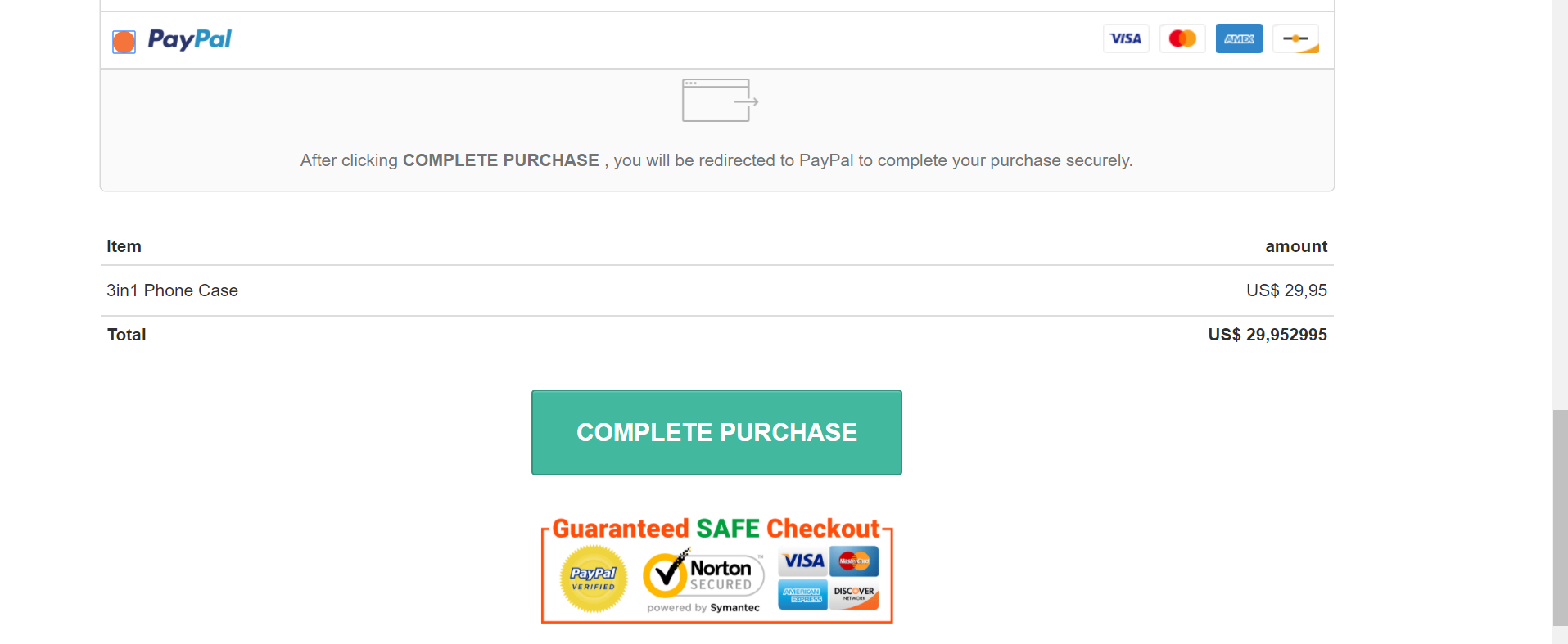
Since installing the paypal plug in my total order value never shops up correctly, as you can see in the picture at the bottom. Do you know how to fix this? It should just be 29,95
Kind regards,
Daan Dekker