How to create an 'automation for abandoned checkout and link it properly to klaviyo? Is there a guide that can explain me how to do it?
Hey Pietro,
Here’s a full A-Z guide on connecting Klaviyo to Funnelish & setting up an abandoned cart automation.
Connect your Klaviyo account through the steps in this article here:
** Make sure to give Funnelish full access when creating the key, as without it we can not push any data to your lists.
Then set up the automation to send the data to Klaviyo.
The way you can set it up is by going to Funnel > Automations > Create an automation
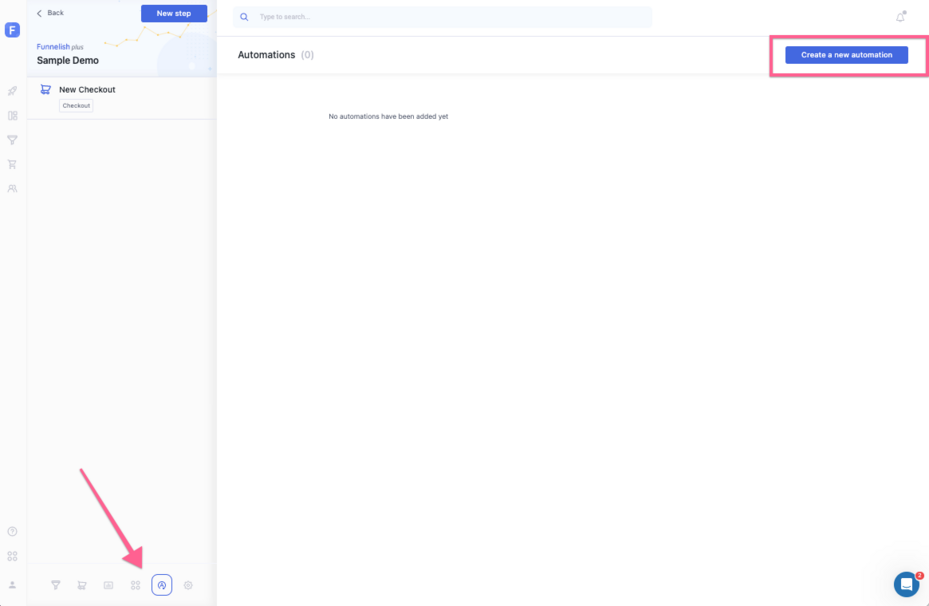
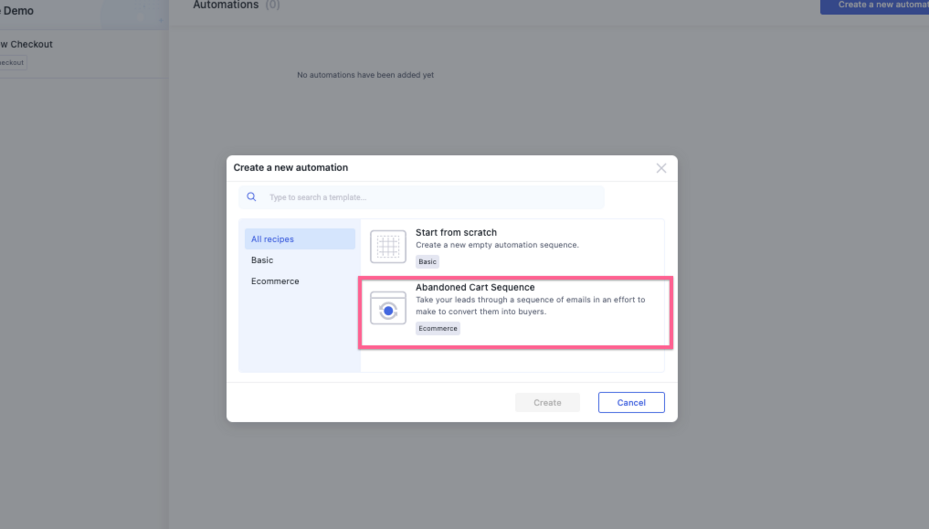
You can start one from scratch or even use our template for that abandoned cart flow if you wish:
And you’d just set-up your triggers etc, for abandoned cart l’d recommend something like this:
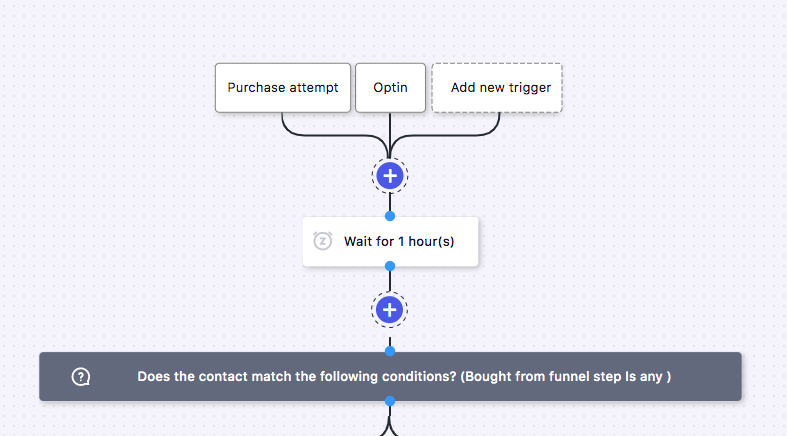
And then that condition can be if they didn’t buy from any step add them to abandoned carts list in Klaviyo or similar.
Here’s a full video guidance of sending Funnelish abandoned cart contacts to Klaviyo.
This will sync the abandoned carts into a specific Klaviyo list.
Lastly, make your abandoned cart flow from Klaviyo to be list triggered:
https://help.klaviyo.com/hc/en-us/articles/360003031652
 Important Note:
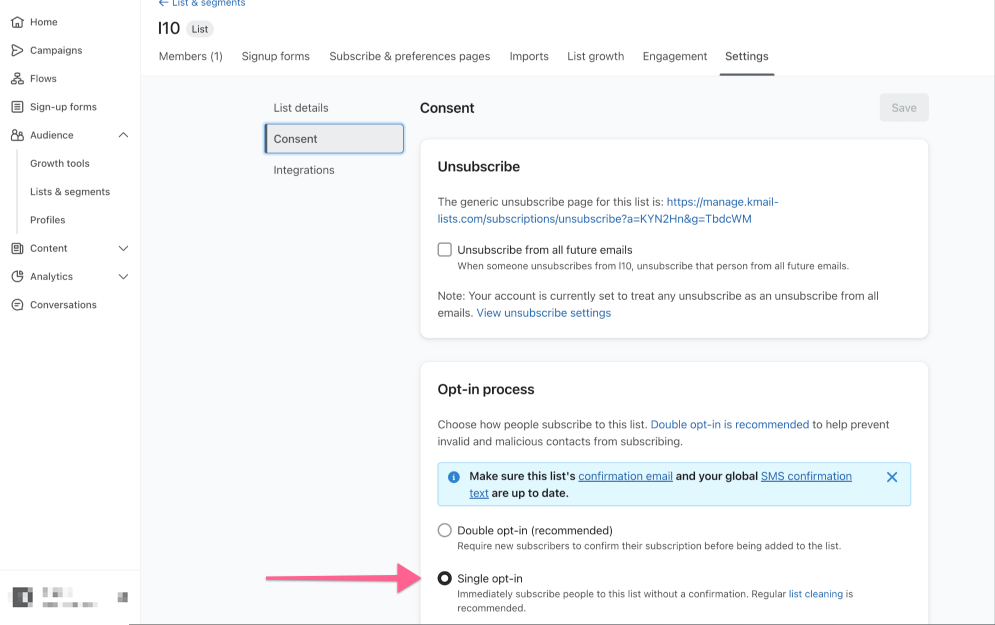
When the Double Opt-In is ON, customers are required to confirm their subscription via an automated email sent by Klaviyo before they are added to the list. Disabling this feature will allow customers to be subscribed directly without needing additional confirmation. In order for the contacts to be added properly, make sure that you have DOUBLE OPTIN OFF.
To do this
- Log in to Klaviyo.
- Go to the List section > Settings
- Make sure the double optin is OFF.
Please refer to the attached screenshot for visual guidance:
Let me know if struggling further! 