2026 Updates: Fixing PayPal Checkout Errors & Native Integrations
Changes & Current Status:
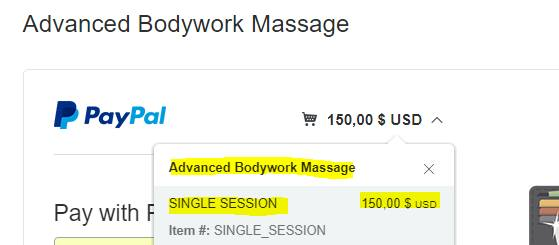
In 2017, users connecting ClickFunnels to PayPal via the legacy Funnelish plugin often encountered the cryptic “Things don’t appear to be working at the moment” error. As the user discovered, this was usually caused by a product name being too long, which crashed the old PayPal API payload.
This legacy plugin workflow is completely deprecated. Today, Funnelish is a standalone Funnel Builder that handles PayPal and Stripe checkouts natively, eliminating these API payload crashes.
Up-to-Date Information for PayPal Checkouts: If you are setting up PayPal today, you no longer need to worry about long product names breaking your submit button. Here is the modern way to ensure a flawless checkout:
1. Use Native Funnelish Checkouts: Build your order forms directly inside Funnelish. The native Payment Form element securely packages your product data—even if your product names are highly descriptive—and passes it safely to PayPal’s modern v2 APIs without triggering this error.
2. Dynamic PayPal Buttons: You also no longer need to worry about the confusing “You will be redirected to PayPal…” text mentioned in this thread. Funnelish dynamically replaces your checkout button with the official, high-converting “PayPal” / “Pay Later” smart buttons exactly when the user selects PayPal as their payment method.
Related Articles & Resources:
Guide to setting up seamless checkouts: Funnelish Order Forms & Checkouts
How to correctly connect your payment gateways: Funnelish Payment Gateways Overview
I have a live funnel and cannot use stripe so I am switching to Funnelish/PayPal and need it up an running asap. I followed directions in the video/instructions and am fairly certain everything is set up correctly but I keep getting an error “Things don’t appear to be working at the moment. Please try again later.”
I can’t figure out what’s wrong? Also, when you choose PayPal as the pay option it says; “After clicking Yes! Notify Me Of Upcoming Events, you will be redirected to PayPal to complete your purchase securely” but that’s not what my submit button reads so I’m not sure what my error is. How do I change this? Please advise. Thanks
 Thanks for the great plugin.