Hi everyone 
I wanted to share a simple and effective solution for a common UX problem in funnels:
 Showing a sticky CTA, but hiding it when a specific section is in view (like pricing, comparison, or offer breakdown).
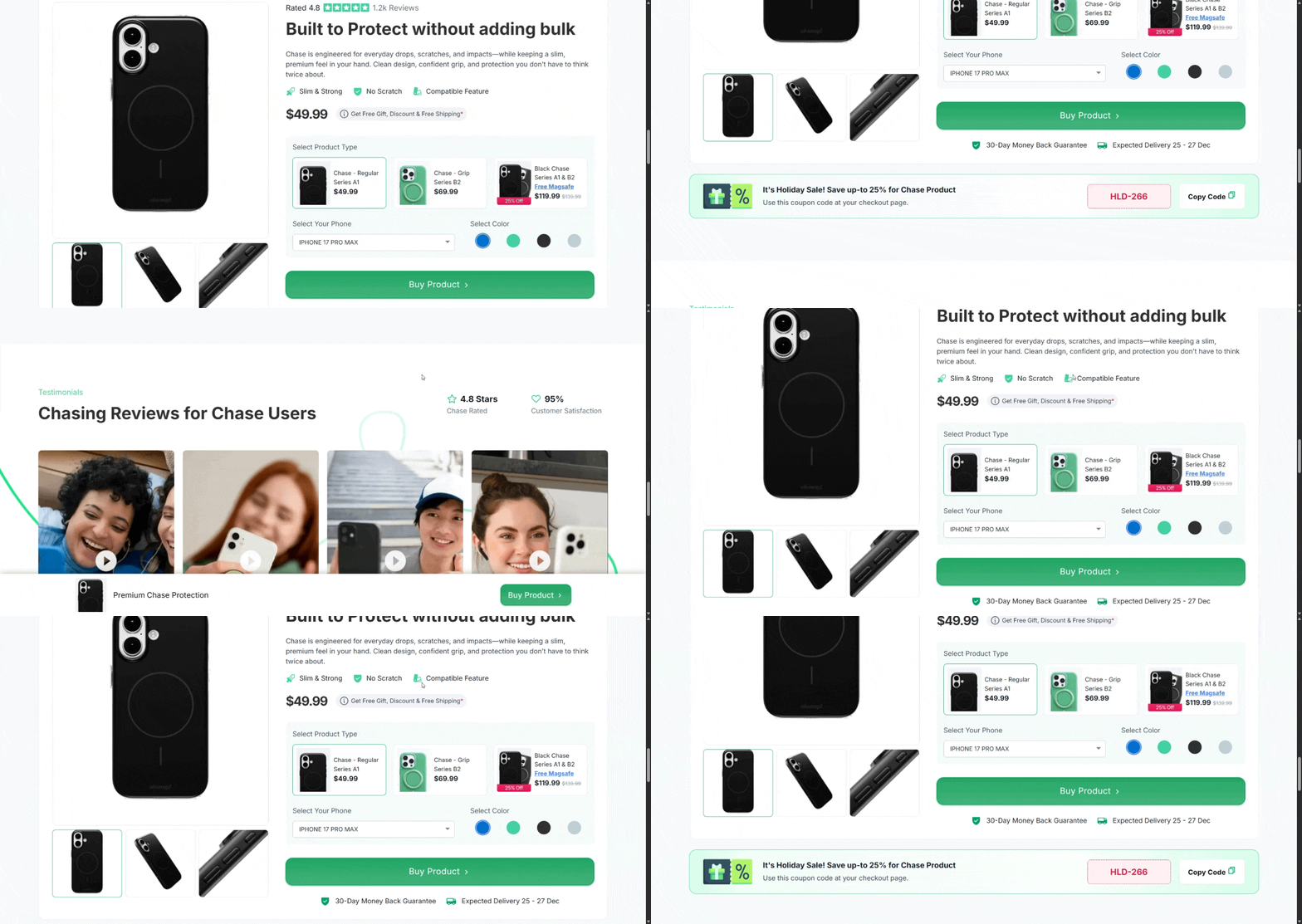
This helps avoid duplicate CTAs, reduces distraction, and improves focus on the main section.
 Use Case Examples
-
Hide sticky CTA when user reaches main product offer section
-
Hide during checkout summary / pricing breakdown
-
Hide when a video or testimonial block is in focus
-
Bring it back when user scrolls past
 How It Works
We use Intersection Observer (lightweight & performant) to detect when a section enters/leaves the viewport.
 Step 1: Add IDs
Target section (where CTA should hide)
<section id="hide-cta-section">
  ...
</section>
Sticky CTA
<div id="sticky-cta">
  Buy Now
</div>
 Step 2: JavaScript
const cta = document.getElementById("sticky-cta");
const section = document.getElementById("hide-cta-section");

const observer = new IntersectionObserver(
  (entries) => {
    entries.forEach(entry => {
      if (entry.isIntersecting) {
        cta.style.opacity = "0";
        cta.style.pointerEvents = "none";
      } else {
        cta.style.opacity = "1";
        cta.style.pointerEvents = "auto";
      }
    });
  },
  {
    threshold: 0.2
  }
);

observer.observe(section);
 Optional: Smooth Transition
#sticky-cta {
  transition: opacity 0.3s ease;
}
 Important for Funnelish
If your elements load dynamically, wrap the script like this:
window.addEventListener("load", () => {
  // your code here
});
 Why This Is Better
-
No heavy scroll listeners
-
No flickering
-
Smooth UX
-
Better focus → better conversions
 Pro Tips
-
Adjust
threshold:-
0.1→ trigger earlier -
0.5→ trigger when half visible
-
-
Use
opacityinstead ofdisplay: none(prevents layout shift)
If anyone wants:
Hide CTA only when scrolling down
Support multiple sections
Add delay / animation
Let me know, happy to expand this 