If you’re trying to center your elements vertically inside a flex container, here’s a simple and effective solution using custom CSS.
 Steps:
-
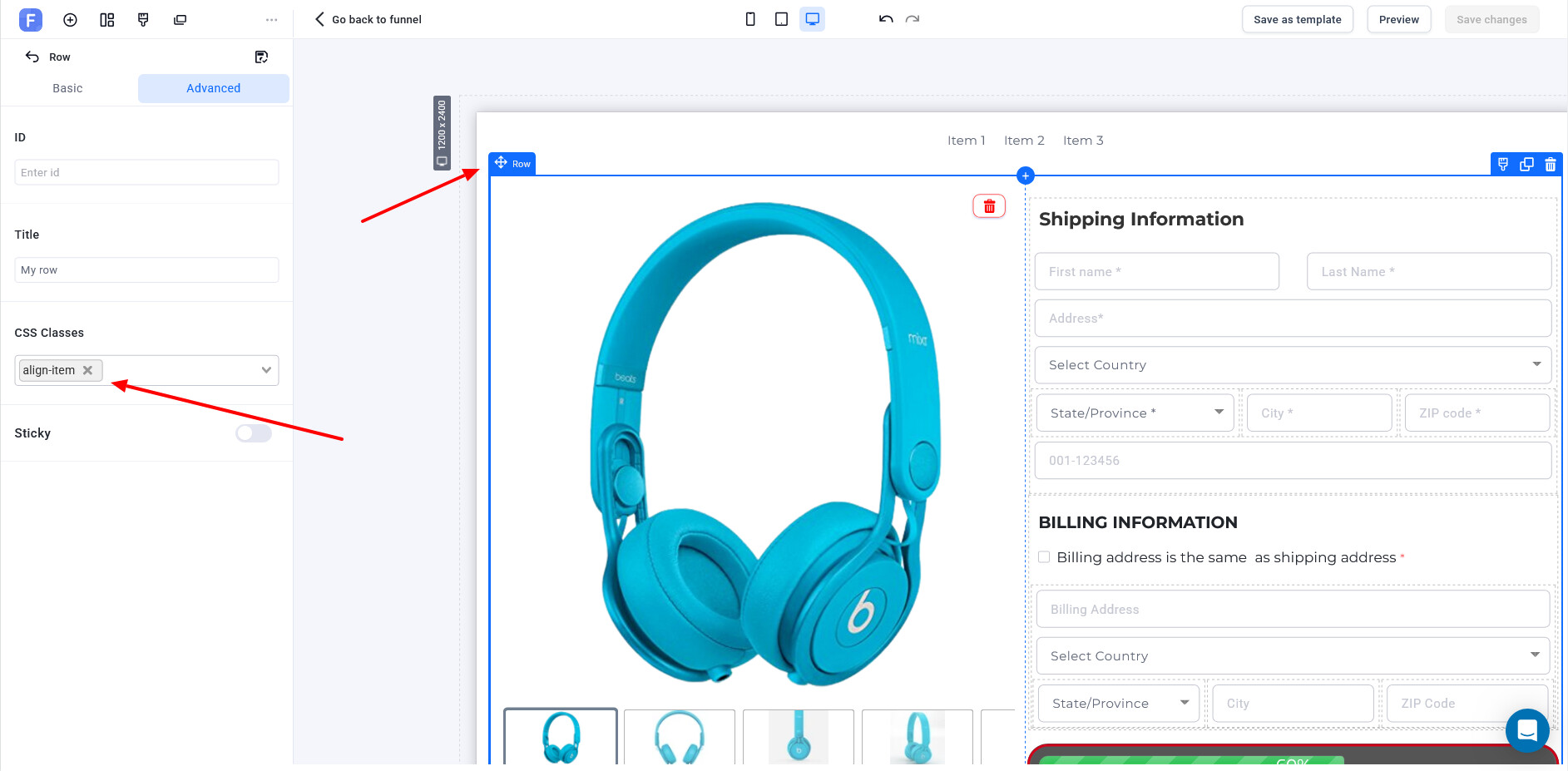
Add a custom CSS class to your ROW element**
Class name:align-item
-
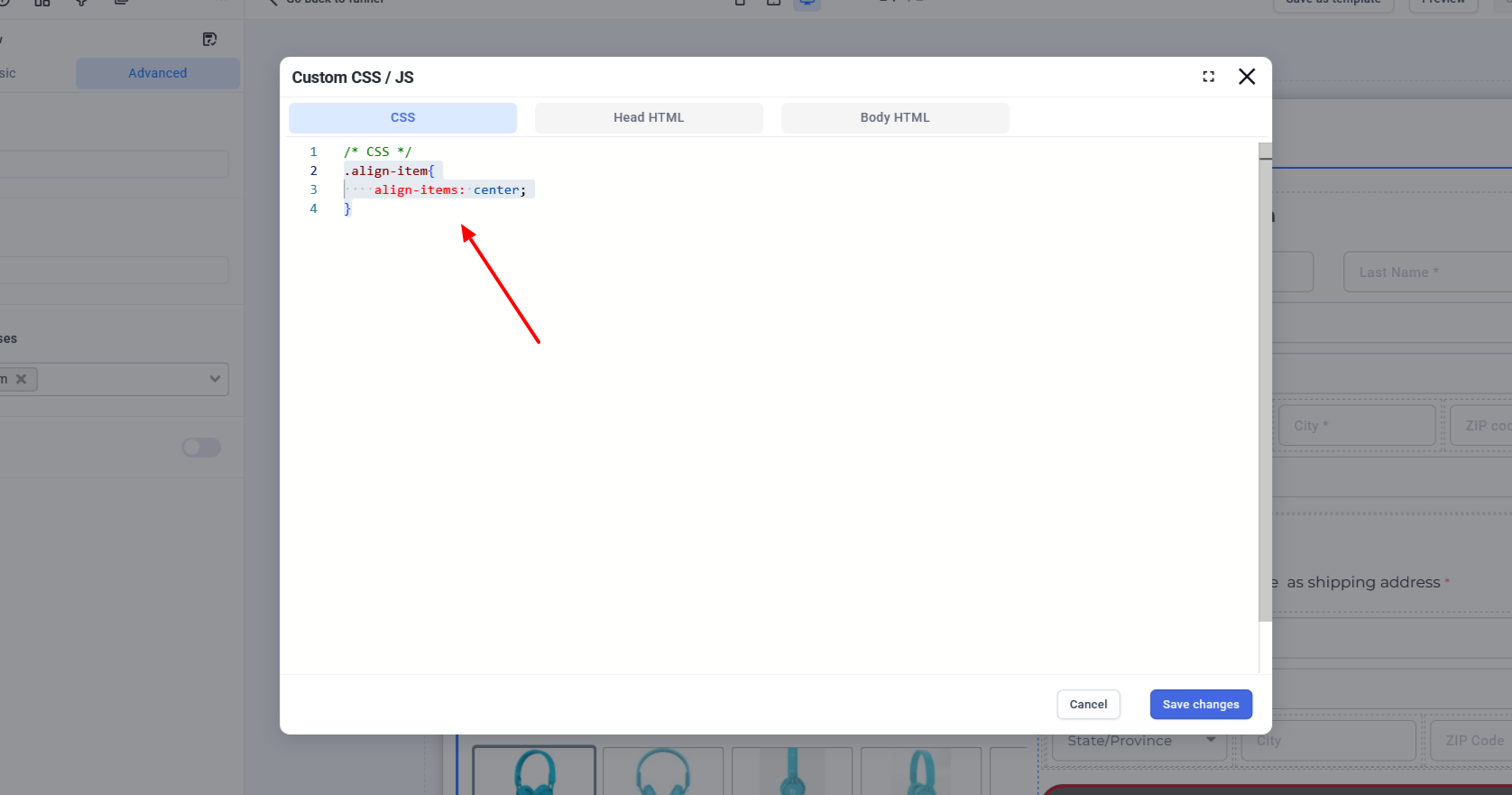
Apply the following CSS in the Custom CSS / JS section
Go to the Advanced → Custom CSS/JS tab and paste this code in the CSS section:
.align-item{
    align-items: center;
}
3.
 Save changes and preview – You’ll see your items now aligned vertically in the center.
 Make sure your container is using Flexbox (
display: flex) for align-items to work properly.
Hope this helps! Let me know if you want a version for horizontal or start alignment too. 