Sticky banners can be a super effective addition to funnel and eCommerce pages when used strategically since they keep important information visible at all times while users scroll through the page.
Instead of letting important information get lost as users scroll, sticky banners help keep key messages constantly visible throughout the page experience.
Whether it’s promoting a limited-time offer, highlighting free shipping, reinforcing urgency, or keeping a CTA constantly accessible, sticky banners help keep attention on the actions and messages that matter most without interrupting the browsing experience.
When used correctly, they can help improve visibility, reduce missed offers, and create a smoother conversion flow throughout the page.
One of the biggest advantages is that they improve visibility without interrupting the browsing experience like a popup would. This becomes especially powerful on long-form sales pages where users may scroll far away from the original offer/message.
____
To create a sticky banner in your page, have a look at the steps below:
1. Inside the page editor > go all the way up where your page starts.
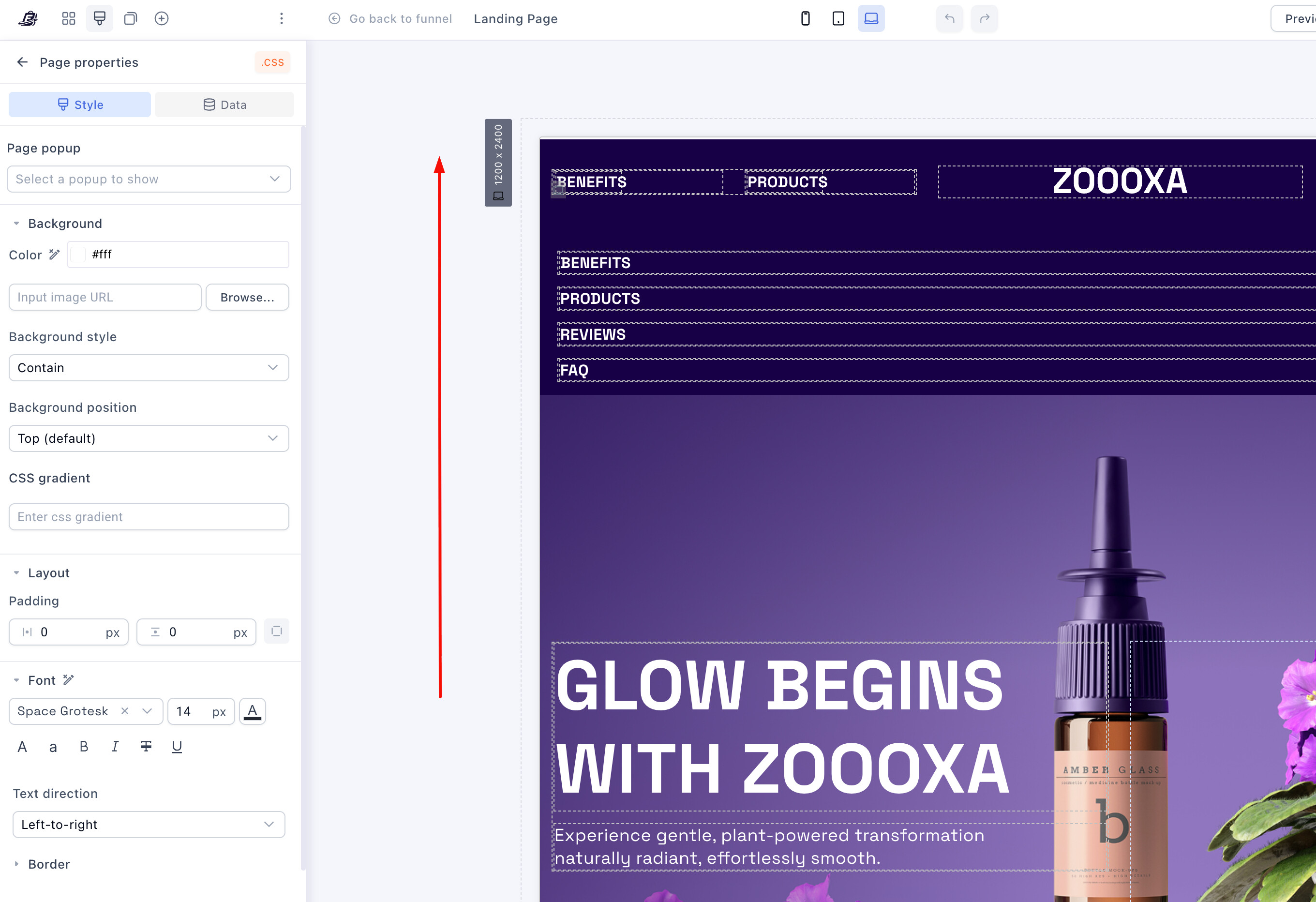
2. At the top of the page > Add a NEW SECTION.
3. Click inside that section and add a row > Then add a button or the element that you want to make sticky.
- Now click the SECTION created in step 2
5. Click on “+” next to the Layout settings > Click “Sticky”
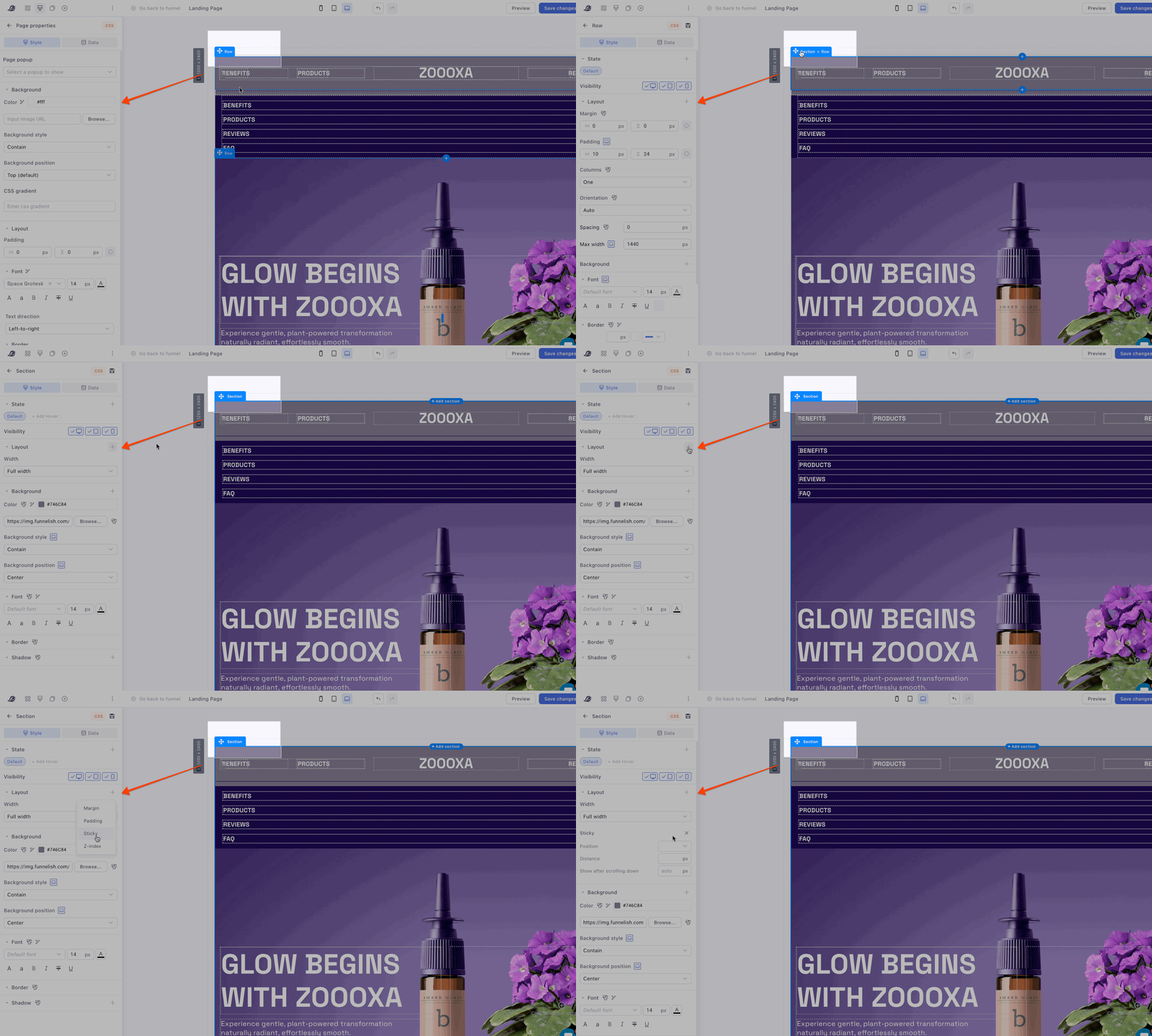
6. Now assign the position to Top
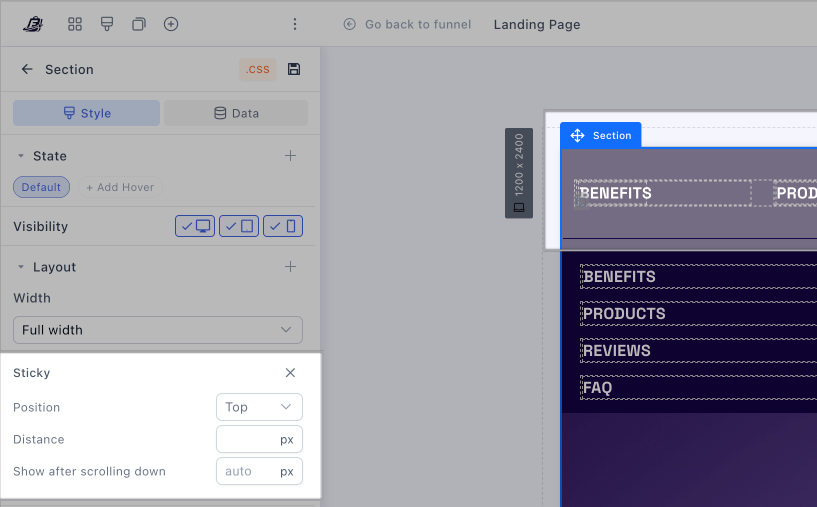
If you want you can then add the distance when you’d like to have it shown.
 To apply a full banner design, you can click on that section and apply a background color on the left side panel.
Once you’re done, make sure to save the changes and you’re all set! 