When you’re only shipping to specific countries, showing a full list of 200+ options at checkout creates unnecessary friction.
The good news? In Funnelish, you can fully control which countries your customers can select — no scripts or hacks needed.
Why Limit Country Selection?
Customizing your country dropdown isn’t just a small tweak, it can directly impact your conversion rate.
Here’s why it matters:
-
 More targeted checkout – Only show countries you actually ship to
 -
 Faster user experience – Reduce scrolling and decision fatigue
 -
 Fewer errors & failed payments – Avoid invalid or unsupported regions
 -
 Higher conversions – Simpler checkout = more completed orders
Step-by-Step: Limit Countries in Funnelish
Follow these steps to customize your country selection inside your checkout:
1. Open Your Checkout Page Editor
Go to your funnel → open your checkout page editor
2. Add or Select the country Form Element
If you don’t already have one:
-
Add a Form element to your checkout
-
Select Data type > Shipping country
Or:
- Click your existing country field
3. Configure the Field Settings
Inside the form input settings:
-
Set Data Type →
Shipping Country -
Set Input Type →
Select -
Enable Custom Options
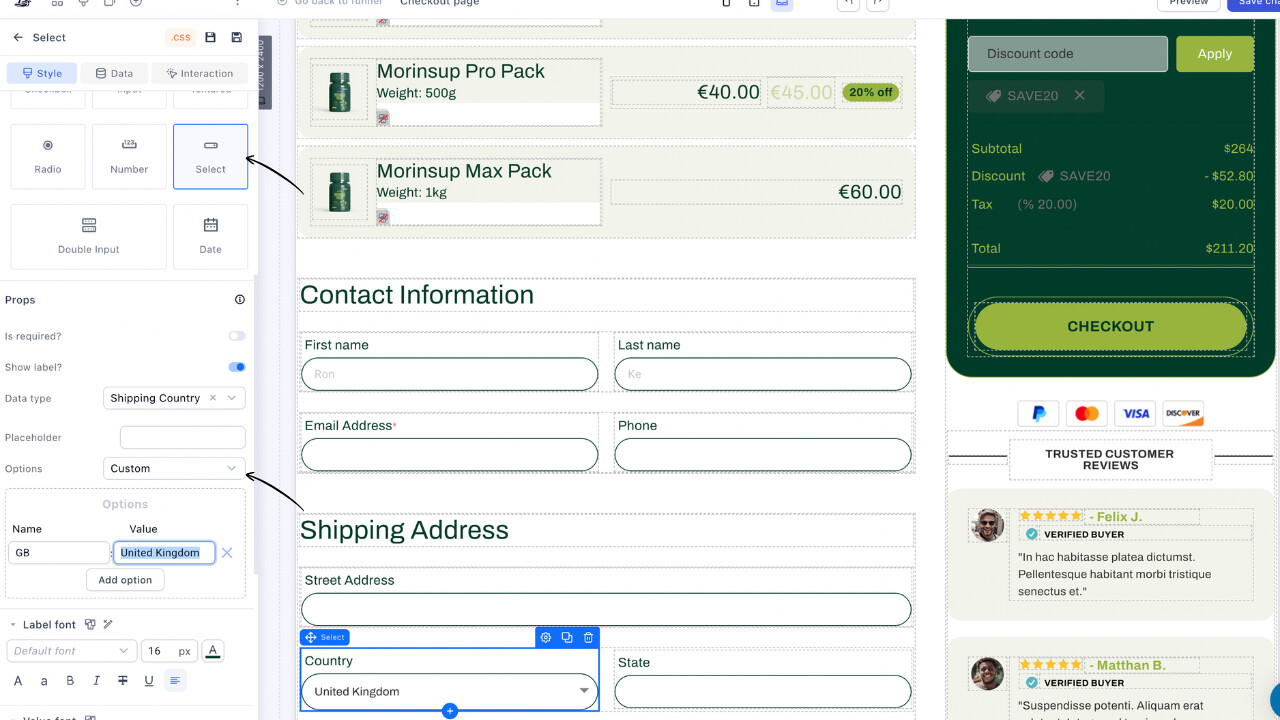
4. Add Your Allowed Countries
Now you can define exactly which countries to show.
Important:
You MUST use the correct ISO-2 country code (2-letter code), otherwise payments may fail.
Example:
-
(Name)
US→ (Value) United States -
(Name)
GB→ (Value) United Kingdom -
(Name)
CA→ (Value) Canada -
(Name)
ES→ (Value) Spain
You can add as many countries as needed, only these will appear in your dropdown.
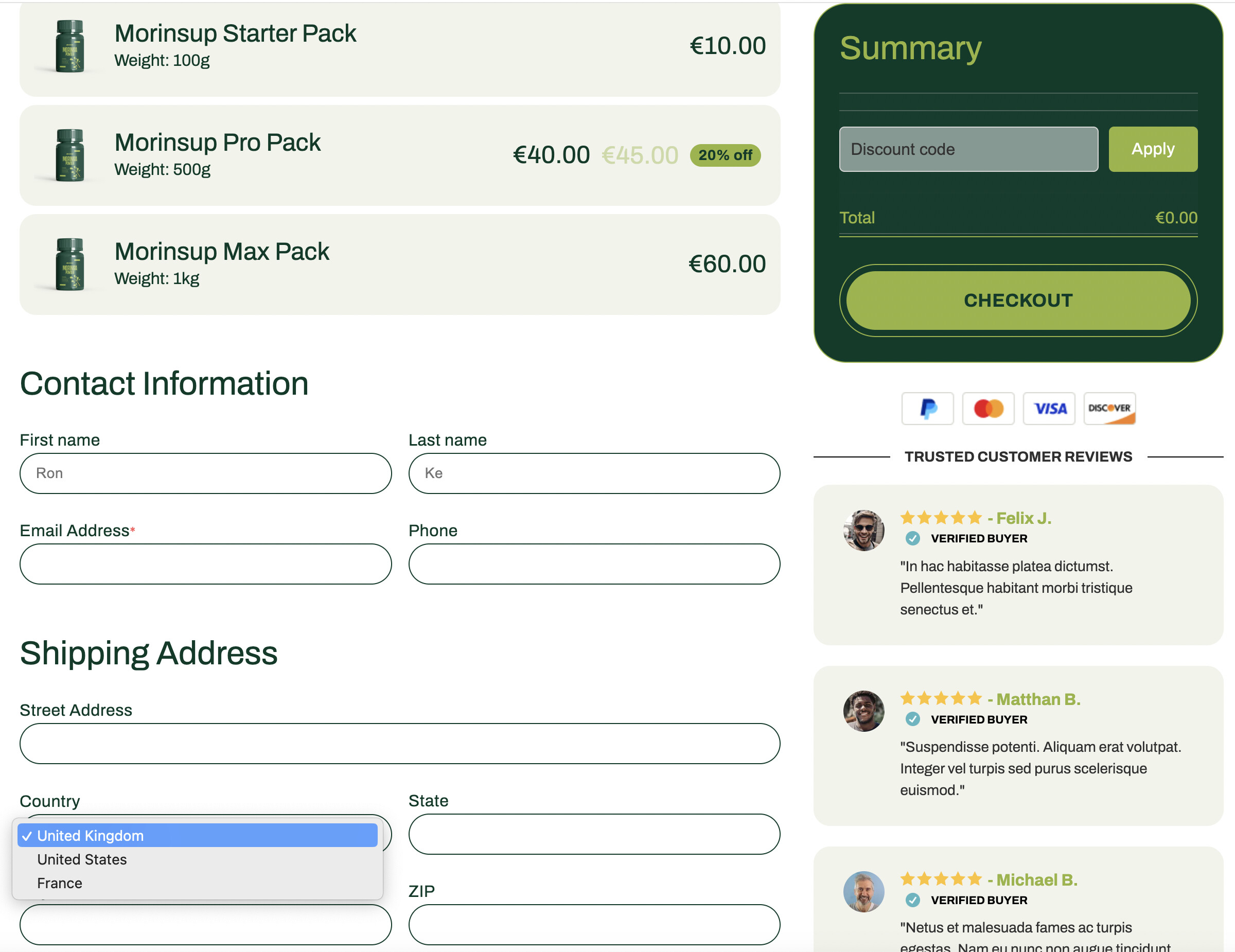
Common Mistake to Avoid
The #1 issue here is using the wrong country code.
 If the ISO code is incorrect, payments can fail or be rejected by your gateway
So always double-check your codes before going live.
Common ISO Country Codes (Quick Reference)
Here are some of the most commonly used country codes:
-
United States → US
-
United Kingdom → GB
-
Canada → CA
-
Australia → AU
-
Germany → DE
-
France → FR
-
Spain → ES
-
Italy → IT
Need more? See the full ISO country code list here
That’s It 
No scripts, no plugins - just a clean, native way to control your checkout experience in Funnelish.