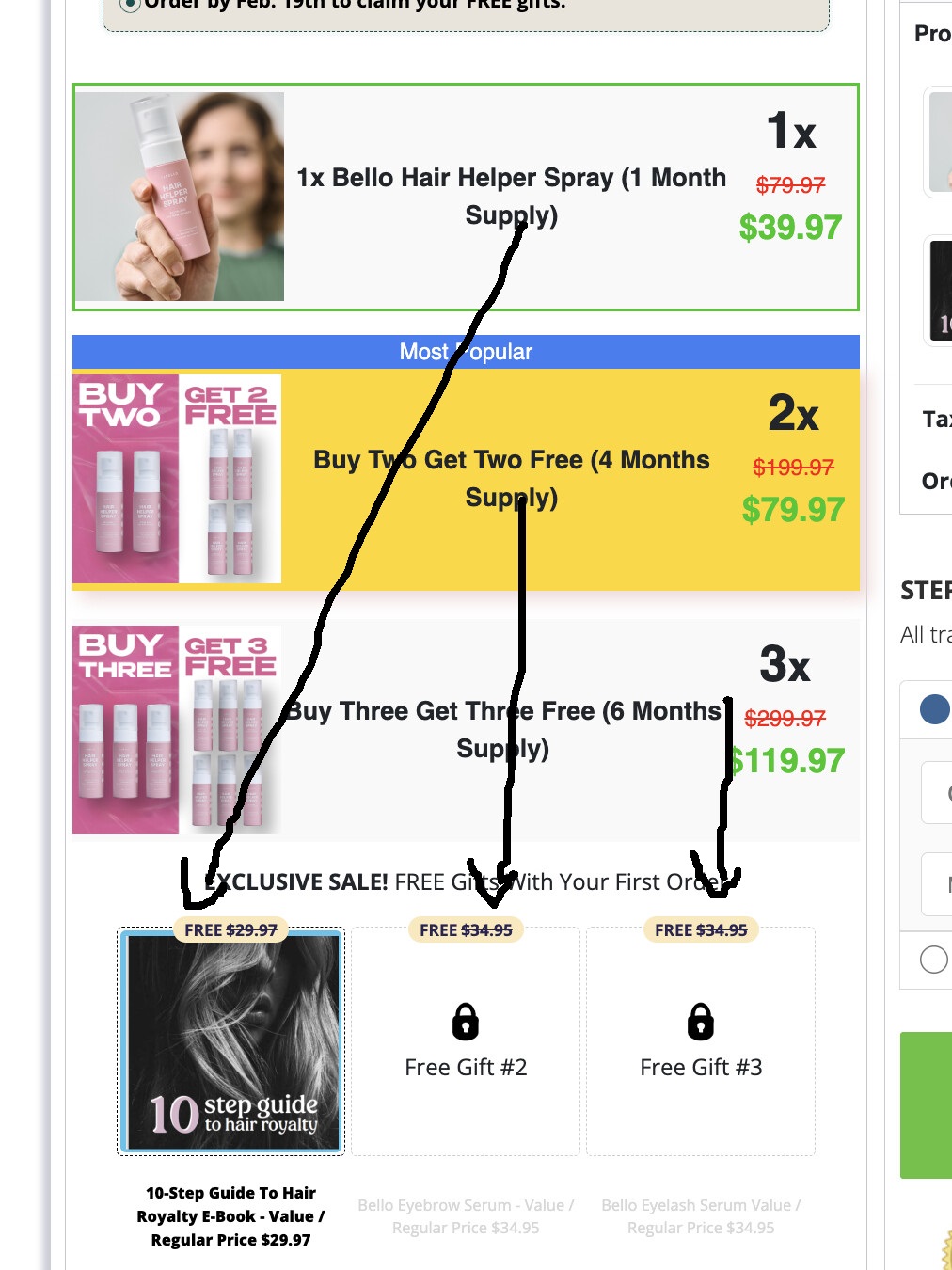
Hi everyone, needing help to make checkout like this
https://get.trybello.com/cc-trybello-hair-helper-spray-checkout-a10-b-v1
where in when a customer choose a product a there will be a corresponding gift that goes with it.
1 Like
Hey @KEVIN5 
Yes! You can show different free gifts based on the product someone picks. I’ll walk you through the steps. Don’t worry — it’s easier than it looks!
 Here’s What We’re Making:
When someone chooses:
 1-month supply → They get E-Book
- 4-month supply → They get E-Book + Eyebrow Serum
- 6-month supply → They get E-Book + Eyebrow Serum + Derma Roller
 Step-by-step Instructions:
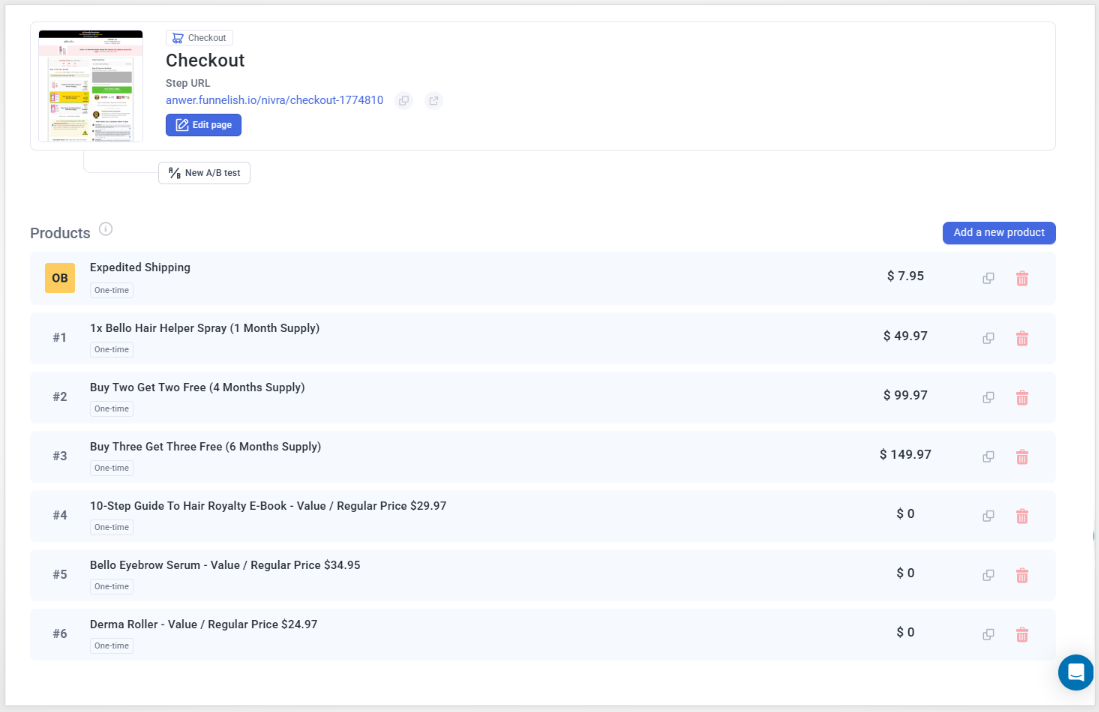
Step 1: Add All Products
You need to add 6 total products to your funnel:
- 3 main products (1-month, 4-month, 6-month)
- 3 gifts (set their price to $0.00)
For gifts:
- Mark as selected by default
- Hide them from product list (they will still be added to cart in the background)
Step 2: Create Gift Boxes on Checkout
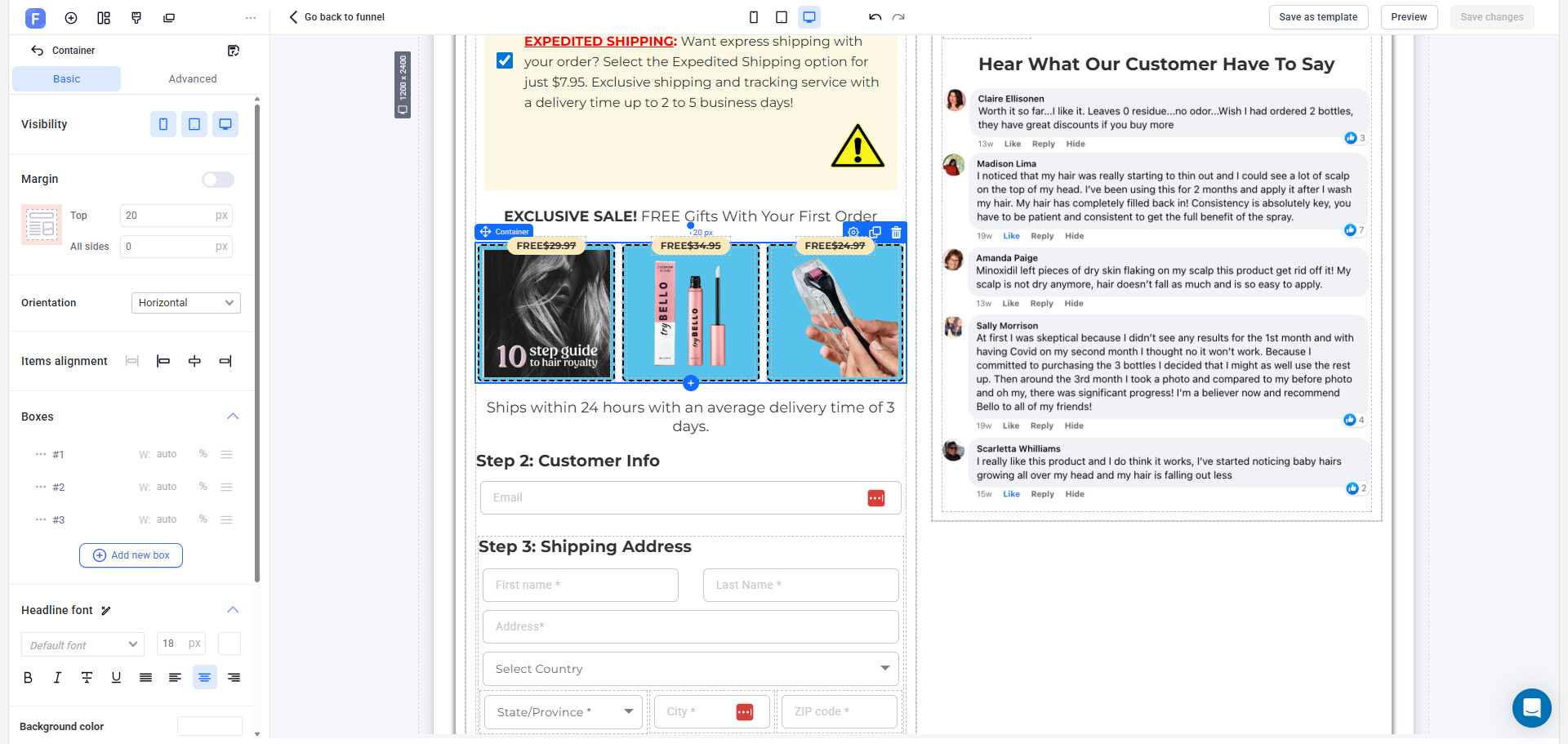
On your checkout page, create 3 small boxes (divs) where the free gift images/text will show.
Add class names to each one like:
.cbox-267773-0.cbox-267773-1.cbox-267773-2
You can place them in a section called “Your Free Gifts”.
Step 3: Add This Code
Go to Custom Code > Body HTML and paste this:
<script>
document.addEventListener('DOMContentLoaded', function () {
  const giftContainers = [
    document.querySelector('.cbox-267773-0'),
    document.querySelector('.cbox-267773-1'),
    document.querySelector('.cbox-267773-2')
  ];

  const giftCheckboxes = [
    document.querySelector('input[value="2750651"]'),
    document.querySelector('input[value="2750652"]'),
    document.querySelector('input[value="2750653"]')
  ];

  const bundleGiftMap = {
    '2750641': [0],
    '2750642': [0, 1],
    '2750643': [0, 1, 2]
  };

  function updateGifts(selectedPid) {
    giftContainers.forEach(box => box.style.opacity = '0.1');
    giftCheckboxes.forEach(box => box.checked = false);

    const active = bundleGiftMap[selectedPid] || [];
    active.forEach(i => {
      giftCheckboxes[i].checked = true;
      giftContainers[i].style.opacity = '1';
    });
  }

  document.querySelector('.pl-items').addEventListener('click', (e) => {
    const item = e.target.closest('.pl-item');
    if (item) {
      document.querySelectorAll('.pl-item').forEach(i => i.classList.remove('selected'));
      item.classList.add('selected');
      updateGifts(item.dataset.pid);
    }
  });

  const plItems = document.querySelectorAll('.pl-item');
  plItems.forEach(i => i.classList.remove('selected'));
  if (plItems.length >= 2) {
    plItems[1].classList.add('selected');
    updateGifts(plItems[1].dataset.pid);
  }

  function updatePriceText() {
    document.querySelectorAll('.order-summary .os-row .os-price').forEach(price => {
      if (price.textContent.trim() === "$ 0.00") {
        price.innerHTML = '<span style="font-size: 18px; font-weight: bold;">FREE</span>';
      }
    });
  }

  const observer = new MutationObserver(updatePriceText);
  document.querySelectorAll('.order-summary').forEach(el => {
    observer.observe(el, { childList: true, subtree: true, characterData: true });
  });

  updatePriceText();
});
</script>
 Before You’re Done:
- Replace
cbox-267773-*with your actual gift box class names - Replace checkbox values like
2750651,2750652, etc. with your gift product IDs - Replace bundle IDs like
2750641, etc. with your actual bundle product IDs
That’s it!  When someone picks a product, the right free gifts will show up and be added to cart automatically.
Let me know if you need help finding your product IDs or adjusting the layout! 