Hey Community! 
Are you looking to set up a landing page where customers can choose a specific product or bundle, and be taken directly to a checkout page with that exact product pre-selected?
Instead of making buyers re-select their items at checkout, this seamless, one-click flow gets them straight to the payment step.
Here is exactly how to set up this funnel structure for your customers:
 Step 1: Design Your Landing Page Offers
Offer the bundles on your landing page, giving each option its own image, description, and button (like this example found in our template “Facial Serum Funnel”).
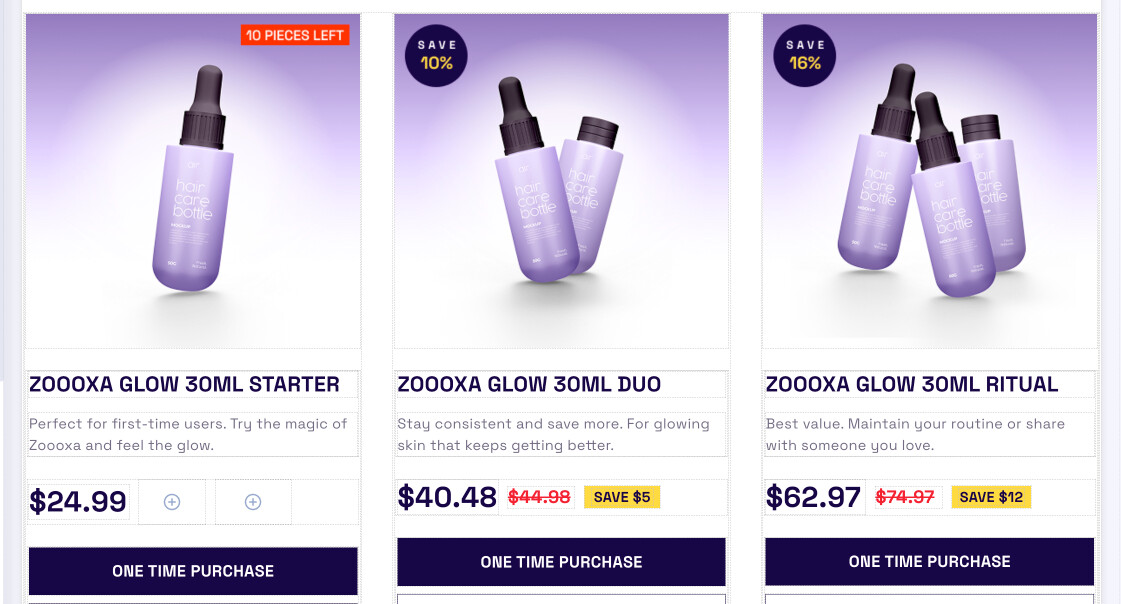
We recommend structuring your page builder like this:
- 1 Section
- 3 Rows (one for each product/bundle)
- Within each row, include:
- An Image element (showcasing the product)
- A Paragraph element (for the product description)
- 1 CTA Button (your Call to Action)
- Within each row, include:
 Step 2: Create Separate Checkout Pages
Next, create 3 individual checkout pages within your funnel—1 for each product.
 Step 3: Grab Your Checkout URLs
Go to your live funnel steps and copy the checkout URL of each specific checkout page you just created.
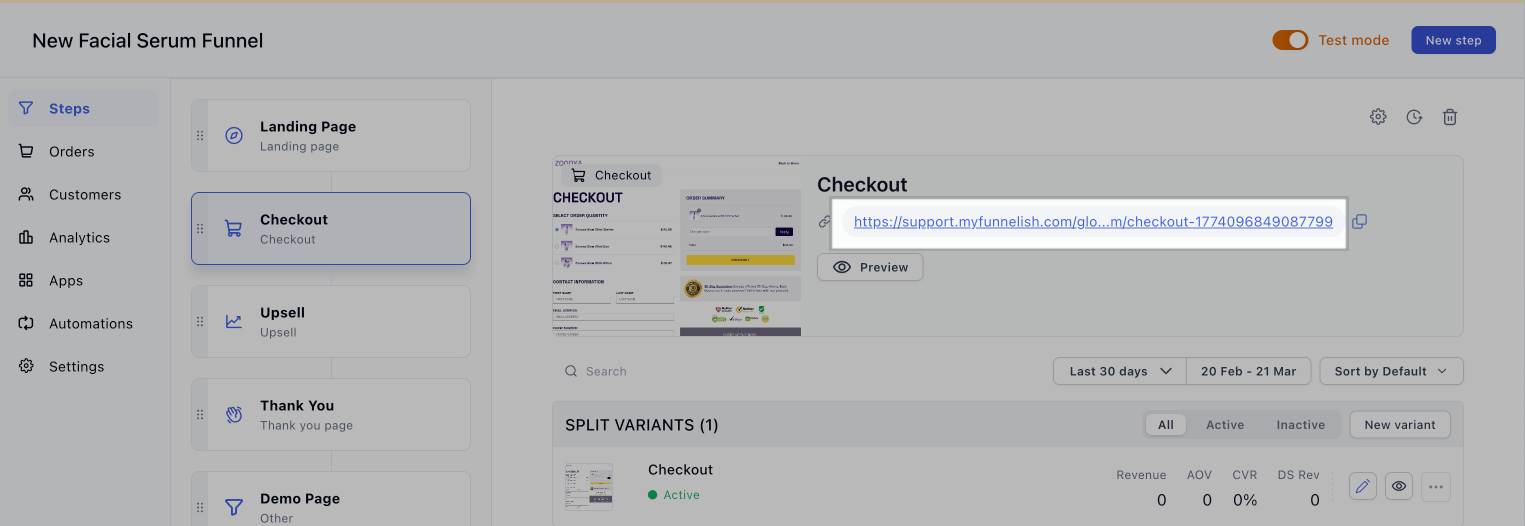
 Step 4: Link Your Buttons
Lastly, go back to your Landing Page and set the action of each button to go to the URL of the corresponding checkout page for that specific product.
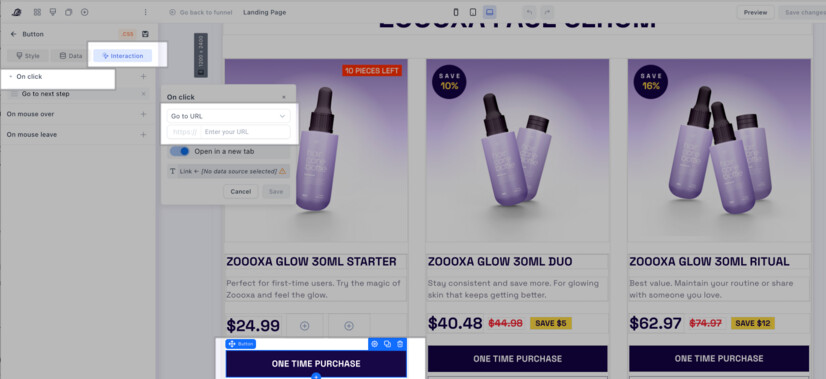
 The Result: This way, when a user clicks a button, they are taken directly to the checkout for the product they selected, with that product pre-selected in the checkout process. Removing extra clicks increases conversions!
Funnel Structure Overview
For multiple products, you should structure your funnel steps as follows:
- Landing Page (Contains the 3 product options)
- Checkout 1 (for Product 1)
- Checkout 2 (for Product 2)
- Checkout 3 (for Product 3)
- Thank You Page (Can be shared across all checkouts)
If you need any clarification on these steps, please don’t hesitate to ask in the comments below! 