2026 Updates: Accepting Credit Cards via PayPal (Native Checkouts)
Changes & Current Status:
In this 2017 thread, users relying on the legacy Funnelish ClickFunnels plugin had to manually hide the ClickFunnels credit card form and force users through a PayPal Express pop-up to accept guest credit card checkouts.
This legacy plugin workflow is completely deprecated. Today, Funnelish is a standalone Funnel Builder and eCommerce platform. You no longer need ClickFunnels, nor do you need to hide any elements to achieve this.
Up-to-Date Information for PayPal-Only Credit Card Processing: If you cannot use Stripe (due to country restrictions) but still want to seamlessly accept debit and credit cards on your funnel, you can easily do this natively in Funnelish using PayPal’s modern Smart Buttons.
1. Use the Native Funnelish Payment Form: Instead of using ClickFunnels, build your checkout page directly in the Funnelish visual editor using the Payment Form (or 2-Step Form) element.
2. Connect Only PayPal:
Click on your Payment Form on the canvas to open the settings panel on the left.
Click Edit payment options, then click Add a new payment method and select PayPal.
Do not add Stripe or any other gateway.
3. Automatic “Debit or Credit Card” Button: Because Funnelish uses PayPal’s modern v2 integration, when a customer lands on your checkout page, they will automatically see the main PayPal button alongside a prominent Debit or Credit Card smart button. When clicked, this expands a clean, secure credit card entry form directly on the page, allowing customers to pay with their card without ever creating or logging into a PayPal account.
Related Articles & Resources:
Guide to setting up seamless checkouts: Funnelish Order Forms & Checkouts
How to connect PayPal securely: Funnelish PayPal Integration
Hi Yasine,
Before I used Stripe, but my company is now based in Bulgaria and I can’t add a Bulgarian Business to Stripe.
That’s why I am now using your PayPal plugin.
But isn’t it possible to receive payments through Credit Card ánd PayPal, through Funnelish?
Because when I look at the PayPal Plugin settings, I can also select Credit Card?
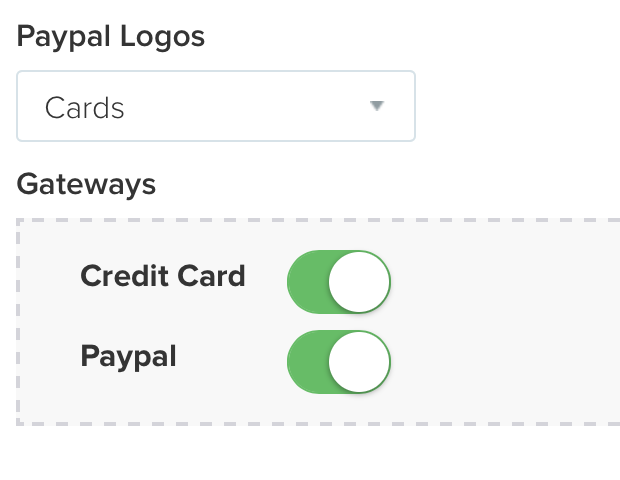
So can I use the PayPal Plugin exclusively for CC and PayPal payments?
Thank you,
Matthias
