At the moment, Funnelish doesn’t support syncing a dedicated Shipping Address Line 2 field into Shopify to allow customers to add this field in a separate box.
Since this field is optional on Shopify’s side, any extra address details need to be included in the main address line in Funnelish. This is a known limitation, and our team is already working on adding full support for Address Line 2 but at the moment we don’t have an ETA on when it will be released.
For now, what you could do as a temporary workaround is:
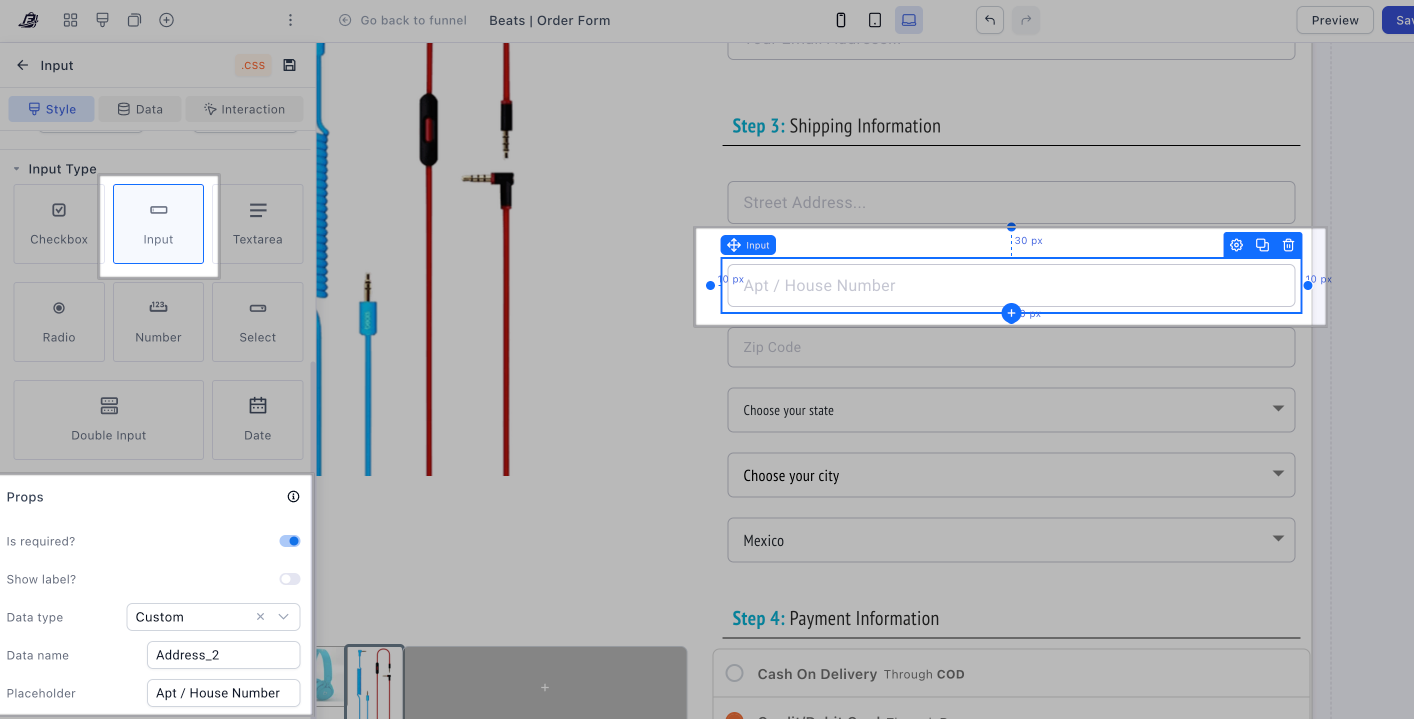
- Add a custom field during checkout to collect apartment, unit, or extra address details like this example:
-
Edit all your product automations
-
Inside each automation
- Click Additional settings
- Notes & Dynamic Variants
- Enable notes and custom attributes
- Under NOTES paste the custom data name, in this example it was “Address_2”
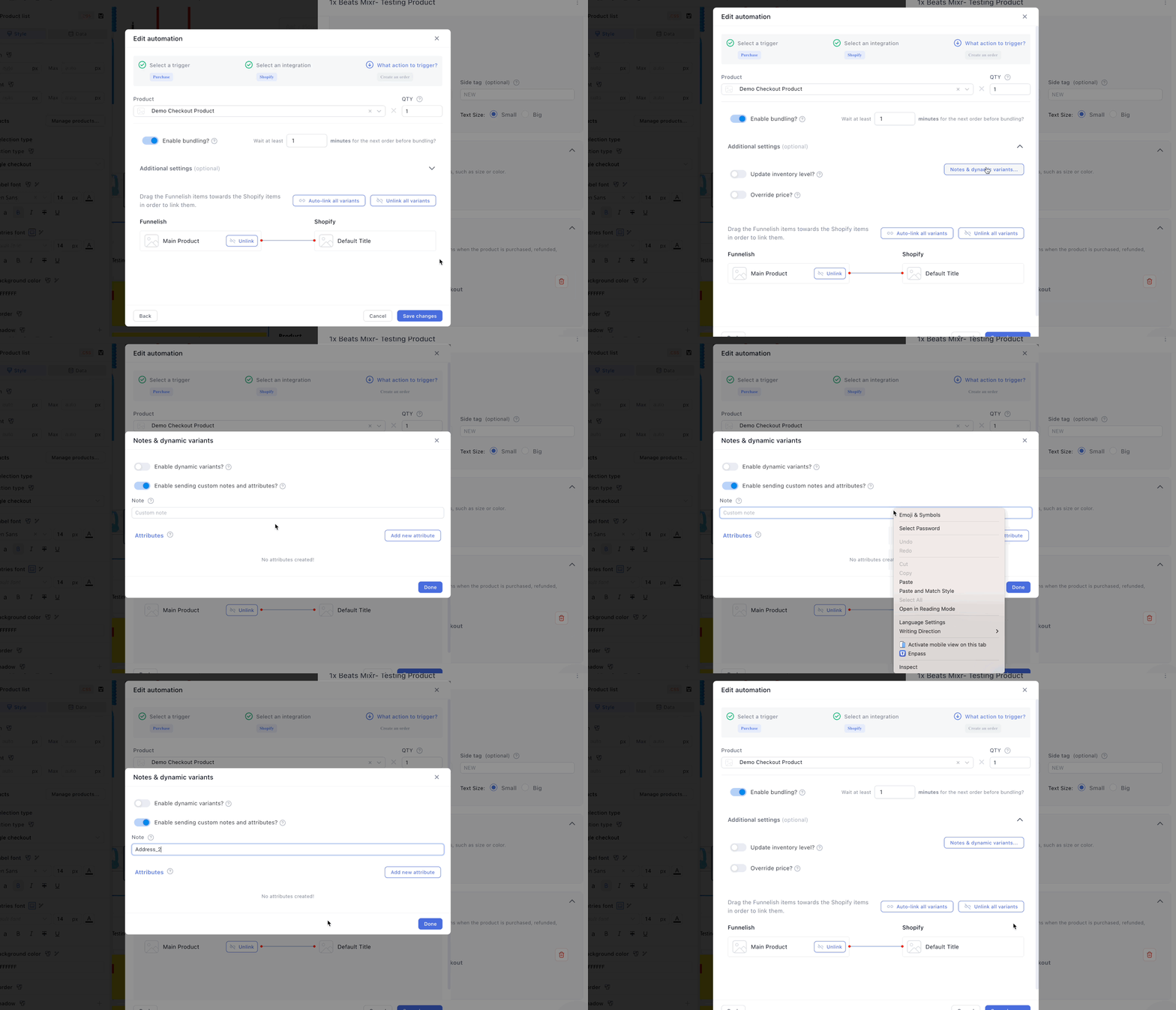
- Save the changes and make sure to do this with all your product automations
Once it’s set in action, the additional field will be reflected on notes as shown here:
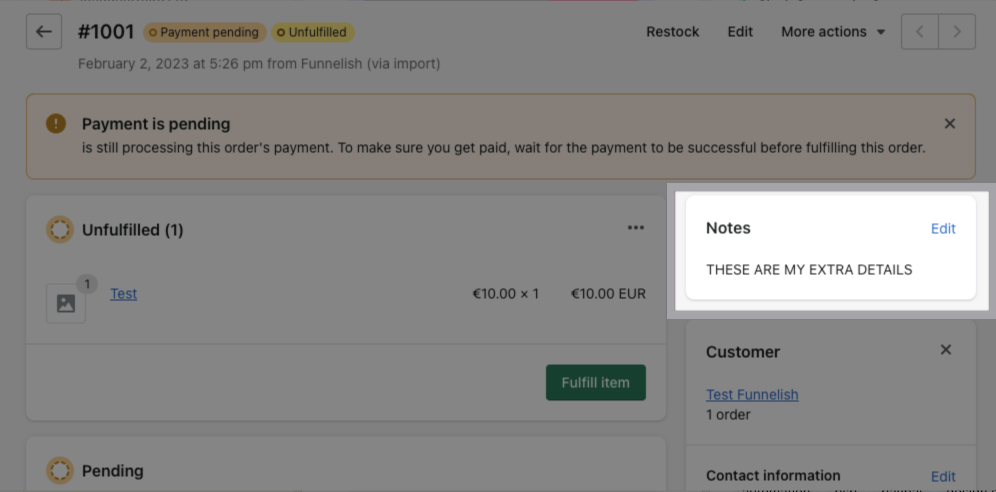
This way, the details are still visible on the order and nothing gets lost.