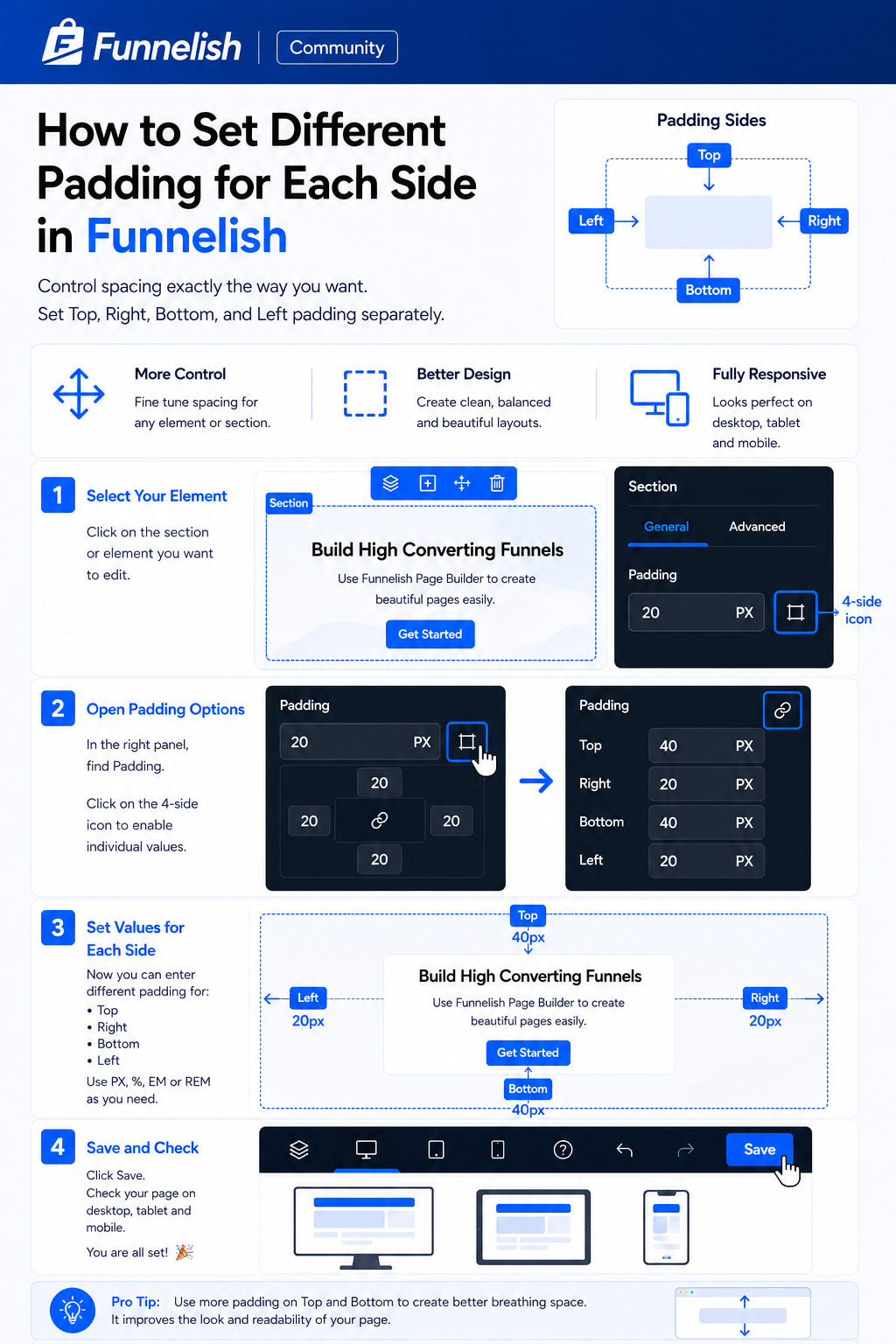
In Funnelish, you can control spacing more precisely by setting different padding values for Top, Right, Bottom, and Left.
This helps you create cleaner layouts and better responsive designs.
Step 1 — Select Your Element
Click on the section or element you want to edit.
Step 2 — Open Padding Options
In the left sidebar:
-
Go to Layout
-
Find Padding
-
Click the 4-side padding icon
This will unlock individual padding controls.
Step 3 — Set Different Values
Now you can set:
-
Top padding
-
Right padding
-
Bottom padding
-
Left padding
You can use:
-
PX
-
%
-
EM
-
REM
Step 4 — Save and Preview
After updating the values:
-
Click Save
-
Preview on desktop
-
Check tablet and mobile view
Pro Tip
Use more Top and Bottom padding to create better breathing space between sections.
It improves readability and overall page design.
Have you used separate padding controls in your funnels yet?