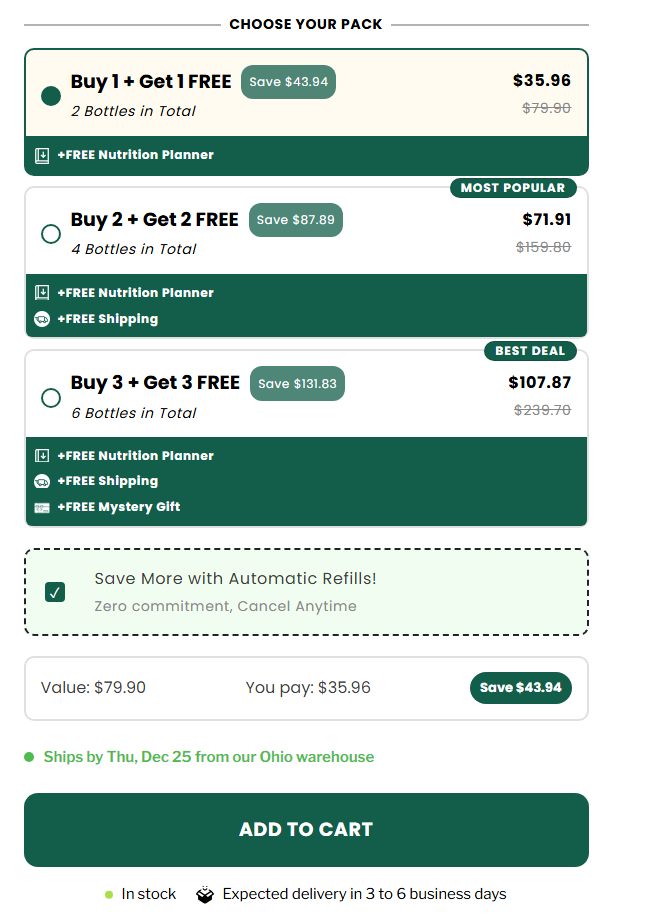
How to do this 3 bundles. When the container is clicked the button changes checkout pages with only the product bundle selected. Whithout all the product bundles listed. (Basically a single checkout for the bundle selected)
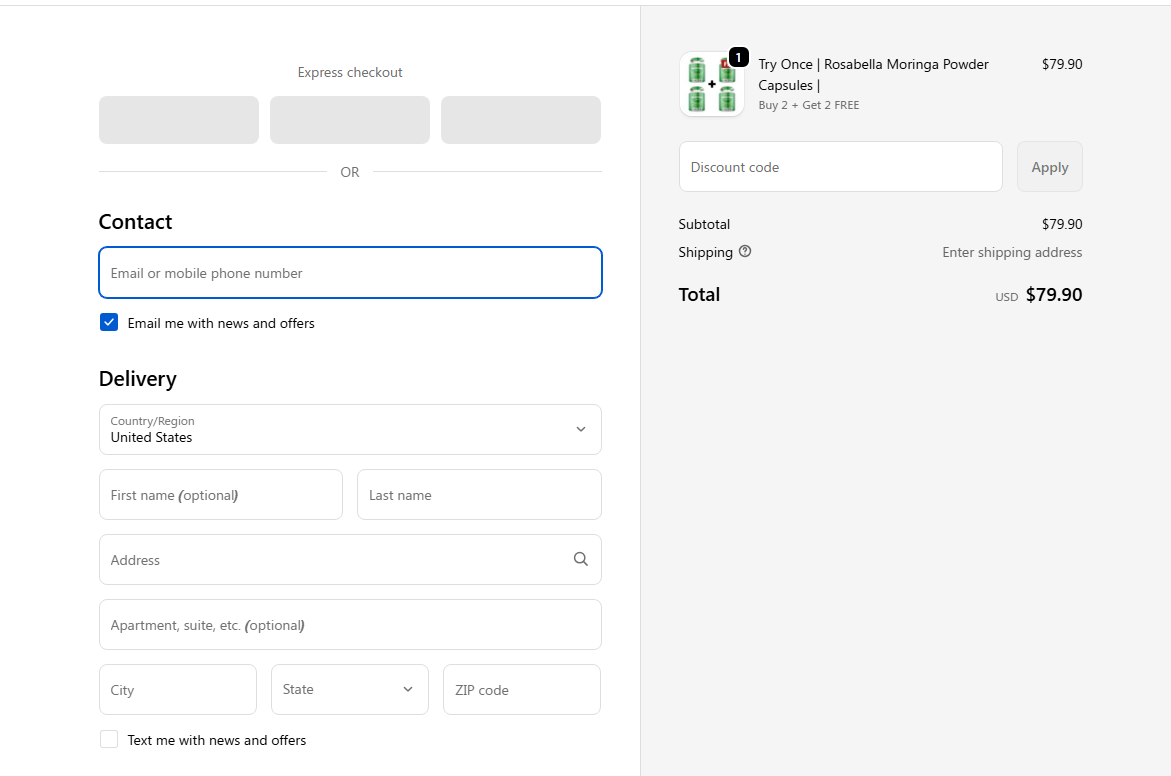

You can do this in a simple and clean way.
Beginner friendly approach below.
Step 1
Create 3 separate checkout pages.
Each checkout page should have only one bundle product selected.
Example:
– Checkout A → Bundle 1
– Checkout B → Bundle 2
– Checkout C → Bundle 3
Step 2
On your bundle selection page, create 3 containers.
Each container represents one bundle.
Step 3
Underneath the bundle containers, add three buttons.
Set the button link to the matching checkout page URL.
Example:
– Bundle 1 button → Checkout A URL
– Bundle 2 button → Checkout B URL
– Bundle 3 button → Checkout C URL
Step 4 (important)
Hide all buttons by default.
When a container is clicked, show only its button.
Keep the other buttons hidden.
This way:
– User clicks a bundle container
– The correct button appears
– User goes to a checkout with only that bundle
– No other bundles are shown
This is the cleanest and most reliable setup right now.
No custom code needed.