Deprecation Notice
This article covers legacy ClickFunnels tracking methods, which are no longer supported.We’ve moved on to Funnelish v2 — a faster and more powerful way to track and manage your funnels.
Need help migrating your ClickFunnels funnel into Funnelish? Reach out to support.
Track your ClickFunnels orders using the methods below.
Tracking PayPal orders in ClickFunnels
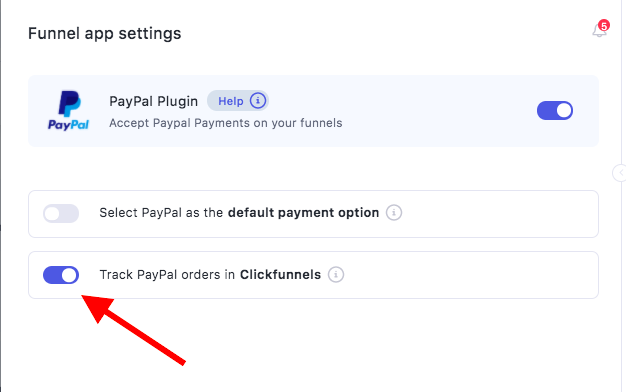
- Enable CF Tracking in Funnel → Funnel Apps → PayPal Plugin
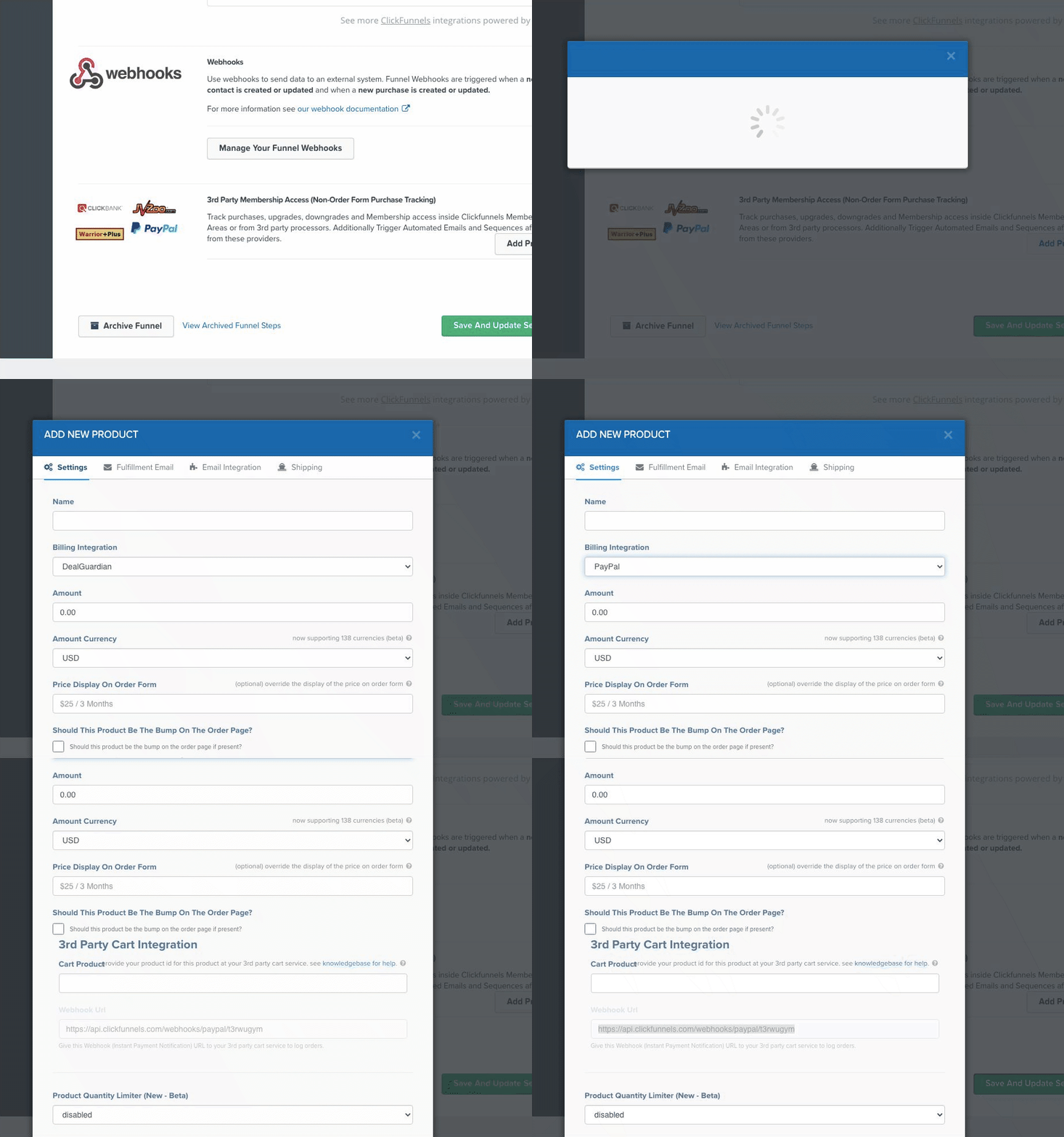
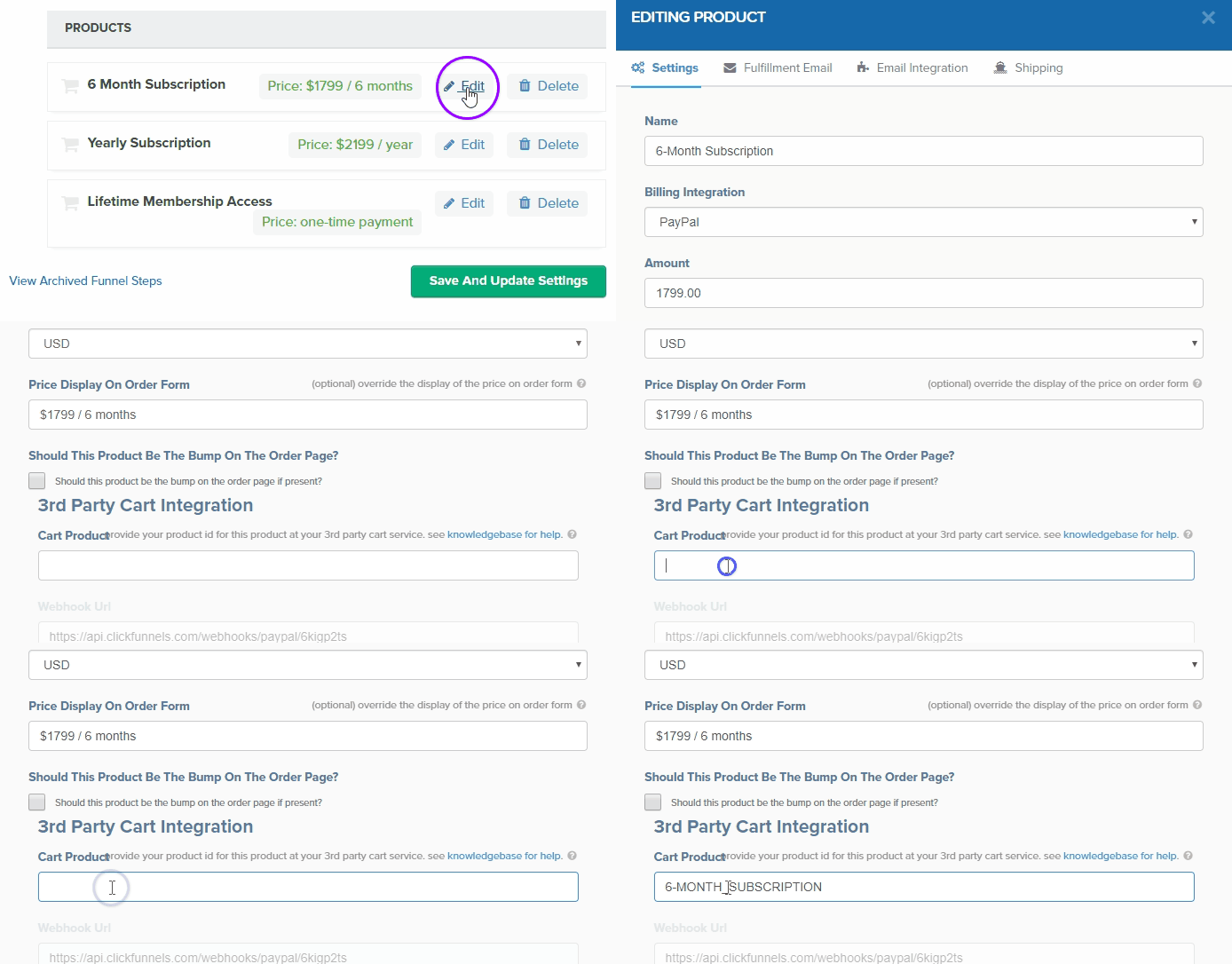
- Create product in ClickFunnels under 3rd Party Membership Access
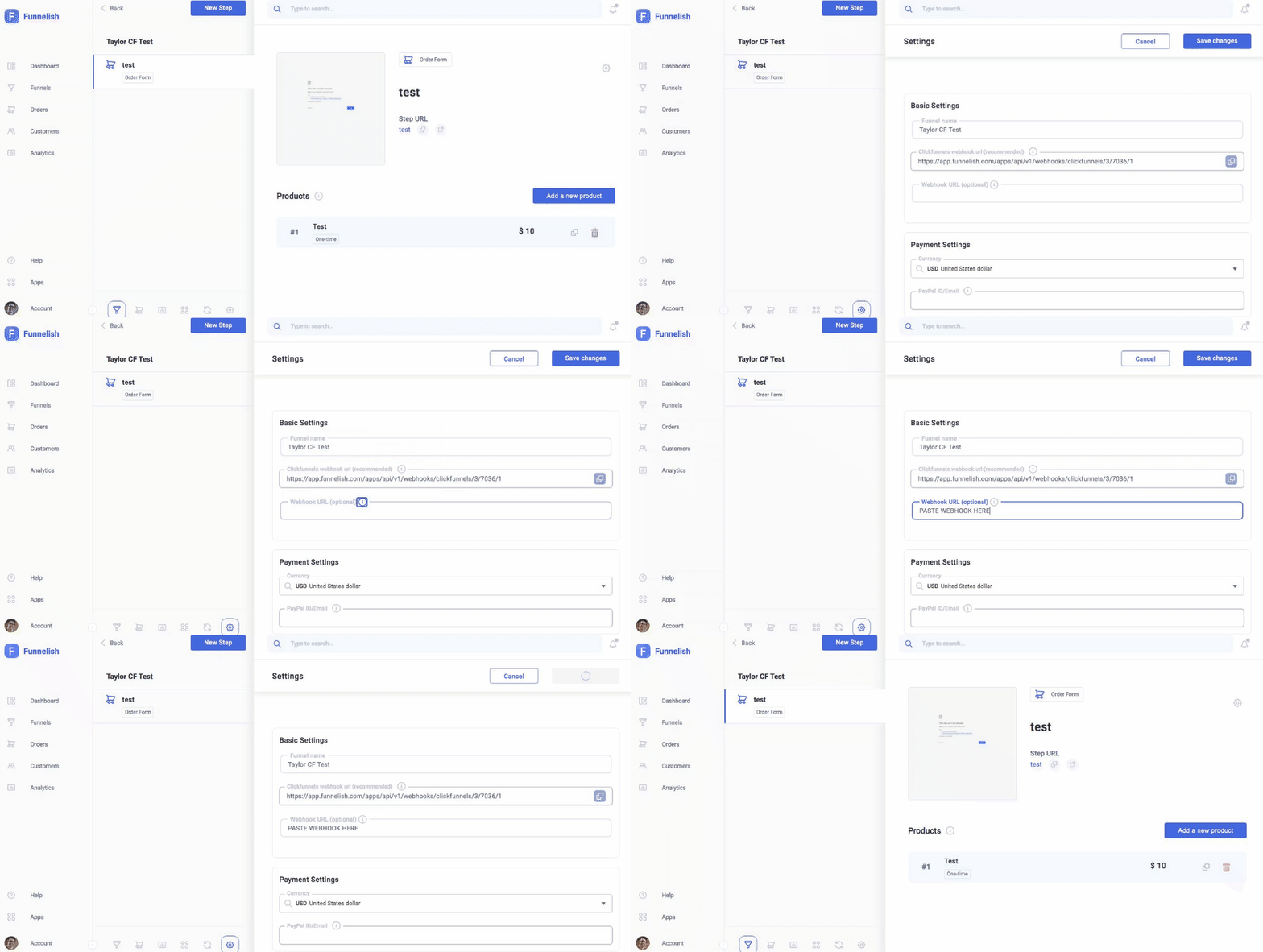
- Paste Webhook URL inside Funnelish → Funnel Settings
- Copy Cart Product ID from Funnelish
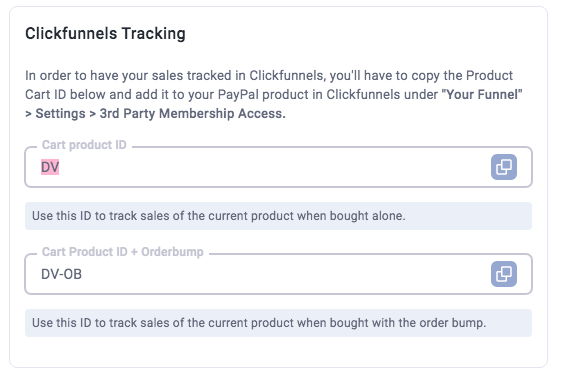
- Add it inside ClickFunnels → 3rd Party Cart Integration
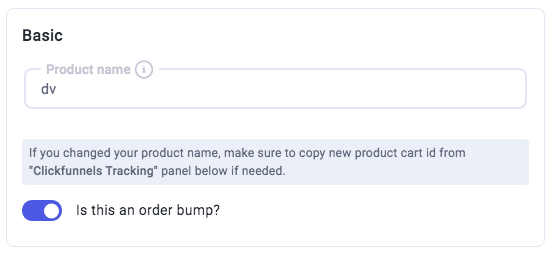
- Configure order bump if used
Orders tracked in ClickFunnels will not be tracked in Funnelish.
Tracking ClickFunnels orders in Funnelish
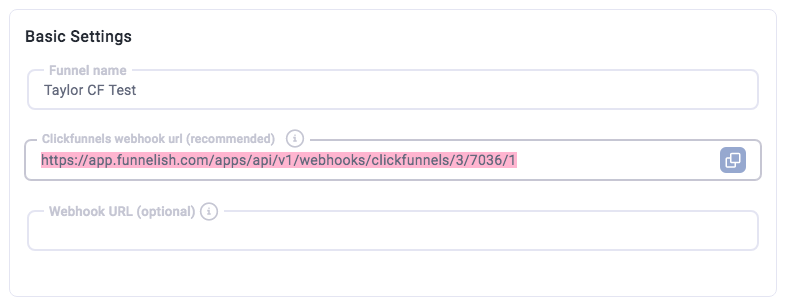
- Copy webhook URL from Funnelish → Funnel Settings
- Add webhook in ClickFunnels → Settings → Webhooks
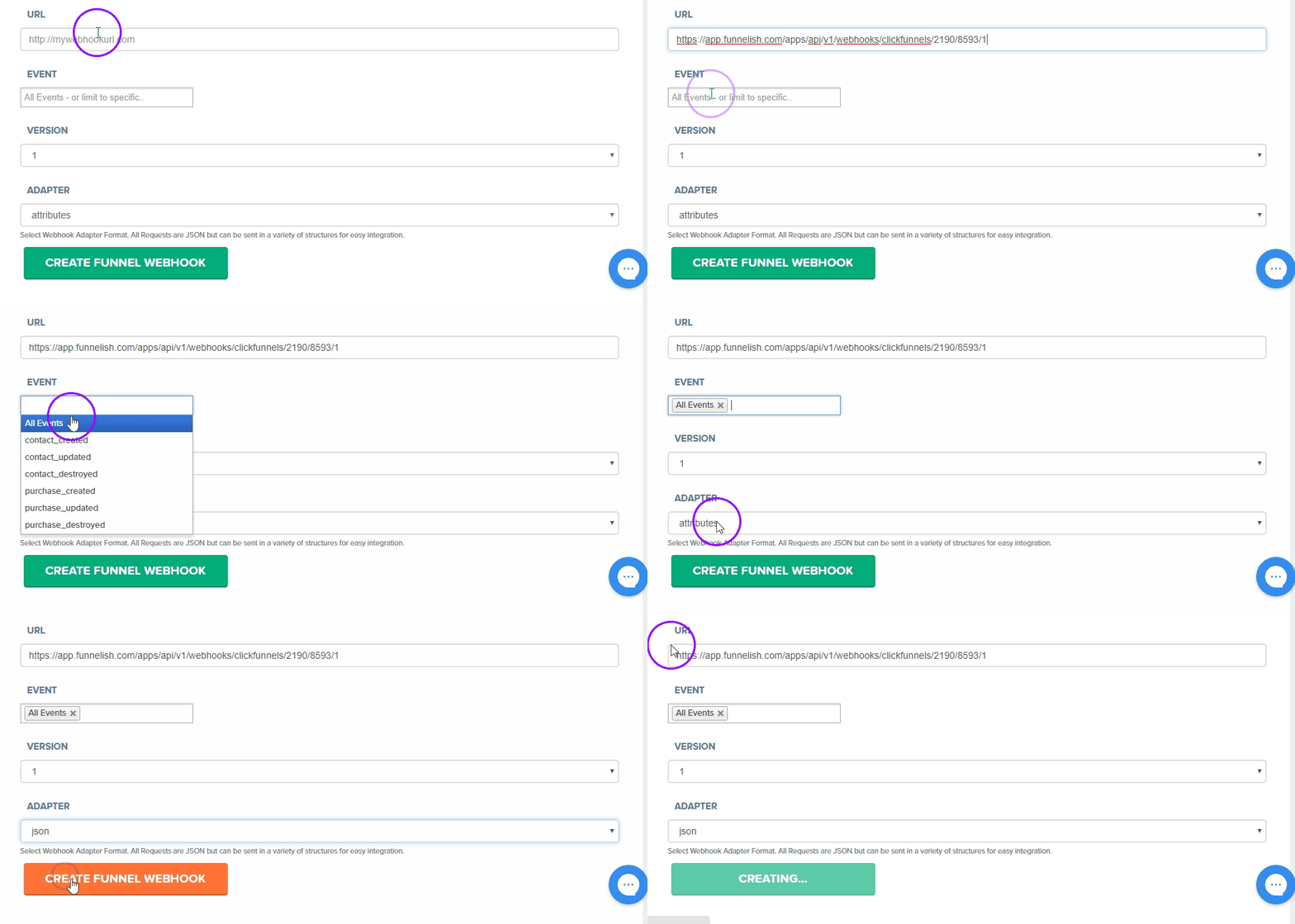
Orders will now be tracked in Funnelish.