Hello Guys,
I need the order ID and customer details on the thank you page. Please help me with this —can it be done? Please let me know.
Thank you!
Hello Guys,
I need the order ID and customer details on the thank you page. Please help me with this —can it be done? Please let me know.
Thank you!
Hey @customcoder245 
Yes, you can do that easily on the Thank You page.
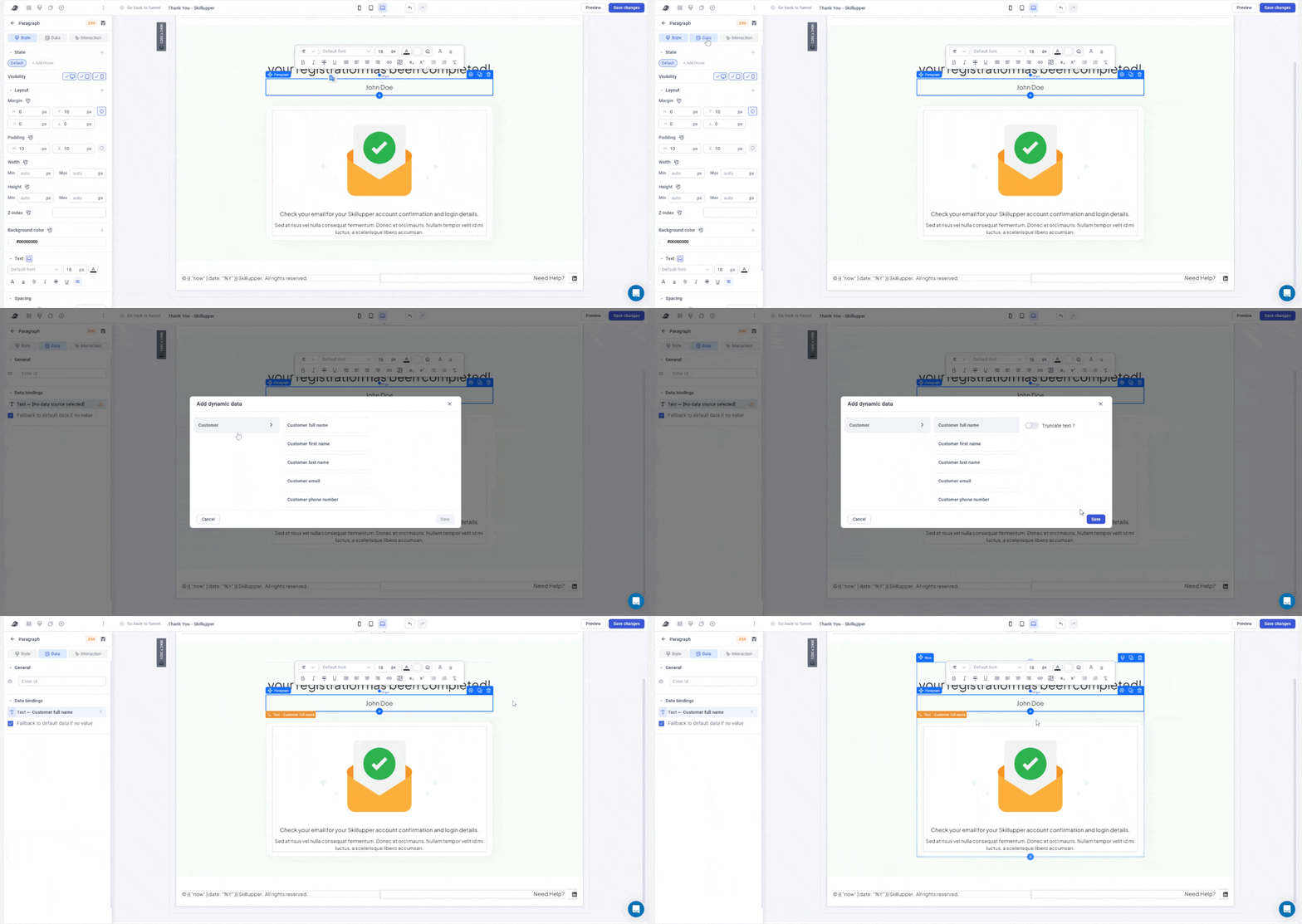
Just select any text element, then go to Data → Data bindings → Customer.
There you’ll find all the customer details you can display.
 If you want to show the full name, use a paragraph element, type a dummy name like John Doe, then open Data → Data bindings again for that element.
You’ll see options like Customer full name, email, first name, last name, and phone number.
Simply select Customer full name, and it will automatically show the right name of each customer on your Thank You page.
I want to print ORDER ID, i dont know how to to do it!
Hey @Raheel_Tariq 
Right now, there is no direct data binding available for the Order ID on the Thank You page yet.
The team is already working on improving this and exposing more order data there 
Hopefully we’ll have a cleaner native solution for this soon.
Hey, thanks for the clarification
I just wanted to understand one thing, if the order is successfully being created, then technically an Order ID should already exist in the backend/API response, right?
I understand that Funnelish currently doesn’t expose direct data binding for the Thank You page yet, but is there any variable name, API response field, or object available in the console/network request that contains the order data?
If the data is already coming through the API or available in the browser console, we may be able to fetch it with custom code and display the Order ID manually on the Thank You page.
Hey @Raheel_Tariq
Yes, you are thinking in the right direction
The Order ID does exist internally once the order is created.
Right now Funnelish just does not expose it as a native data binding on the Thank You page yet.
That said, if you inspect the browser console / network requests, you may find useful order-related objects available there. Similar to how some tracking data is exposed.
So technically, yes — with custom JS it may be possible to fetch and render some of that data manually if the object is available on the page.
Just keep in mind:
Structure may change later
Not officially documented yet
No guaranteed stable variable name for now
The team is working toward exposing these details in a cleaner native way
Is there any update?
i am aslo lookng for this