2026 Updates: PayPal-Only Checkouts per Funnel
Changes & Current Status:
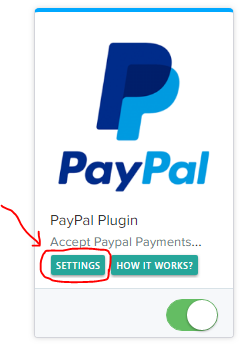
In this 2018 thread, users relying on the legacy Funnelish ClickFunnels plugin had to disable the credit card option globally across their entire account, meaning they couldn’t have PayPal-only checkouts on just some funnels.
This legacy plugin workflow is completely deprecated. Today, Funnelish is a standalone platform. Because payment methods are now assigned at the page level rather than globally, you can easily set up PayPal as the only payment option on a specific funnel without affecting your other funnels.
Up-to-Date Information for Setting Up PayPal-Only Funnels: If you want a specific funnel to strictly process payments through PayPal, you can configure the checkout form natively:
1. Use the Native Payment Form: Open the specific funnel page you want to restrict in the Funnelish visual editor. Click on your Payment Form (or 2-Step Form) element on the canvas.
2. Assign Only PayPal to the Form:
In the left settings panel, click Edit payment options.
Remove any existing credit card gateways (like Stripe) if they are listed there.
Click Add a new payment method and select PayPal.
3. Funnel-Specific Independence: Because you are only adding PayPal to the Payment Form on this specific page, it will act as a 100% PayPal-exclusive checkout. Meanwhile, your other funnels can still have Stripe and PayPal combined since their Payment Form elements are configured separately.
Related Articles & Resources:
Setting up native checkouts: Funnelish Order Forms
Connecting PayPal securely: Funnelish PayPal Integration
I would like to remove the credit card integration from my site in a two steps order… Is this possible with the plugin?
Or is it possible to make paypal the default payment method?