Hey Funnelish community 
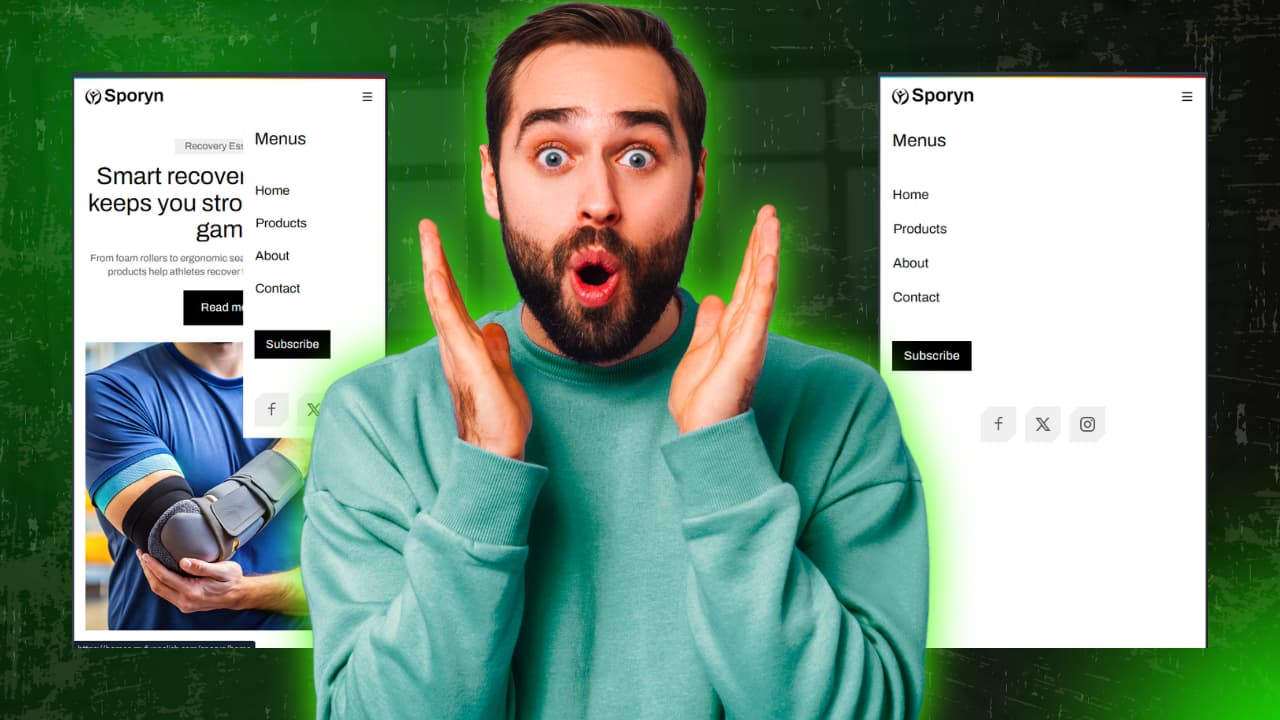
I often see this issue where the mobile menu doesn’t cover the full screen on smaller devices. It usually leaves empty space on the sides or bottom, which can feel broken and hurt the user experience—especially on checkout or landing pages.
To fix this, I use the following simple CSS tweak to make the mobile menu full width and full height (100vh) on mobile.
 Why this helps (UX & CRO)
- Feels more native and app-like on mobile
- Easier navigation for users
- Reduces misclicks and confusion
- Better overall experience → better conversions

 CSS Solution
#render-table .mob-nav-bar {
    position: fixed !important;
    left: 0;
    right: 0;
    width: 100%;
    height: 100vh;
}
 What this CSS does (simple explanation)
position: fixed→ Keeps the menu fixed on the screenleft: 0; right: 0→ Stretches it edge-to-edgewidth: 100%→ Ensures full widthheight: 100vh→ Makes it cover the full screen height
 Where to add this in Funnelish
You can place this CSS in:
- Page-level Custom CSS, or
- Global Custom CSS (if you want it applied site-wide)
Hope this helps someone who’s struggling with mobile navigation 
If you’ve improved this further or have another variation, feel free to share it here. Always happy to learn from the community!