Update: Smart Currency & Global Selling in V2
This announcement from 2020 introduced the Smart Currency Converter plugin for our legacy system. As we continue to migrate and enhance features for Funnelish V2, we wanted to provide an update on how to handle multi-currency selling today.
The Future of Currency in Funnelish V2
The dedicated Smart Currency Converter plugin is currently in development for V2. We are working hard to bring this back in a way that is even more stable and native than before.
Better Alternative: Use Geo-Funnels
While you wait for the automated converter, you don’t have to miss out on international sales. In fact, we recommend a far more advanced feature available right now in V2: Geo-Funnels.
Instead of just changing a currency symbol, Geo-Funnels allow you to:
Target Multiple Locations: Use a single URL that automatically detects where your customer is located.
Customized Content: Show different products, prices, and languages based on the user’s country.
Localized Pricing: Set specific, fixed prices for different regions (e.g., $49 USD for the US and €49 EUR for Europe) rather than relying on fluctuating exchange rates.
Optimized Conversions: Provide a truly local shopping experience that builds trust and increases AOV.
If you are targeting a global audience, Geo-Funnels are the most professional way to scale your brand across borders.
Learn how to set up Geo-Funnels here
Ready to go global with the most advanced funnel tools on the market?

Smart Currency Converter is a new app that will allow you to target global customers without having to worry about your currency localization.
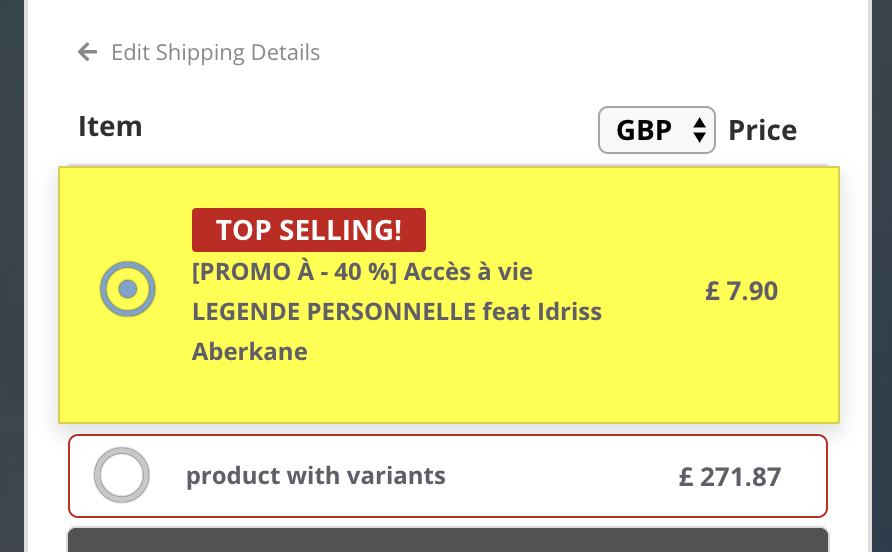
Smart Currency Converter will automatically detect your customers’ currency based on their location, and/or their shipping and billing address, and it will automatically convert your product prices to the appropriate currency using real-time conversion rates.
The app supports over 100 currencies and does not require any setup overhead.
Your customers are also allowed to select a different currency if they wish to.
PS. Even though Smart Currency Converter changes the currency your customers see, it will not affect the currency that your payment option (Credit Card, PayPal…etc) charges them.
In order to enable this app simply go to global /Apps, and turn on “Smart Currency Converter”, And then turn it on under each Funnel > Apps you want to use it at.