Hi there,
I’m experiencing an issue with the Phone Number input field in my funnel. When users enter their number with spaces, brackets, or dashes (e.g., +380 (099) 999 99 99), the value sent to the order is truncated (e.g., +38 (099) 999-9).
I also added a script to limit the number of visible characters a customer can type into the field. However, this did not solve the problem, because users can still use autofill to insert their phone number with spaces and brackets, and the number is then displayed and sent incompletely.
Could you please advise:
How to configure the Phone Number field so that the full number is sent, even if users include spaces or symbols?
Is there a script or setting that can automatically clean the input (remove brackets, spaces, and other special characters) while the user is typing?
Hi @Mykhailo !
Thanks for sharing the details!
The best way to avoid this is by setting the PHONE field to NUMBER INPUT as shown below:
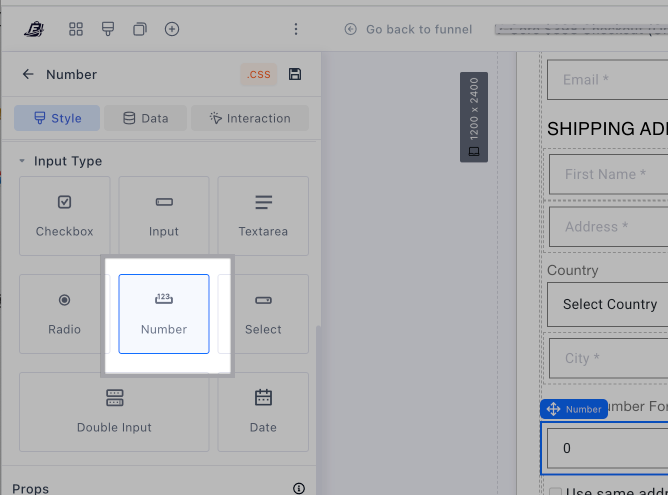
By doing this, it will prevent your customers from adding extra spaces, special characters etc…And the phone number will be recorded correctly.
However, if it stopped working after you added the custom code, please send us via inbox the sharelink of your funnel so we can look into it further.
Best,
Belén@Funnelish