Im trying to highlight my product but its not working, what am I doing wrong here?

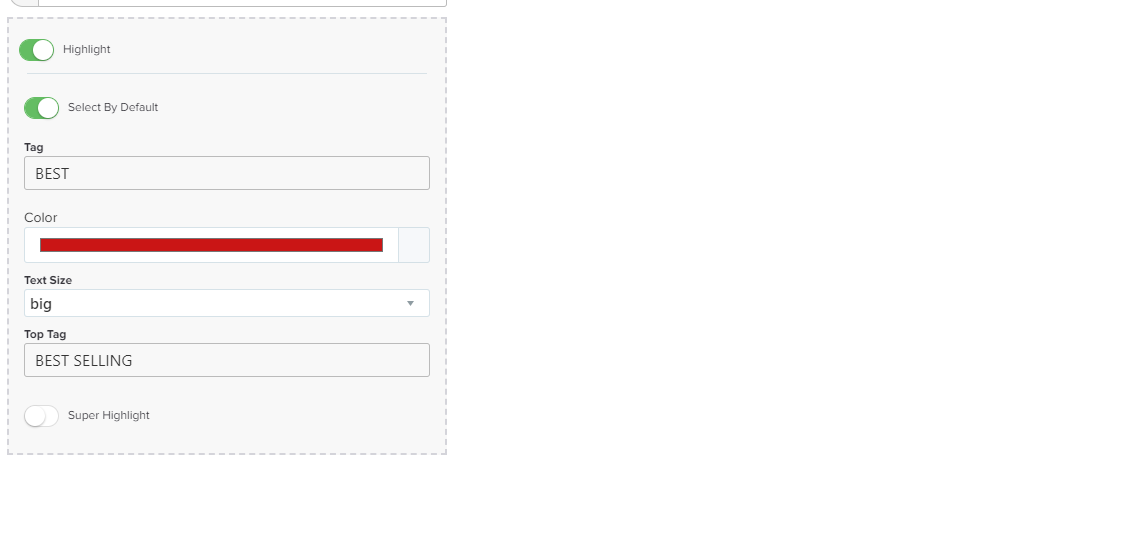
Im trying to highlight my product but its not working, what am I doing wrong here?
Hello @OCBX
Can you tell me at which page it didn’t work? so I can check it out, also can you uncheck and check back the Highlight option on each product ‘edit’ panel after editing each product…
Its the order form step, i have also tried turning it on and off aswell as different products.
I have dm you my funnel.
Hello @OCBX,
I checked the page you sent me and cannot see any App loaded on it, apparently that page is not connected to Funnelish correctly. Either the step URL is not given to Funnelish at all or at least not the correct one, or maybe you didn’t add the code snippet to your entire funnel yet.
Let me know once that’s fixed to take you further…
I’m having the same issue @samlee
I’ve got Fancify enabled in the Funnelish app and funnel level. The code is also installed in CF funnel settings.
How do I send you a DM?
Just enable and disable the product highlighting for your products and it will work, I believe there is a bug on it that it doesn’t save correctly for some cases…
For DMs just click on my avatar or name then click “Message” 
Hi there,
I know this thread is quite old, but just adding this in case anyone still runs into this 
If the highlight state isn’t working, it’s usually because the styling is targeting a different class than what your current layout is using. The Product List element can have slightly different structures depending on how it was built or customized.
You can use this example as a reference:
If it’s still not applying, I’d recommend inspecting the element in your browser and checking which class is being applied when the product is selected, then updating the CSS to match that.
Since this involves custom styling, it may need a bit of adjustment based on your specific setup.
Let me know if you need help identifying the correct class