Now our Shopify integration supports orders bundling throughout your entire funnel, along with the same advanced variant auto-matching capabilities.
All you have to do is:
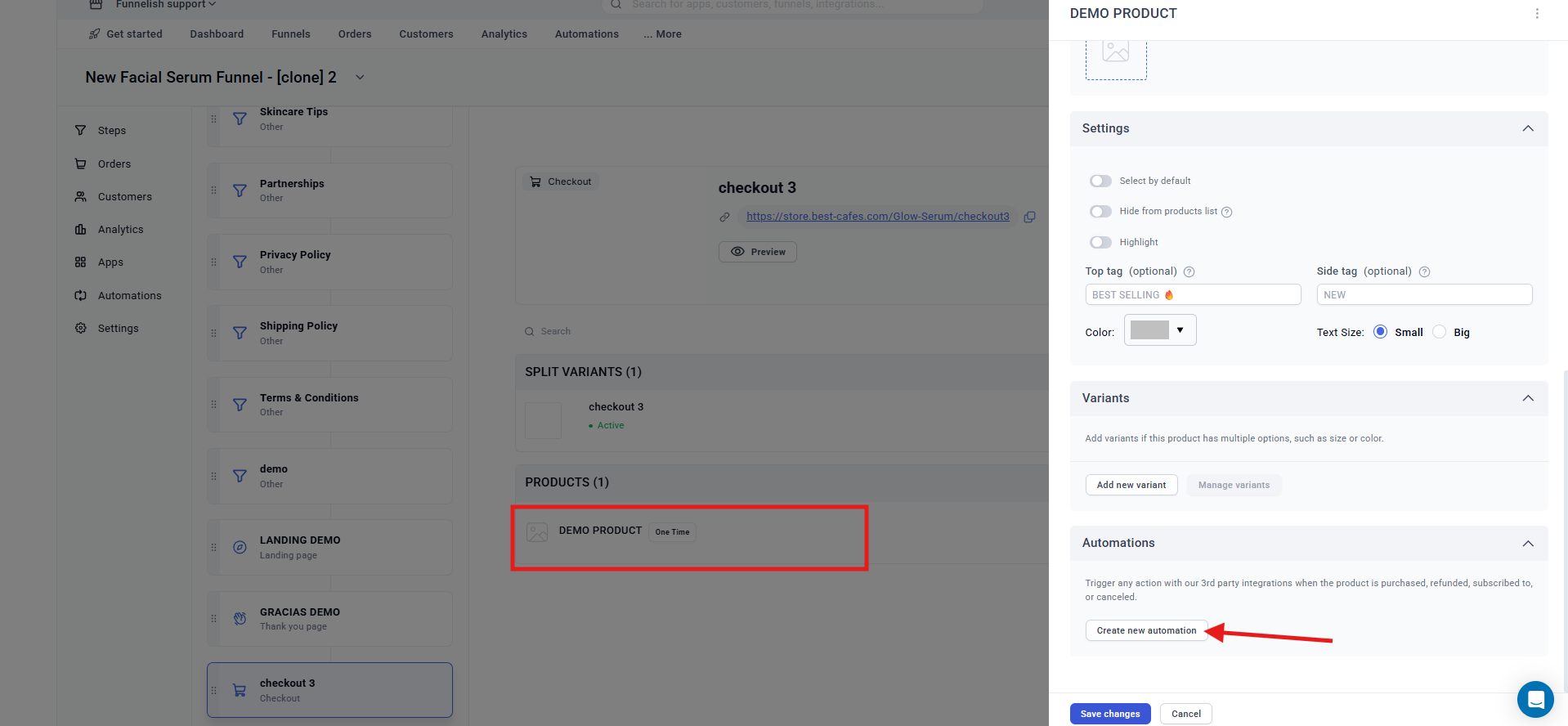
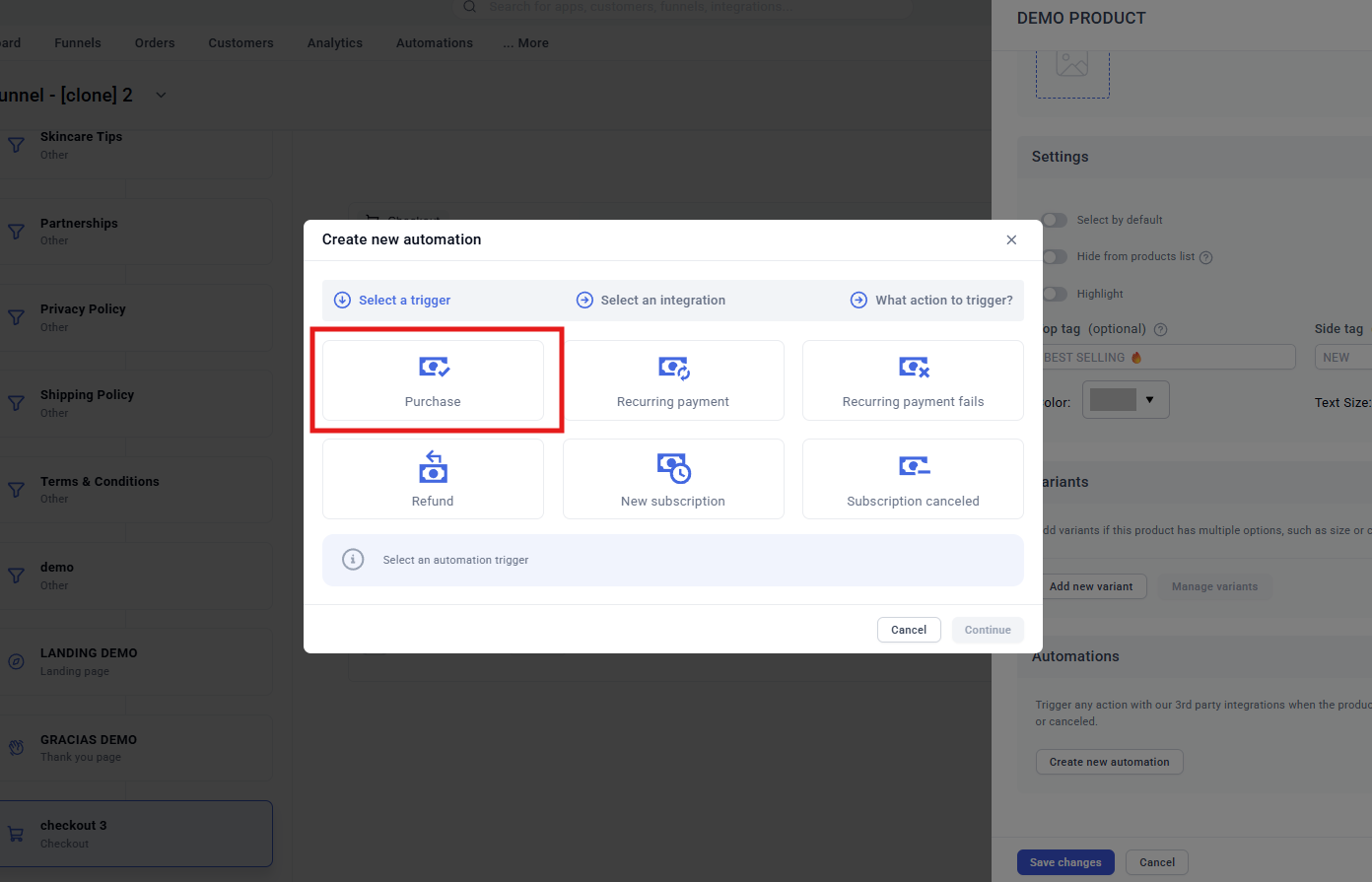
Create/Edit new automation on your product automation list.
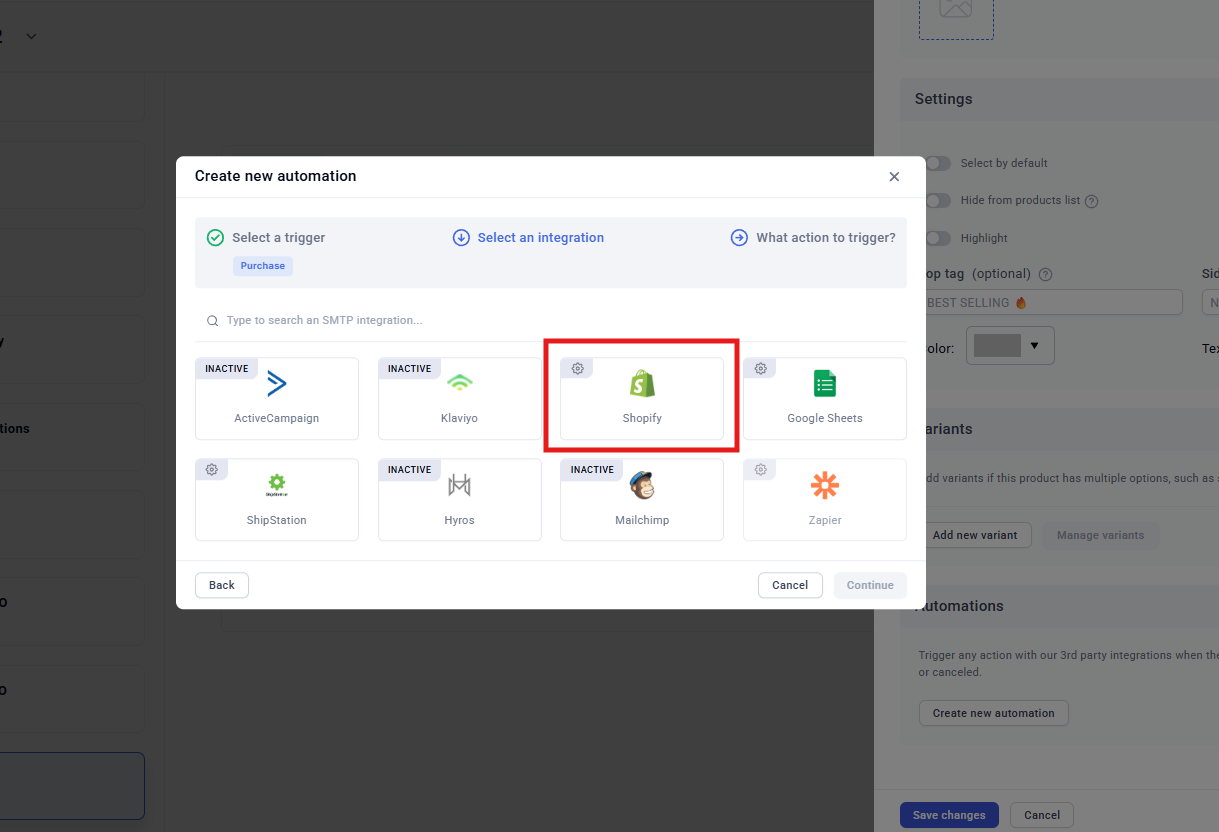
Select Shopify as integration.
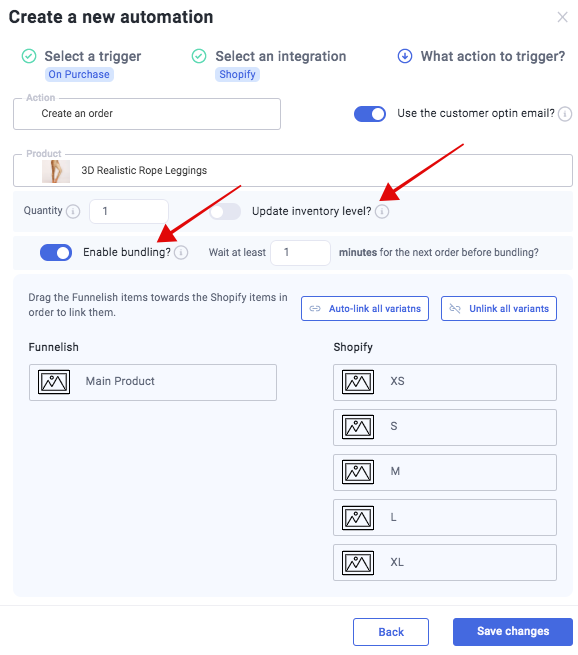
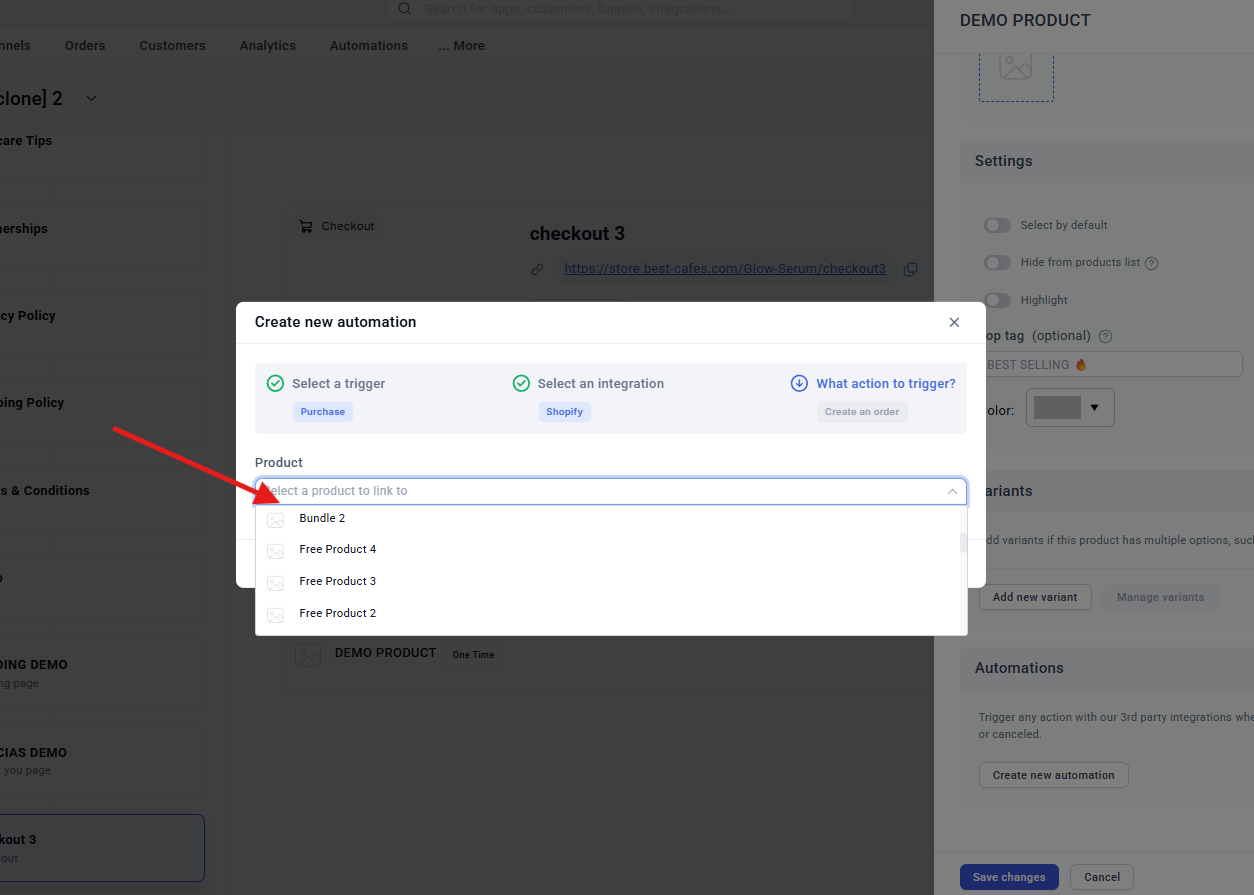
Select the action to trigger (Create new order), and then select your target product.
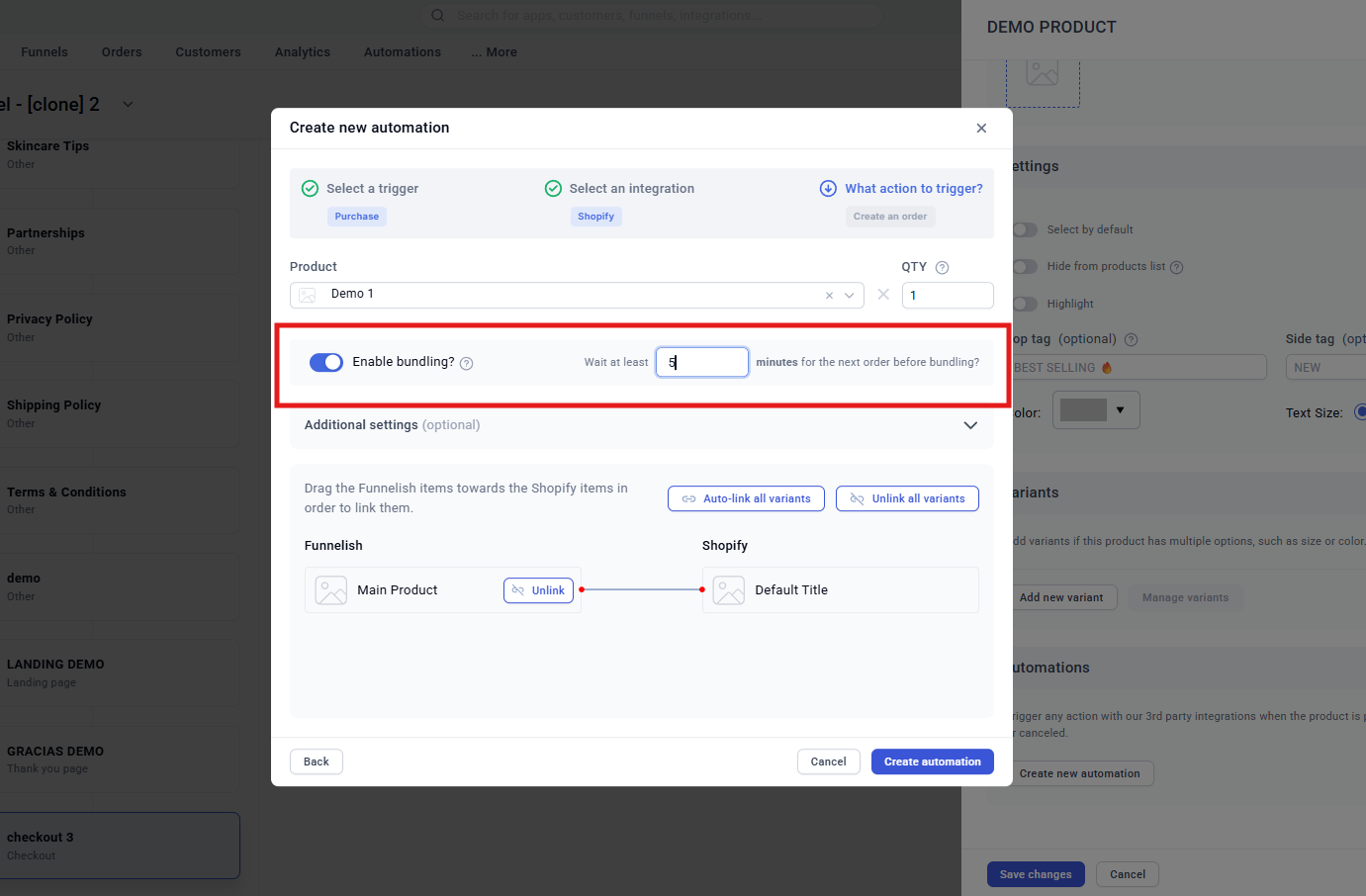
(Optionally) Match your target variants.
Turn on “Enable bundling?” and make sure to set an appropriate wait time before bundling depending on how long it might take your customers to go through your next OTOs.
I’m jumping into this thread to update the information about Shopify automations for those who come across this.
Once you’ve connected your Shopify store to Funnelish ( Connect Your Shopify Store | Funnelish Docs ) and created your products in both Funnelish and Shopify, you can proceed to create product automations as follows:
1- Click on your product in Funnelish > in the right-hand window, scroll down to AUTOMATIONS > CREATE NEW AUTOMATION:
5- Once the automation is created, you can turn on ENABLE BUNDLING (please add an appropriate waiting time for the average time it may take the customer to go through the steps of your funnel)
 This applies to products in the checkout, order bump products (priority shipping) and upsell and downsell products.
 Other things to keep in mind: