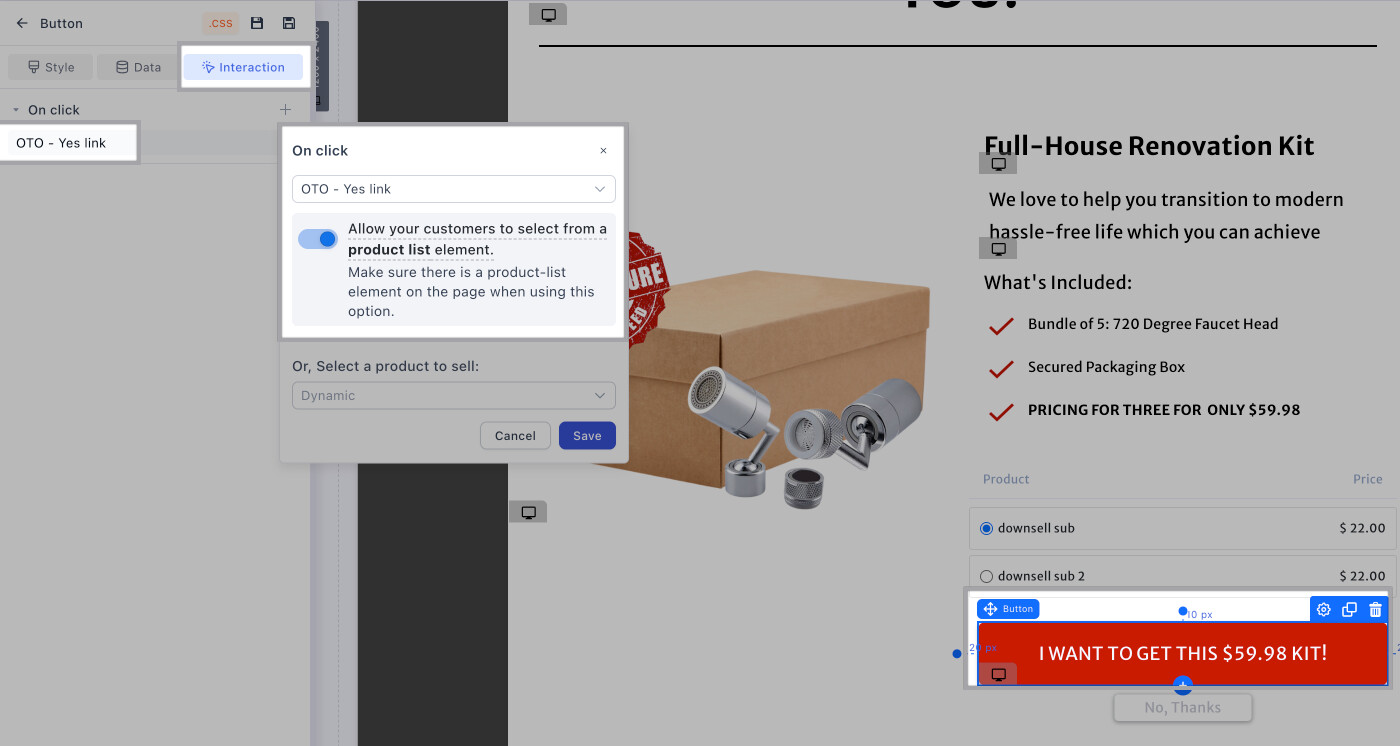
Just wondering if there is an update to the OTO setup for multi product selection with Funnelish? I see that the posts on this topic date back to April. Are there updates to this method?
1 Like
Hey @J.delo,
Sorry to reply back late I forgot to reply earlier…
Actually, the multi OTOs haven’t changed since were changed by Clickfunnels last time (few months ago), and since then the same hack (workaround) we introduced still works and it’s still relevant…
Just keep in mind that hack only applies to OTOs that have 3+ products on them, Otherwise your OTOs would work normally without having to add any extra code…
This is the workaround we introduced back in April and it still works:
https://community2.funnelish.com/t/using-clickfunnels-yes-link-multi-with-funnelish-paypal-apps/1007
PS. we are working on a new way of using our Funnelish Apps that is much smoother, will be introduced next year first quarter, but should expect related updates starting from this month…
Hi @J.delo ,
I know this thread is a bit old but here is the guidence to setup yes oto now:
If you only have 1 PRODUCT - NO VARIANTS
- Assign the "Add to my order" button as “OTO-YES LINK” and link it with the exact product like shown in the example here:
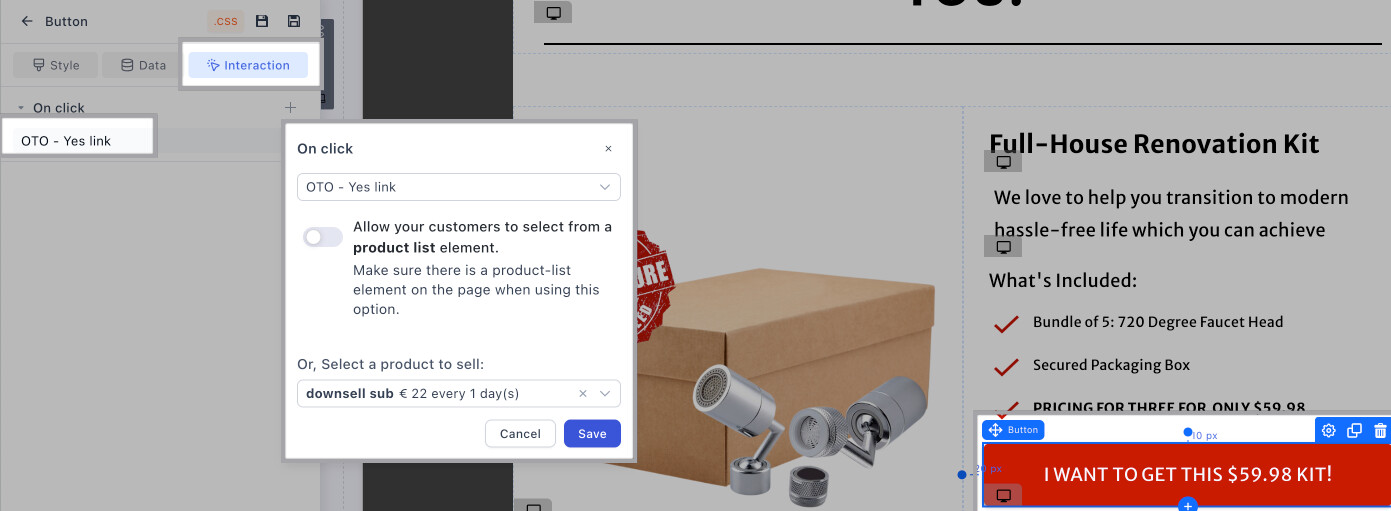
If you only have MULTIPLE PRODUCTS / 1 PRODUCT WITH VARIANTS
- Add a product list element above the button so the customer can see the options and set the action as ALLOW YOUR CUSTOMERS TO SELECT FROM A PRODUCT LIST ELEMENT as shown below: