2026 Updates: Offering Multiple Products on Upsell Pages
Changes & Current Status:
The legacy method of relying on ClickFunnels’
#yes-link-multior#yes-link-1tags to trigger upsells via the old Funnelish PayPal App is completely deprecated.Today, Funnelish features its own standalone Funnel Builder and natively supports multiple products on a single Upsell (OTO) or Downsell step without any custom code or link hacks.
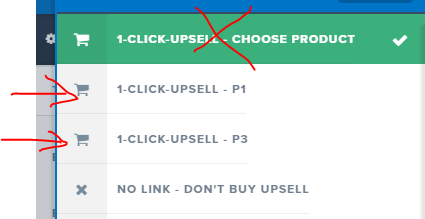
Up-to-Date Information for Multi-Product Upsells: If you want to offer multiple options (like a Trial Offer, a Subscription, or a BOGO deal) on an Upsell page, you can now do this visually:
1. Use the Native Funnelish Builder: Build your Upsell page directly inside the Funnelish builder. Instead of using a single button with a hidden hash link, simply drag and drop the Product List or Variations element onto your OTO page.
2. Assign Your Products: Inside your Funnelish step settings, create all the products you want to offer on that page (e.g., “Subscription A” and “Subscription B”). The Product List element will automatically display them with radio buttons or a dropdown, allowing the customer to select exactly which offer they want.
3. Native 1-Click Processing: Because Funnelish is handling the checkout natively, when the customer selects their preferred product and clicks the “Yes, Add to Order” button, Funnelish will process the 1-click upsell flawlessly for both PayPal and Credit Cards.
Related Articles & Resources:
Guide to setting up 1-Click Upsells: Funnelish Upsell & Downsell Steps
How to configure multiple products on one step: Adding and Managing Products in Funnelish
Hi I am trying to implement the following:
- Trial offer
- Subscription Upsell
- BOGO Downsell
- Order Confirmation
The first one is working, the others are not.