If you have a Shopify store and use Funnelish, connecting them makes sure every order from Funnelish goes straight to Shopify automatically. No manual work needed.
Here’s how to do it:
-
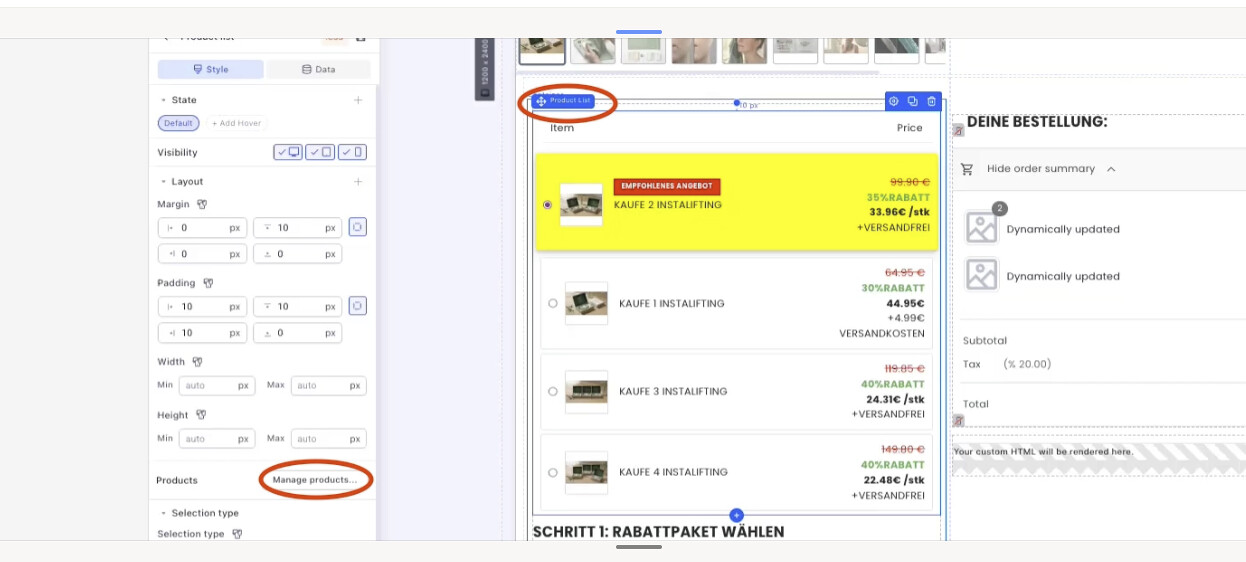
Go to your checkout page and click Product list element > Manage products
-
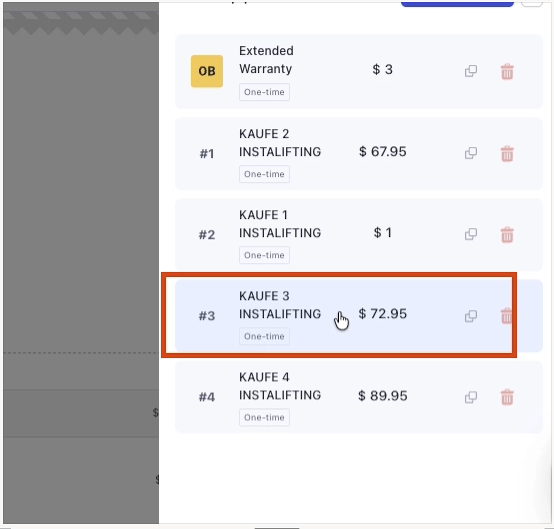
Click on each product and order bump that you want to connect with Shopify
-
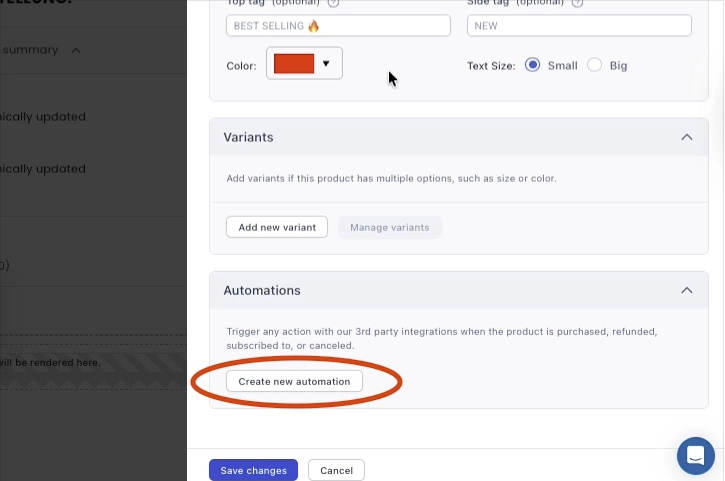
Just scroll down at the bottom and click 'create automation’
-
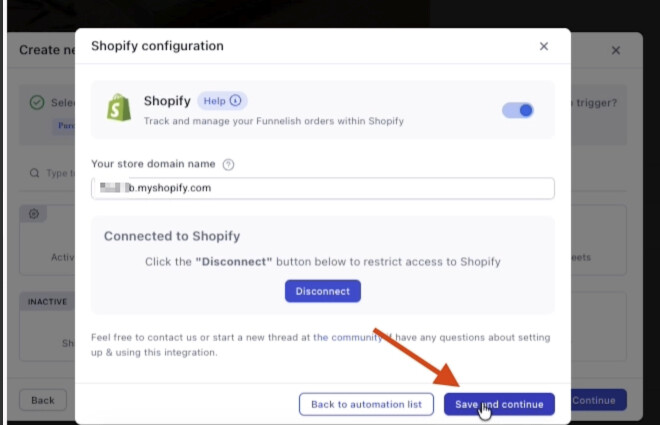
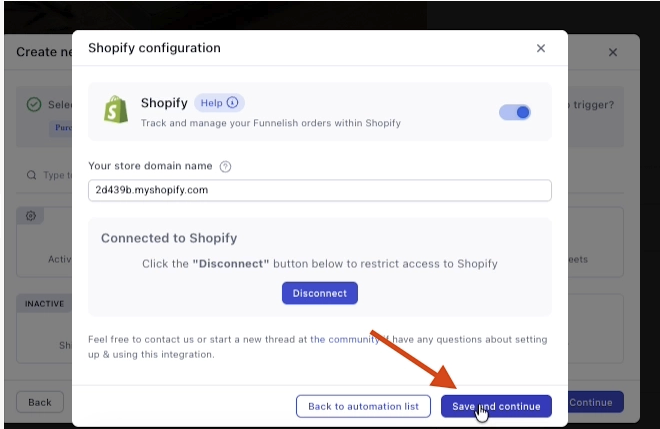
Put in your Shopify URL, the one that ends with *myshopify.com* and click connect, it should open a new tab where you can connect your Shopify.
-
Just click Save and continue.
-
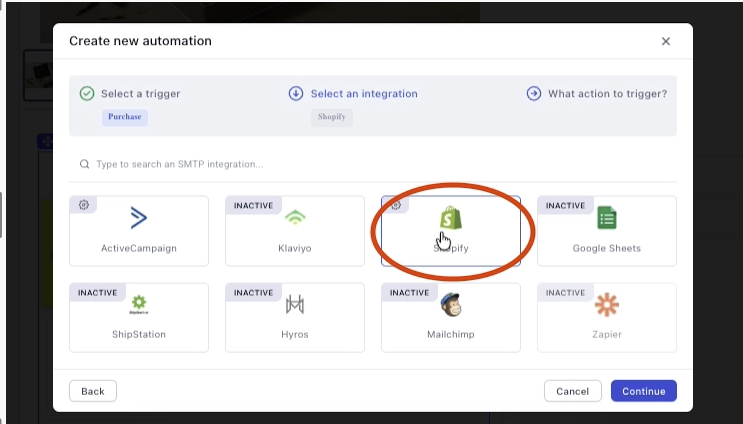
Then select Shopify here.
-
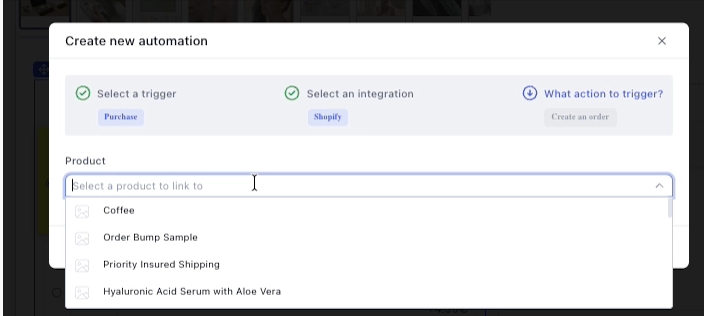
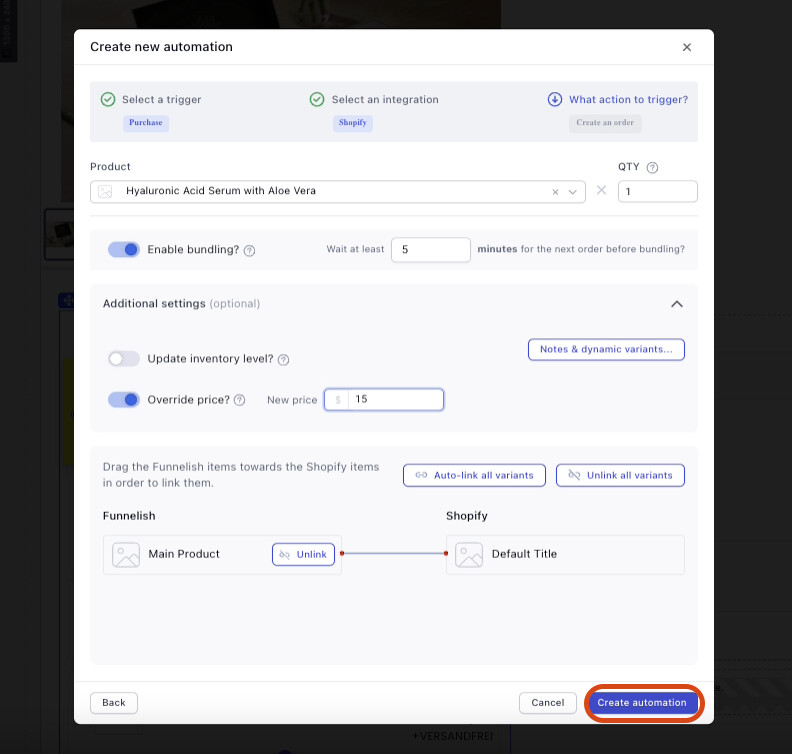
From the drop-down, select the product that you want to connect
-
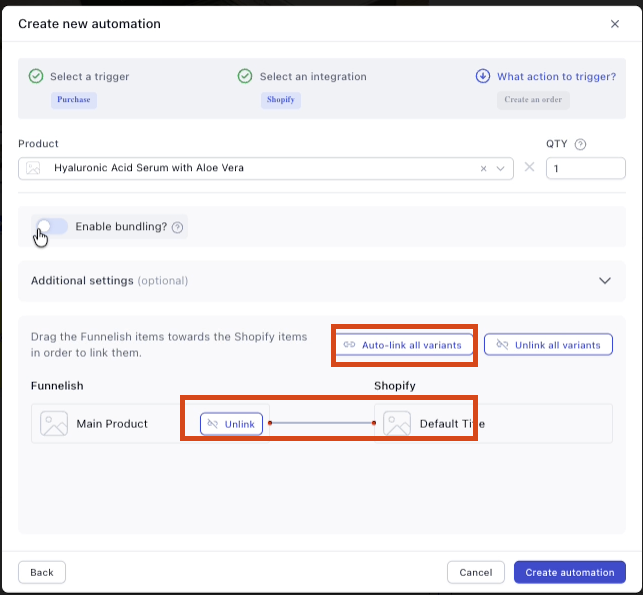
Make sure that the products are linked, you can click ‘auto-link’ or press and hold the product under funnelish and drag it to the other product.
-
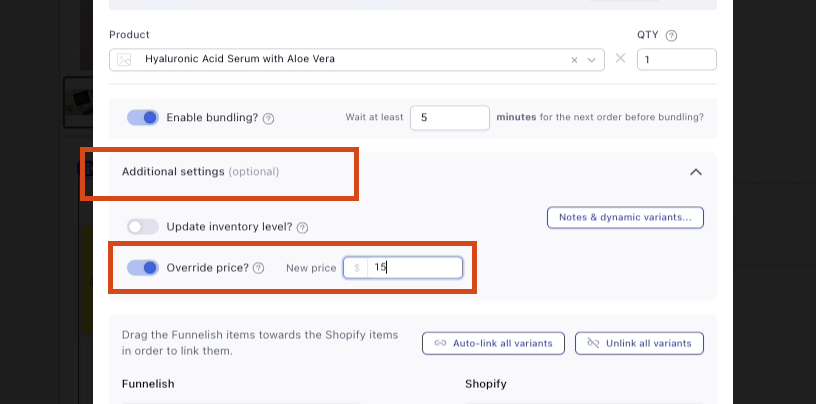
If you want the order to sync to Shopify with a different price, you can click Additional settings and enable override price, then set your desired price, if you want to sync the price as it is, you may keep it disabled.
-
Click Create automation
-
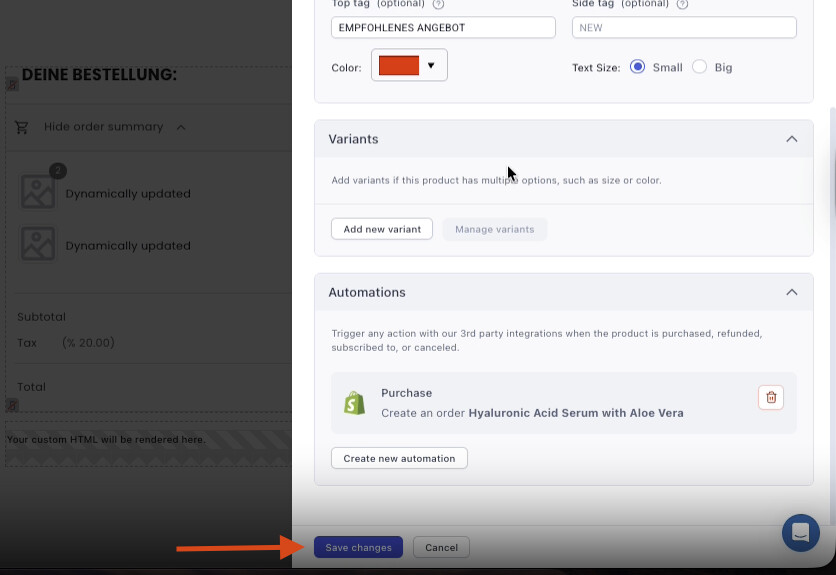
Lastly, click Save changes
Why is it important?
Without this, Funnelish orders won’t show up in Shopify. Once set up, everything syncs automatically.