One of the biggest missed opportunities in dropshipping and eCommerce isn’t traffic…
It’s people who were this close to buying, but didn’t complete the purchase.
Most setups rely on basic abandoned cart emails, which:
-
Trigger too early (low intent)
-
Have low open rates
-
Miss your hottest prospects
Instead, Funnelish gives you something much more powerful:
 The Purchase Attempt trigger
And when combined with SMS? This becomes one of the highest ROI automations you can set up.
Why “Purchase Attempt” > Abandoned Cart
Let’s break this down:
Abandoned Cart
-
User added to cart
-
Might be just browsing
-
Low buying intent
Purchase Attempt (Funnelish)
-
User filled checkout details
-
Entered phone/email
-
Clicked “Buy”
-
Payment failed or didn’t go through
These are people who wanted to buy, & something just got in the way:
-
Card declined
-
Payment issue
-
Distraction
-
Trust hesitation
 Recovering even a small % of these can massively increase your revenue.
The Strategy (Simple but Powerful)
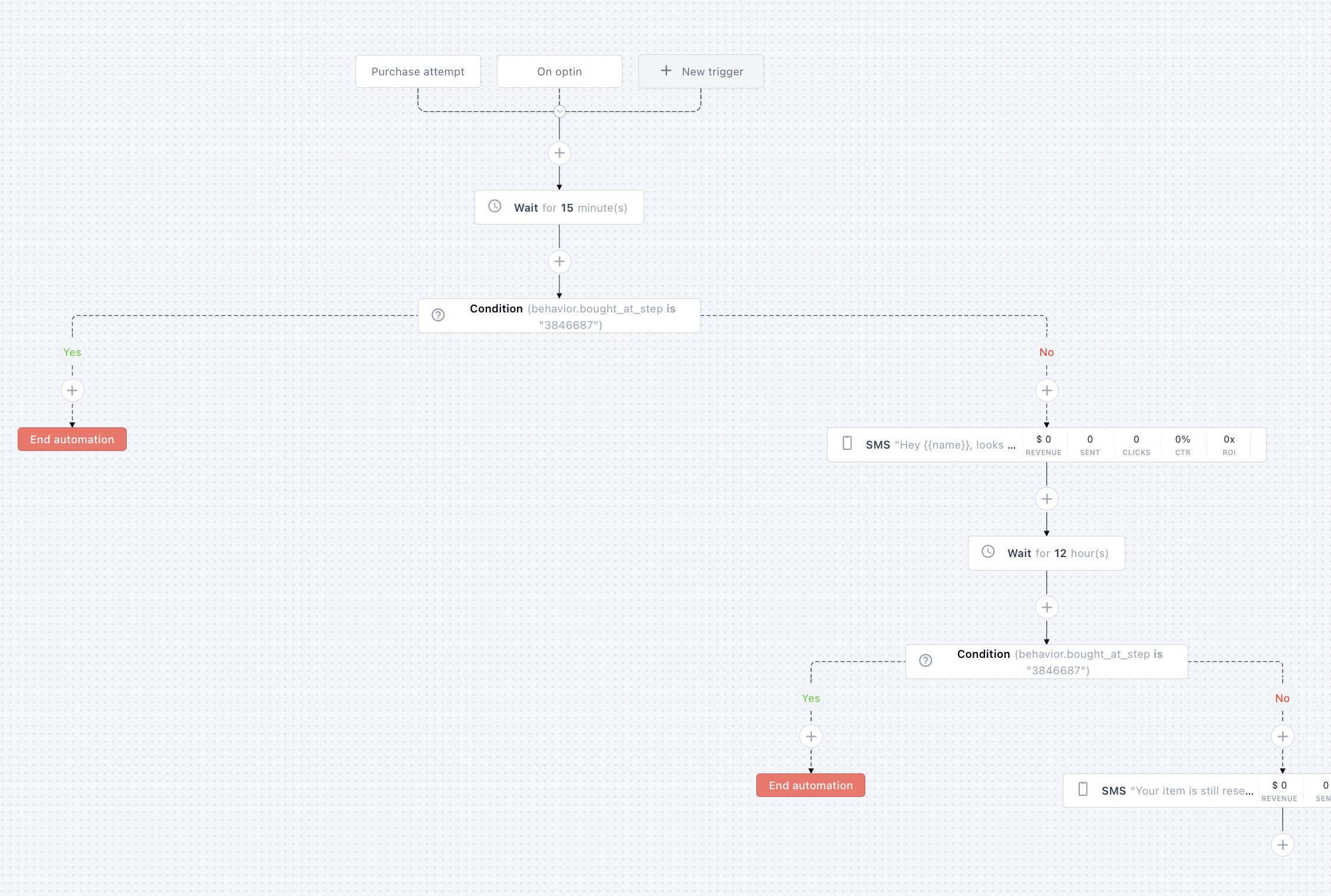
We’re going to build a flow that:
-
Captures high-intent users (purchase attempt)
-
Waits briefly
-
Checks if they completed the purchase
-
Sends a targeted SMS if they didn’t
Optionally:
We also include lower-intent leads using an Opt-in trigger
Step-by-Step Flow Setup
1. Trigger #1: Purchase Attempt
Start your automation with:
Purchase Attempt trigger
This ensures:
-
You only target users who reached checkout
-
You’re focusing on the highest-value segment
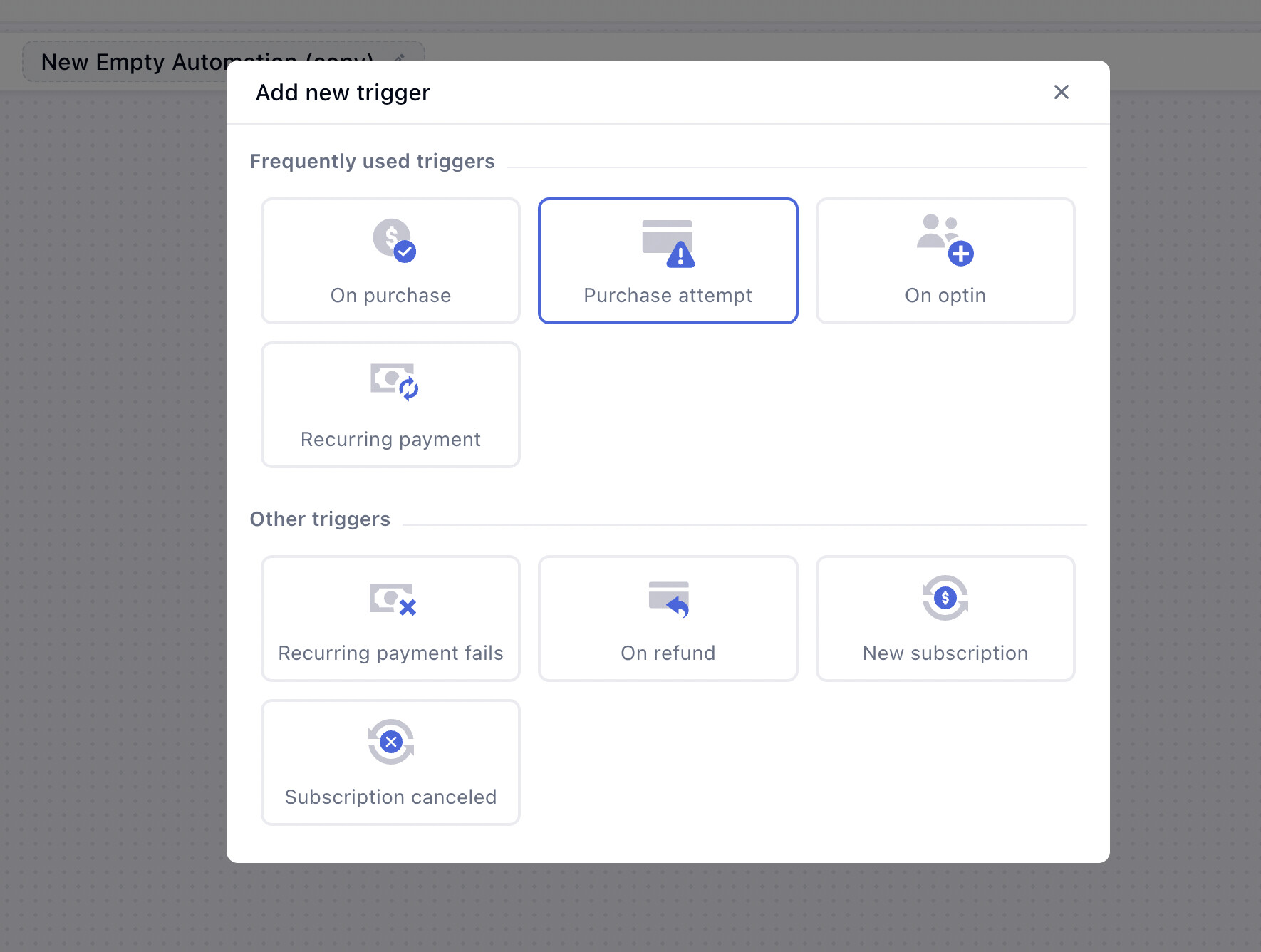
2. (Optional) Trigger #2: Opt-in
You can also add:
Opt-in trigger
This captures users who:
-
Entered phone/email
-
Didn’t reach full purchase attempt
Lower intent than purchase attempt, but still valuable.
3. Add a Wait Time (15–30 Minutes)
Don’t send the SMS immediately.
Add a delay of ~15 minutes
Why?
-
Some users are still completing payment
-
Avoids unnecessary or annoying messages
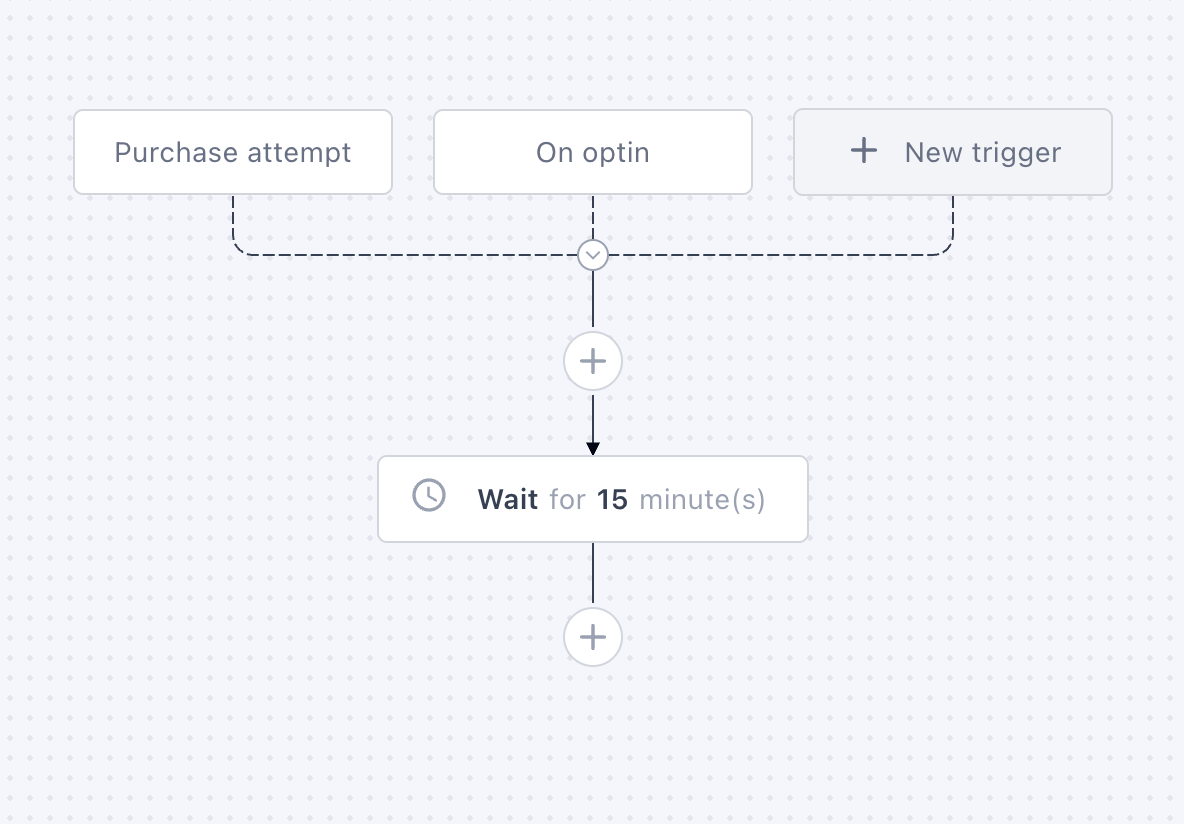
4. Condition: Did They Purchase?
After the wait, add a condition:
“Has the user completed purchase?”
-
YES → Exit flow
-
NO → Continue
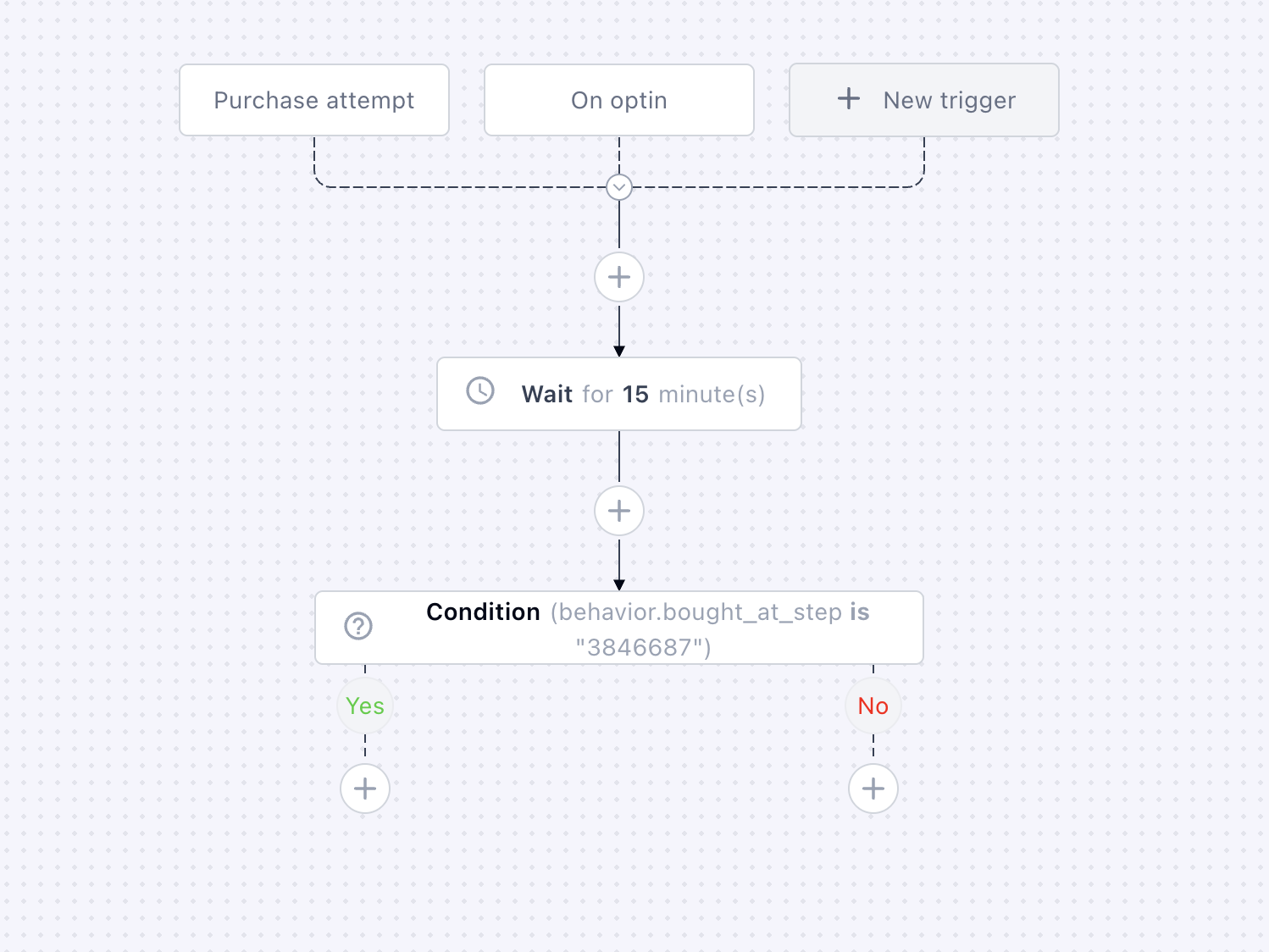
This keeps your messaging clean and relevant.
5. Send SMS (High-Converting Template)
Now the key part 
Your SMS should feel:
-
Personal
-
Helpful
-
Low friction
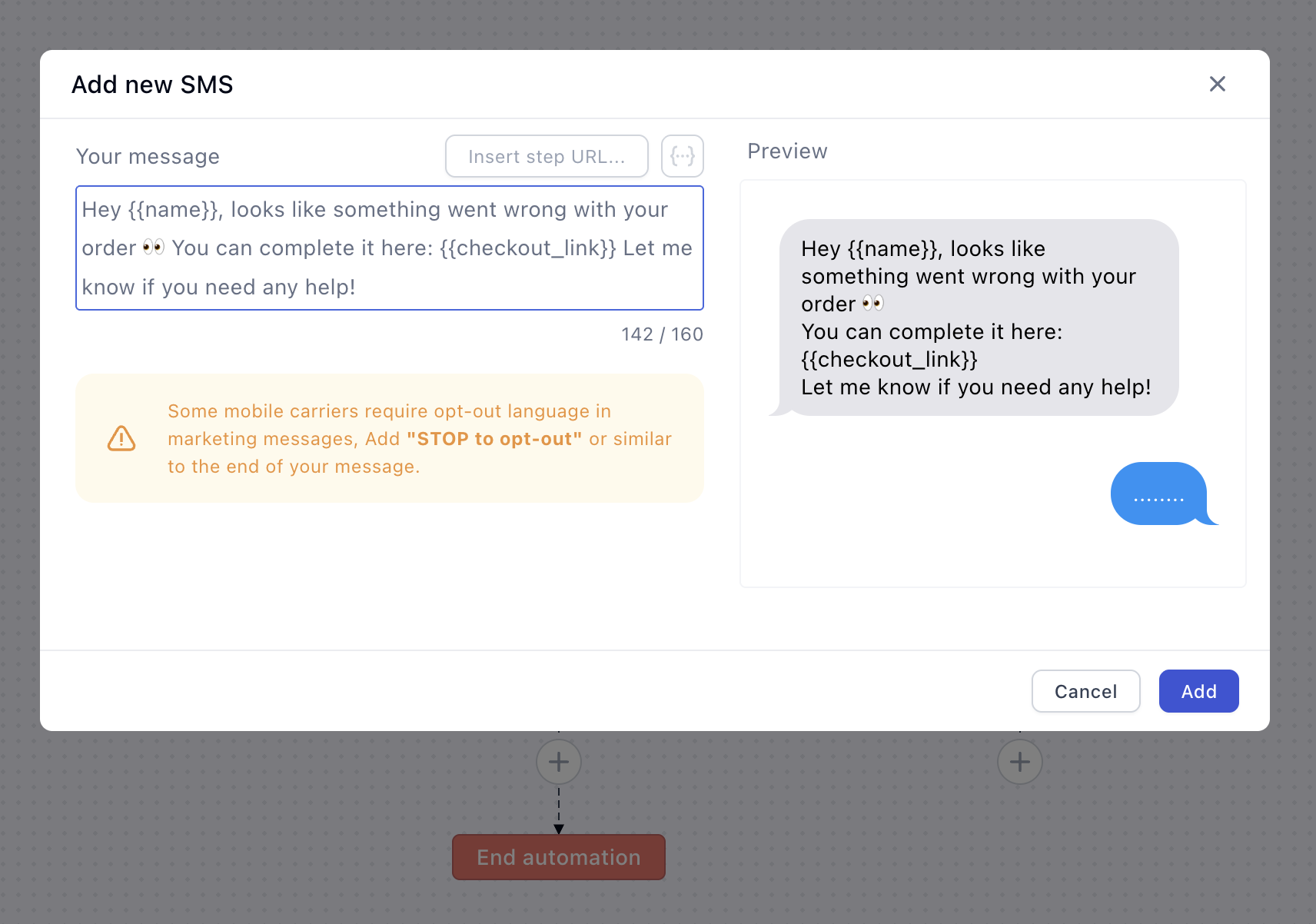
Example SMS #1 (Simple Recovery)
Hey {{name}}, looks like something went wrong with your order
You can complete it here: {{checkout_link}}
Let me know if you need any help!
Example SMS #2 (With Urgency)
Hey {{name}}, your order wasn’t completed — your item is still reserved for you!
Finish here before it’s gone: {{checkout_link}}
Example SMS #3 (With Incentive)
Hey {{name}}, we saved your cart
Here’s 10% off to complete your order: {{checkout_link}}
Code: SAVE10

Why SMS Works So Well Here
Compared to email:
-
 Higher open rates (90%+)
 -
 Instant delivery
 -
 Feels personal and direct
And when combined with purchase intent data?
It becomes incredibly effective.
2. Don’t Overdo It
1–2 messages are enough.
Too many = spam = lower trust.
3. Use Timing Strategically
-
First SMS: 15–30 min
-
Optional second: 12–24h later
Why This Matters for Profitability
Most people try to fix profitability by:
-
Testing new products
-
Increasing ad spend
But often the easiest win is this:
Recover revenue you’re already generating
This flow:
-
Targets your hottest leads
-
Requires no extra ad spend
-
Can instantly increase revenue
Read more on > sending SMS with Funnelish
 What other automation flows should we discuss next?