We’ve just rolled out a small update that makes a big difference for order accuracy, SMS delivery, and international scaling.
What’s new?
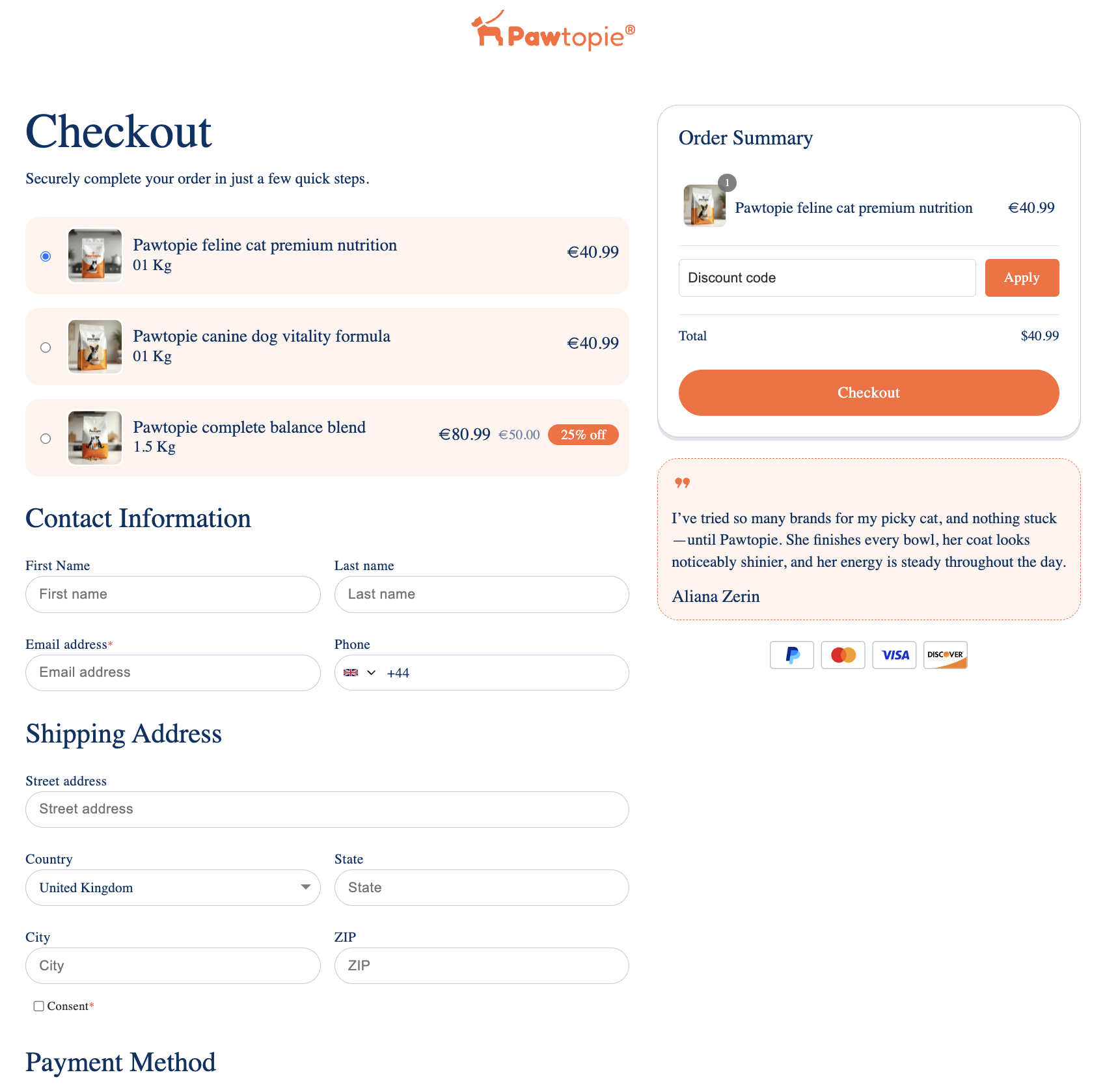
Phone number fields in Funnelish checkouts now include a native country code selector.
In the checkout preview, customers will:
-
See a country dropdown next to the phone field
-
Have their country automatically pre-selected based on location
-
Enter their number in a standardized, international format
Why this matters
This update helps you:
 Collect complete phone numbers (with country code)
Improve SMS delivery rates (Klaviyo, SMS apps, etc.)
Reduce failed deliveries or invalid numbers
Sell more easily across multiple countries
No more guessing where a number is from or fixing formatting issues later.
 What you’ll notice
-
There is no visible change inside the editor
-
The update is only visible in the checkout preview / live page
 What you need to do
To activate this on your existing funnels:
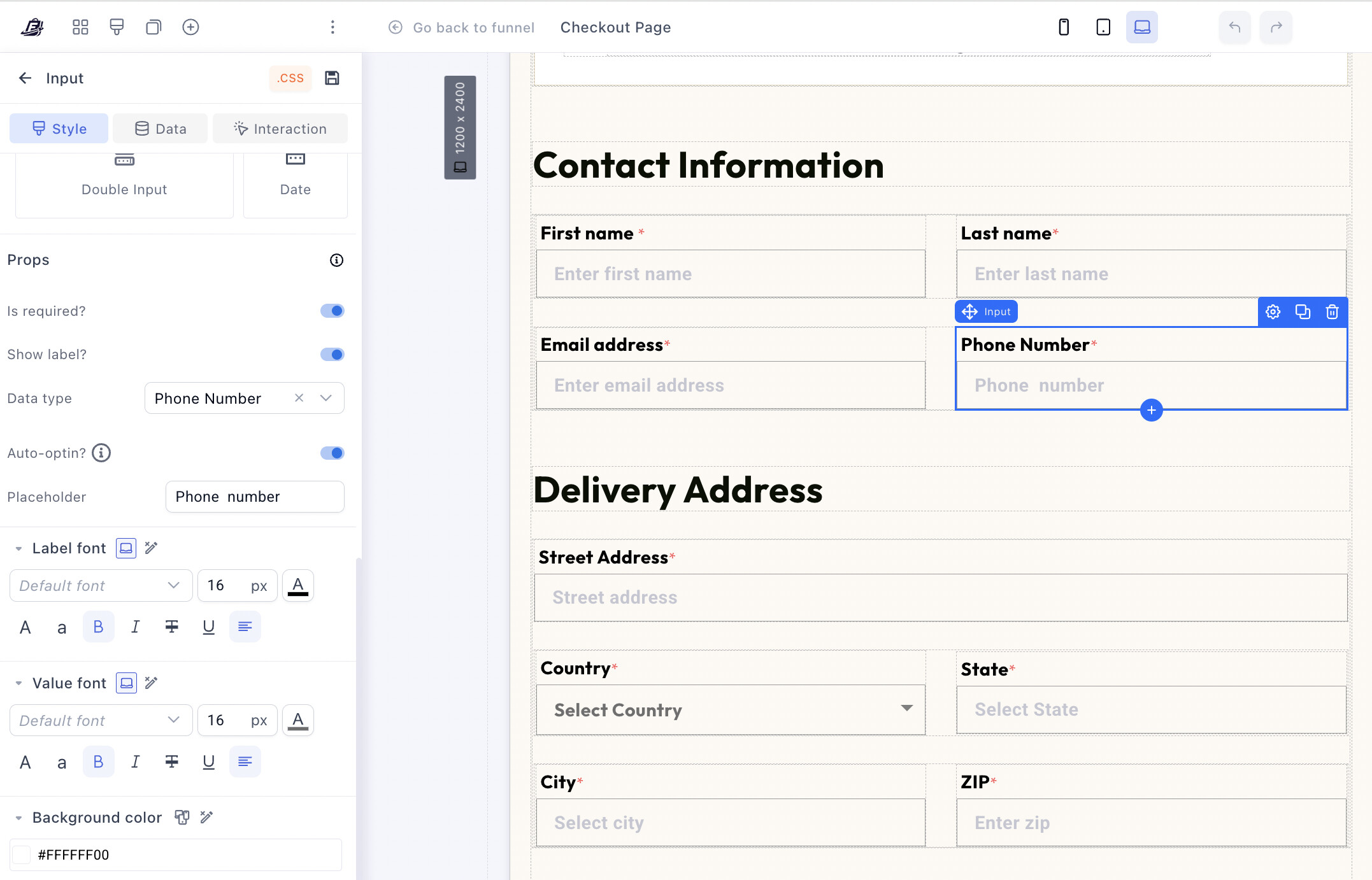
- Go to your checkout page editor
- Make sure the phone number field’s input type is set to Number as shown below
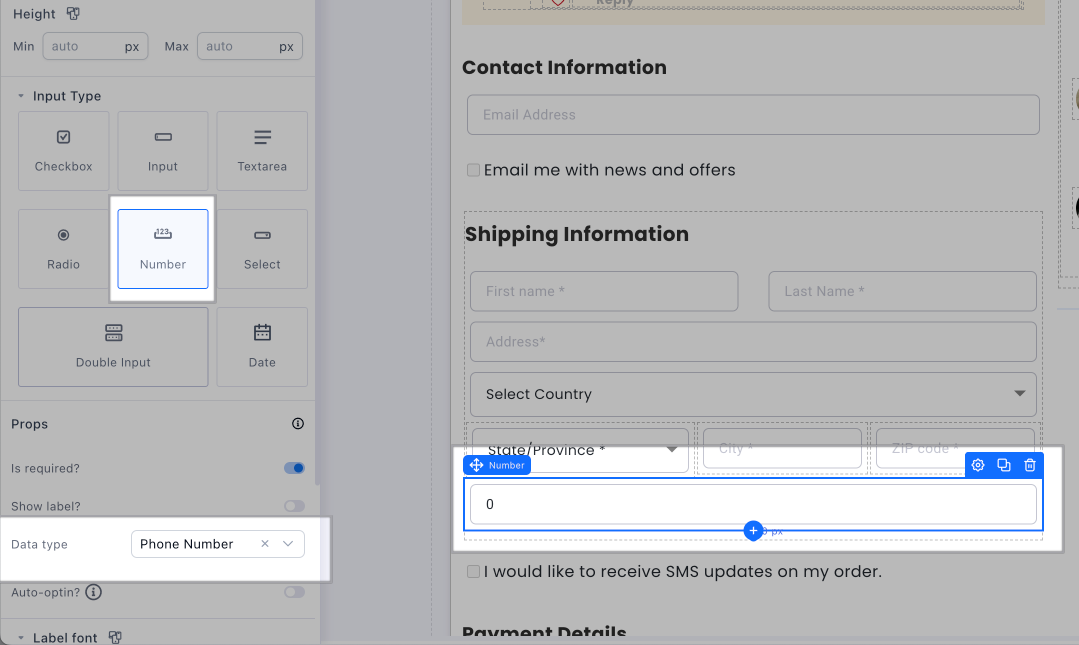
- Click Save Changes
That’s it.
Once re-saved, the country code dropdown will automatically appear for your customers.
 Going forward
All new checkouts will include this by default, no extra setup required.
More Funnelish Improvements:
- Test Mode in Funnel Analytics
You can now view both test and live data in the funnel analytics breakdown table.
Simply switch Funnel Test Mode ON to see all data generated during test mode 
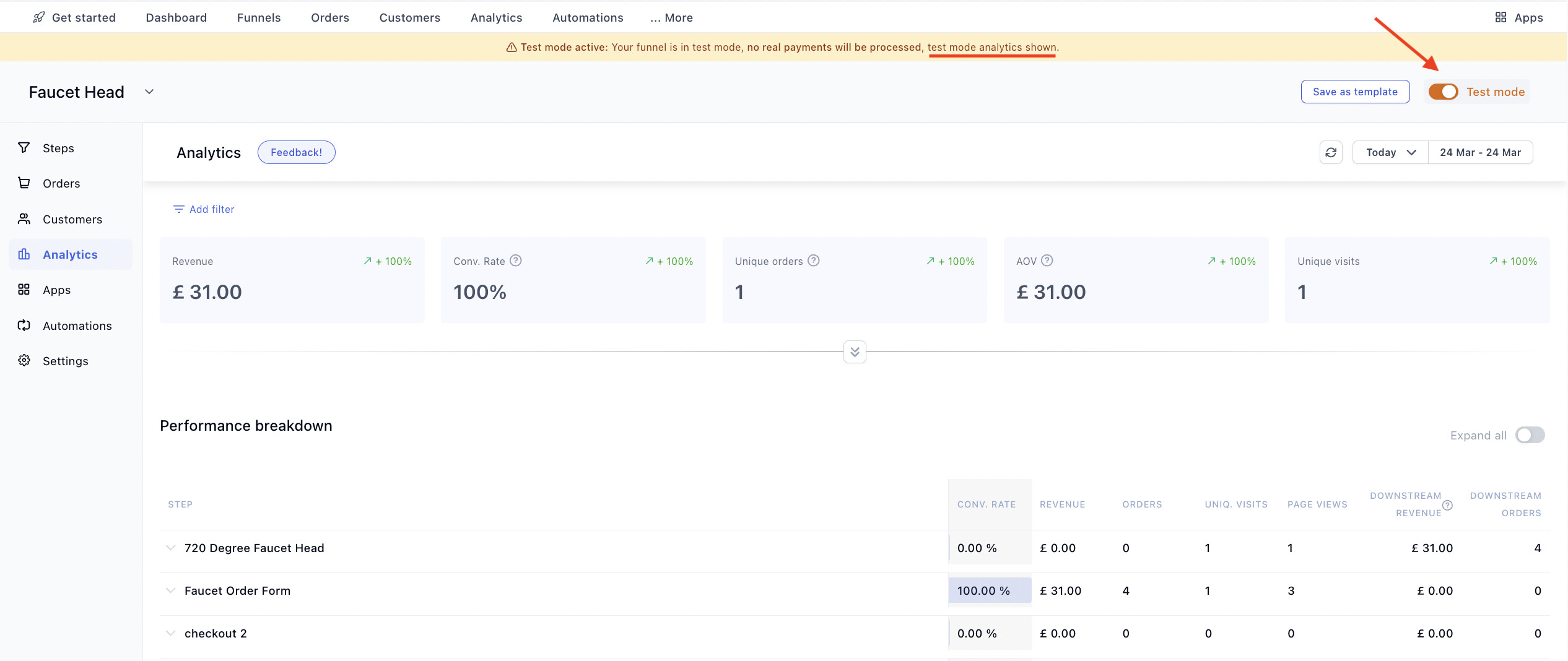
When Test Mode is OFF, the funnel analytics will display only your live data.
- Funnel Step Analytics
Analytics are now visible directly inside each funnel step (Revenue, AOV, Downstream revenue, CVR)
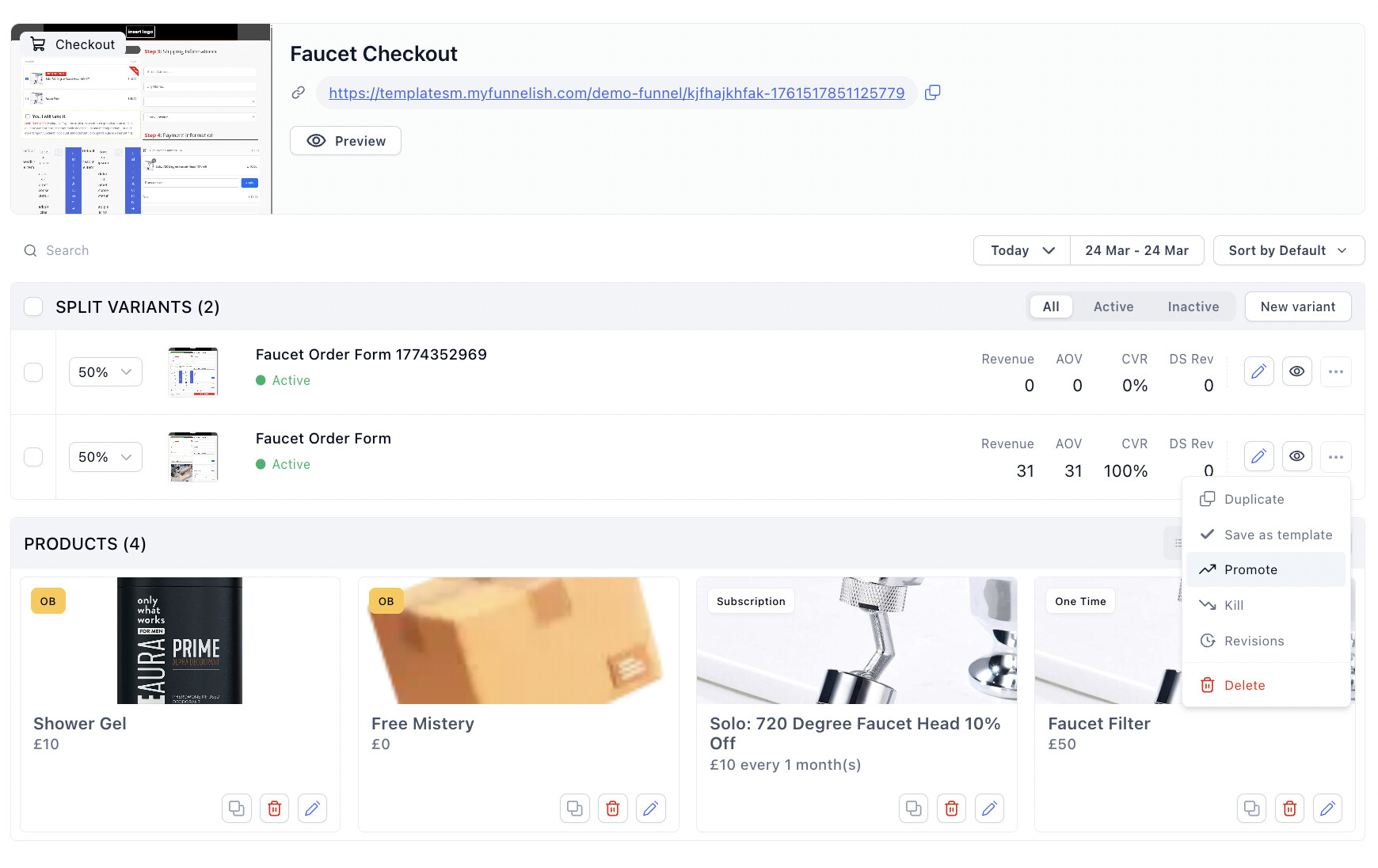
Pro tip: This is especially useful when running A/B split tests, as you can instantly compare variants and make faster decisions on which ones to scale or kill.
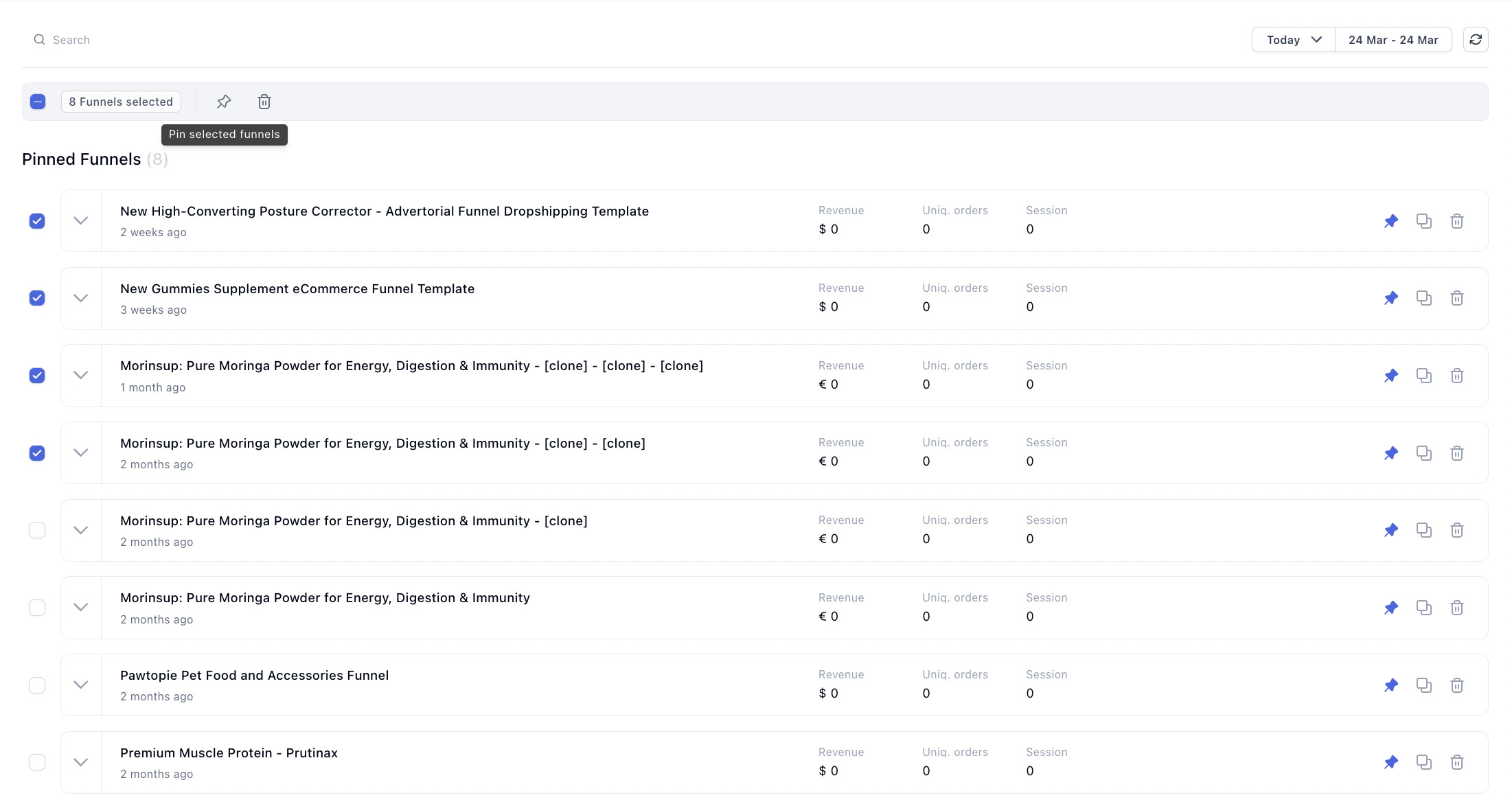
- Bulk Actions (Funnels Page)
Perform actions like pin/delete across multiple funnels at once
New Features & Enhancements
Funnelish Editor Improvements:
- Phone Number Auto Opt-in
Enable auto opt-in for phone inputs (requires email field on page too)
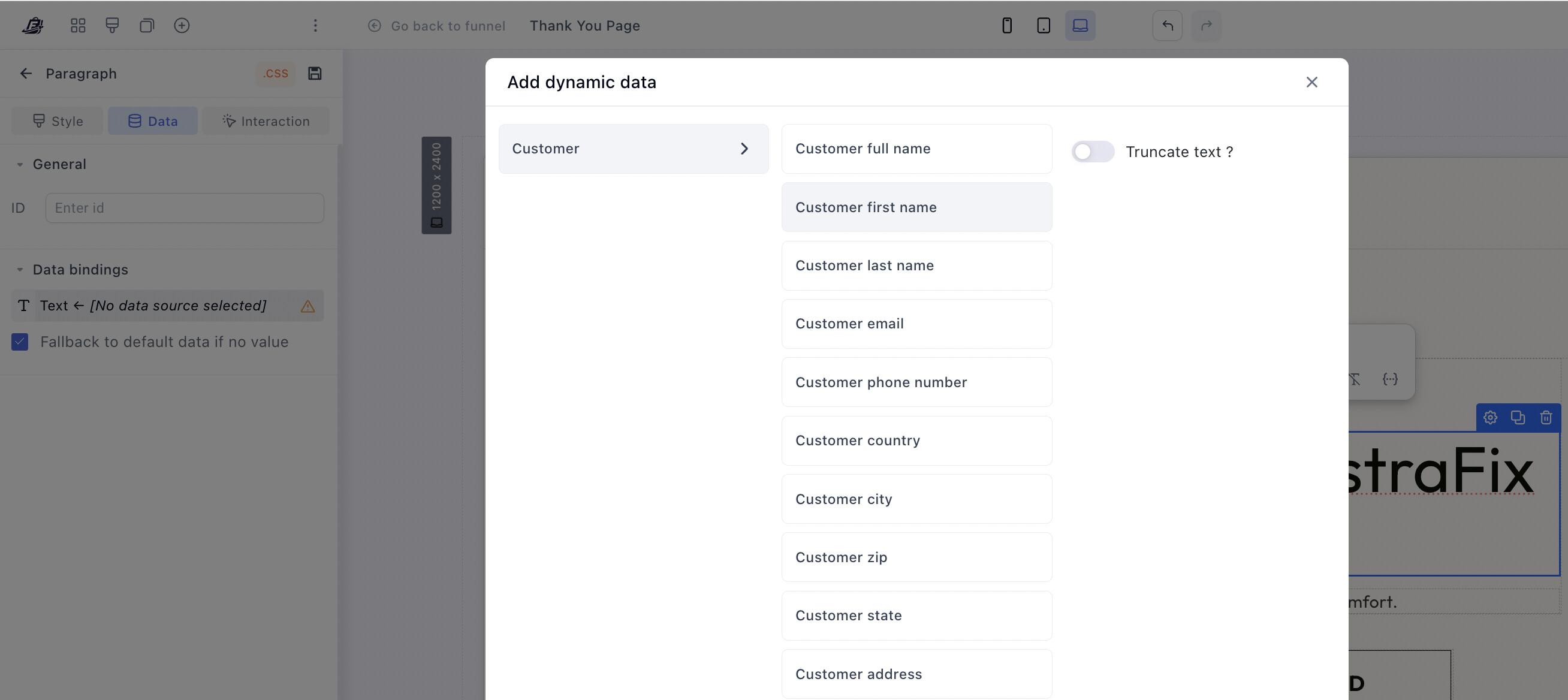
- Customer Data Binding
Bind text elements (e.g. headlines, paragraphs) to customer data for personalization to offer dynamic experiences.
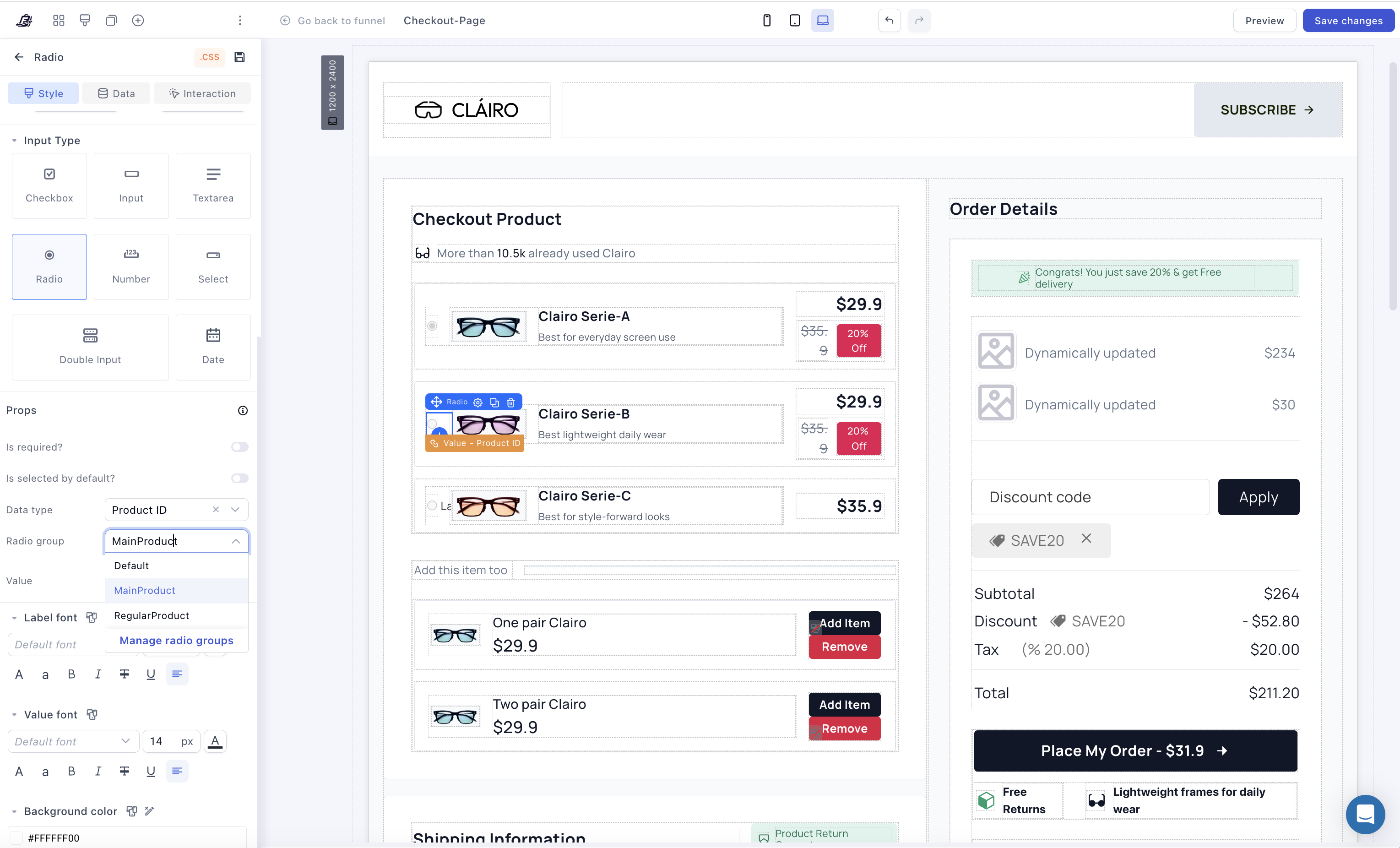
- Radio Group Enhancements
Easily group multiple radio inputs under the same property to avoid conflicts between selections.
If you’re using custom product lists (with containers + data binding), radio buttons typically rely on the same property (e.g. productId). This can cause conflicts when you have multiple selections on the same page (like product selection + delivery options).
Radio groups solve this by allowing you to separate these inputs, so they work independently without interfering with each other.
Funnelish Blog Improvements:
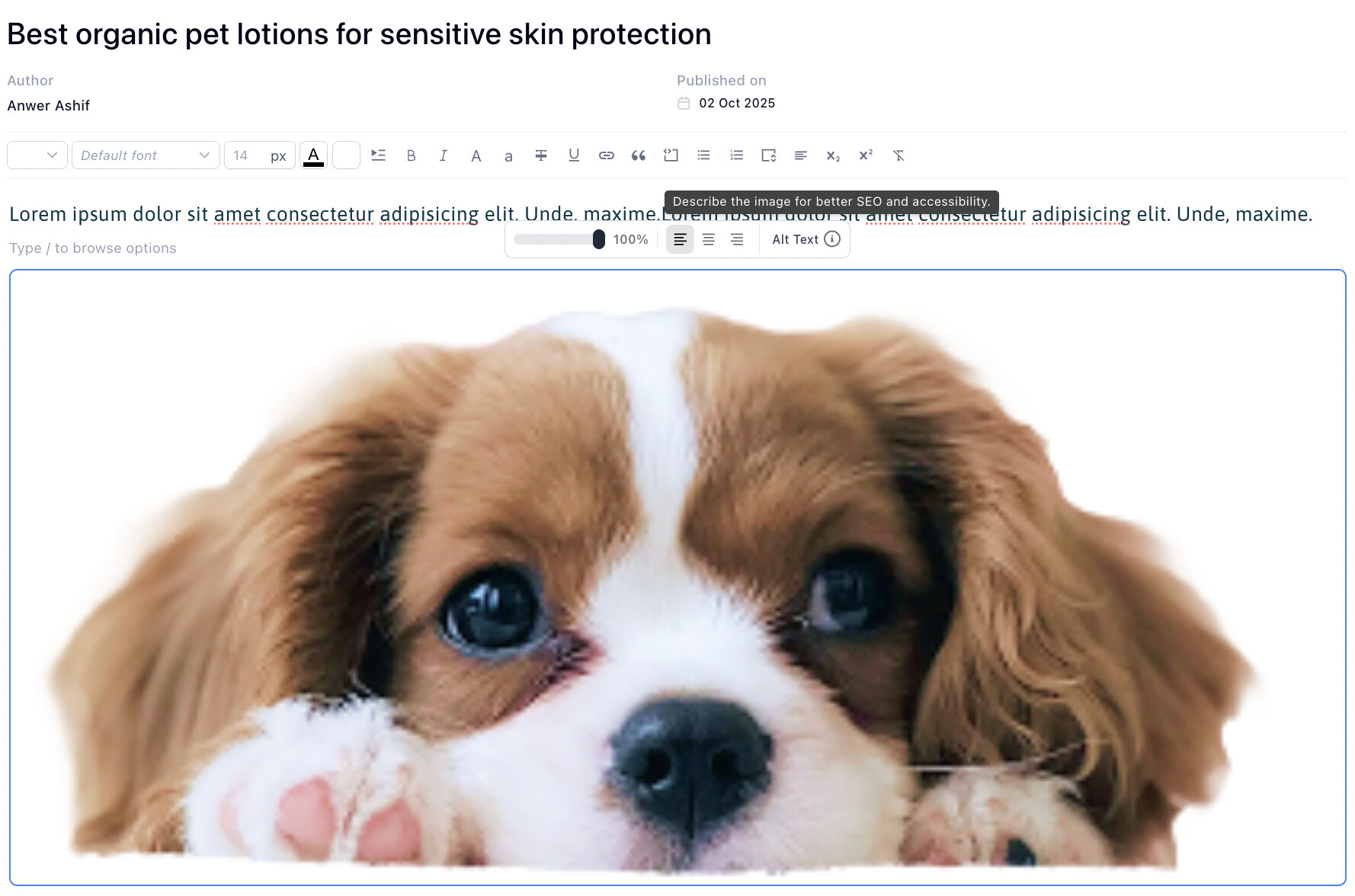
- Alt Text for Blog Images
Set alt text directly within the blog post editor
- Table of Content for Blog Posts
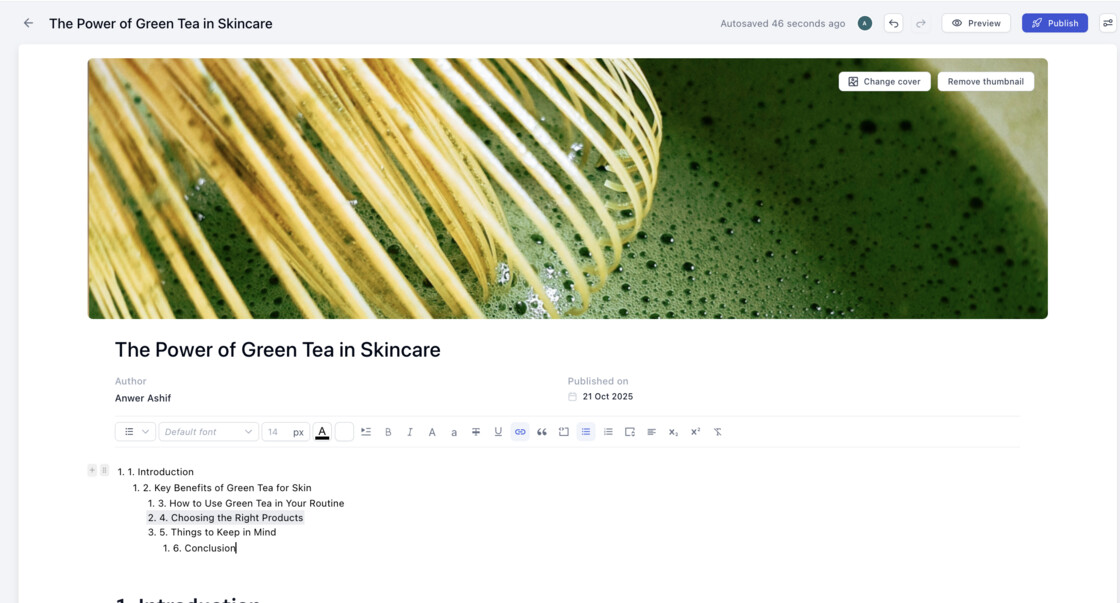
You can easily add & customize a table of content to blog pages using the blog post template.
- The table of content automatically generates from your blog content, helping readers navigate your articles more easily
- Fully customizable — choose which headings to include (H1, H2, H3), list style, and design
- Each item is clickable and smoothly scrolls to the corresponding section
- We’ve also recently improved the Funnelish blogging platform SEO, including better canonical tracking and enhancements that help your content get indexed more effectively (including eligibility for platforms like Google Discover).
- The overall blogging experience has been improved, making it smoother and faster to write and publish posts.
 Bug Fixes
ShipStation Automations – Fixed an issue where automations could not be set up
NMI Payments – Resolved duplicate charges caused by missing loading states on checkout
Klarna via Airwallex – Fixed issues in regions requiring a shipping state (e.g. US)
Shopify Subscriptions (PayPal) – Fixed duplicate subscription orders on initial payment