PayPal Express Checkout and PayPal Pay Later are now live in Funnelish Pay, and you can turn them on in your funnels today.
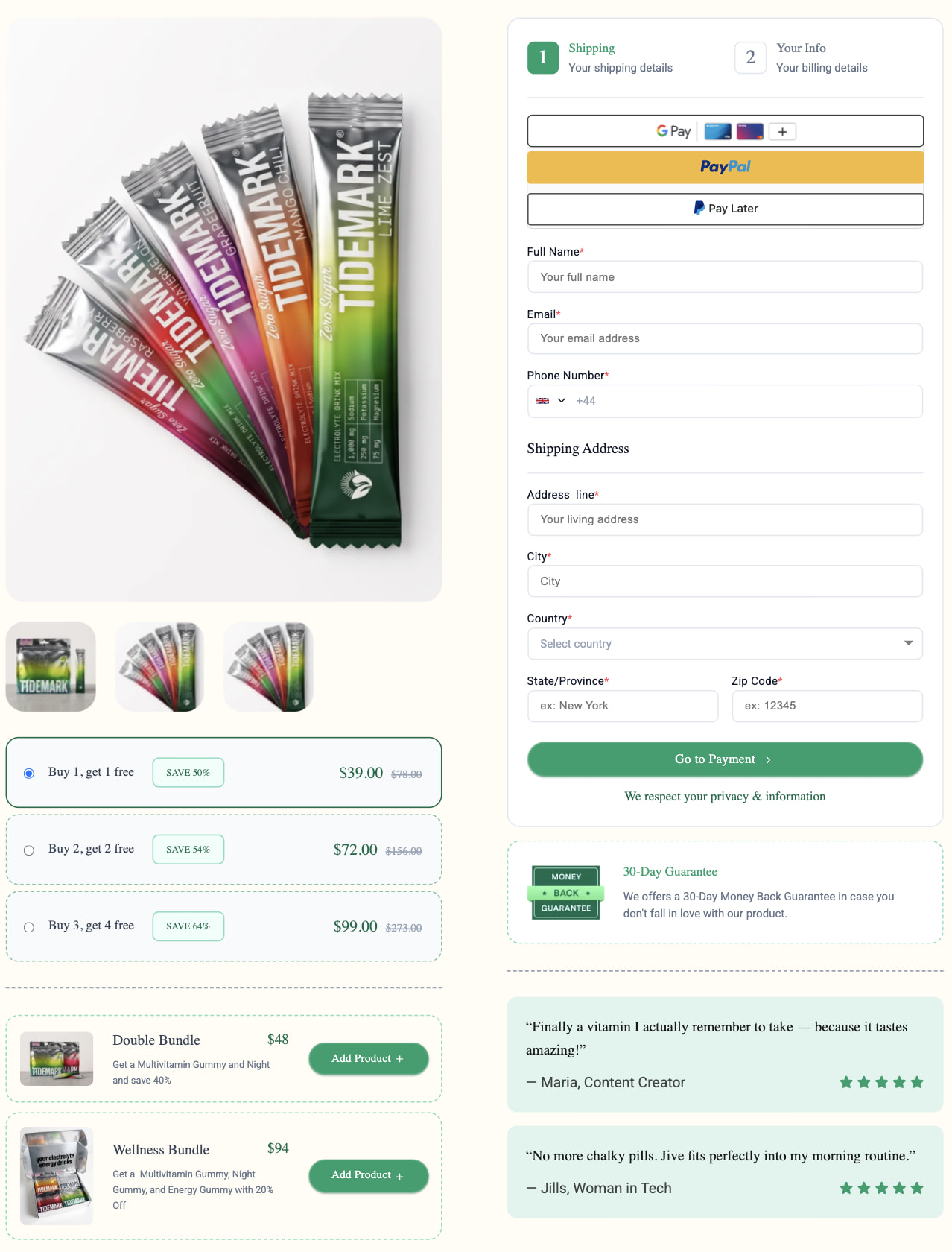
Once enabled, your checkout shows a PayPal button and a Pay Later button right at the top, next to Apple Pay and Google Pay. Shoppers who prefer PayPal can pay straight away, without scrolling down to find it in the payment section.
Pay Later lets them split the purchase into smaller payments through PayPal, while you still get paid in full upfront. It’s especially worth turning on for higher-ticket offers, where price is often what makes people hesitate.
A few things to know first:
- PayPal Express works with one-time payments and managed subscriptions. It doesn’t support gateway subscriptions.
- PayPal Pay Later works with one-time payments only.
Each option is enabled separately, per funnel. Nothing changes on your existing funnels until you switch them on.
How to enable PayPal Express and PayPal Pay Later on Funnelish
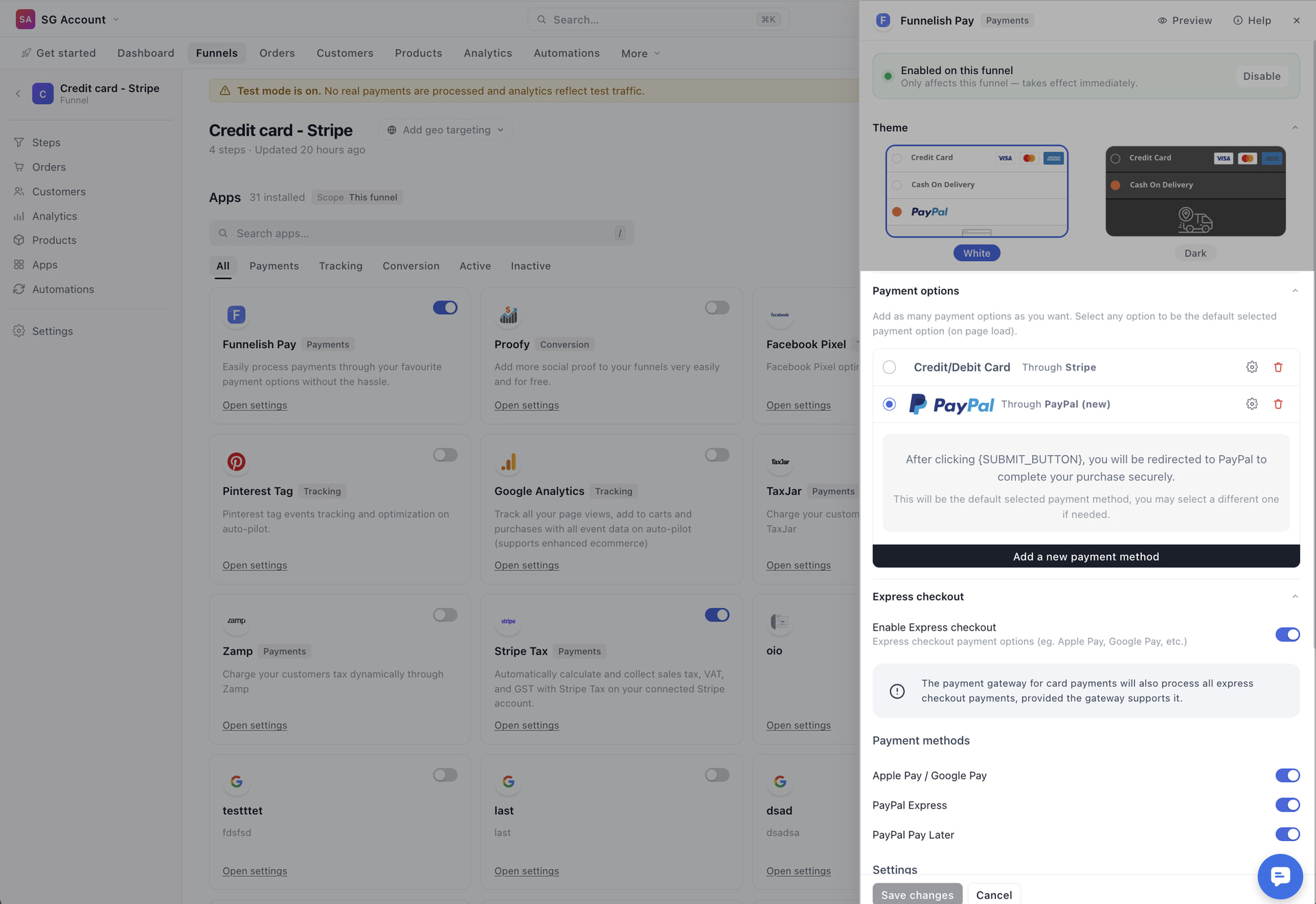
- Open your funnel, go to Funnel Apps, and click Open settings on the Funnelish Pay card.
- Under Payment options, check that PayPal (new) is added. If it isn’t, click Add a new payment method and add it first.
- Scroll down to Express checkout and switch on Enable Express checkout.
- Under Payment methods, switch on PayPal Express, PayPal Pay Later, or both.
- Click Save changes.
What’s next
New features and improvements go out every week. Follow the Updates category so you never miss one.
Got an idea or a feature you’d like to see in Funnelish? Post it in Feature requests. Many of our releases, including this one, began as suggestions from the community.