We’ve just launched a new app you can add to your funnels: Spin the Wheel — a fun popup that lets your visitors spin to win coupons in exchange for their email or phone number.
It’s one of the oldest tricks in the eCommerce playbook for a reason: people love a game, and a “10% OFF” they won feels way better than one you just handed them. More sign-ups, more coupon redemptions, and your email/SMS list grows on autopilot.
Looking for the full setup guide? The complete, always-up-to-date documentation lives here: Spin the Wheel: Coupon Popup & Lead Capture
Setting up Spin the Wheel on Funnelish
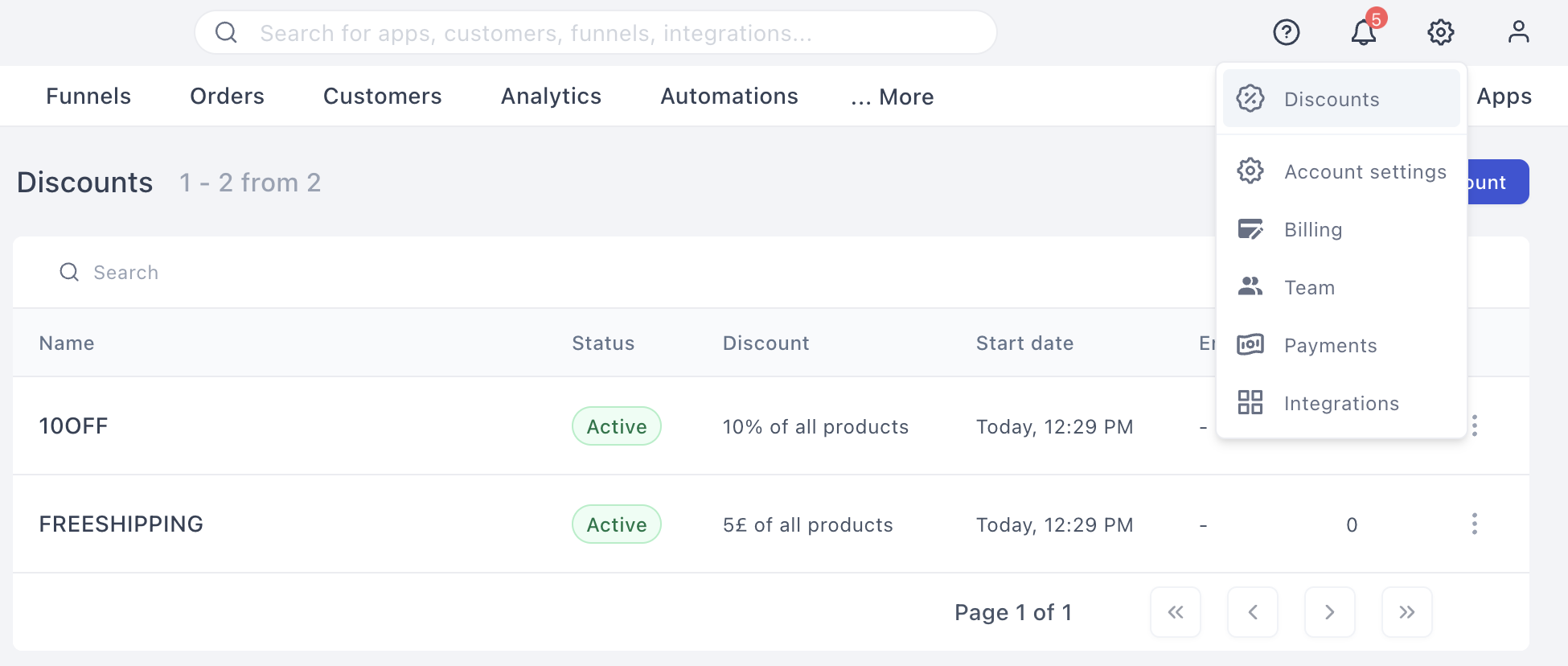
Step 1 — Create your discount codes first. Before touching the wheel, head to Settings > Discounts in your funnel and create the discount codes you want to give away (e.g. a 10% off code, a free shipping code). The wheel doesn’t create discounts itself; it hands out the ones you’ve already set up.
Step 2 — Enable the app. Open your funnel’s Apps tab, find Spin the Wheel, and toggle it on. That’s it — it’s enabled on your account automatically.
Step 3 — Build your slices. Under the Content tab you’ll see your wheel slices. For each slice you can:
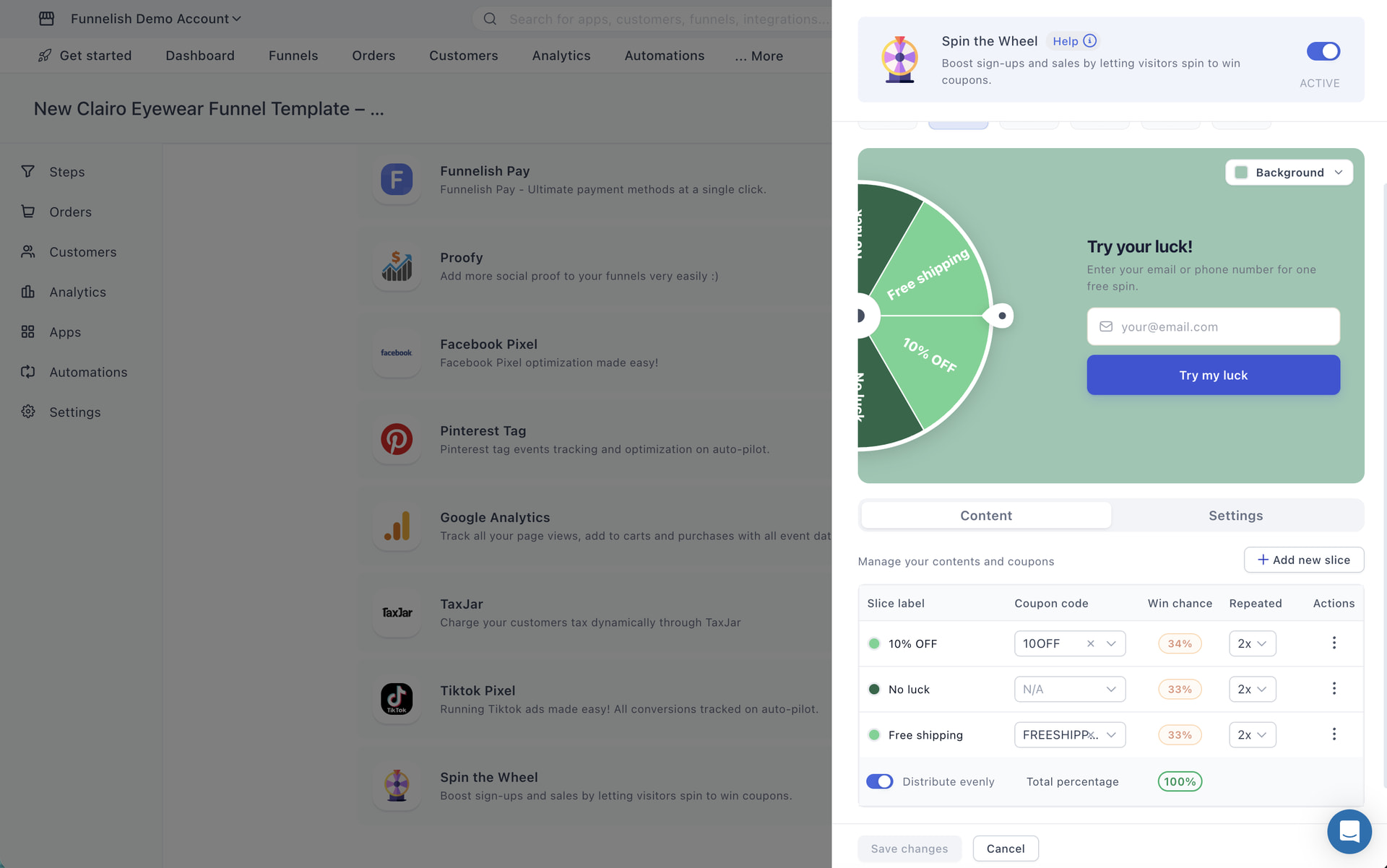
- Set the slice label (what visitors see on the wheel — “10% OFF”, “Free shipping”, “No luck”…)
- Assign one of your discount codes from the dropdown
- Set the win chance for each slice — or flip on Distribute evenly and let Funnelish do the math (the total always needs to hit 100%)
- Set how many times a slice repeats on the wheel
- Add a new slice or delete ones you don’t need via the actions menu
Step 4 — Make it yours. Pick from multiple wheel themes and colors, and change the background of the popup to match your funnel’s branding. The same goes for the discount reveal page visitors see after they win. You can also edit all the text by double tapping on it.
Step 5 — Fine-tune the behavior. Under the Settings tab you can:
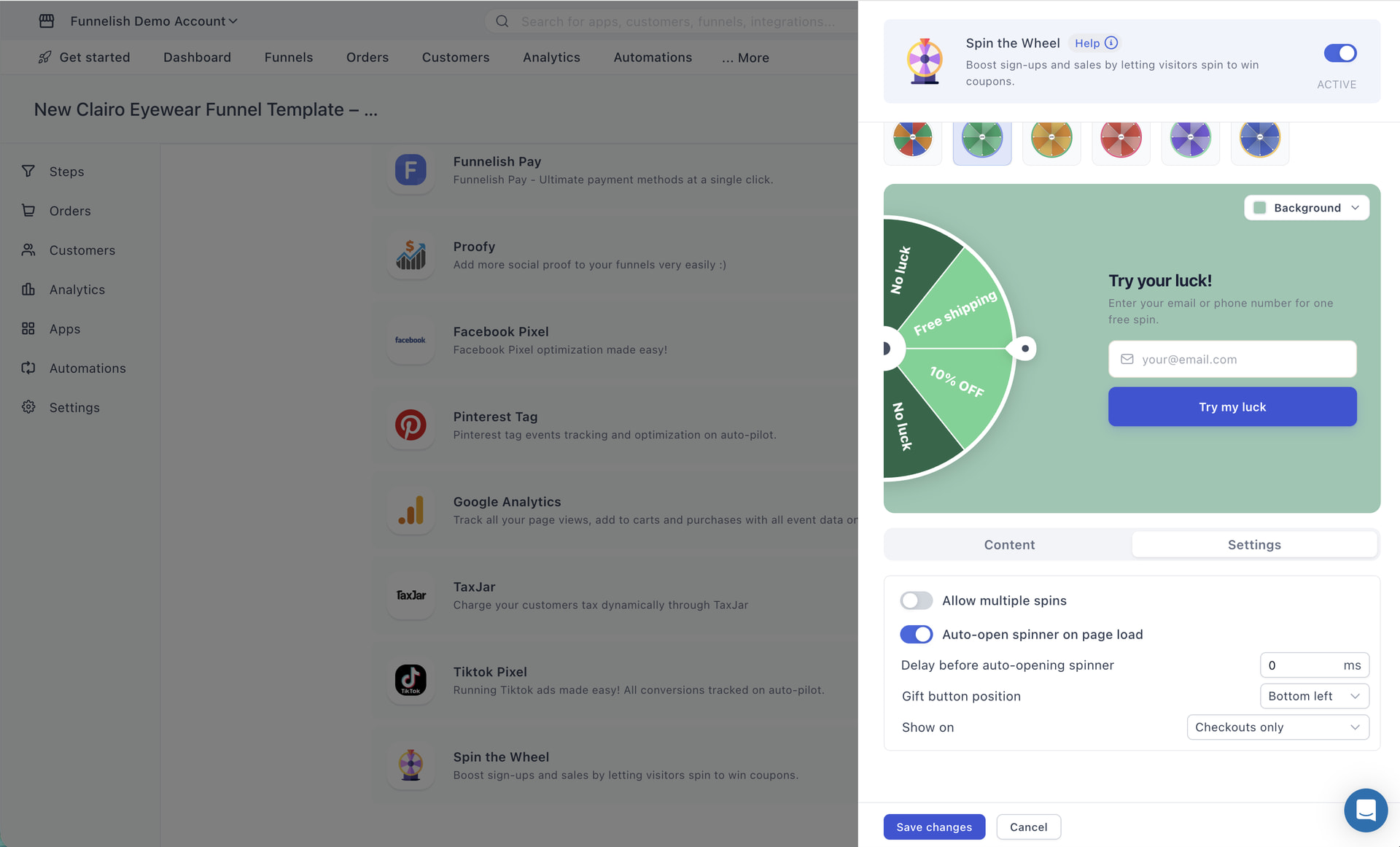
- Allow (or block) multiple spins per visitor
- Auto-open the spinner on page load, or select an optional delay
- Choose the gift button position (the little floating button visitors click to reopen the wheel)
- Pick where it shows: checkouts only, all landing pages only, or both
Hit Save changes and you’re live  no code, no extra tools.
Give it a spin (sorry  ) and let us know what you think! We’d love to hear how it performs on your funnels!
 Got a question? If you run into any issues setting up your wheel, discount codes, or slices, feel free to drop a reply below or start a new thread in the Ask the community section.
 Have a feature request? Want more wheel themes, extra slice options, or something else entirely? Head over to our Feature requests category and let us know — your ideas shape what we build next.
 Full documentation: Spin the Wheel: Coupon Popup & Lead Capture
 We’ll definitely consider implementing this. Just keep in mind that allowing visitors to spin without entering their email/or phone number first may make it difficult to enforce the “one spin per person” setting that’s currently available, since we use the email to help identify unique visitors.