You can now offer Affirm and Afterpay / Clearpay at checkout in Funnelish Pay.
Both are Buy Now, Pay Later (BNPL) options that run through your own Stripe account.
Buy Now, Pay Later lets shoppers split an order into smaller payments. That makes bundles, bigger baskets and higher-priced products easier to say yes to.
For you, it works like any other Stripe payment:
- You get paid upfront. Stripe pays you the full order amount (minus fees). Affirm or Afterpay collects the installments from the shopper.
- No new processor. Both run through the Stripe account you already connect to Funnelish. Payouts, refunds and disputes stay in your Stripe Dashboard.
- Familiar names in more markets. Affirm is popular in the US and Canada. Afterpay is a household name in the US, Canada, Australia and New Zealand, and UK shoppers know it as Clearpay.
Before you start
You’ll need three things in place:
- A Stripe account in a supported country. Affirm works for Stripe accounts in the US and Canada. Afterpay / Clearpay works in the US, Canada, the UK, Australia and New Zealand.
- The payment method turned on in Stripe. In your Stripe Dashboard, go to Settings → Payment methods and check that Affirm or Afterpay / Clearpay is available and enabled for your account.
- An eligible business. Both are for B2C sales only, and some categories are excluded, like pre-orders and NFTs. Afterpay also excludes alcohol. Check the full lists in Stripe’s Affirm guide and Afterpay / Clearpay guide.
How to add Affirm or Afterpay / Clearpay to your funnel
It takes about two minutes:
- Open Funnelish Pay for your funnel. Go to Funnels, open your funnel and click Apps in the left menu. On the Funnelish Pay card, click Open settings.
- Click Add a new payment method. You’ll find it under Payment options.
- Click Connect a new gateway. It’s at the bottom left of the window that opens. Already connected Affirm or Afterpay on another funnel? Skip to step 7 and pick it from the Buy Now, Pay Later list instead.
- Choose your payment method. Pick Affirm (through Stripe) or Afterpay / Clearpay (through Stripe).
- Name your gateway. We fill in a name for you, which you can change. This name shows across your Funnelish account, so pick one you’ll recognize. Using more than one Stripe account? Add the store name, like “Afterpay (US store)”.
- Click Connect. A secure Stripe window opens. Log in and choose the Stripe account you want to use.
- Check your payment options. Your new method now shows next to Credit/Debit Card and PayPal. Want it selected by default when the page loads? Click its radio button. Most stores keep card as the default.
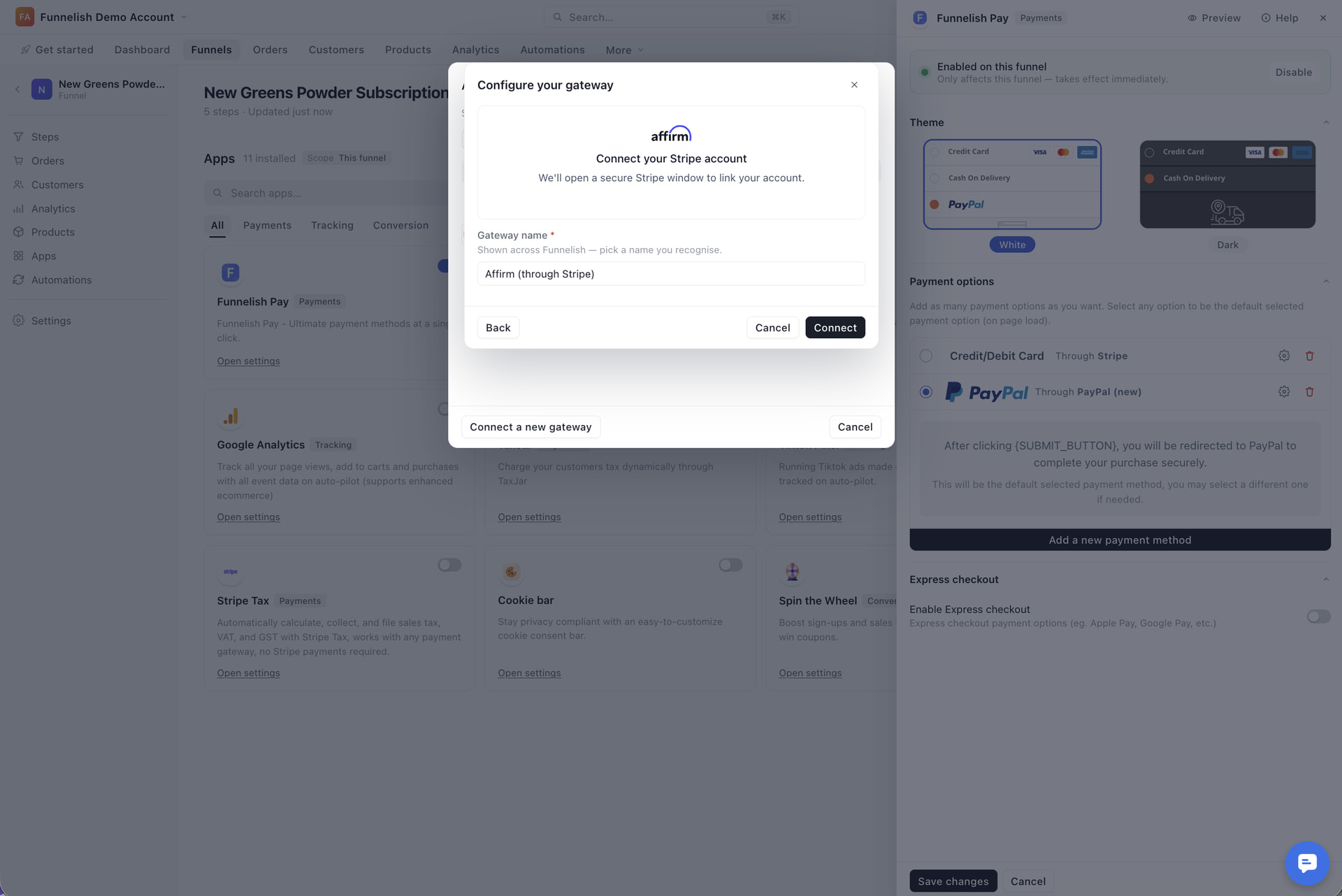
- Click Save changes. It goes live on this funnel right away. Click Preview to see it on your checkout.
To add the same method to another funnel, open Funnelish Pay on that funnel, click Add a new payment method and pick it from the Buy Now, Pay Later list. No need to connect Stripe again.
What your customers see
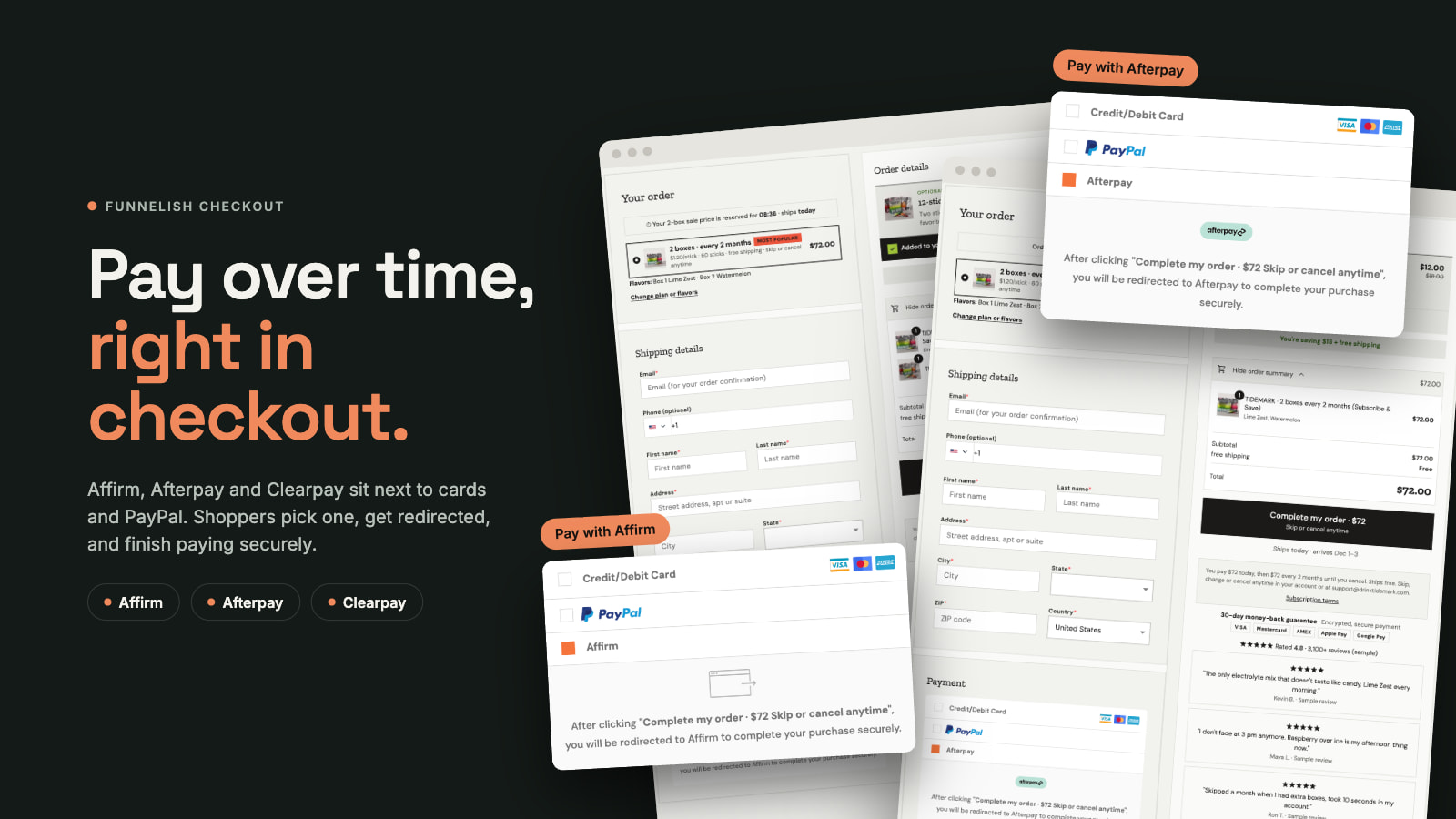
Affirm or Afterpay shows up as its own option in the Payment section of your checkout. Here’s the flow:
- The shopper picks Affirm or Afterpay. A short note tells them they’ll be redirected to finish the purchase securely.
- They click your checkout button and land on Affirm or Afterpay (or the app, on mobile).
- They log in or sign up, choose a payment plan and approve it.
- They’re sent back to your funnel and the order goes through.
Plans depend on the provider and the order amount. Afterpay / Clearpay offers 4 interest-free payments, plus monthly plans in the US. Affirm offers 4 interest-free payments or monthly plans of up to 36 months.
Good to know
Each method works for shoppers in its supported countries, within its order limits.
| Method | Shoppers in | Currencies | Order amount |
|---|---|---|---|
| Affirm | US, Canada | USD, CAD | US$35 to US$30,000 (from CA$50 in Canada) |
| Afterpay | US, Canada, Australia, New Zealand | USD, CAD, AUD, NZD | Up to US$4,000, CA$2,000, A$4,000 or NZ$4,000 |
| Clearpay | UK | GBP | Up to £1,200 |
Limits are set by Stripe and the providers and can change. Source: Stripe’s Affirm and Afterpay / Clearpay guides.
- Same-country sales only. Your Stripe account, your shopper and your prices need to share the same country and currency. Selling in several regions? Pair this with Geo Funnels region targeting so each region sees the right option.
- One-time payments only. Stripe doesn’t support Affirm or Afterpay / Clearpay for recurring subscription charges, so use them on one-time offers.
- Refunds within 120 days. Issue refunds from your Stripe Dashboard within 120 days of the order. The provider cancels the shopper’s remaining installments.
- Afterpay’s US name. In the US, Afterpay is now branded as Cash App Afterpay. It’s the same payment method.
Need help?
Stuck on a step or not sure if your store is eligible? Reply below or message our support team from the chat in your dashboard.
Already live with Affirm or Afterpay? Share how it’s going in the comments. 