We’ve just rolled out a small update that makes a big difference for order accuracy, SMS delivery, and international scaling.
What’s new?
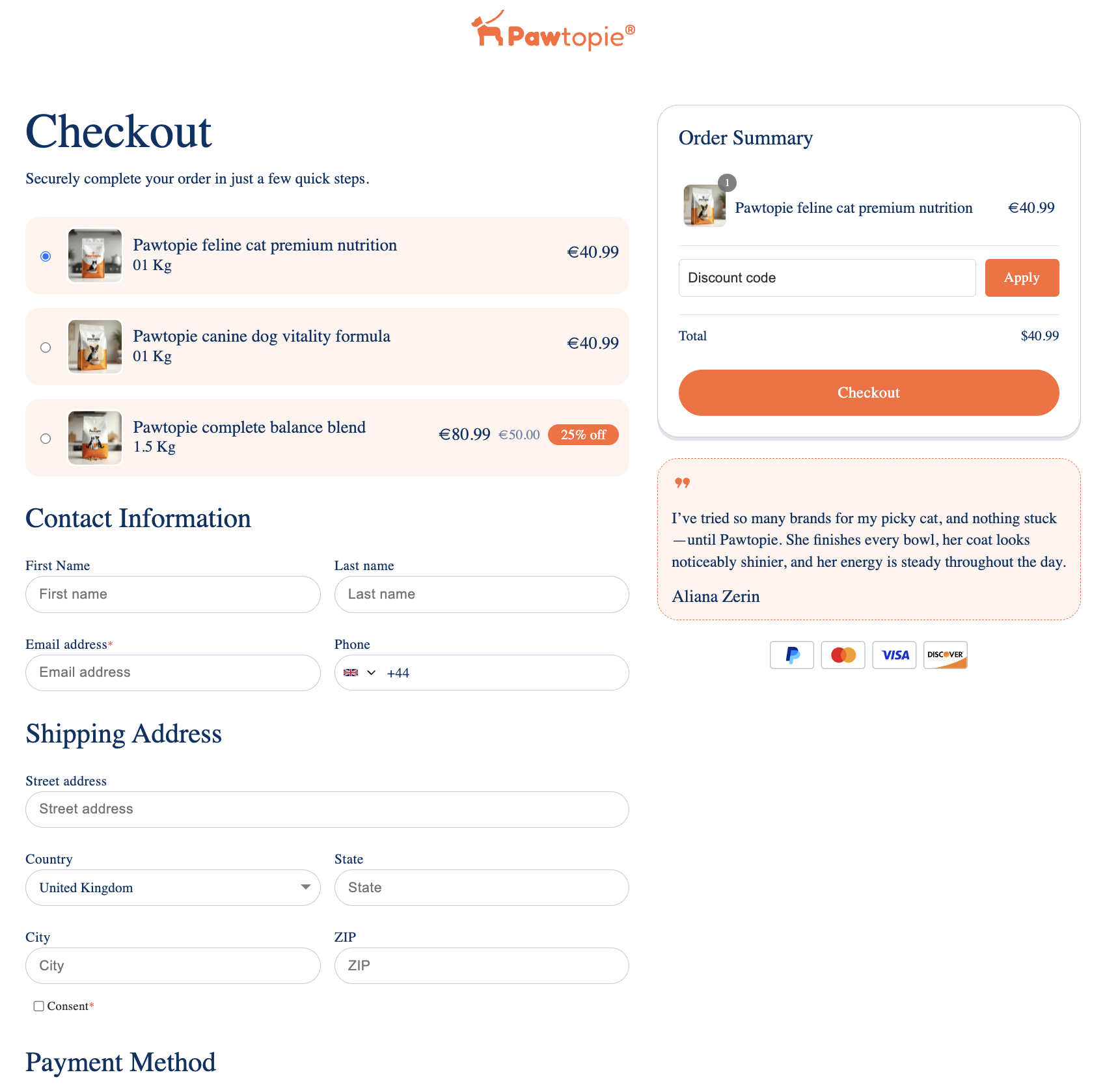
Phone number fields in Funnelish checkouts now include a native country code selector.
In the checkout preview, customers will:
-
See a country dropdown next to the phone field
-
Have their country automatically pre-selected based on location
-
Enter their number in a standardized, international format
Why this matters
This update helps you:
 Collect complete phone numbers (with country code)
Improve SMS delivery rates (Klaviyo, SMS apps, etc.)
Reduce failed deliveries or invalid numbers
Sell more easily across multiple countries
No more guessing where a number is from or fixing formatting issues later.
 What you’ll notice
-
There is no visible change inside the editor
-
The update is only visible in the checkout preview / live page
 What you need to do
To activate this on your existing funnels:
- Go to your checkout page editor
- Make sure the phone number field’s input type is set to Number as shown below
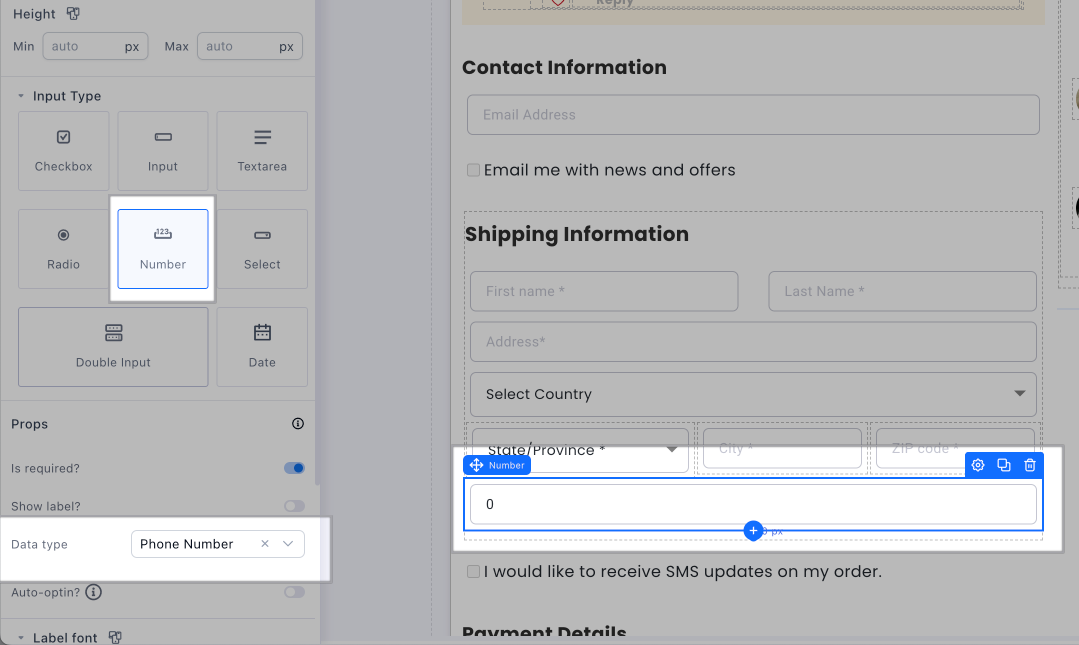
- Click Save Changes
That’s it.
Once re-saved, the country code dropdown will automatically appear for your customers.
 Going forward
All new checkouts will include this by default, no extra setup required.