EPS is Austria’s bank-transfer payment method, built and run by the Austrian banks themselves — Erste, Bank Austria, Raiffeisen, BAWAG, Volksbank and the rest all support it. The customer authorises the payment from inside their own online banking, so for Austrian buyers it carries the same “my bank, so I trust it” weight that iDEAL does for the Dutch.
Why offer EPS
-
It’s the Austrian default for paying by bank. Austrians who don’t want to type a card number — and many don’t — reach for EPS first.
-
Payments are guaranteed, with no chargebacks. The bank confirms the transfer in real time, and a confirmed EPS payment can’t be pulled back the way a card payment can. For merchants in dispute-prone niches, that alone is a reason to offer it.
-
Real-time confirmation means the order is settled while the customer is still on your page.
In Funnelish it runs through Stripe and processes EUR only.
Before you start
-
Funnelish Pay is enabled on the funnel — Enable Funnelish Pay.
-
A payment form element is on your checkout step — Add payment methods to your checkout.
-
A Stripe account — see Stripe if you haven’t connected one.
-
Your funnel’s currency set to EUR — with any other currency, EPS stays hidden at checkout.
Set it up
-
Open your checkout step, select the payment form element, and click Edit payment options.
-
Click Connect a new gateway, then choose EPS through Stripe.
-
Name the gateway, click Connect, and complete the authorisation on Stripe’s side.
-
Select the new payment method on the list and save your changes.
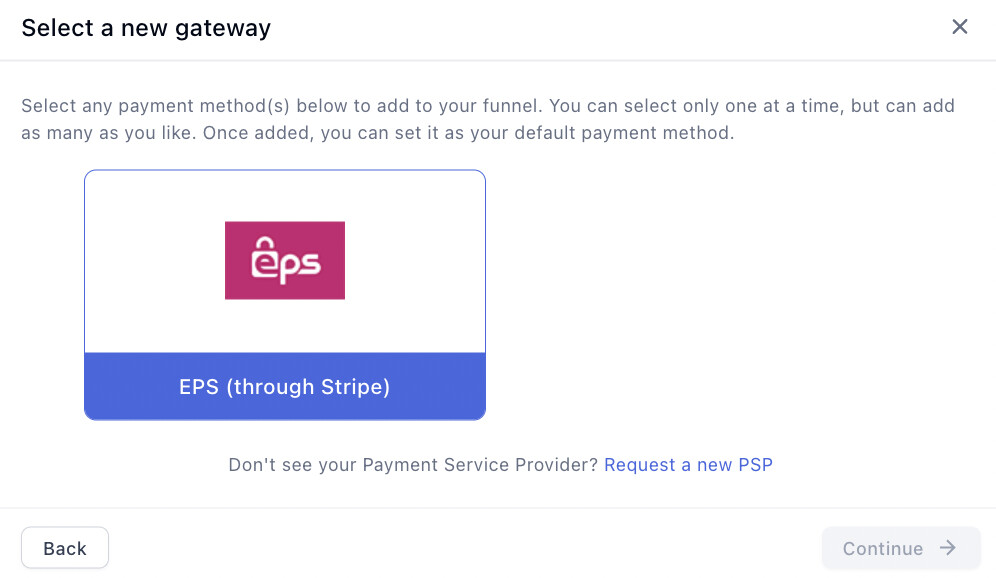
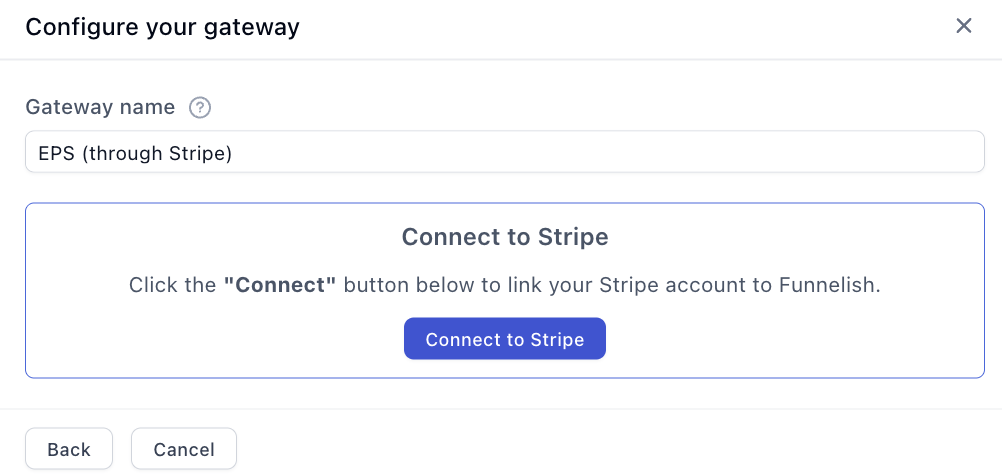
Then enable it on your Stripe account — it isn’t on by default:
-
In your Stripe Dashboard, open Settings → Payment methods.
-
Scroll to EPS and click Turn on.
Testing
Turn on Test Mode with the toggle in the funnel’s top bar and run through your checkout — Stripe’s test mode simulates the bank flow, so no real money moves. Then follow Test payments before launch before going live, and turn Test Mode off — it’s the first item on the funnel launch checklist.
If something isn’t working
EPS doesn’t appear at checkout. Check the funnel’s currency is EUR, the gateway is selected and saved on the payment form, and that EPS is turned on in your Stripe dashboard.
Payment processing is the fiddliest part of building a funnel. Gateway credentials, currencies, country rules, the form itself — a lot of moving parts, and the one area where a mistake costs you orders rather than just looking wrong.
If EPS isn’t behaving, start a topic in Ask the community. Someone will help. For anything tied to your account or a specific transaction, contact us on chat support.