Edwin
December 30, 2018, 9:57pm
1
Hi,
First of all, I’ve searched for similar topics here but could not find the answers I was looking for.
I’ve just purchased Funnelish and I’ve implemented it according to Peter Pru’s instructions on your website .
However, I found out that my first upsell did not work, please look at the screenshot here: Screenshot by Lightshot
Can you help me out with this?
Please let me know what other info you need to have from me because I’d like to begin using Funnelish as soon as possible.
Cheers,
Edwin
samlee
January 3, 2019, 12:47am
2
Hi @Edwin ,
The case you are describing is becoming very trendy with OTOs recently, as many fall into the trap of using #yes-link-multi instead of the support #yes-link , as described in this thread: https://community2.funnelish.com/t/funnelish-oto-yes-link-multi-not-working/1128
Can you please check that thread, and see if it’s the same case as yours and if the solution provided there solves your issue, will be around to assist you further as needed
Edwin
January 6, 2019, 3:14pm
3
Hi, thank you so much for your reply.
I already figured it out - I didn’t use this >> 1 Click Upsell Hack For Paypal Plugin On Clickfunnels
Analia
March 30, 2026, 9:58pm
4
Hey there,
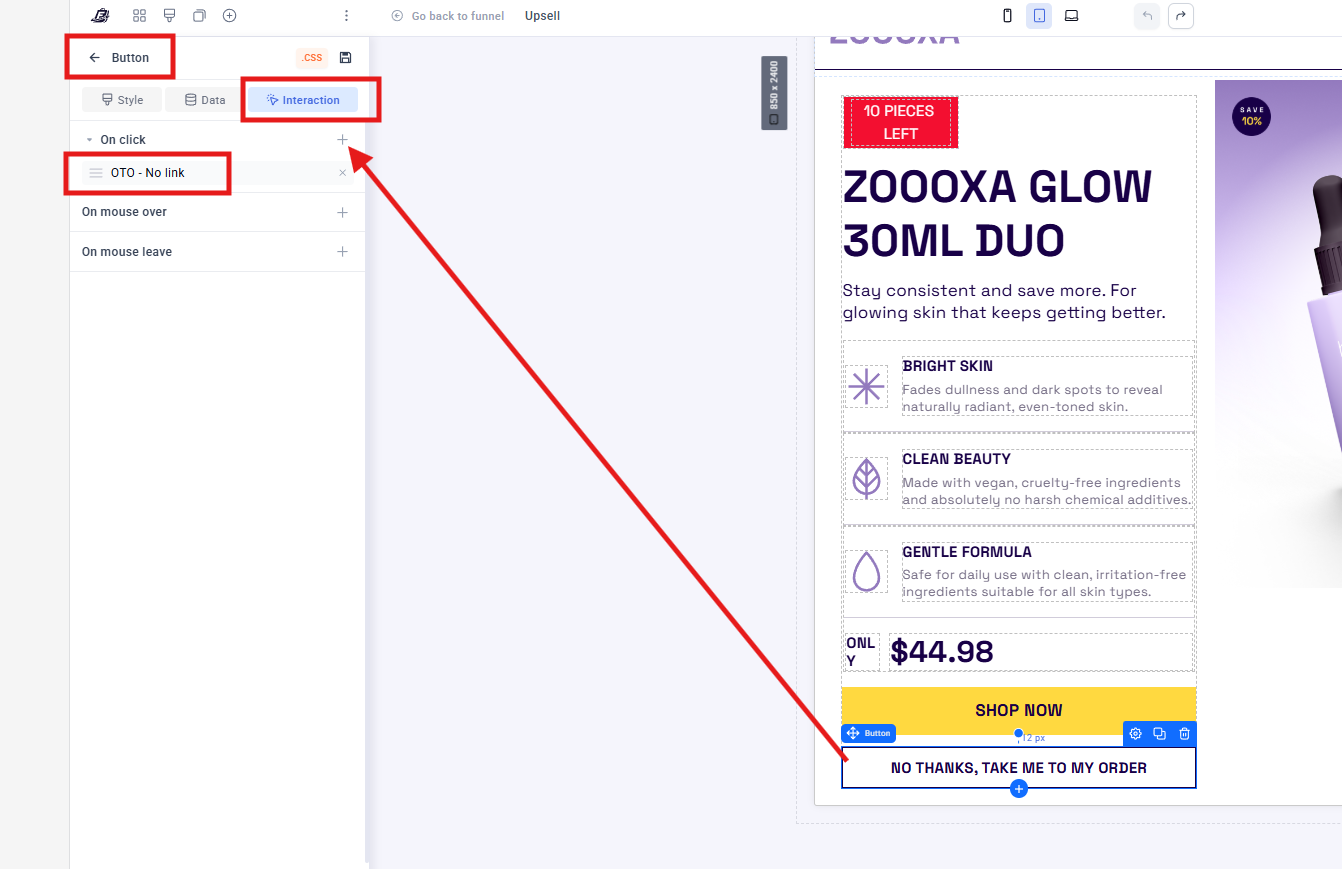
I’ll now explain the new button configuration for both the upsell and downsell in Funnelish V2.
The buttons should be set as follows:
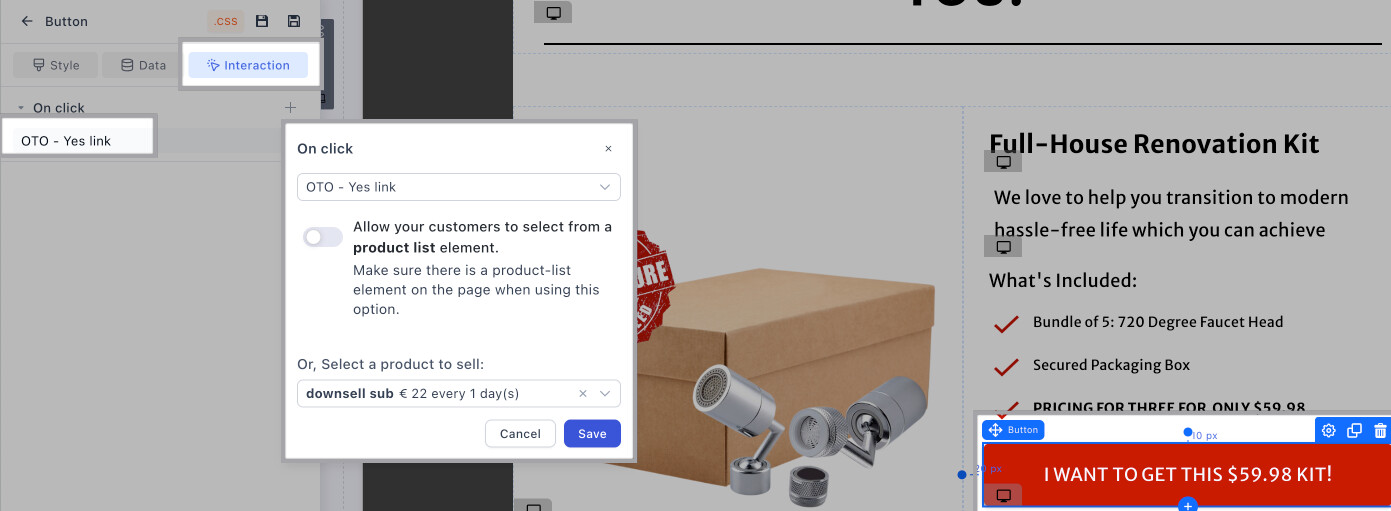
Assign the "Add to my order " button as “OTO-YES LINK” and link it with the exact product like shown in the example here:
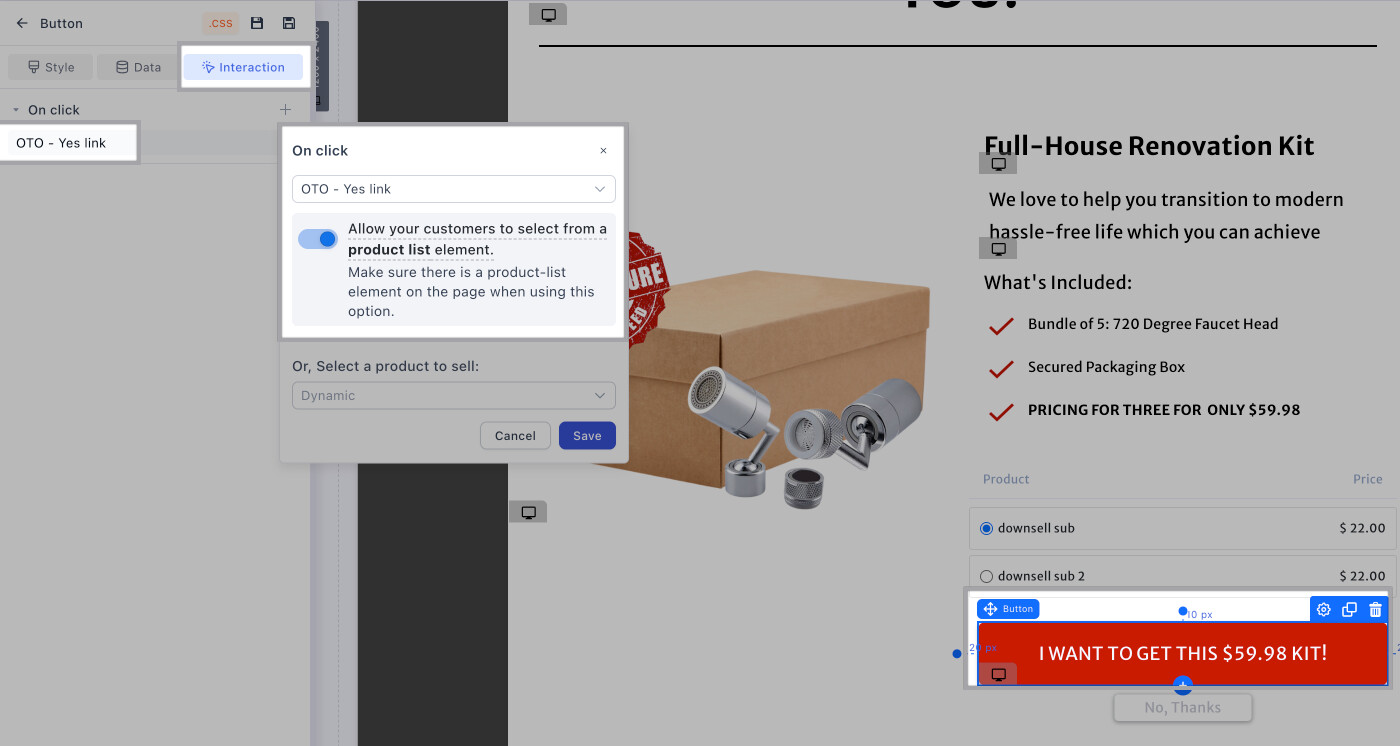
Add a product list element above the button so the customer can see the options and set the action as ALLOW YOUR CUSTOMERS TO SELECT FROM A PRODUCT LIST ELEMENT as shown below:
Don’t hesitate to contact us if you have any questions!
 If you only have 1 PRODUCT - NO VARIANTS