iDEAL is how the Netherlands pays online — a bank-to-bank transfer, authorised inside the customer’s own banking app. Around 70% of all Dutch online purchases go through iDEAL, it’s backed by every Dutch consumer bank, and roughly nine in ten Dutch online stores offer it.
Why offer iDEAL
The Netherlands has the highest e-commerce penetration in the world, yet it’s one of the most card-averse markets in Europe — the Dutch pay by bank, and have since iDEAL launched in 2005. A Dutch shopper has paid their taxes, energy bills and twenty years of online orders through it. That trust is the conversion mechanism:
-
A card-only checkout looks foreign to a Dutch buyer. Many will abandon rather than type card details they’ve never needed for domestic shopping.
-
Local payment methods lift checkout conversion meaningfully over cards alone — industry estimates put it at 10–20% in markets like this, because you’re meeting buyers on the rail they already trust.
-
Payments are bank-authorised in real time, so there’s no card-style decline roulette — the buyer either completes the transfer or they don’t.
If the Netherlands is one of your markets, iDEAL isn’t optional polish. It’s the default, and cards are the fallback.
Availability
iDEAL processes EUR only, for shoppers paying through a Dutch bank. It’s available through two gateways — one is enough:
| You have | Use |
|---|---|
| A Stripe gateway | iDEAL through Stripe |
| An Airwallex gateway | iDEAL through Airwallex |
Before you start
-
Funnelish Pay is enabled on the funnel — Enable Funnelish Pay.
-
A payment form element is on your checkout step — Add payment methods to your checkout.
-
Your funnel’s currency set to EUR — with any other currency, iDEAL stays hidden at checkout.
iDEAL through Stripe
-
Open your checkout step, select the payment form element, and click Edit payment options.
-
Click Connect a new gateway, then choose iDEAL through Stripe.
-
Name the gateway, click Connect, and complete the authorisation on Stripe’s side.
-
Select the new payment method on the list and save your changes.
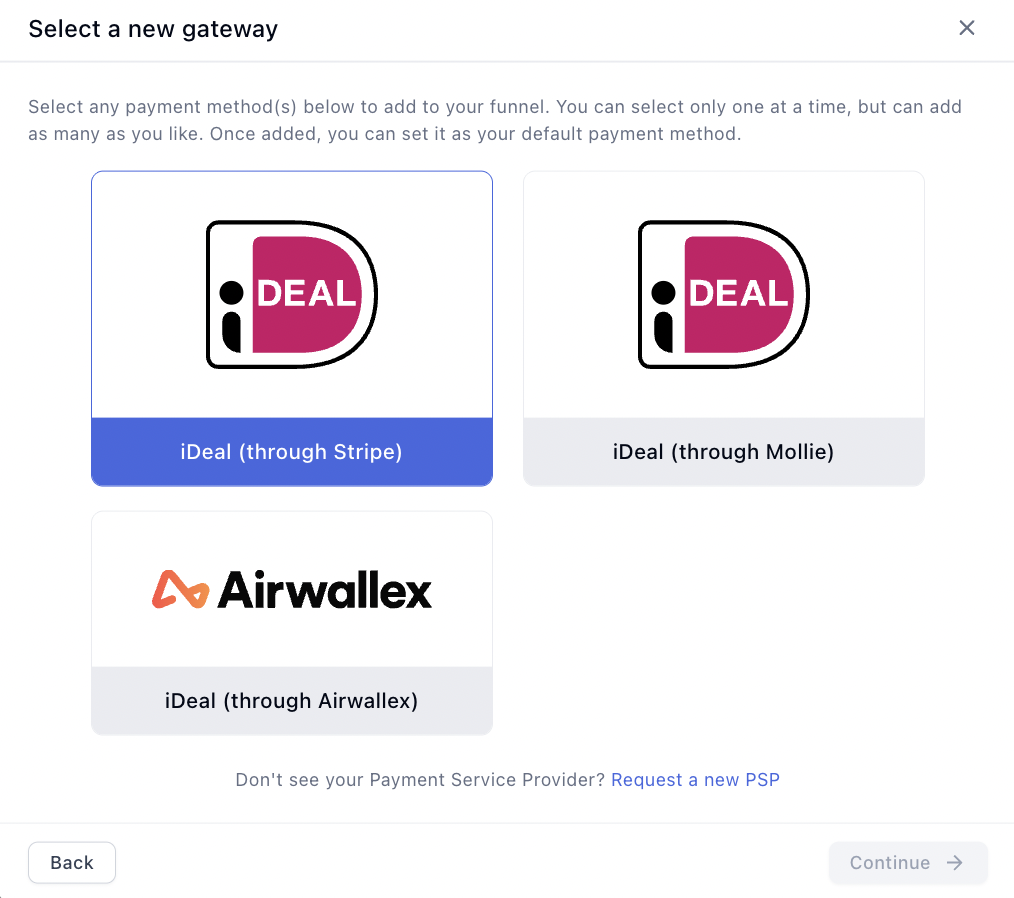
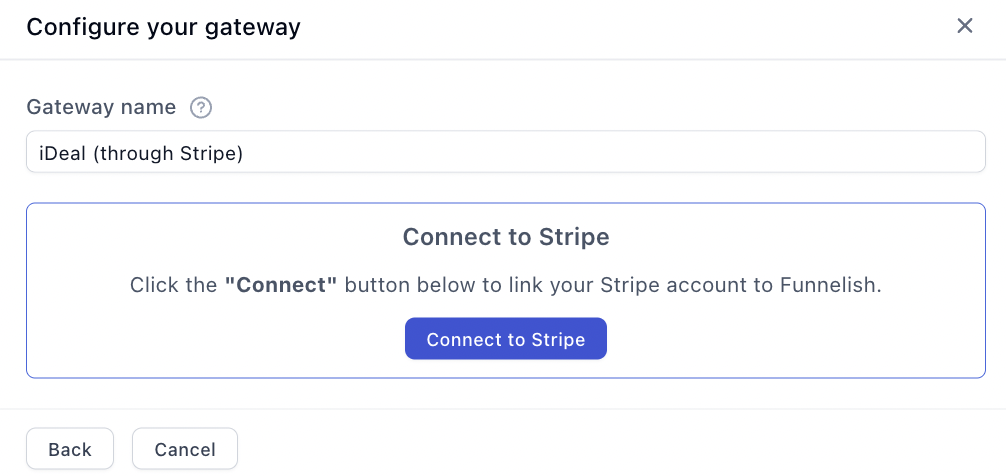
Then enable iDEAL on your Stripe account — it isn’t on by default:
-
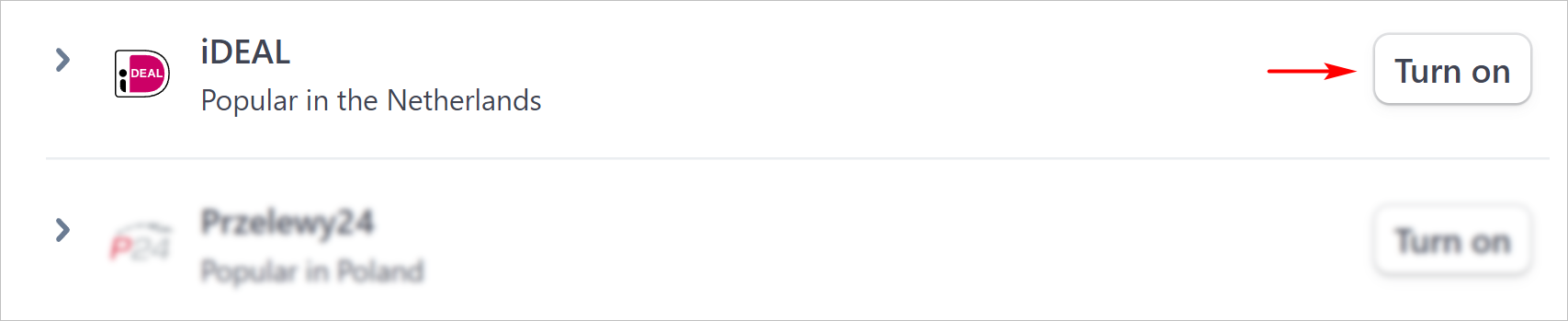
In your Stripe Dashboard, open Settings → Payment methods.
-
Scroll to iDEAL and click Turn on.
iDEAL through Airwallex
-
Open your checkout step, select the payment form element, and click Edit payment options.
-
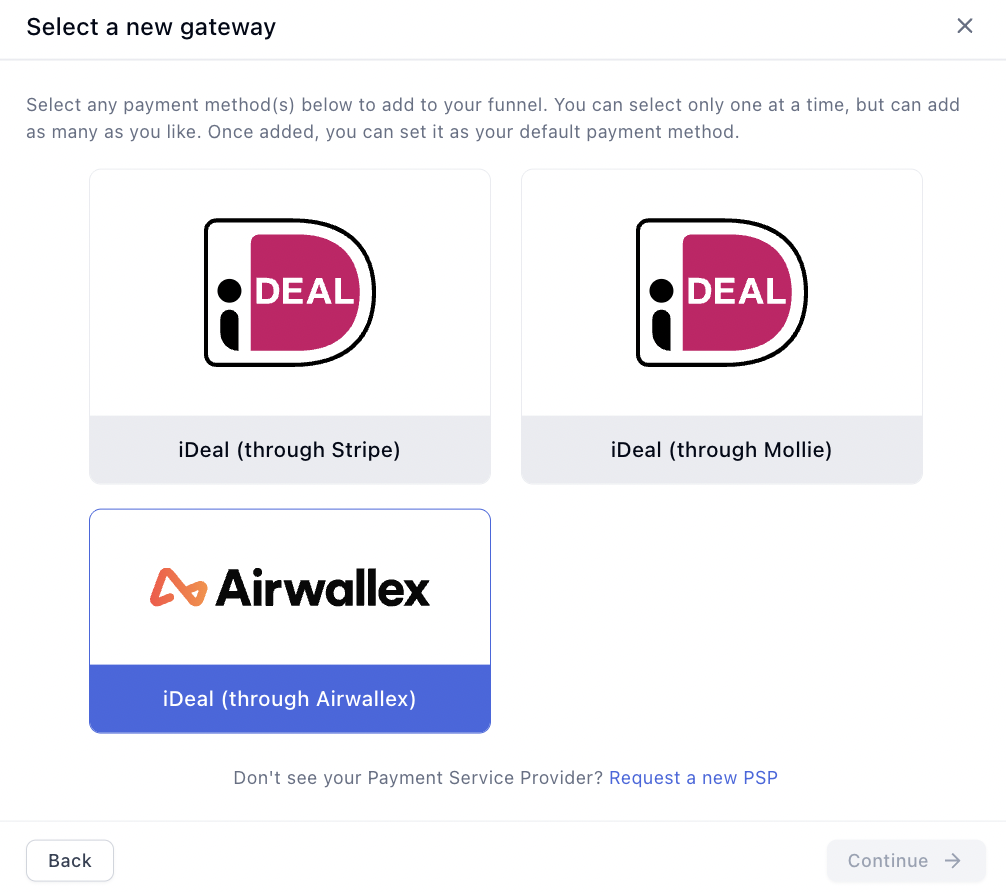
Click Connect a new gateway, then choose iDEAL through Airwallex.
-
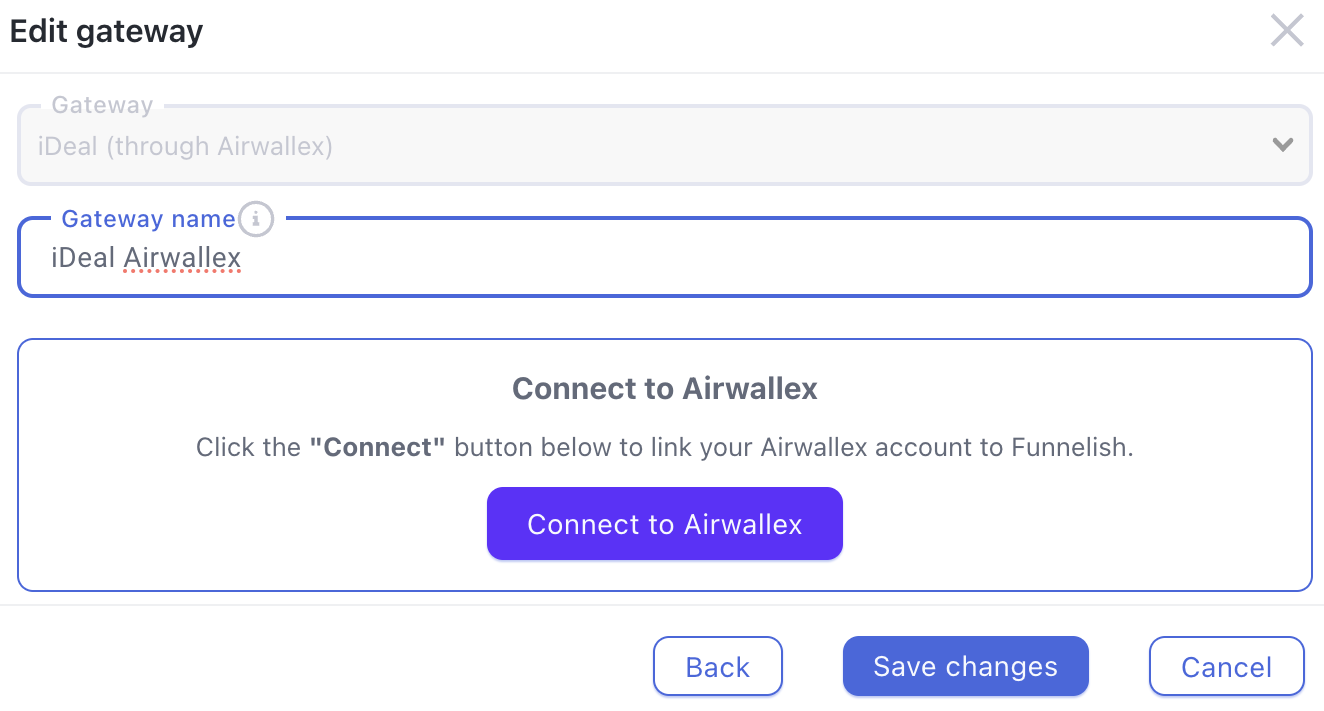
Name the gateway, click Connect, and complete the authorisation on Airwallex’s side.
-
Select the new payment method on the list and save your changes.
Testing
Turn on Test Mode with the toggle in the funnel’s top bar and run through your checkout — Stripe’s test mode simulates the bank flow, so no real money moves. Then follow Test payments before launch before going live, and turn Test Mode off — it’s the first item on the funnel launch checklist.
If something isn’t working
iDEAL doesn’t appear at checkout. Check the funnel’s currency is EUR, the gateway is selected and saved on the payment form, and — on the Stripe route — that iDEAL is turned on in your Stripe dashboard.
The customer’s bank isn’t listed. The bank list comes from iDEAL itself, not from Funnelish — every Dutch consumer bank participates, so a missing bank usually means the shopper is looking for a non-Dutch bank, which iDEAL doesn’t cover.
Payment processing is the fiddliest part of building a funnel. Gateway credentials, currencies, country rules, the form itself — a lot of moving parts, and the one area where a mistake costs you orders rather than just looking wrong.
If iDEAL isn’t behaving, start a topic in Ask the community. Someone will help. For anything tied to your account or a specific transaction, contact us on chat support.