Airwallex is the gateway merchants usually reach for when they’re selling across borders. It handles cards plus several European payment methods, and it’s built around multi-currency selling.
Connecting takes a couple of minutes. There are no API keys to copy: you authorise Funnelish from inside Airwallex.
Don’t have an account yet? Sign up for Airwallex.
What connecting Airwallex gives you
-
Cards: Visa, Mastercard, Amex and the rest
-
Klarna: buy now, pay later. Check Airwallex’s own guidance on which currencies and countries they support for Klarna
-
iDEAL: Netherlands, EUR only
-
Bancontact: Belgium, EUR only
Cards work as soon as the gateway is connected. Each of the others is added as its own payment method afterwards.
Before you start
-
A payment form element is on your checkout step, with Funnelish Pay switched on. See Add payment methods to your checkout.
-
An active Airwallex account.
Connect Airwallex
You can start this from either Account → Payments → Gateways or the page builder. These steps use the builder, so you can see the result on the form as you go.
-
Open your checkout step in the page builder and select the payment form element.
-
In the props panel, click Edit payment options.
-
Click Add a new payment method, then choose Credit Card.
-
In the Gateway field, select Airwallex.
-
Give the gateway a name. It’s internal only, so name it for the account behind it:
Airwallex — EU. -
Follow the instructions on the Airwallex authentication page.
-
Back in Funnelish, select the new gateway and save your changes.
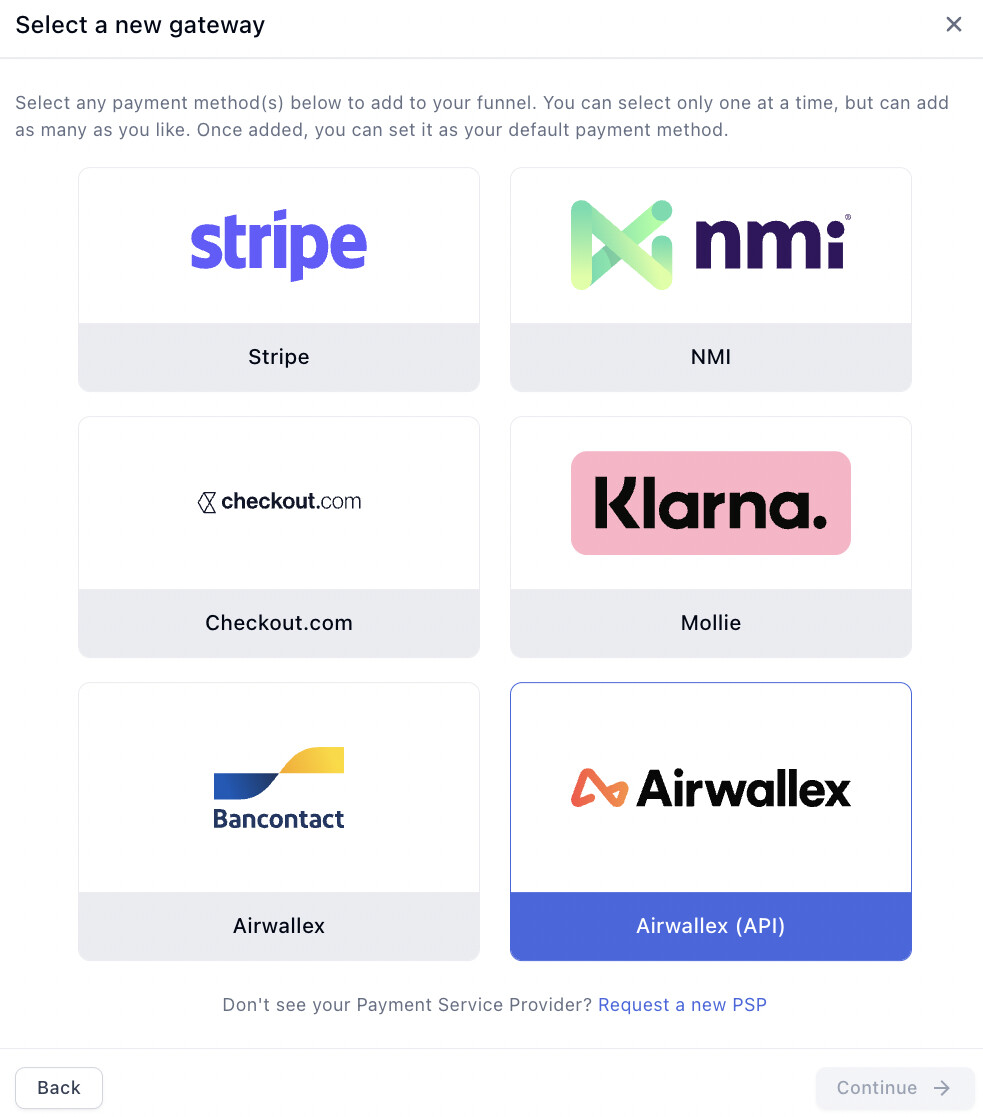
Don’t skip step 7. The gateway exists once Airwallex hands you back, but it isn’t attached to this payment form until you select it and save. A connected gateway that was never saved is the most common reason a checkout still shows no card fields.
Testing your Airwallex setup
Airwallex has a sandbox, its demo environment, so you can test a checkout without moving real money. Connect a separate Airwallex demo account as its own gateway in Funnelish, then pay with the test cards below.
Sandbox test cards
The CVC and expiry can be anything. Amounts in the 8x.xx range are what trigger the error cases, so don’t use them when you’re expecting a payment to succeed.
| Scenario | Card number | Amount |
|---|---|---|
| Payment succeeds (Visa) | 4035 5010 0000 0008 | Any |
| Payment succeeds (Mastercard) | 2223 0000 4841 0010 | Any |
| Payment succeeds (Amex) | 3706 3680 3809 394 | Any |
| Insufficient funds | 5307 8373 6054 4518 | 80.51 |
| Generic decline (do not honour) | 5307 8373 6054 4518 | 80.05 |
| Invalid card number | 5307 8373 6054 4518 | 80.14 |
| Suspected fraud | 4012 0003 0000 1003 | 80.59 |
| Blocked by the fraud engine | 4646 4646 4646 4644 | Any |
| 3DS, frictionless, succeeds | 4012 0003 0000 0005 | Any |
| 3DS challenge, succeeds | 4012 0003 0000 0088 | Any |
| 3DS authentication fails | 4012 0003 0000 0013 | Any |
| 3DS challenge fails | 4012 0003 0000 0070 | Any |
For the 3DS challenge cards, the one-time code is 1234.
Test more than the happy path. A checkout that only ever sees a successful card looks finished and isn’t. The decline cards are how you find out what your customer actually sees when their payment fails.
Then test on your live gateway
-
Temporarily reduce your product price to $1 or the local equivalent.
-
Complete a real purchase with a real card.
-
Check the order landed in Funnelish and in your Airwallex dashboard, with the right amount and currency.
-
Refund yourself from Airwallex.
-
Set the price back. Easy to forget, expensive to discover.
What to check beyond “the payment went through”
-
The order appears in Funnelish with the correct product, amount and currency
-
Any upsell or OTO step charges correctly, not just the first step
-
Your confirmation email and any automations actually fired
-
The checkout works on mobile, not only on desktop
-
If you sell into a market that enforces 3DS, that the challenge appears and completes on a real card
See Test payments before launch for the full pre-launch process.
Subscriptions
Airwallex fully supports managed subscriptions: recurring billing held by Funnelish, with your subscribers managing their own subscriptions through Customer Portals. Cards work directly or through a Gateway Pool, and Klarna, Bancontact and iDEAL work directly. That’s the subscription type we recommend.
The caveat applies to gateway subscriptions, the kind held by Airwallex itself: Airwallex provides no dashboard for managing them. There’s no screen where you or your customer can cancel or change one, so in practice they need third-party software to administer. If your offer is subscription-based, use managed subscriptions instead.
Change your statement descriptor
The statement descriptor is the text your customer sees on their bank statement. Getting it right matters more than it sounds: an unrecognisable descriptor is one of the most common triggers for a chargeback, because the buyer genuinely doesn’t know what they’re looking at.
Two things have to happen, in order:
-
Your Airwallex account must support Dynamic Descriptor. This isn’t on by default, so ask your Airwallex account manager to enable it.
-
Then set it in Funnelish, under your funnel settings.
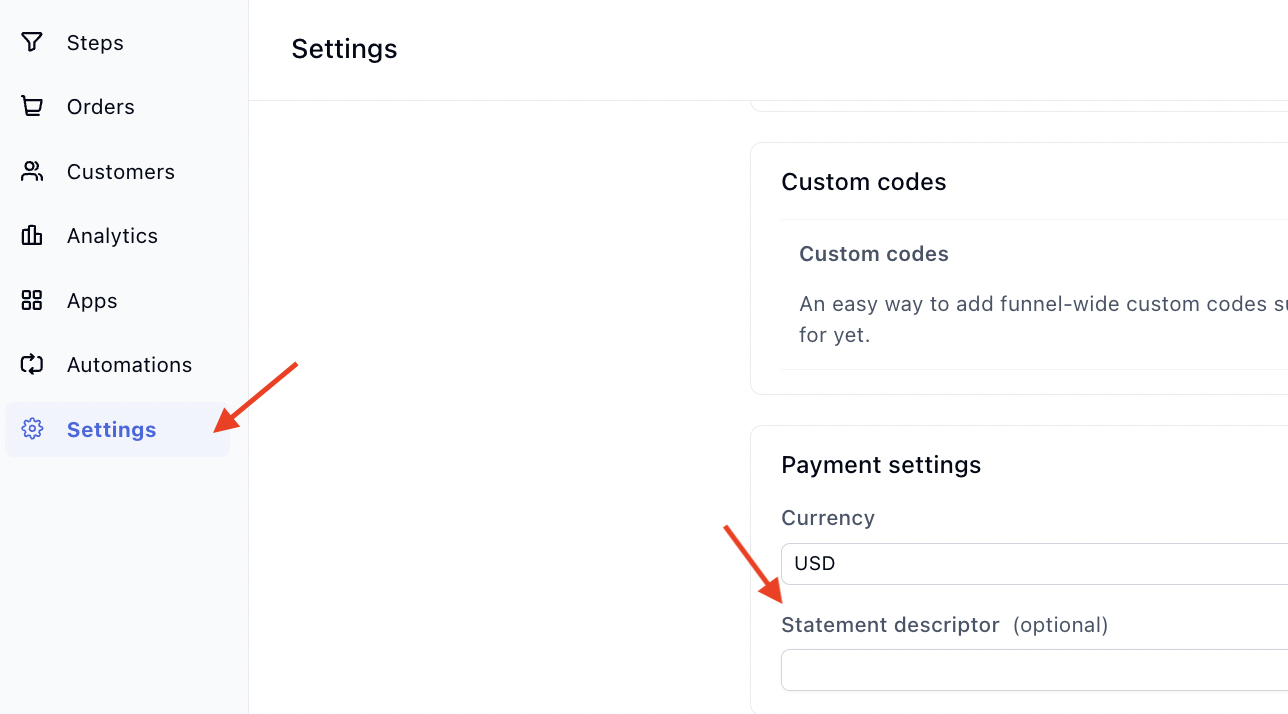
Use something a customer will recognise: your store name rather than your legal entity, if they differ.
Where your gateways live
A gateway belongs to your account, not to a funnel. You connect Airwallex once and it’s available everywhere from then on: every funnel, existing or new, just selects it from the list.
You can see and manage every gateway on your account under Account → Payments → Gateways (app.funnelish.com/settings/payments/gateways). That’s also where you’d rename or remove one, which matters here, because your demo gateway and your live gateway will sit in the same list. Name them so you can tell at a glance which is which.
If something isn’t working
Airwallex is connected but the checkout shows no card fields. Check the gateway is selected and saved on the payment form, and that Funnelish Pay is switched on in the payment options.
A payment failed while testing. Check which gateway you’re on. Test cards only work against a demo-account gateway; on your live gateway a decline is a real decline, so check the card, the amount, and your Airwallex dashboard for the reason.
iDEAL or Bancontact isn’t appearing. Both are EUR-only through Airwallex, and Bancontact only accepts Belgian shoppers. If your funnel’s currency isn’t EUR, they won’t show.
The authentication page didn’t complete. Start again from step 3. Check you’re logged into the Airwallex account you intend to use. Being signed into a different one in the same browser is an easy trap.
Payment processing is the fiddliest part of building a funnel. Gateway credentials, currencies, country rules, the form itself: a lot of moving parts, and the one area where a mistake costs you orders rather than just looking wrong.
If your Airwallex connection isn’t behaving, or you’re deciding between gateways, start a topic in Ask the community. Someone will help. For anything tied to your account or a specific transaction, contact us on chat support.