In high-volume e-commerce, bundles are the fastest way to increase Average Order Value (AOV), alongside high-converting order bumps and one-click upsells.
However, most Shopify brands hit a major roadblock when it comes to shipping: Fulfillment Logic.
The Problem: The “Bundle SKU” Headache
Standard Shopify bundle apps typically create a new, separate SKU for a bundle (e.g., “Buy 2 Get 2 Free Kit”).
-
The Logistics Issue: Your dropshipping agent or 3PL doesn’t know what a “Kit” is. They only know your individual SKUs.
-
The Result: You end up manually splitting orders every morning, or worse, your warehouse ships the wrong items because the order didn’t translate into individual line items.
The Solution: “Virtual Bundling” via an External Page Builder
Instead of creating complex “Bundle Products” inside Shopify, you can use an external page builder that allows for a seamless Shopify sync to handle the offer logic.
This architecture allows you to present a high-converting “Bundle” UI to the customer on the front end, while the sync engine ensures that the back end receives a perfectly formatted list of individual items.
Sooo.. You get the conversion power of a dedicated eCommerce funnel, without losing the automation of the Shopify ecosystem.
How it Works: Front-End Offer to Back-End Sync
1. Create the Offer on a High-Speed Checkout Page
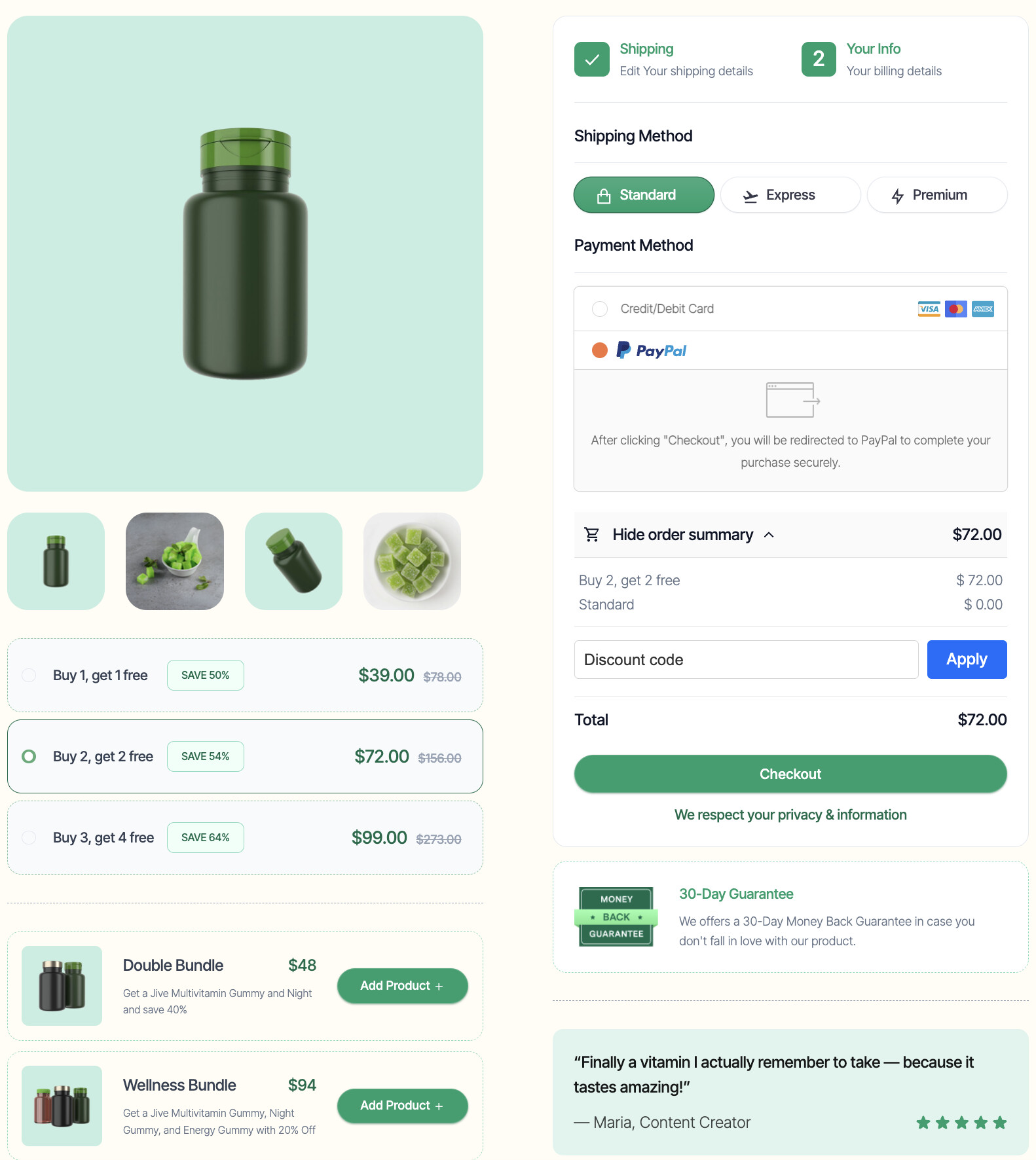
Using a modern page builder, you can design a “Quantity Break” UI that makes it easy for customers to choose a bundle. In this example, the customer sees a clear “Buy 2, Get 2 Free” offer for $72.00.
2. Configure the Automation (The “Split” Trick)
Instead of linking this offer to one “Bundle SKU,” you create multiple automations for the individual items.
To ensure your financial reporting, taxes, and customer receipts are 100% accurate, you use the Price Override functionality within your checkout solution’s Shopify integration.
By overriding the price for each line item, the Shopify order confirmation email sent to the customer will perfectly match the total they saw at checkout. This prevents “billing confusion” and ensures that if a customer buys a $72.00 bundle, their Shopify receipt shows exactly $72.00, split across the individual items.
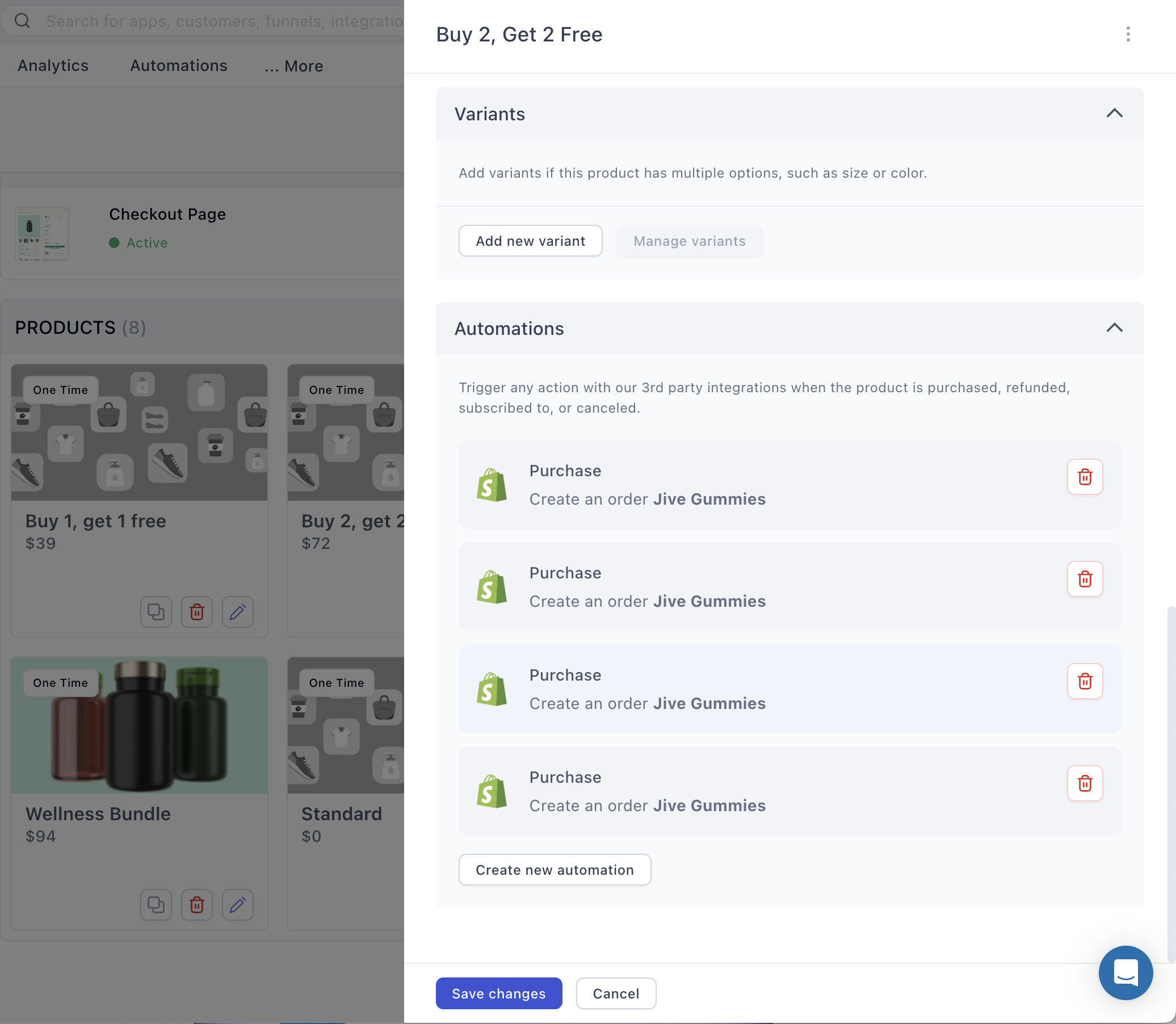
For a $72.00 “Buy 2 Get 2 Free” deal, you would set up four line-item automations:
-
Item 1: Map to SKU “Jive Gummies” — Override Price: $36.00
-
Item 2: Map to SKU “Jive Gummies” — Override Price: $36.00
-
Item 3: Map to SKU “Jive Gummies” — Override Price: $0.00
-
Item 4: Map to SKU “Jive Gummies” — Override Price: $0.00
Pro-Tip: Setting Up Your Sync
Before you map these individual line items, ensure your store is properly integrated.
For a detailed step-by-step on connecting your store and setting up these specific purchase triggers, check out the full technical guide here: Shopify Integration: Connect Your Store & Automate Orders
3. The Result in Shopify: Automated Fulfillment
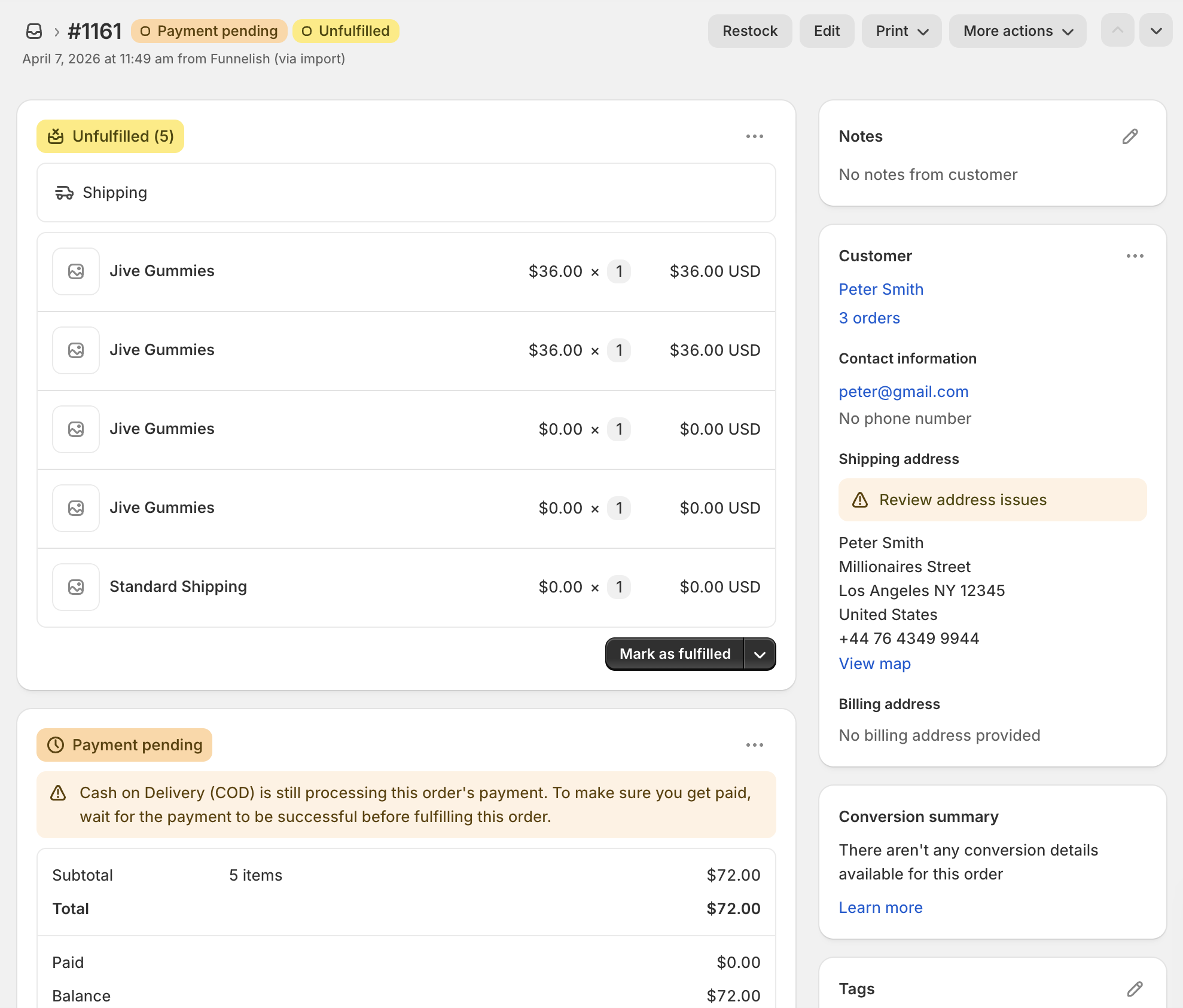
When the customer checks out, the funnel builder “injects” these four separate line items into the Shopify order.
So, even though the front-end is “external,” Shopify remains the “Source of Truth” for the warehouse.
Why this is a game-changer for your brand:
-
Instant Picking/Packing: Your warehouse sees exactly what to put in the box without any manual intervention.
-
Inventory Accuracy: Each of the 4 items is deducted from your individual SKU stock levels in real-time.
-
Clean Data: Your Shopify “Sales by Product” reports will show the actual items sold, rather than a generic “Bundle” SKU that tells you nothing about your inventory turnover.
 Are you still manually splitting bundle orders every morning? Or is your “Bundle App” currently slowing down your cart speed?
Post your current bundle setup below & let’s see if we can help you automate your fulfillment logic!