This guide connects a domain hosted at GoDaddy to your funnel. Two steps: add one DNS record in GoDaddy, then connect the domain in Funnelish. Five minutes of work, plus DNS propagation time.
Not sure whether to use your main domain or a subdomain? See Connect Your Domain first. The short version:
-
www.counts as a subdomain -
If your main domain already serves something else (like a Shopify store), use a subdomain for your funnels, e.g.
go.mydomain.com
Option 1: main domain (A record)
Use this only if the main domain itself (e.g. mystore.com) should open your funnel.
Pointing your main domain at Funnelish replaces whatever that domain currently serves.
-
Log in to your GoDaddy Domain Control Center and select your domain
-
Click Manage DNS, then Add
-
In the Type field, select A, and enter @ in the Name field
-
Enter 151.101.2.184 in the Value field
-
Set the TTL to one hour
-
Click Add Record

Option 2: subdomain (CNAME record)
-
Log in to your GoDaddy Domain Control Center and select your domain
-
Click Manage DNS, then Add
-
In the Type field, select CNAME
-
Enter your prefix in the Name field, e.g.
goforgo.mydomain.com -
Enter domains.funnelish.com in the Value field
-
Set the TTL to one hour
-
Click Add Record

GoDaddy DNS changes usually apply in under an hour, but can take up to 24 hours. Once they’re live, continue below.
Connect the domain in Funnelish
-
Open the funnel you’re connecting and click the Funnel Settings icon
-
Under Funnel Settings, click Connect a new domain and enter your domain
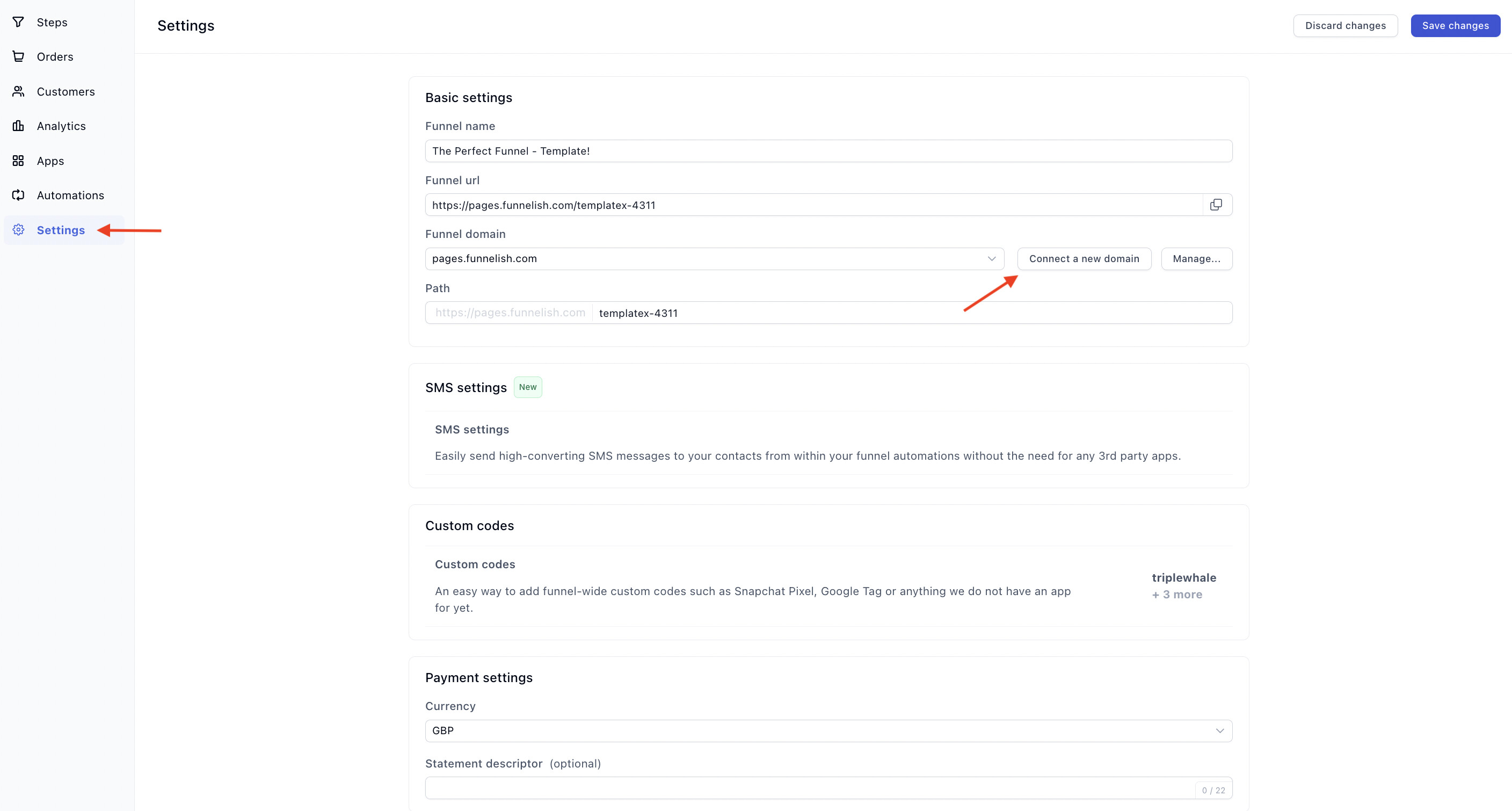
Enter it exactly as you configured it:
-
Subdomain: write it in full, e.g.
go.mydomain.com -
Main domain: write the naked domain, e.g.
mydomain.com, withoutwww
-
Click Connect, then Verify
-
Once verified, pick the new domain from the Domain dropdown and click Save changes
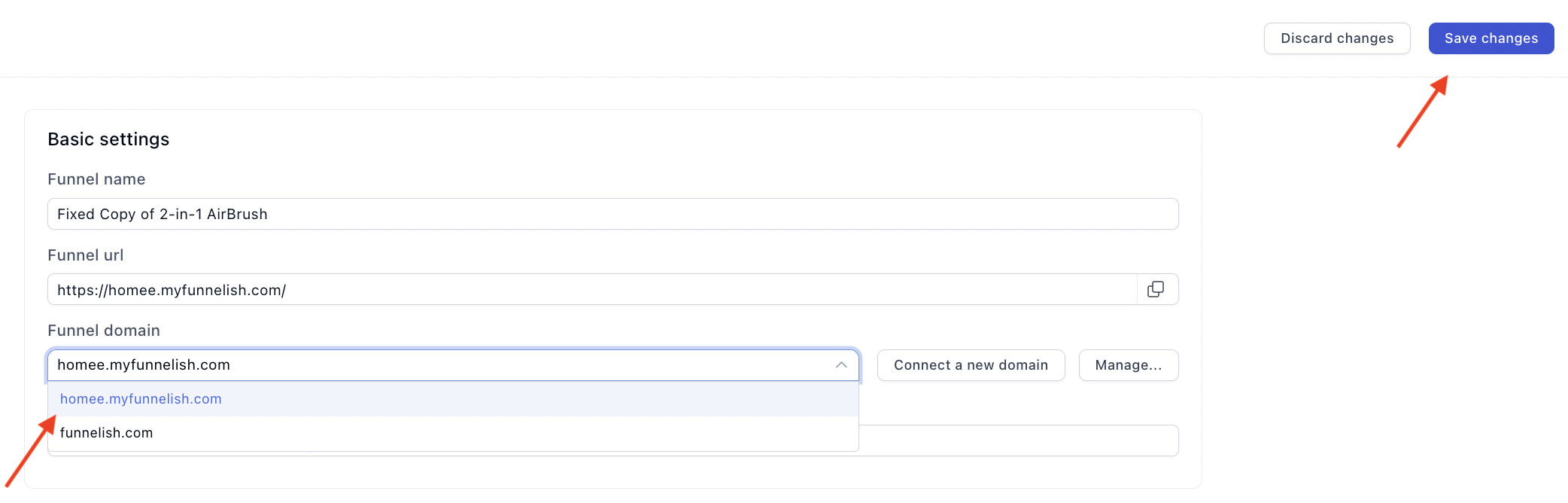
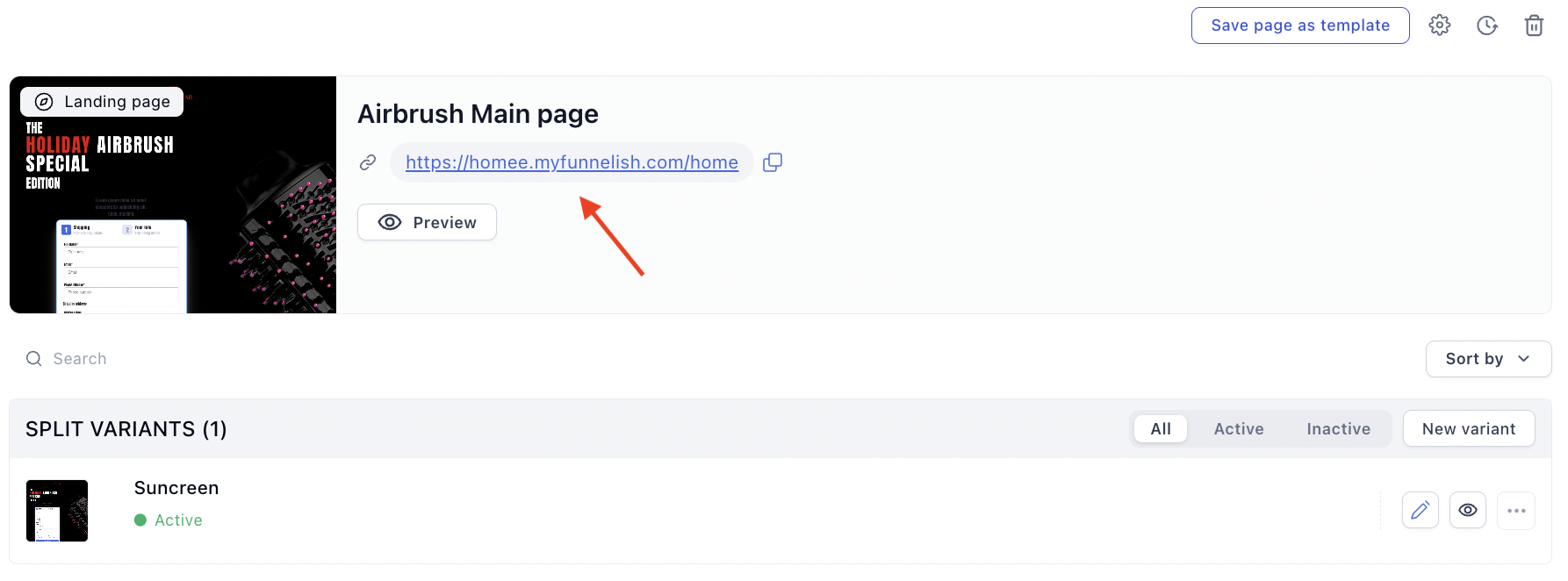
Funnelish updates the funnel’s URL automatically:
If verification fails
DNS propagation is the usual cause: wait a few minutes and click Verify again (in rare cases it takes a few hours). If it still fails after that, re-check your records against the steps above, then see Common Domain Setup Issues & How to Fix Them. All in order and still stuck? Contact support and we’ll take a look.
Setting up a different host? Connect Your Domain has guides for Namecheap, Shopify and Cloudflare.