Two elements handle content that comes in multiples. The Repeater duplicates one template for every item in a list, product grids, review walls, feature rows, and can fill itself from live data. The Carousel shows multiple slides in one swipeable space, galleries, testimonials, product highlights.
New to the editor? Start with the Page Builder overview.
The Repeater
Build one item, get all of them. Instead of copying the same block by hand, you design a single template and the Repeater lays out every copy consistently, update the template and every copy updates. Combined with data binding it pulls live data (products, blog posts, subscriptions, reviews) so the copies fill themselves.
Add a Repeater:
- In the elements panel, select the Repeater widget and drag it into your layout
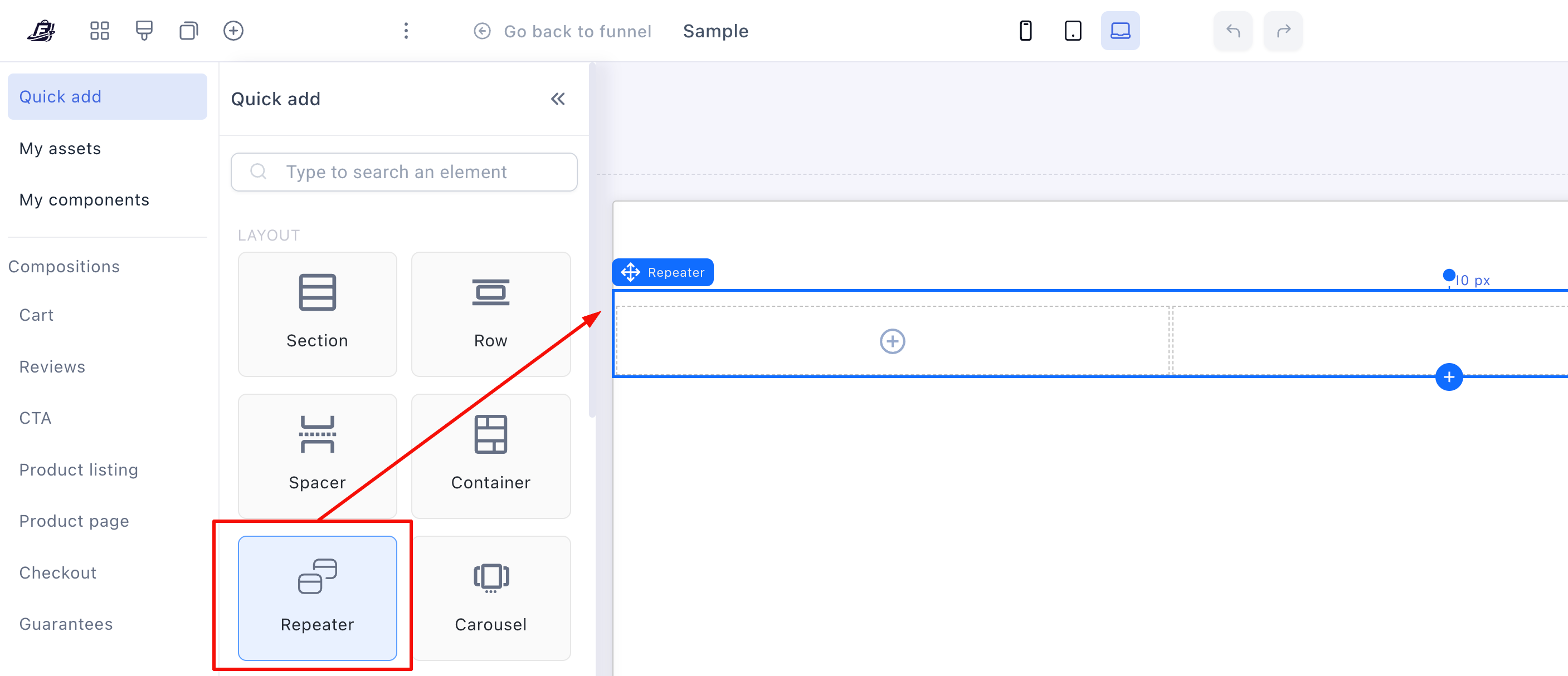
- The Repeater arrives with an empty container (your template) and two boxes (where the copies show)

Design the template:
- Click (+) Add new box to structure the template
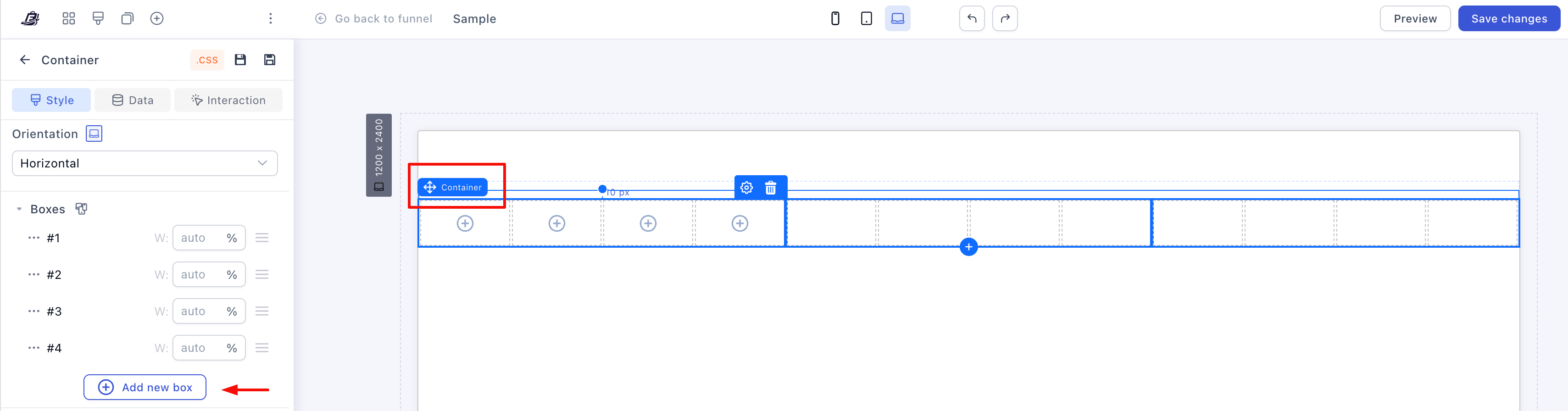
- Click (+) inside each box and add the elements one item needs. For a product list: an image, a headline, a paragraph. Prices, buttons, radio selects and video work too
The Repeater duplicates your template automatically as you build it.
Bind it to data:
-
Click the Repeater, then Data → Data Bindings in the side panel
-
Pick the collection and assign the main dataset
-
Click Save
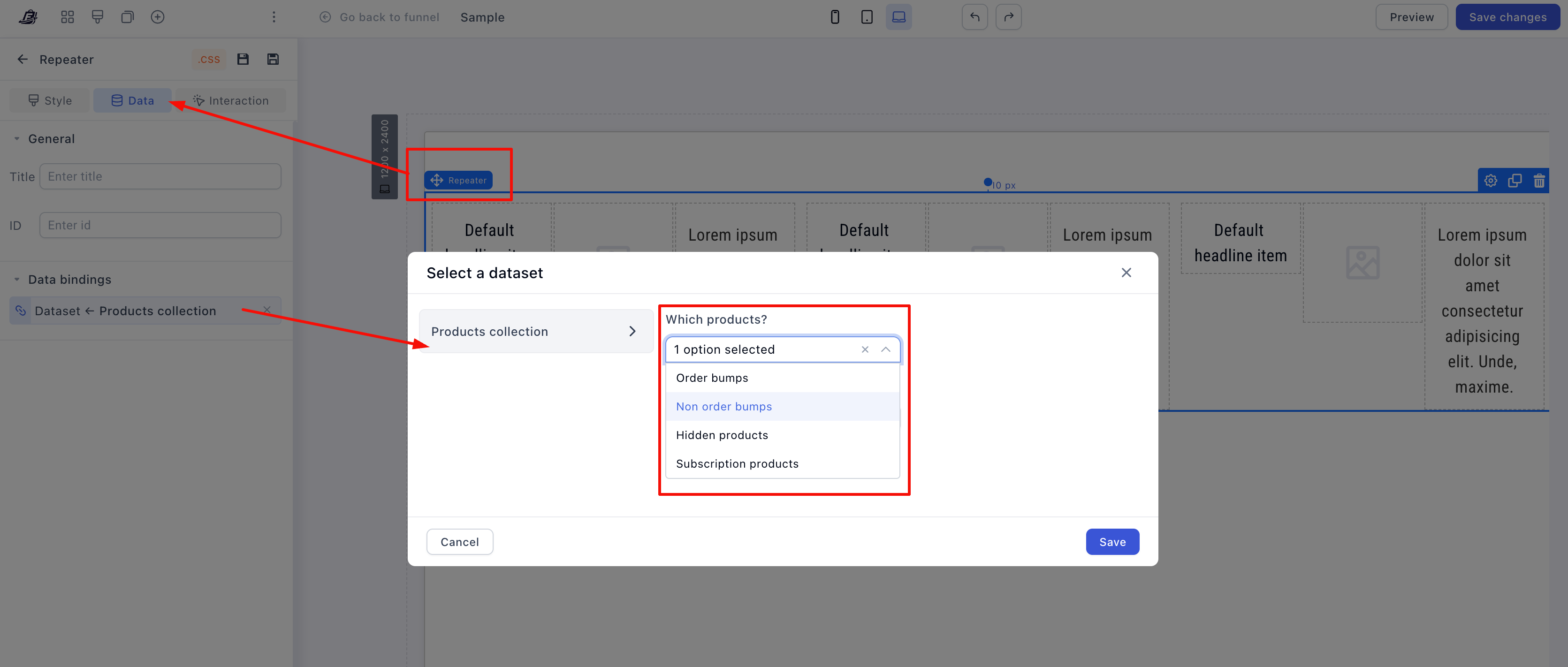
The available datasets depend on where the page lives. Funnel pages offer product collections and order bumps, blog pages offer blog posts and categories, customer portal pages offer products, subscriptions and order data. If you don’t see the collection you expect, check which kind of page you’re editing.
The parent container, section or box must not be empty — it defines the data context for everything inside it.
- Now bind each element in the template: click it, open Data → Data Binding, and map it to its field
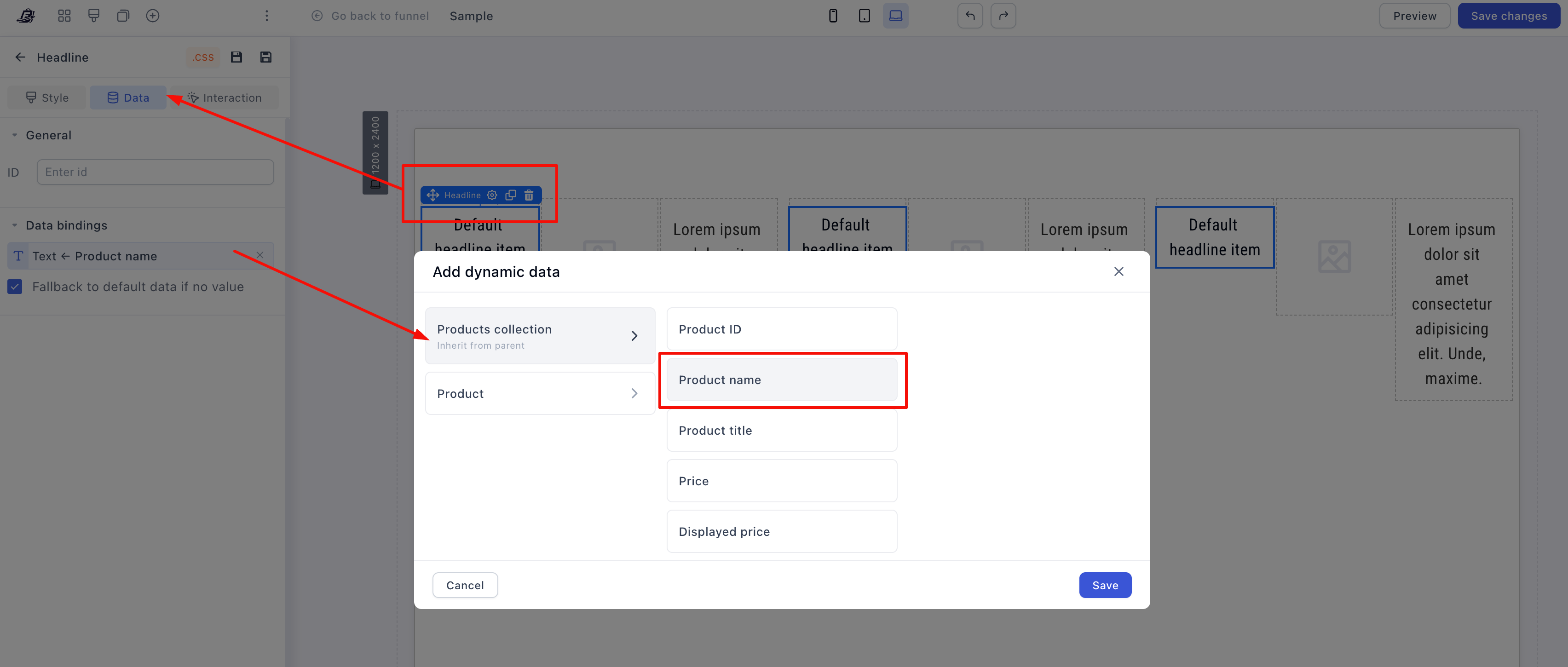
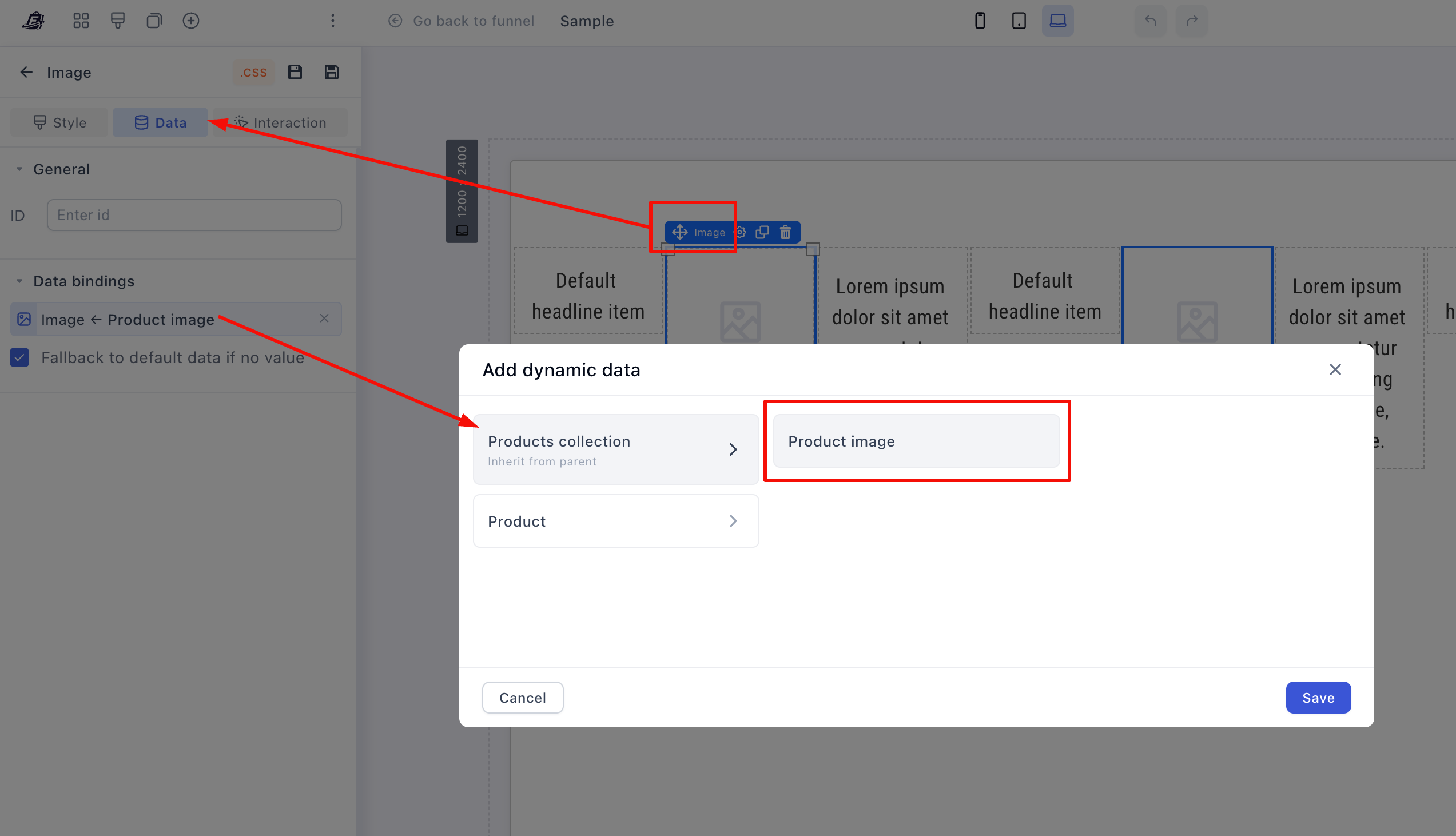
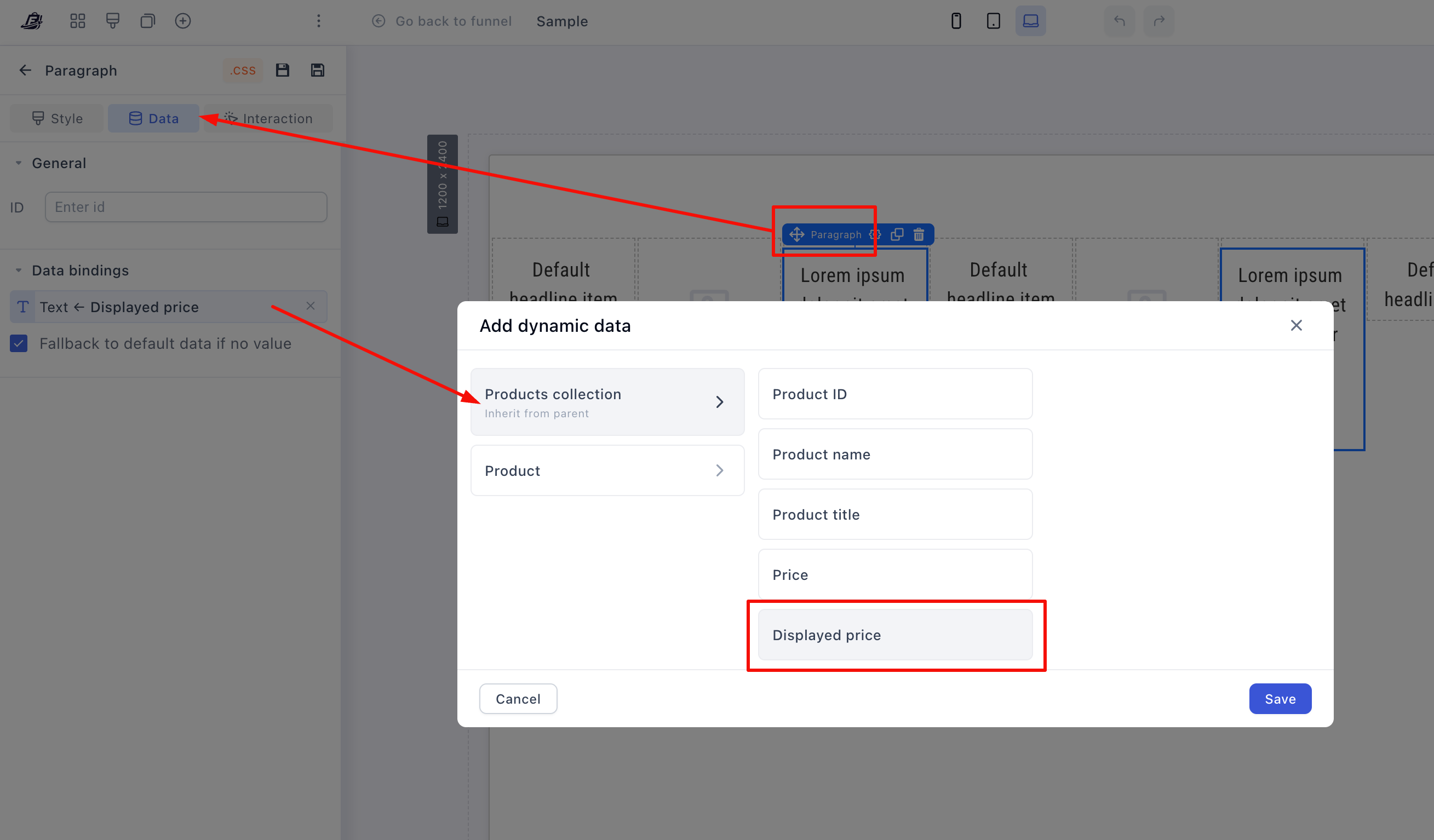
The usual mapping: heading → product title, image → product image, paragraph → description, price → product price, button or radio → product ID.
Nest repeaters for list-in-list data. A child repeater can bind to a sub-property of its parent’s item. Example: a parent repeater bound to Subscriptions renders one block per subscription, and a child repeater inside it bound to the subscription’s items repeats each item within its subscription. One nested pair renders the whole structure, no manual copies.
Alternative setup: bind the parent section to the dataset instead, then add the repeater inside, it inherits the dataset, and you only bind the elements.
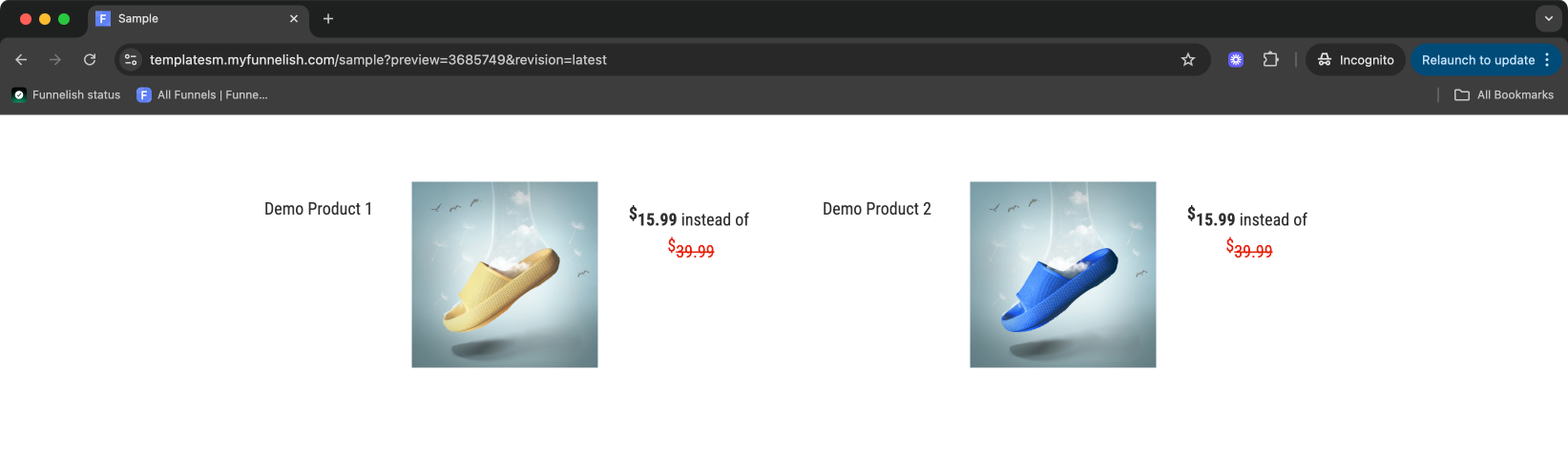
Style and preview: spacing, colors, fonts, borders, then Save changes and Preview. The Repeater renders one item per dataset entry, each filled with its own data:
The Carousel
A compact, swipeable space for multiple slides, product galleries (this replaces the old Image Slider), rotating testimonials, featured media.
Add a Carousel:
- In the elements panel, select the Carousel widget and drag it into your layout
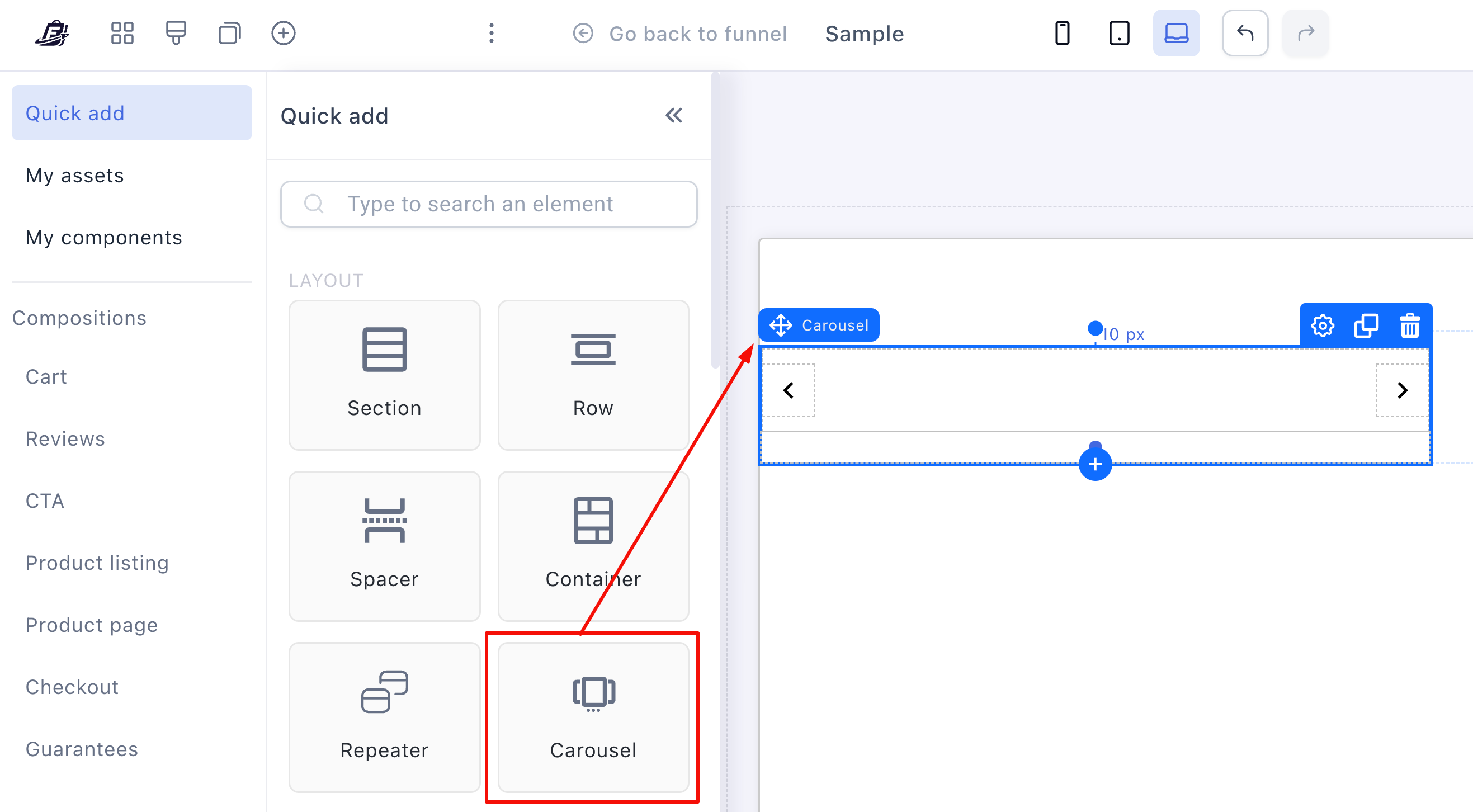
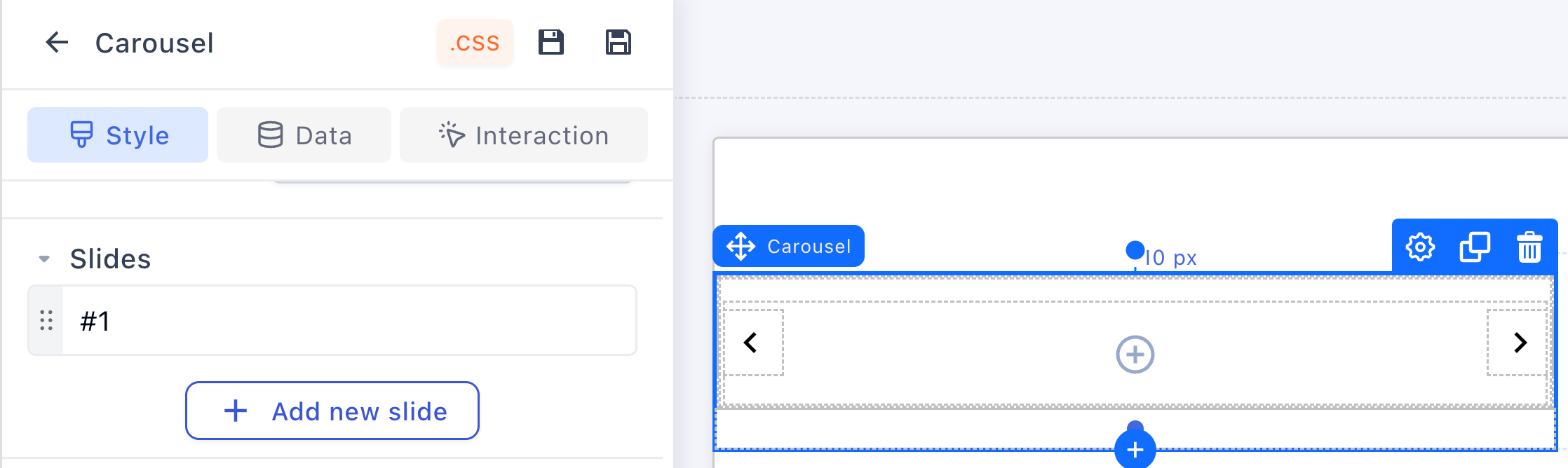
- Click (+) Add new slide for as many slides as you need
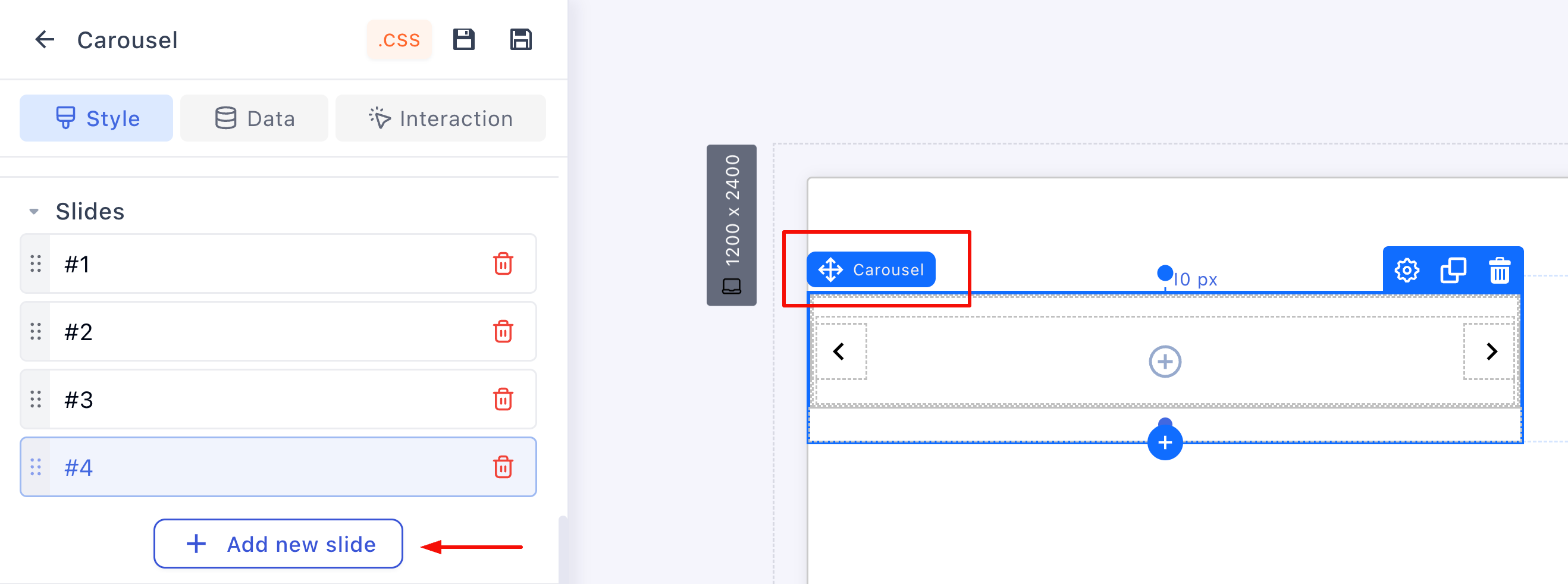
Design the slides. Each slide is a blank canvas for any element, images and video for galleries, review containers for testimonials, product blocks, text and CTAs:
- Click (+) inside the carousel and add the element, an image in this example
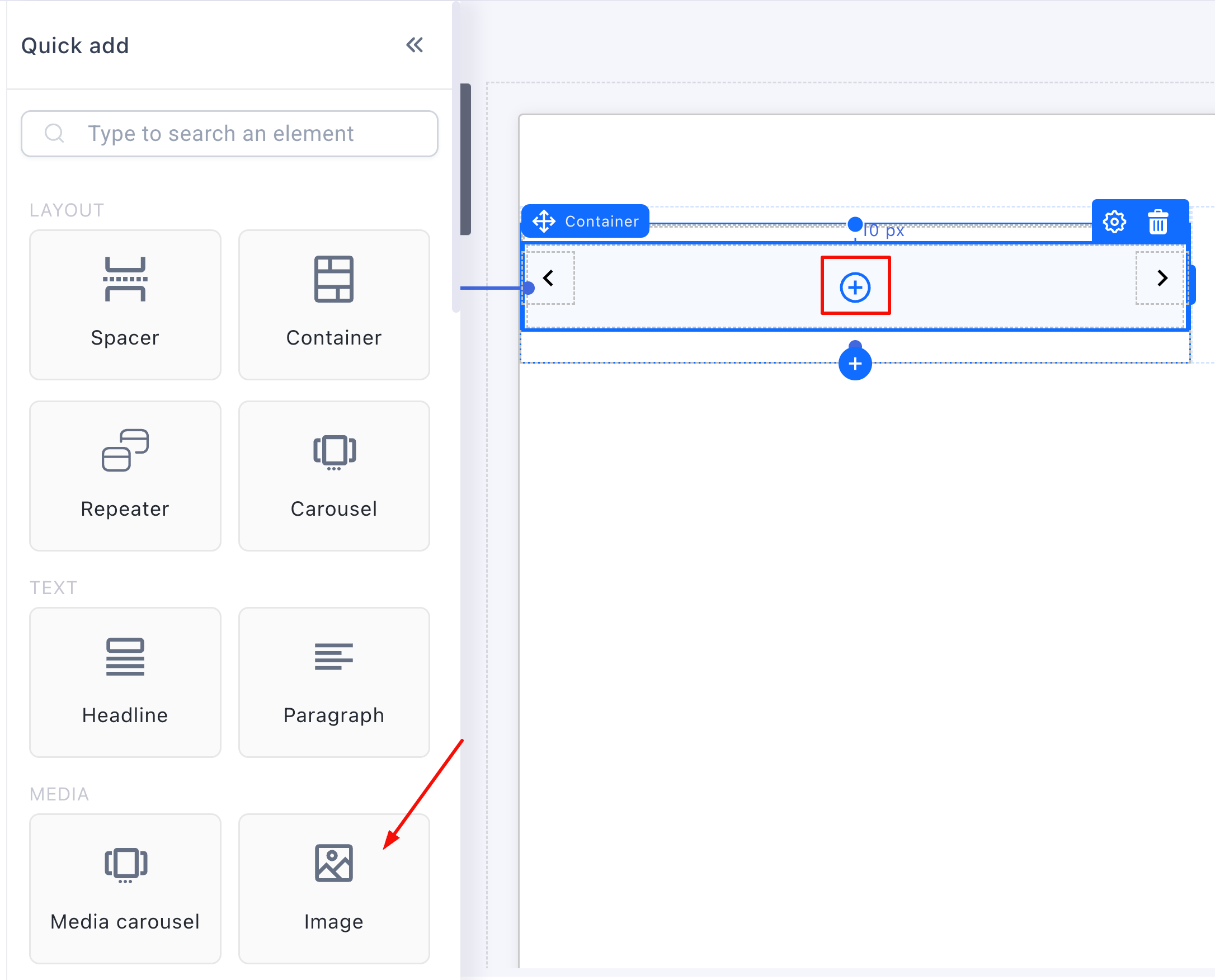
- Select the element and set its content from the side panel (browse to pick the image)

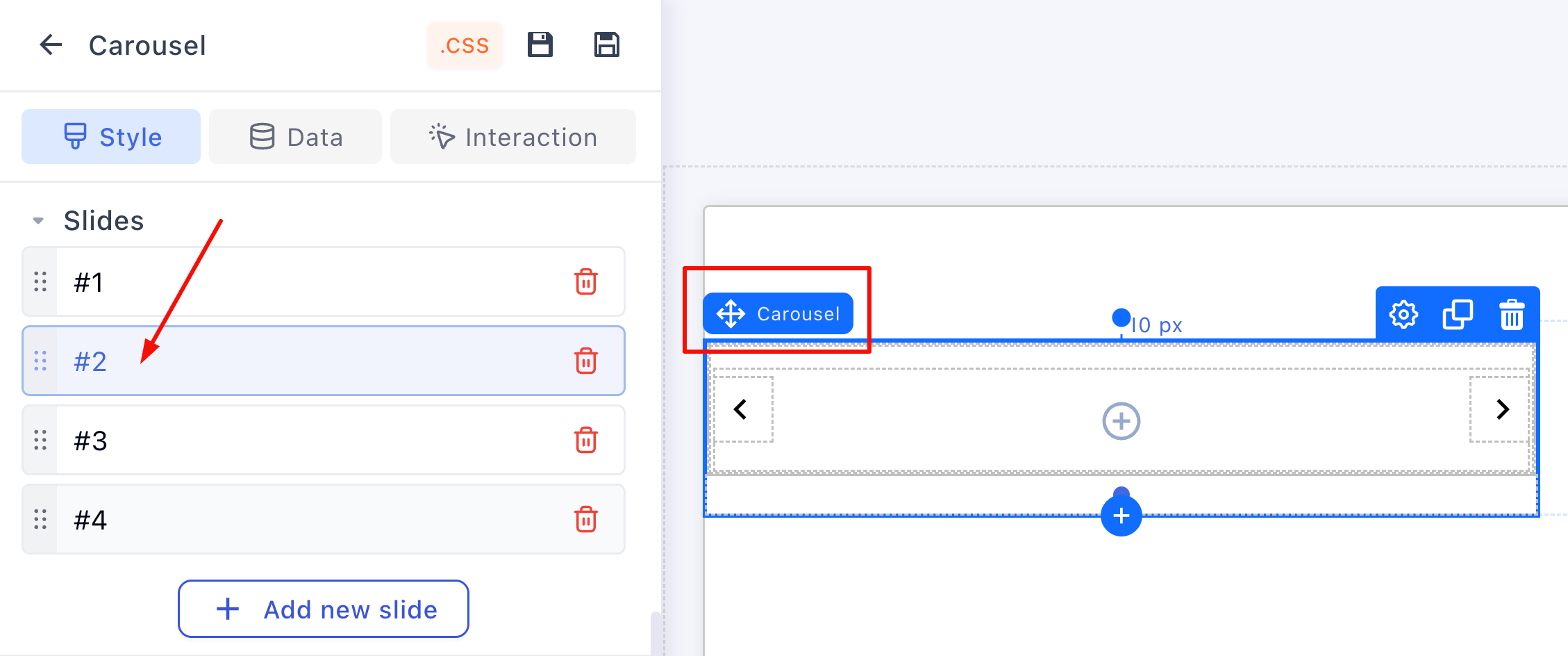
- Click the container and select the next slide, repeat until every slide is filled
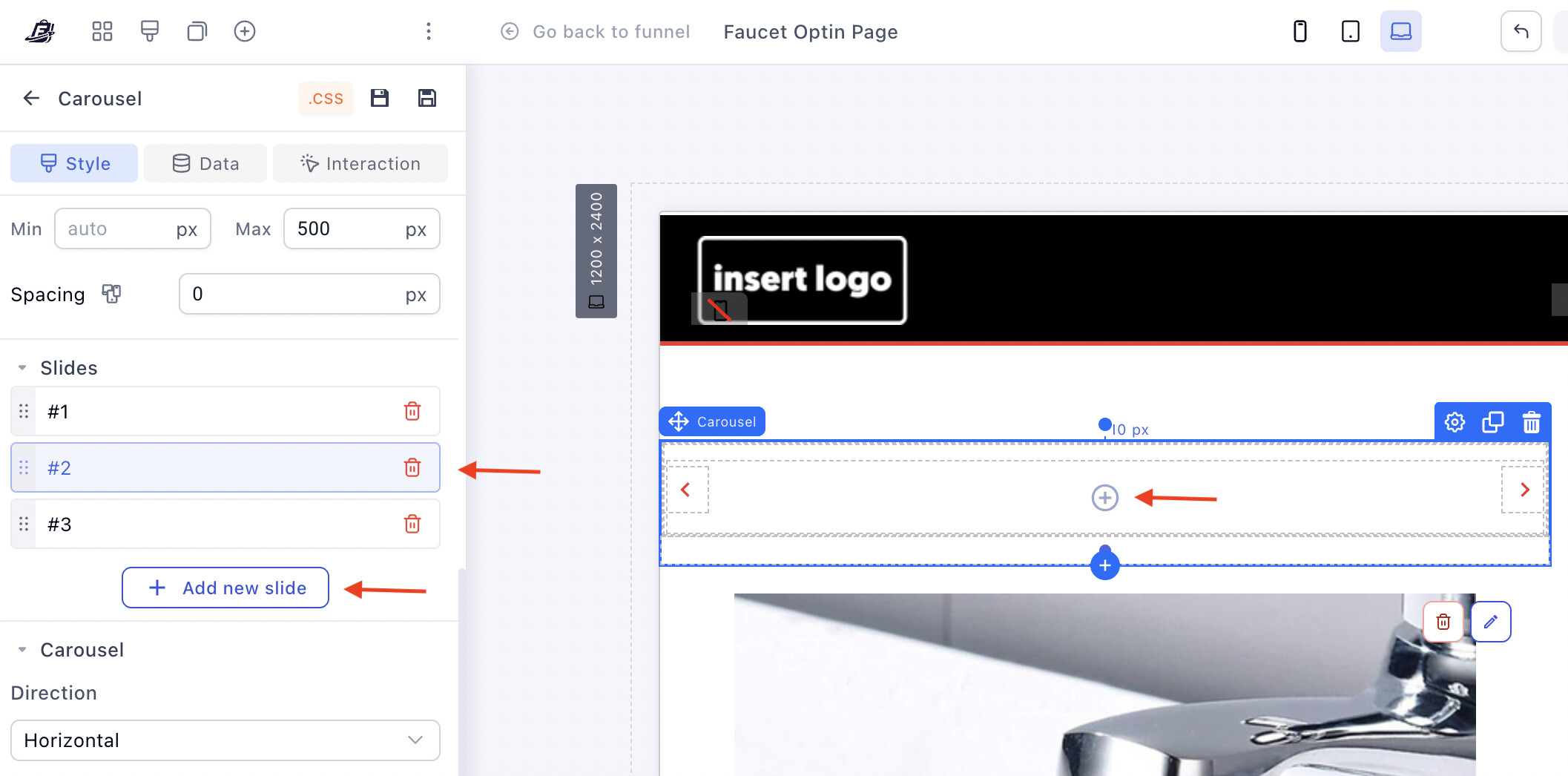
Carousel settings, all in the side panel:
-
Direction: horizontal or vertical slides
-
Autoplay: cycle through slides automatically
-
Looping: repeat continuously
-
Show arrows: navigation arrows, click an arrow in the editor to style it
-
Show pagination: dots under the carousel
-
Slides per view: how many slides are visible at once
-
Effect: transition style (slide, fade)
-
Speed: transition duration in milliseconds
Save and preview:
Keep learning
-
Page Builder overview: the map of the whole editor and every element
-
Sections, Rows & Containers: the layout skeleton these elements live in
-
Want ready-made pages instead? Clone a funnel from Templates
 Questions? Reply below or ask in Ask the community.
 Missing an editor feature? Suggest it in Feature requests — the most-voted panels shape the roadmap.