SMS gets read. Where a follow-up email waits in a crowded inbox, a text lands on the lock screen within minutes, which makes it the right channel for the messages that are time-sensitive: order confirmations, shipping updates, abandoned cart nudges, a discount expiring tonight.
Sending SMS from Funnelish takes three things: a sending number, a funded SMS balance, and an automation with a Send an SMS action.
SMS requires a paid account. You can’t send text messages on a free trial.
1. Set a sending number
-
Open a funnel and click the Funnel settings icon in the bottom left corner.
-
Scroll to SMS settings and click the tile.
-
Choose Dynamic phone number.
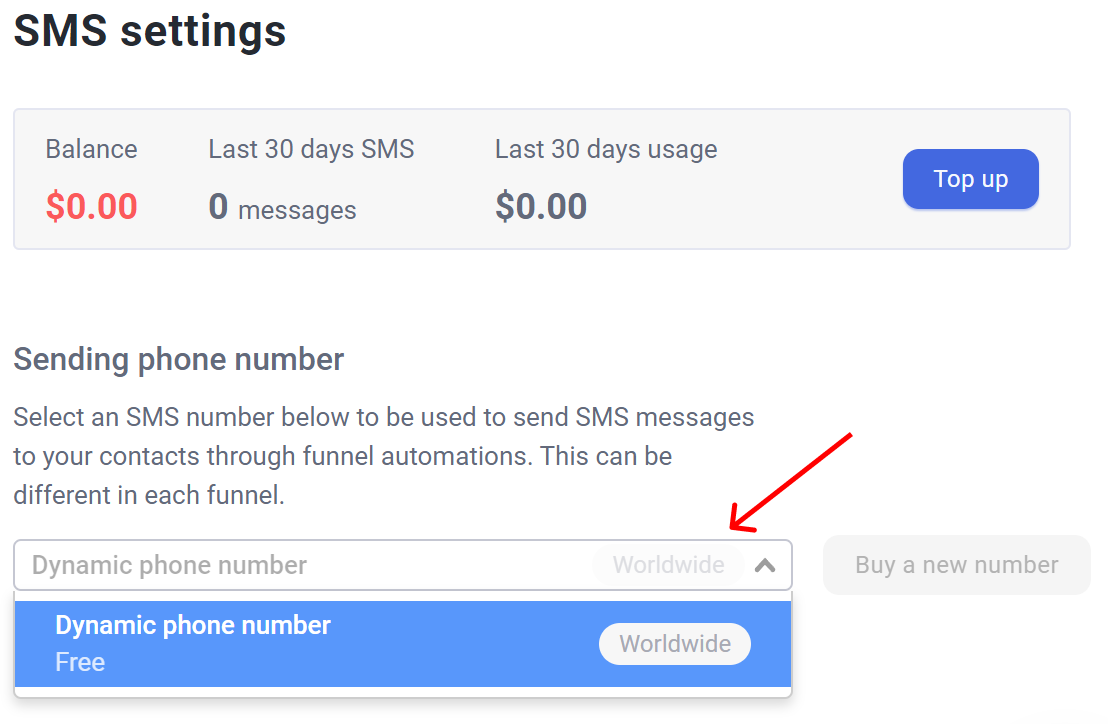
A dynamic number picks the sending number based on your customer’s location: a US buyer gets a US number, a UK buyer gets a UK number. Two reasons that matters. It’s cheaper per message, and local numbers are far more likely to actually get delivered, since carriers filter foreign numbers hard.
Your balance reads zero the first time you open this page. Funding it is the next step.
Check the sending prices
SMS costs money per message, and the price depends on the destination country. Click SMS sending prices for the approximate cost by country:
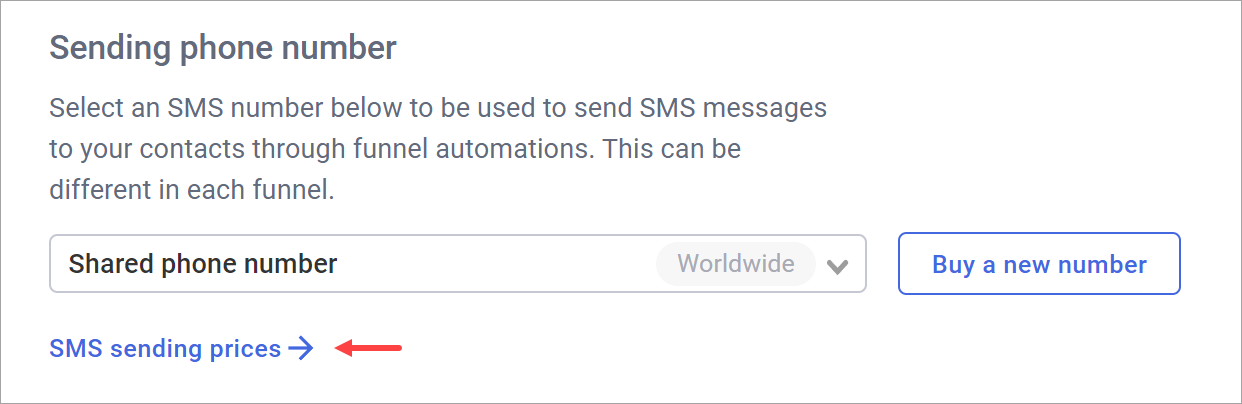
Check this before you build a sequence around SMS. A three-text flow to a country at a few cents per message is cheap; the same flow to an expensive destination on high volume is a real line item.
2. Fund your SMS balance
Click Top up at the top of the SMS settings page. Two options:
Automatic top-up keeps sending uninterrupted:
-
Switch on Enable auto top up.
-
Set the top up amount (say $20) and the minimum balance that triggers it (say $10).
-
Set a never exceed cap to limit what can be spent in a month (say $100).
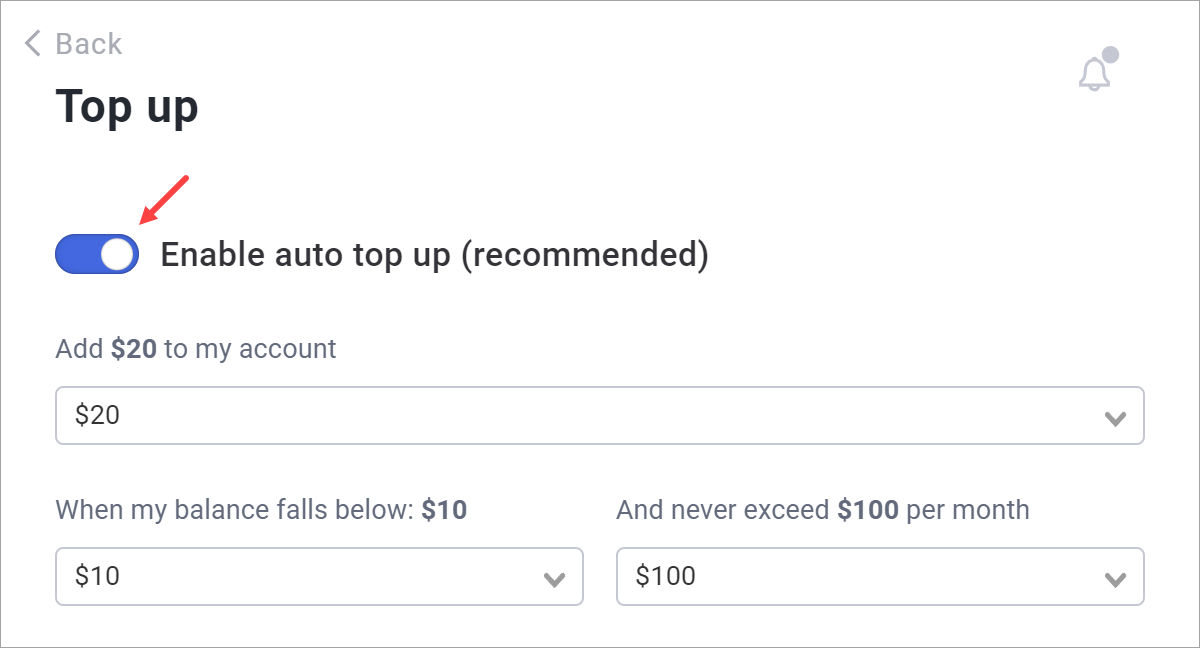
One-time payment is the safer way to test the waters. Leave the auto top-up toggle off, click Make a one-time payment, pick an amount and top up.
Top-ups are charged to the payment method on your account, under Account settings → Billing. Each message is deducted from the balance at its actual cost once the carrier confirms it.
3. Add the Send an SMS action
Create the automation, global or funnel-level:
-
Global: click the Automations tab in the header bar.
-
Funnel: open the funnel and click the Funnel automations icon in the bottom left corner.
Click Create a new automation, choose Start from scratch, then Create. Click the + icon, open Sending options and pick Send an SMS:
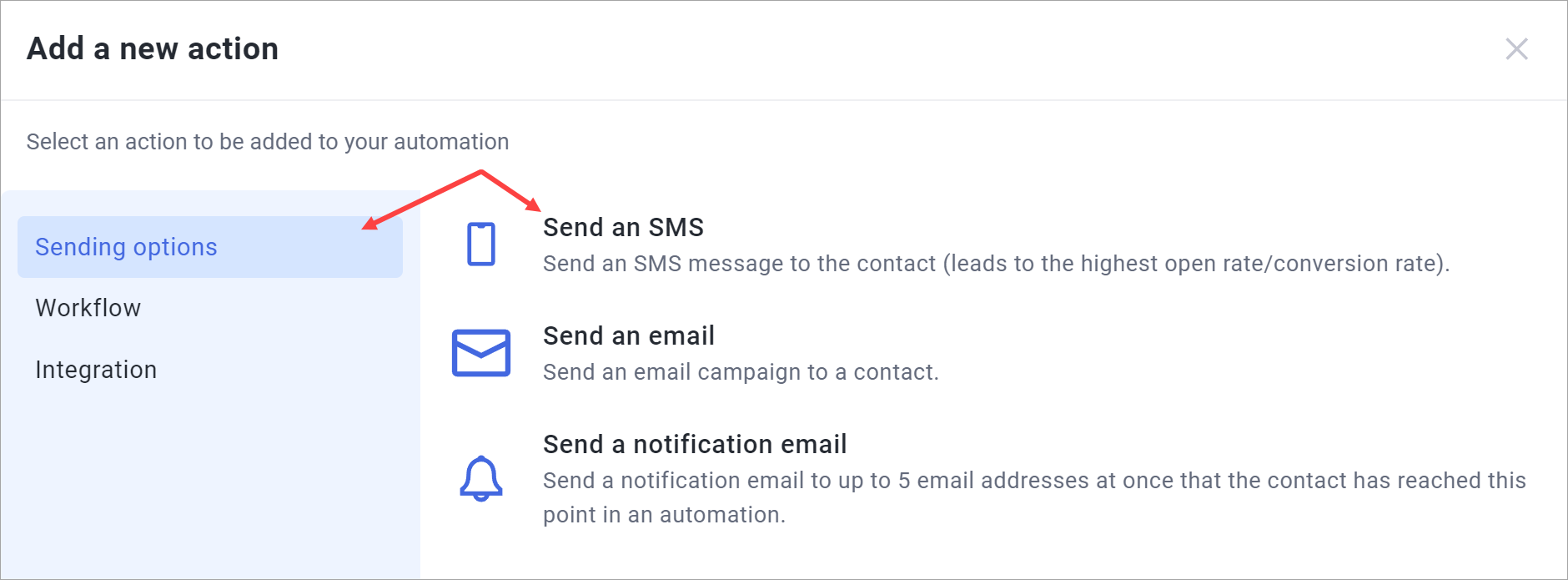
Don’t forget the trigger, and check that it’s scoped to the funnels or steps you actually want.
Write the message
Type your message in the box. Click the {···} icon to insert dynamic content, pulled live from the customer and their order:
-
Customer fields: first name, last name, full name, email, phone, and the shipping address parts (address, city, state, zip, country).
-
Order fields: order reference, amount, currency, and the order time.
You can also drop in a link to any funnel step, which is how you send someone back to a checkout or on to a thank you page. Funnelish converts it into a short link automatically, so it costs you a handful of characters rather than a full URL.
The customer needs a phone number on file. No phone, no send: the action is skipped quietly. If SMS matters to your flow, make the phone field required on your form.
Keep it under 160 characters
That’s one message. Go over and the carrier splits it into two or more parts, which reads badly and bills you for each part. Dynamic content and links count toward the limit, so a first name and a step link can push a message you thought was fine over the edge.
Include STOP as an opt-out. Some carriers won’t deliver messages without one, so it’s not optional in practice. It counts toward the 160 characters too.
SMS flows worth building
-
Order confirmation: “Thanks {first name}! Order {ref} is confirmed. Reply STOP to opt out.” Fires on purchase, reduces “where’s my order” tickets.
-
Abandoned checkout: trigger on the checkout step, wait 30 minutes with a Wait action, then text a link straight back to the checkout step.
-
Expiring discount: the last hours of a promo, where email is too slow to land.
-
Shipping updates: the message people genuinely want to receive.
Related articles
Planning an SMS flow and want a sanity check on cost or timing before you run it? Start a topic in Ask the community.