If an order is not syncing to Shopify, it is usually caused by a configuration issue in your funnel or a validation error from Shopify.
Most common cause: Product automation not set up correctly
In most cases, orders fail to sync because the product is not properly linked in Product Automations.
How to fix it
- Go to your Product Automations
- Check each product in your funnel
- Make sure every product is properly linked to a Shopify product
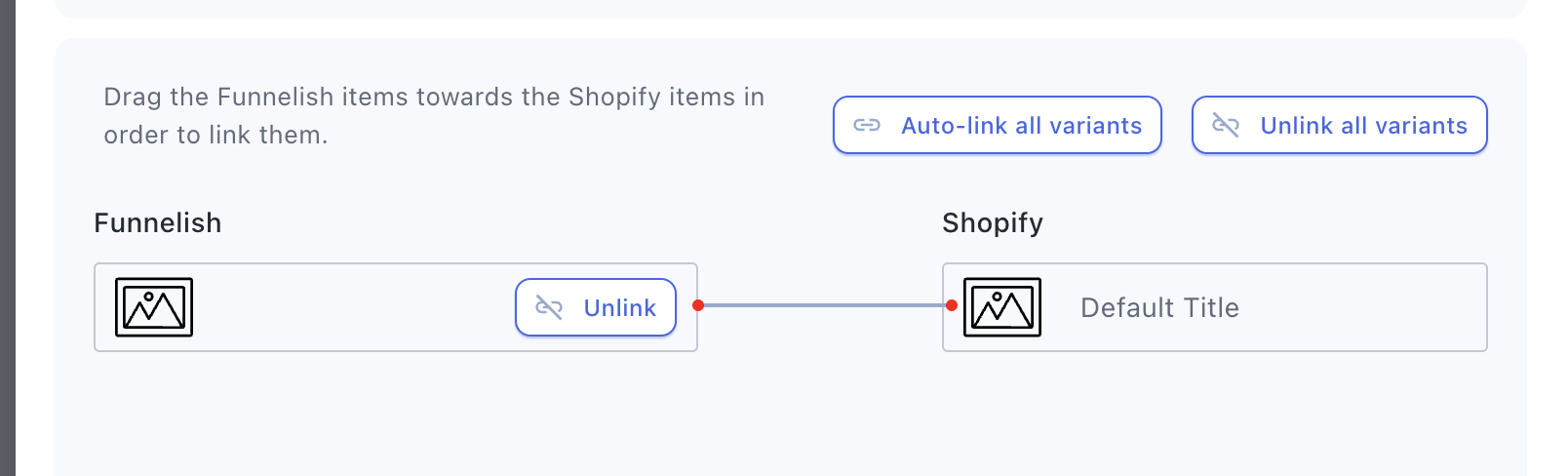
- Save your changes
Also check the following
- Make sure your order bump (e.g., expedited shipping) has its own automation
- If bundling is enabled, all products in the bundle must have valid automations if even one product is not linked, the entire order may fail to sync
Address validation issue (Shopify requirement)
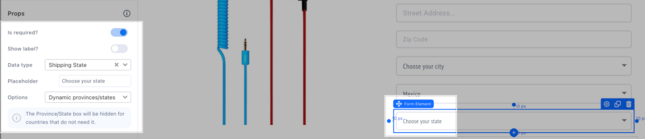
Shopify may reject orders if the State/Province field is invalid or missing.
How to prevent this
-
Set the State field to Dynamic state/province
-
Use “Billing same as shipping” to ensure complete address data
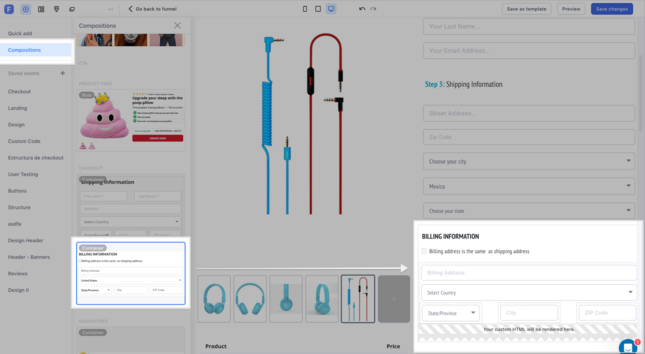
Once all products are properly linked and address fields are valid, orders should sync successfully to Shopify.
Other possible cause
- Shopify downtime (rare) may also prevent orders from syncing
What to do if orders already failed
- Orders cannot be automatically re-synced so you may need to manually recreate the orders in Shopify
- Ensure address details (especially State/Province) are valid before re-entering
If you’re unsure, feel free to send screenshots of your product automations, we’re happy to double-check 
You can reach out to us directly at [email protected], or simply click the bubble chat icon inside your dashboard, we’re here and ready to help