Funnels don’t have a shipping-rate table the way a store does, and most don’t need one: a single flat fee per order does the job. The clean way to charge it is a hidden product that’s selected by default, so “Shipping & Handling” appears as its own line in the order summary without cluttering your product list.
The same trick powers more than shipping: order insurance, gift wrapping, processing fees, any flat per-order charge.
1. Create the shipping product
-
Open the funnel, then the step holding your products (usually the checkout).
-
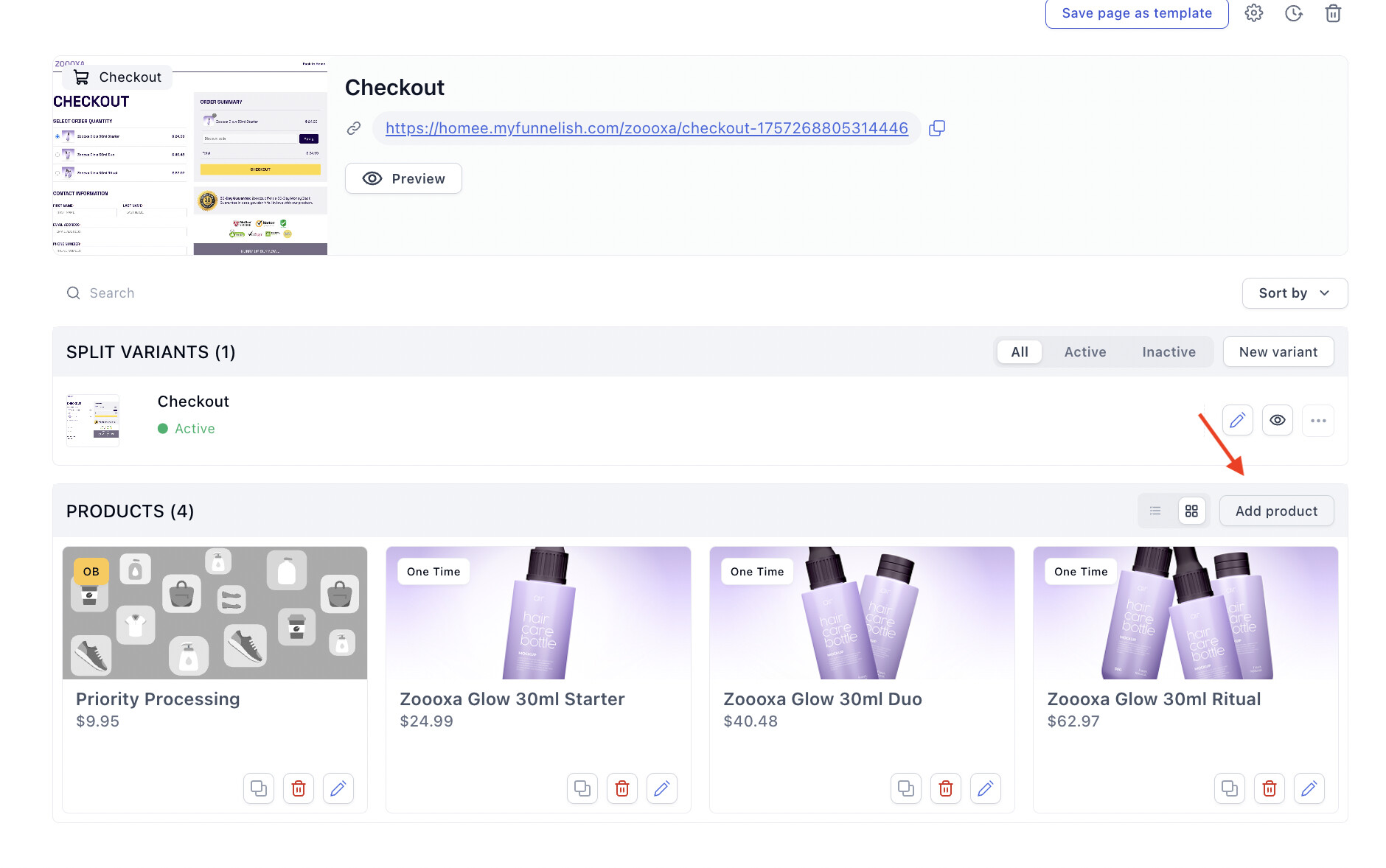
Click Add a new product:
-
Choose One-time, then Continue.
-
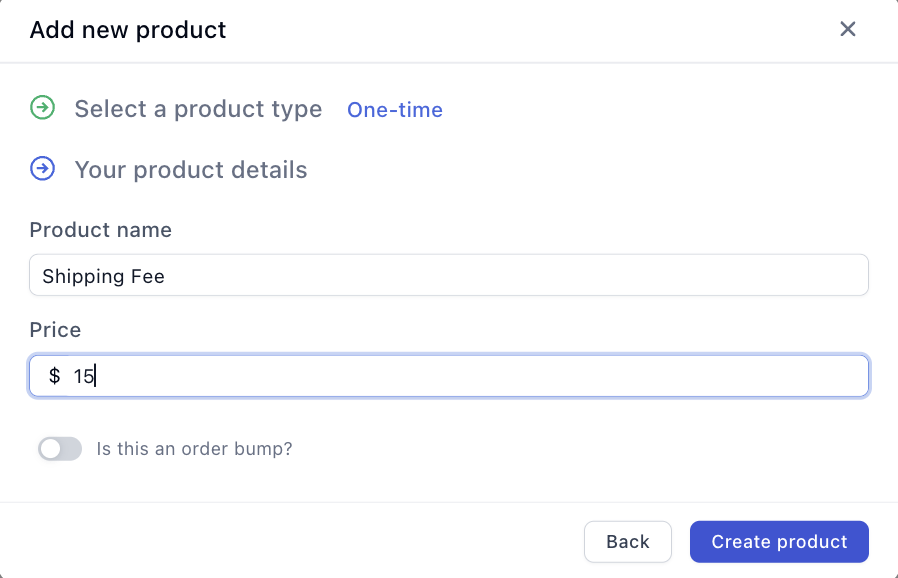
Name it what the customer should read on their summary and receipt, like Shipping & Handling, set the price to your flat fee, and click Create product:
2. Hide it and select it by default
-
Click the new product in the step’s product list to open its settings panel.
-
Scroll to Settings and switch on two toggles: Select by default and Hide from products list.
-
Click Save changes.
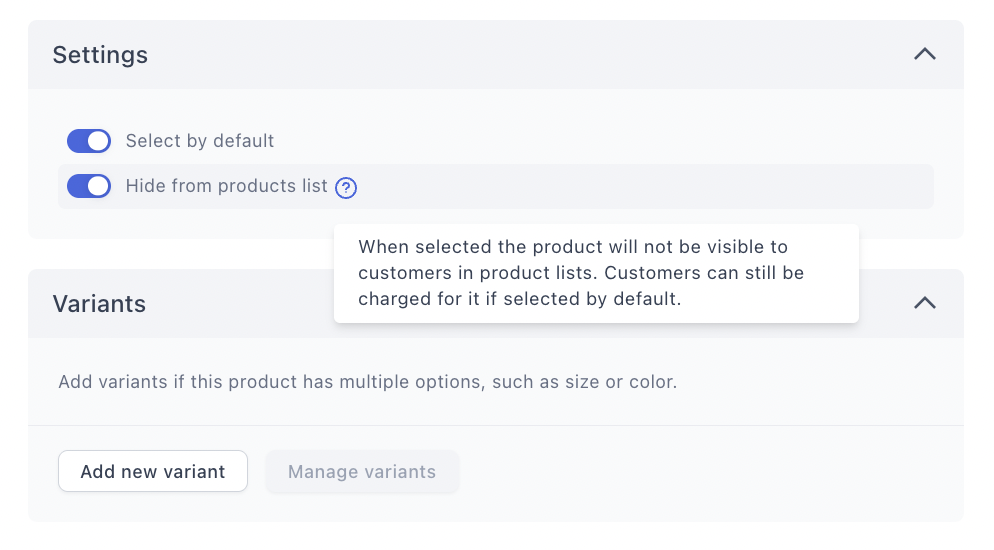
That combination is the whole mechanism: hidden means it never shows among the selectable products, selected by default means it’s on every order. The customer sees it exactly once, as a line in the order summary:
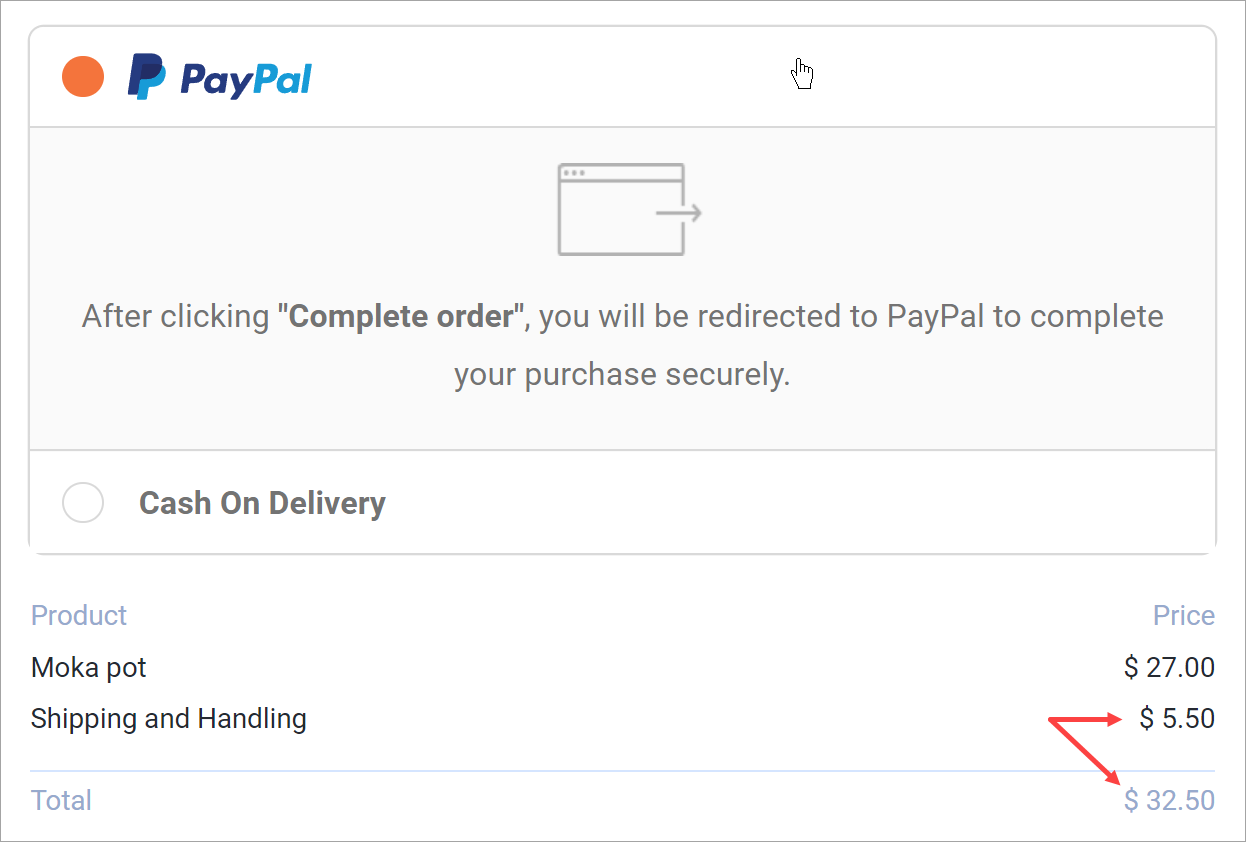
The fee is flat per order, not per item. One unit or five, the customer pays the shipping product’s price once. That’s usually what funnel offers want; if your unit economics need per-item shipping, bake it into the product prices instead.
Worth knowing
-
Fulfillment mapping: the shipping product is a product like any other, so decide what happens to it in your product automations. For Shopify, either map it to a real “Shipping” item or leave it unmapped deliberately, just don’t let it surprise your fulfillment team.
-
Free shipping above a threshold is the inverse play: skip the hidden product and use a discount code with a minimum order amount instead.
-
Express delivery as an upsell: charge standard shipping this way, then offer faster delivery as a visible order bump. Delivery upgrades are one of the best-converting bumps there are.
-
Wallet buyers: Apple Pay and Google Pay orders go through the wallet sheet, where shipping options handle delivery charges. See Express Checkout.
Related articles
Shipping setup that doesn’t fit the flat-fee model? Describe it in Ask the community and someone will suggest a structure.