Automations do the repetitive work in your store: confirm purchases, recover abandoned carts, tag customers, notify your team, and send orders to fulfillment. You set them up once, then they run on every order without you.
Funnelish has two types of automations. Pick the right one first, everything else follows from that.
Workflow automations
A workflow automation is a flow: a trigger starts it, then actions run in order. Send an email, wait a day, check a condition, send an SMS, add a tag, fire a webhook. Use workflow automations for anything sequential or conditional, like an abandoned cart recovery sequence or a post-purchase follow-up series.
Workflow automations run at one of two scopes:
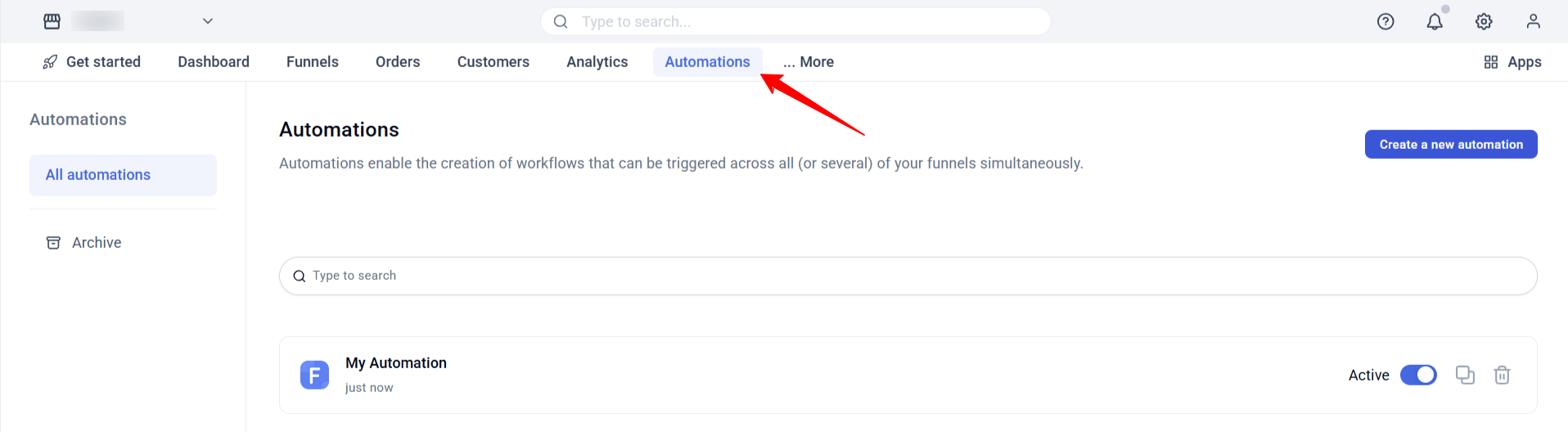
- Global automations run account-wide, across all funnels, blogs, customer portals and stores. Find them under Automations in the top navigation. To limit where a global automation runs, add a trigger filter, for example: run only when a sale happens in funnels A, B and C.
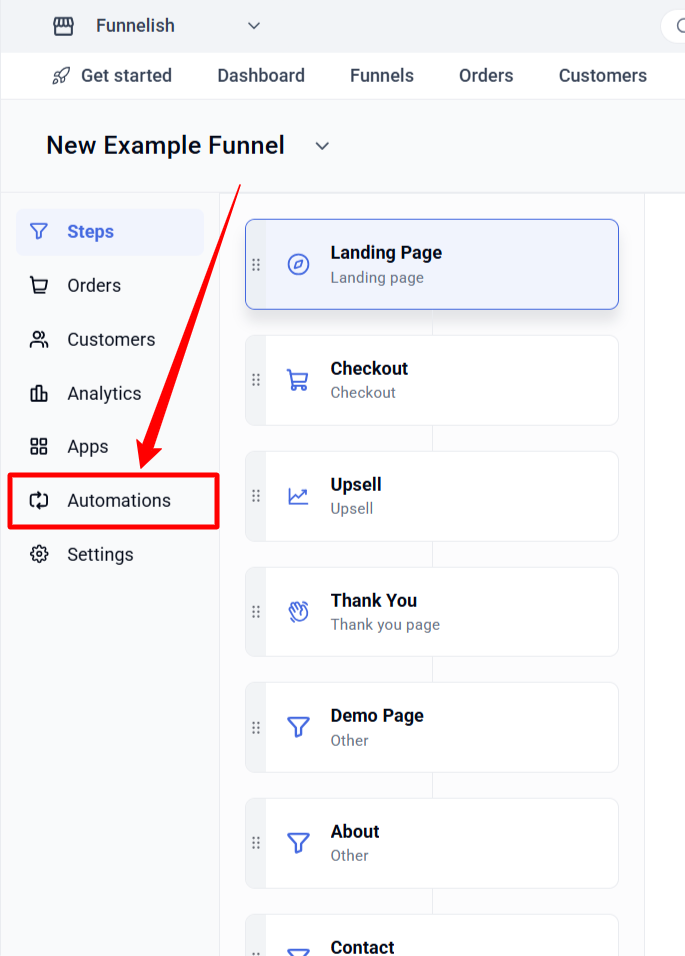
- Funnel automations live inside one funnel and run only for it. Same builder, same triggers and actions.
Rule of thumb: if every customer should get it (like a purchase confirmation email), make it global. If it belongs to one funnel’s offer, build it in that funnel.
Copying the same automation into several funnels? Replace the copies with one global automation and a trigger filter.
Product automations
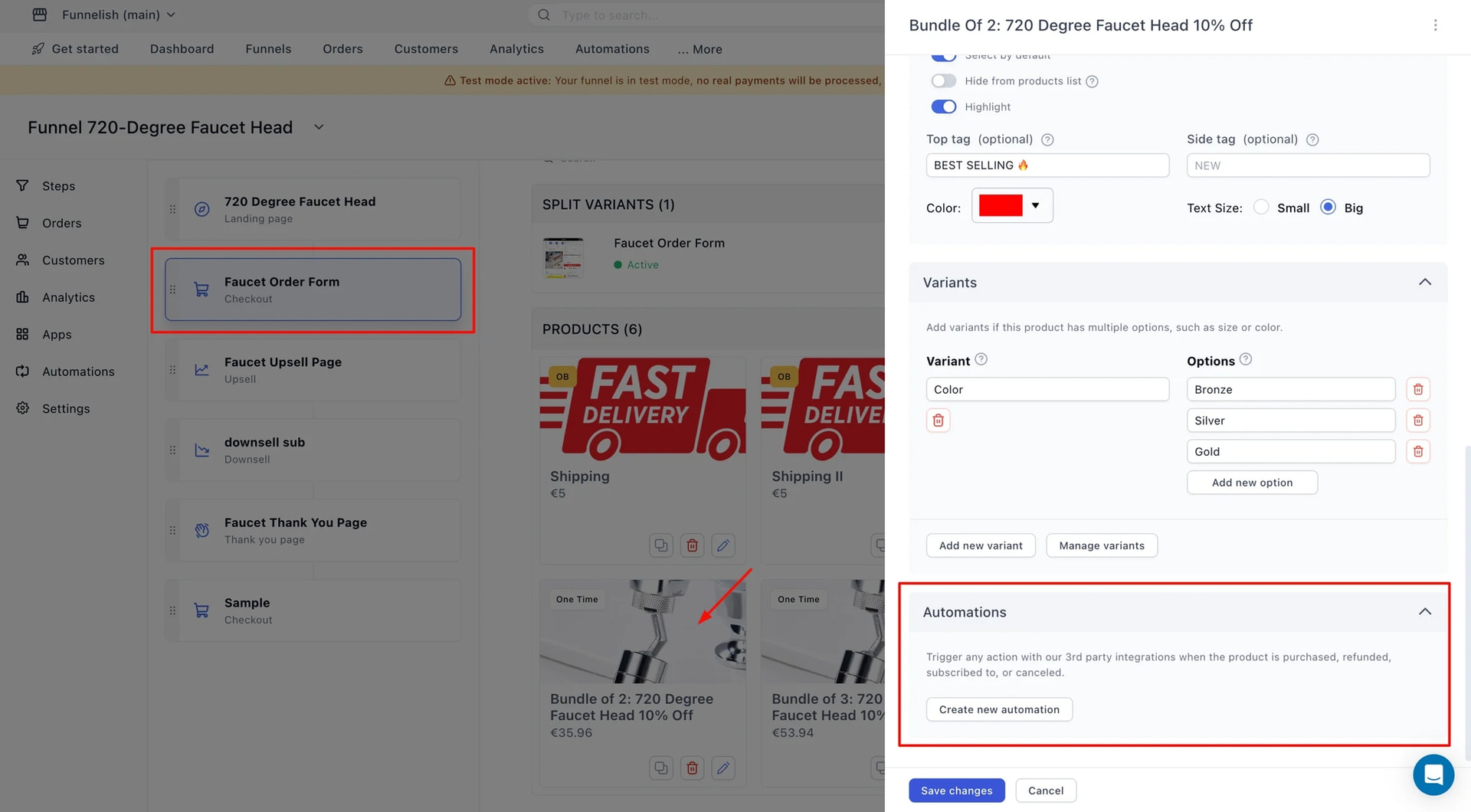
A product automation connects one product to one destination: when this product is bought, send the order to Shopify, ShipStation or another integration. That’s the whole job. No sequences, no delays, no branching.
Product automations also handle order bundling: a checkout purchase plus any accepted upsells merge into a single order before it’s sent to fulfillment, so your store receives one order instead of three.
Set one up per product, test one order, done.
Which one do you need?
| You want to… | Use |
|---|---|
| Send abandoned cart recovery emails | Workflow automation (global or funnel) |
| Send a purchase confirmation to every customer | Global automation |
| Run an SMS follow-up for one funnel’s offer | Funnel automation |
| Tag customers based on what they bought | Workflow automation |
| Notify your team or fire a webhook on purchase | Workflow automation |
| Push orders to Shopify or ShipStation | Product automation |
| Merge upsells into one fulfillment order | Product automation (bundling) |
Where to find them
- Global automations: Automations in the top navigation of your dashboard
- Funnel automations: open the funnel, then its Automations section
- Product automations: open the product’s settings inside a funnel step, then click Create new automation at the bottom of the panel
Guides in this category
- Create a workflow automation: build your first flow, and scope global automations with trigger filters
- Triggers and trigger filters: everything that can start an automation, and how to narrow where it runs
- Send emails from your automations: composing, templates, and sender setup
- Send SMS from your automations: text message follow-ups and alerts
- Actions reference: delays, conditions, jumps, tags, webhooks, and notifications
- Recipe: abandoned cart recovery emails: a complete worked example, start to finish
- Product automations explained: when to use them, and how they differ from workflows
Keep learning
- Set up product automations and order bundling for Shopify: the full Shopify fulfillment setup
- Integrations Directory: every platform Funnelish connects to
- Klaviyo and ActiveCampaign: to run your email flows in your CRM instead, with Funnelish feeding it the events
Questions about automations? Reply below or ask in Ask the community.