Funnelish Apps extend everything you build in Funnelish. Accept payments, track ad conversions, calculate taxes automatically, boost conversions with social proof, stay privacy compliant, and more.
Apps aren’t limited to funnels. They work across your entire workspace:
-
Funnels — your sales funnels and checkout flows.
-
Blogs — content you publish with Funnelish Blogs.
-
Customer Portals — self-service areas for your customers.
-
Stores (coming soon) — full eCommerce storefronts.
How Apps work
Apps exist at two levels: your account and each individual funnel, blog, portal, or store.
You rarely need to think about the account level. When you activate an app inside a funnel or store, it’s enabled on your account automatically. There is no separate setup step.
Activating an app where you need it
Open any funnel, blog, customer portal, or store and go to its Apps tab. This is where you activate an app and complete its setup: connecting your pixel ID, choosing payment gateways, entering API keys, and so on.
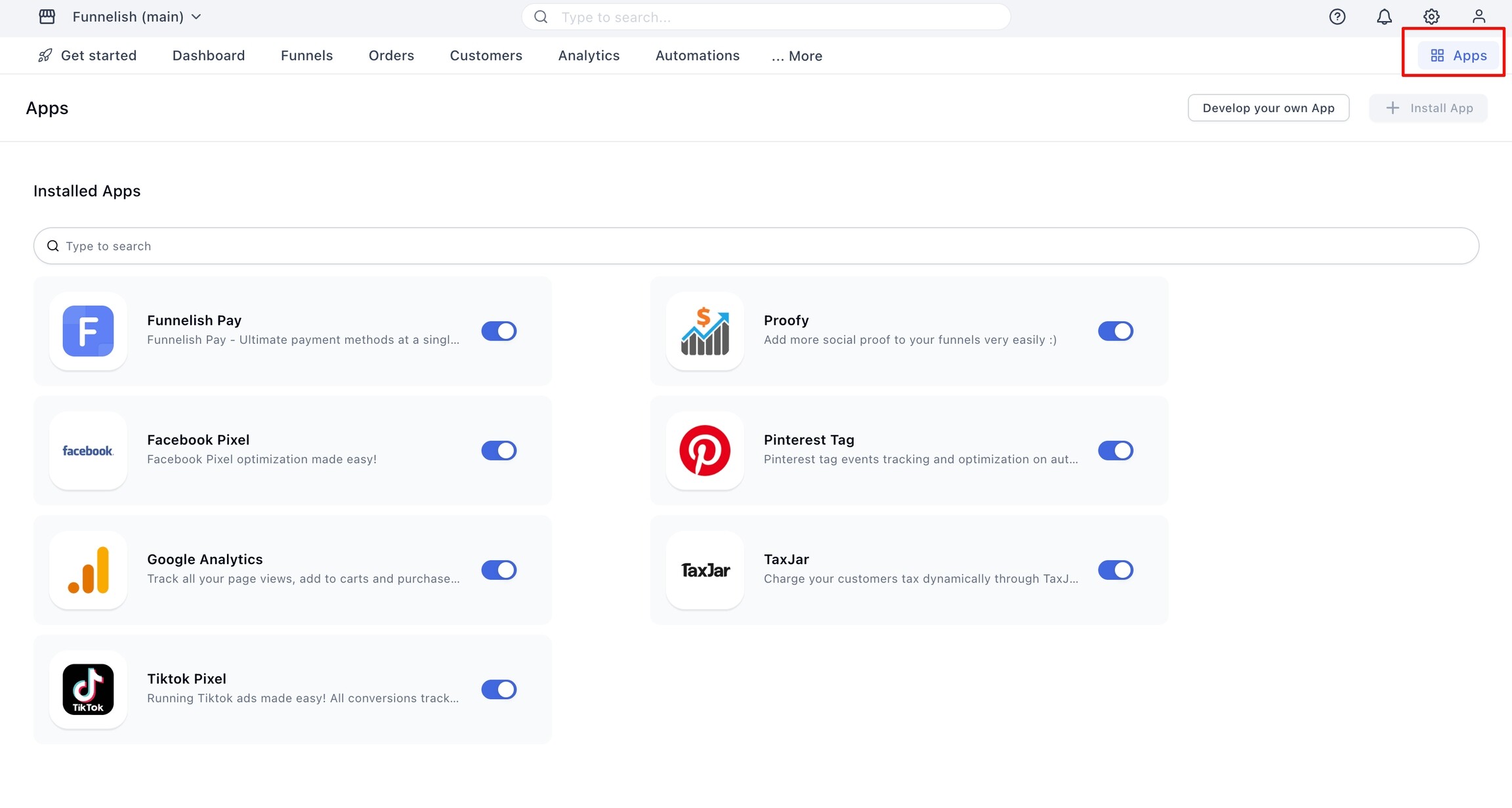
For example, activate Funnelish Pay inside the funnel where you sell and connect your payment gateways, or activate Google Analytics inside your blog to track content traffic.
Apps are configured independently in each context. You can run different pixels, gateways, or tools on different funnels, blogs, and stores without them interfering with each other.
Managing apps account-wide
The Global Apps page (top-right of the header → Apps) gives you a full view of every app enabled on your account. Use it to browse the app library, see what’s active, and manage account-level settings in one place.
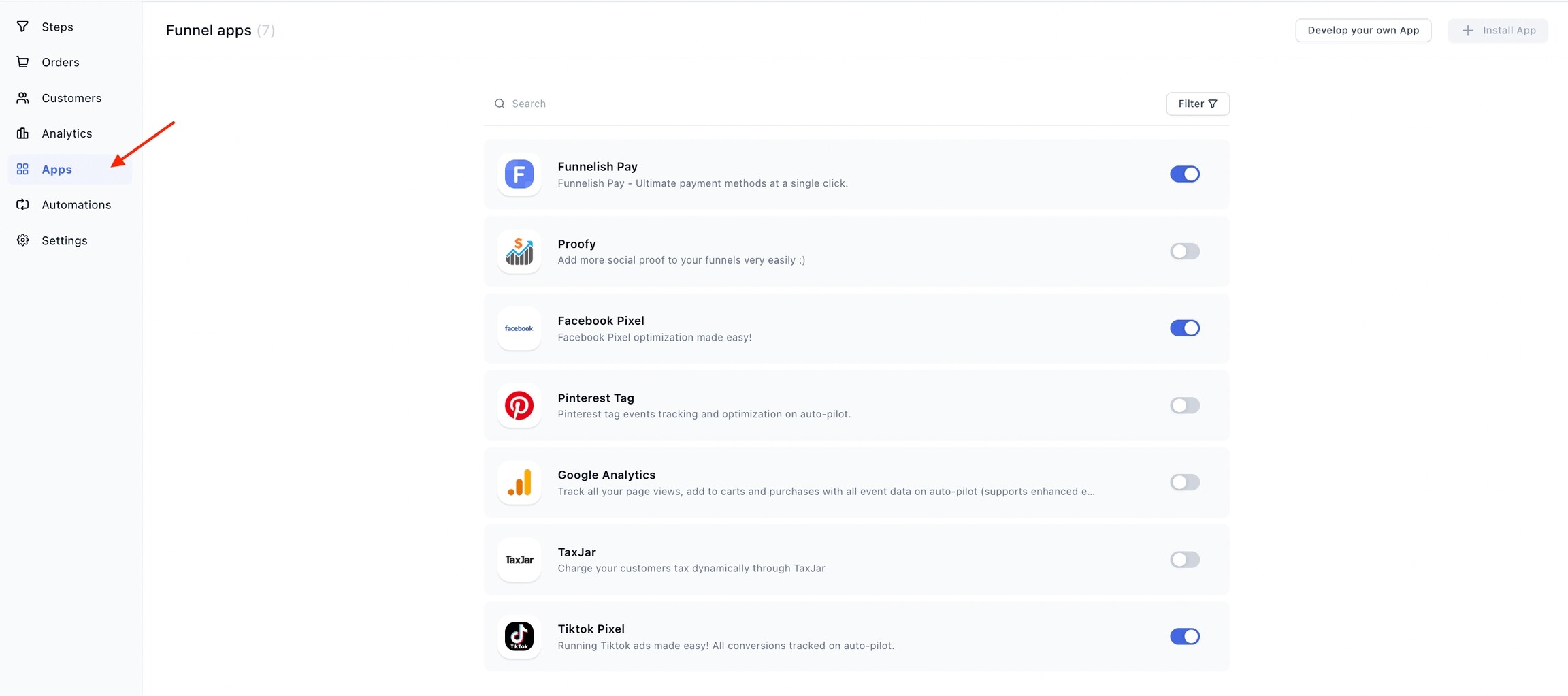
Disabling an app globally turns it off everywhere. If an app suddenly stopped working in a funnel, check that it wasn’t disabled at the account level.
Available apps
Payments
- Funnelish Pay — the complete payment solution for your funnels and stores. Accept cards via Stripe, NMI, Checkout.com and Airwallex, plus PayPal, Apple Pay & Google Pay, Klarna, iDEAL, Bancontact, SEPA, Cash on Delivery, and more.
Tracking & Analytics
-
Meta Pixel — track funnel events with the Conversions API so your Facebook and Instagram campaigns optimize with accurate purchase data.
-
TikTok Pixel — track TikTok ad conversions automatically.
-
Pinterest Tag — track and optimize conversions from your promoted pins.
-
Google Analytics — track page views, add-to-carts, and purchases with full event data, including enhanced eCommerce support.
Conversion boosters
-
Proofy — build buyer confidence with social proof and recent sales notifications.
-
Spin the Wheel — boost sign-ups and sales by letting visitors spin to win coupons.
-
Smart Currency Converter — show prices in your visitor’s local currency and charge in it too. (in beta, rolling out soon)
Privacy
- Cookie bar — stay privacy compliant with an easy-to-customize cookie consent bar. Blocks tracking apps until consent where the law requires it, and keeps an audit log of every decision.
Taxes
-
Stripe Tax — calculate, collect, and file sales tax, VAT, and GST with Stripe Tax. Works with any payment gateway, no Stripe payments required.
-
Zamp — fully managed US sales tax. Zamp’s team handles calculation, registrations, and filing. Works with any payment gateway.
-
TaxJar — charge your customers the right sales tax dynamically.
Also see the Product Tax Codes reference, used by the tax apps to categorize your products.
App availability by context
Each app is available where it makes sense. Google Analytics and the Cookie bar work everywhere, since tracking and consent matter on any page. Funnelish Pay works on funnels and stores, but not on blogs or customer portals. Click any app for its full setup guide.
| App | Funnels | Blogs | Customer Portals | Stores |
|---|---|---|---|---|
| Funnelish Pay |  |
 |
|
|
| Meta Pixel | |
|
|
|
| TikTok Pixel | |
|
|
|
| Pinterest Tag | |
|
|
|
| Google Analytics | |
|
|
|
| Proofy | |
|
|
|
| Spin the Wheel | |
|
|
|
| Smart Currency Converter* | |
|
|
|
| Cookie bar | |
|
|
|
| Stripe Tax | |
|
|
|
| Zamp | |
|
|
|
| TaxJar | |
|
|
|
*Smart Currency Converter is currently in beta, rolling out to all accounts soon.
If you don’t see an app inside a blog or portal’s Apps tab, it isn’t supported in that context. Each app’s guide lists exactly where it can run.
Quick setup
-
Open the funnel, blog, portal, or store where you want the app, then go to the Apps tab.
-
Activate the app and complete its configuration. It’s enabled on your account automatically.
-
Test it to confirm everything works — for example with a test event or a test purchase.
Related topics
-
Browse all app guides in the Apps documentation category
Got a question about a specific app? Reply below if it’s related to this topic, or post your question in the Ask the community category and we’ll help you out.